1. Įvadas
This manual provides detailed instructions for the installation, operation, and maintenance of your Loocam 5MP PoE Security Camera System. This system is designed for reliable 24/7 surveillance with advanced features such as full-color night vision, AI human and vehicle detection, and two-way audio communication.
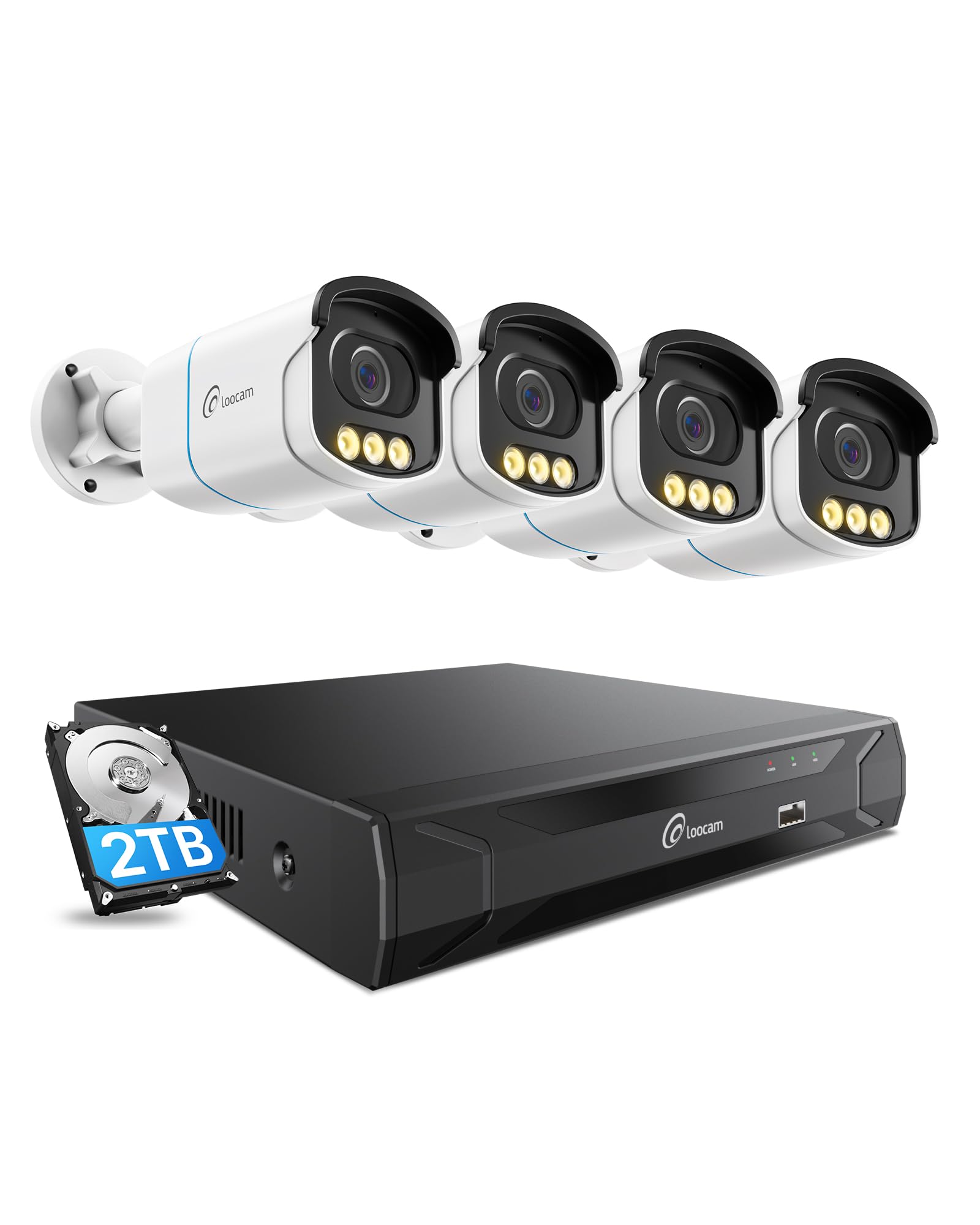
Figure 1: Loocam 5MP PoE Security Camera System components.
2. Pakuotės turinys
Patikrinkite, ar pakuotėje yra visi toliau išvardyti daiktai:
- 1x 8-Channel 8MP NVR with 2TB Hard Drive Pre-installed
- 4x 5MP PoE IP Cameras
- 4x 60ft Ethernet Cables
- 1x 1m Ethernet Cable
- 1x NVR Power Supply
- 1x USB pelė
- 1x HDMI laidas
- 4x tvirtinimo varžtai
- 4x tvirtinimo šablonai
- 1x greitas pradžios vadovas
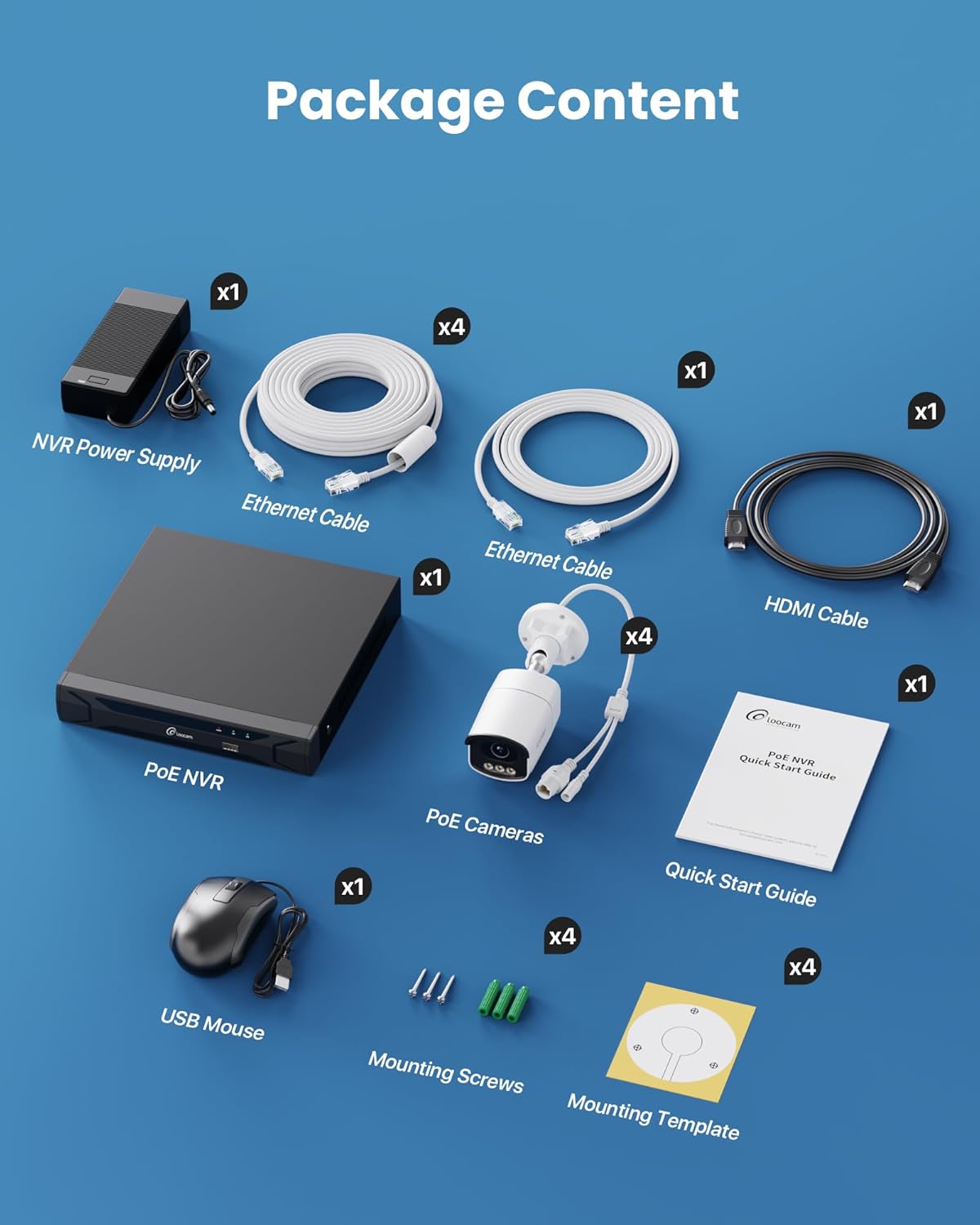
Figure 2: Contents included in the Loocam 5MP PoE Security Camera System package.
3. Sistemos sąranka
Follow these steps to set up your Loocam PoE Security Camera System:
- Paruoškite įrangą: Ensure you have a monitor, a router with network connection, and a power strip available.
- Prijungti NVR: Connect the NVR to your monitor using the HDMI cable. Connect the USB mouse to the NVR. Connect the NVR to your router using an Ethernet cable. Finally, connect the NVR power supply and turn on the NVR.
- Prijungti kameras: Connect each 5MP PoE IP camera to an available PoE port on the NVR using the provided Ethernet cables. The NVR will power the cameras and transmit video data.
- Pradinis paleidimas: Wait for the NVR to boot up and display video feeds from the connected cameras on your monitor.
Video 1: Unboxing and Installation Guide for Loocam PoE Security Camera System. This video demonstrates the physical setup process.
4. Naudojimo instrukcijos
4.1 Vaizdo kokybė ir naktinis matymas
The system provides sharp 5MP HD video (2880x1620 resolution) for clear monitoring. It features advanced full-color night vision, ensuring vivid and detailed images even in low-light conditions, providing 24/7 surveillance.

Figure 3: Visual comparison illustrating the enhanced detail of 5MP HD resolution over 1080p.

Figure 4: Demonstration of true full-color night vision providing clearer, more vibrant images at night compared to standard night vision.
Video 2: Loocam 5MP PoE Camera System showcasing True Full Color Night Vision capabilities.
4.2 Smart AI Detection and Alerts
The system utilizes AI to accurately identify people and vehicles, reducing false alarms. When an event is detected, you will receive instant app notifications.
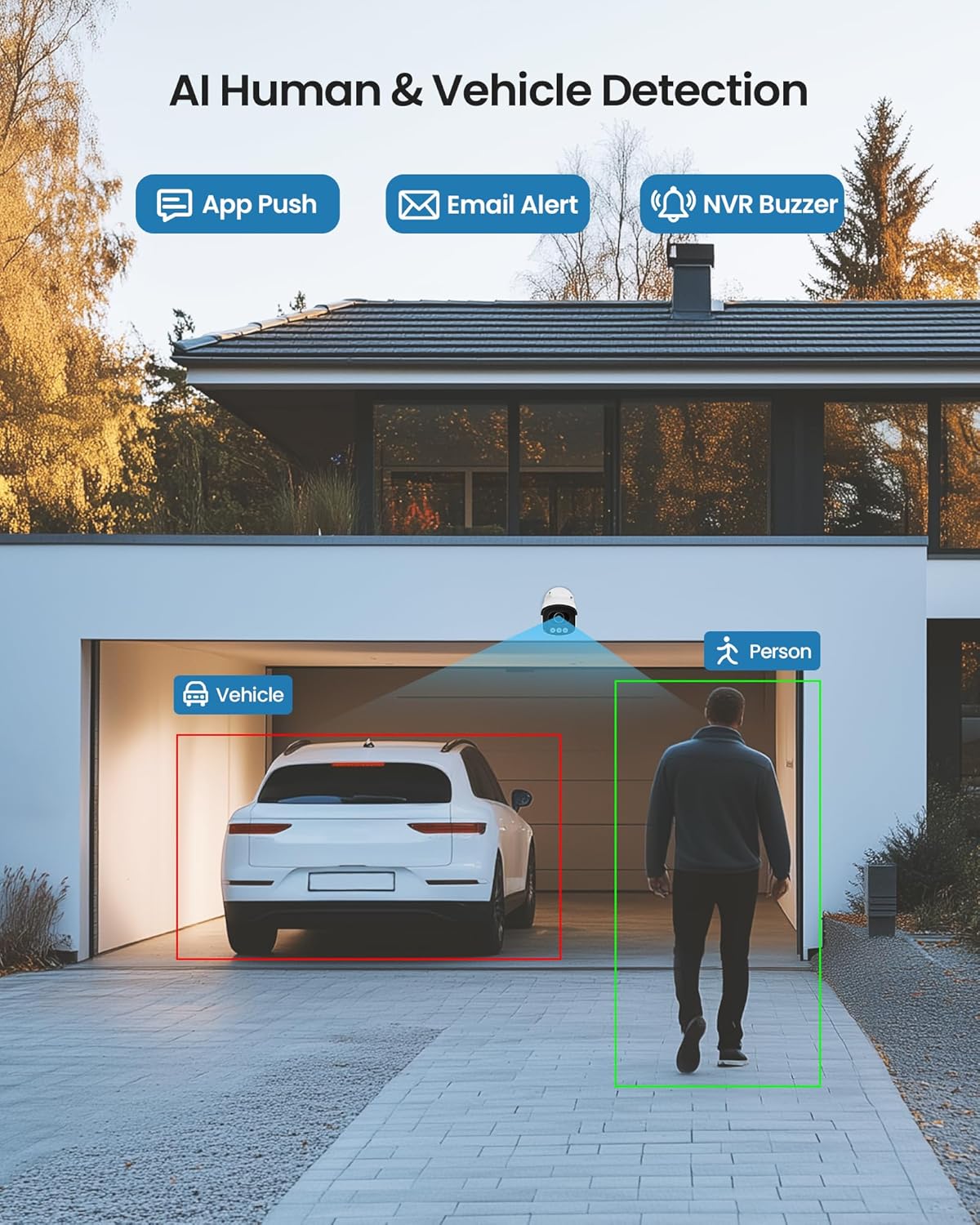
Figure 5: Illustrates the AI system detecting and outlining a person and a vehicle.
4.3 Prožektorius ir sirena
The cameras are equipped with a spotlight and siren alarm feature. These can be activated automatically upon detection or manually to deter intruders.
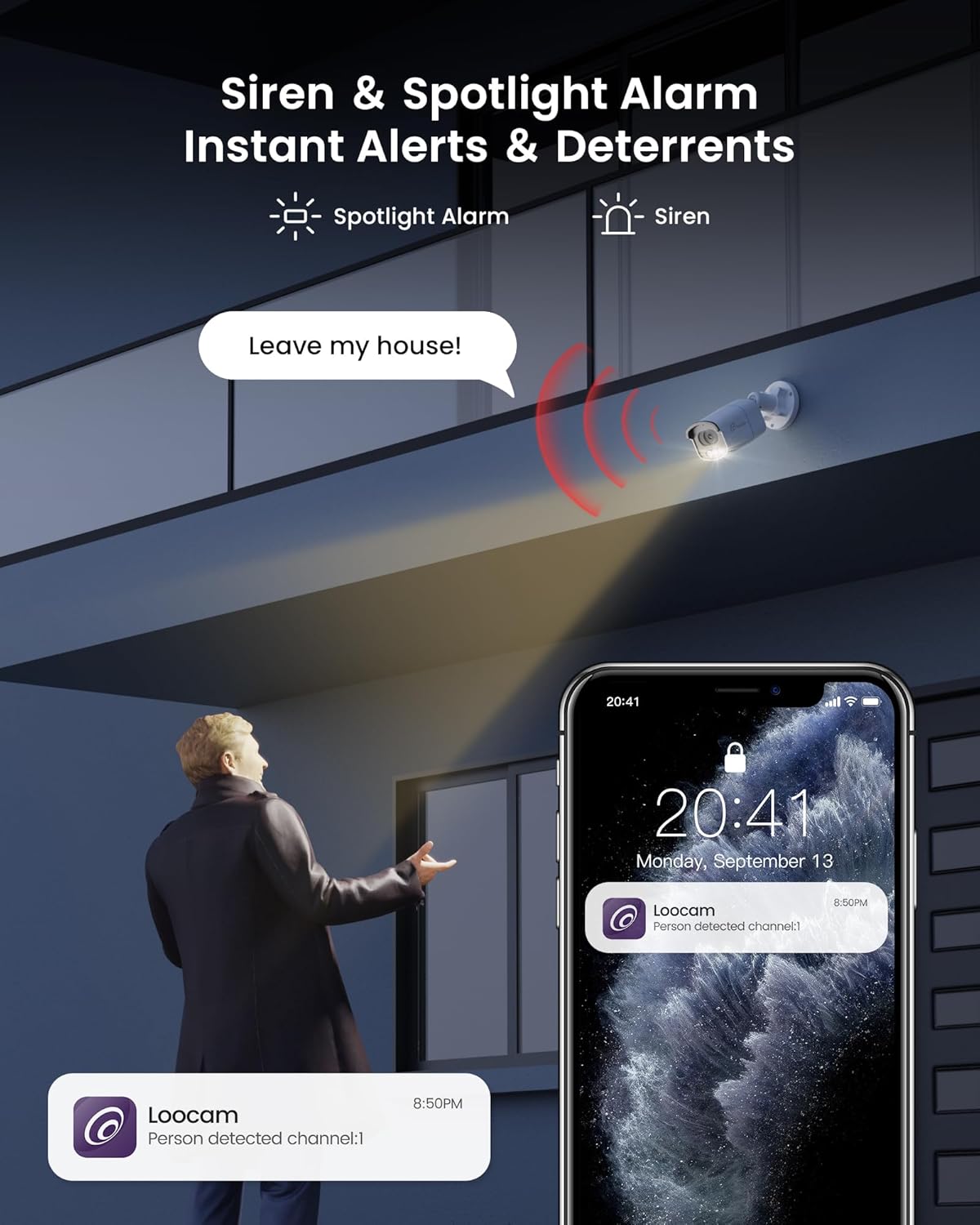
Figure 6: A security camera activating its spotlight and siren, with a corresponding notification on a smartphone.
4.4 Dvipusis garsas
Communicate directly through the camera using the built-in two-way audio feature. This allows you to speak to visitors or warn off unwanted individuals from your smartphone.

Figure 7: A user interacting via two-way audio through the Loocam app on a smartphone.
4.5 Nuotolinis Viewir atkūrimas
Access live feeds and recorded video anytime, anywhere, using the Loocam app on your smartphone, tablet, or computer. The system supports 24/7 recording to the pre-installed 2TB HDD, which is expandable up to 8TB.

Figure 8: The Loocam app interface displaying continuous recording and smart playback options.
3 vaizdo įrašas: instrukcijos, kaip tai padaryti view your Loocam PoE Security Camera System via the mobile application.
4.6 Commercial Features: Zone Monitoring & Traffic Analysis
For business applications, the system offers advanced features such as setting up virtual boundaries for zone alerts and utilizing people counting functionality to analyze foot traffic patterns.

9 pav. Pvzample of AI-driven passenger flow statistics, including a graph of statistical data.
5. Priežiūra
- Reguliarus valymas: Reguliariai valykite fotoaparato objektyvus minkšta,amp šluoste, kad užtikrintumėte aiškią vaizdo kokybę. Venkite abrazyvinių valiklių.
- Firmware atnaujinimai: Check the Loocam official websvetainėje ar programėlėje ieškokite galimų programinės įrangos atnaujinimų, kad užtikrintumėte optimalų našumą ir saugumą.
- Kabelio apžiūra: Reguliariai tikrinkite visus kabelius, ar nėra susidėvėjimo ar pažeidimų požymių, ypač jei jie montuojami lauke.
- Kietojo disko valdymas: 2 TB kietasis diskas suteikia ample storage. The system supports automatic overwrite when the disk is full. Consider backing up important footage periodiškai.
6. Problemų sprendimas
- Nėra vaizdo rodymo:
- Įsitikinkite, kad NVR įjungtas ir prijungtas prie monitoriaus.
- Patikrinkite HDMI/VGA kabelio jungtis.
- Verify cameras are properly connected to PoE ports and NVR is powered.
- Tinklo ryšio problemos:
- Confirm the NVR is connected to the router via Ethernet.
- Check router status and internet connectivity.
- Restart the NVR and router.
- Nuotolinis Viewneveikia:
- Įsitikinkite, kad NVR turi aktyvų interneto ryšį.
- Verify the Loocam app is updated to the latest version.
- Check app settings for correct device addition and network configuration.
- Klaidingi pavojaus signalai:
- Adjust AI detection sensitivity settings in the NVR or app.
- Define specific detection zones to exclude irrelevant areas.
7. Specifikacijos
| Funkcija | Detalė |
|---|---|
| Prekės ženklas | Loocam |
| Modelio numeris | LC8P8B-6W42S-186D |
| Ryšio technologija | Laidinis (PoE) |
| Vaizdo įrašymo raiška | 5 MP (1944p) |
| Ypatingos savybės | App Control, Full-Color Night Vision, Siren Alarm, Two-Way Audio, Weatherproof (IP66), AI Human/Vehicle Detection |
| Kanalų skaičius | 8 |
| Atminties talpa | 2 TB HDD (Pre-installed), Expandable up to 8 TB |
| Spalva | Baltas |
| Maitinimo šaltinis | Su laidu elektra |
| Prekės matmenys (I x P x A) | 17.2 x 12 x 7.8 colio |
| Rekomenduojami naudojimo būdai | Outdoor, Indoor, Home, Business, Human Detection, Automatic Overwrite, Audio Recording, IP66 Weatherproof, Smart Playback, Video Recording |
| Suderinami įrenginiai | Nešiojamieji kompiuteriai, asmeniniai kompiuteriai, išmanieji telefonai, televizoriai, planšetiniai kompiuteriai |
| Kadrų dažnis | 15, 24, 30 kadrų per sekundę |
| Įrašymo režimas | Renginys, tvarkaraštis |
| Techninės įrangos sąsaja | Ethernet |
| Objektyvo tipas | Pataisyta |
| Vaizdo įvestis | BNC, RJ45 |
| Išmaniųjų namų suderinamumas | Smart Home Compatible |
8. Garantija ir palaikymas
Loocam products come with a standard manufacturer's warranty. For detailed warranty information, technical support, or service inquiries, please refer to the contact information provided in your Quick Start Guide or visit the official Loocam websvetainę. Išsaugokite pirkimo čekį garantiniams reikalavimams.


