Įvadas
Welcome to your RCA Wave-68 True Wireless Earbuds. This manual provides detailed instructions on how to set up, operate, maintain, and troubleshoot your earbuds to ensure optimal performance and a seamless audio experience. Please read this manual thoroughly before using your device.
Pakuotės turinys
- RCA Wave-68 visiškai belaidės ausinės (kairė ir dešinė)
- Įkrovimo dėklas
- USB įkrovimo laidas
- Vartotojo vadovas
Produktas baigtasview
Susipažinkite su RCA Wave-68 ausinių ir įkrovimo dėklo komponentais.

Vaizdas: The RCA Wave-68 earbuds are shown inside their open charging case. The case features a digital display indicating the battery levels of both the case and individual earbuds.
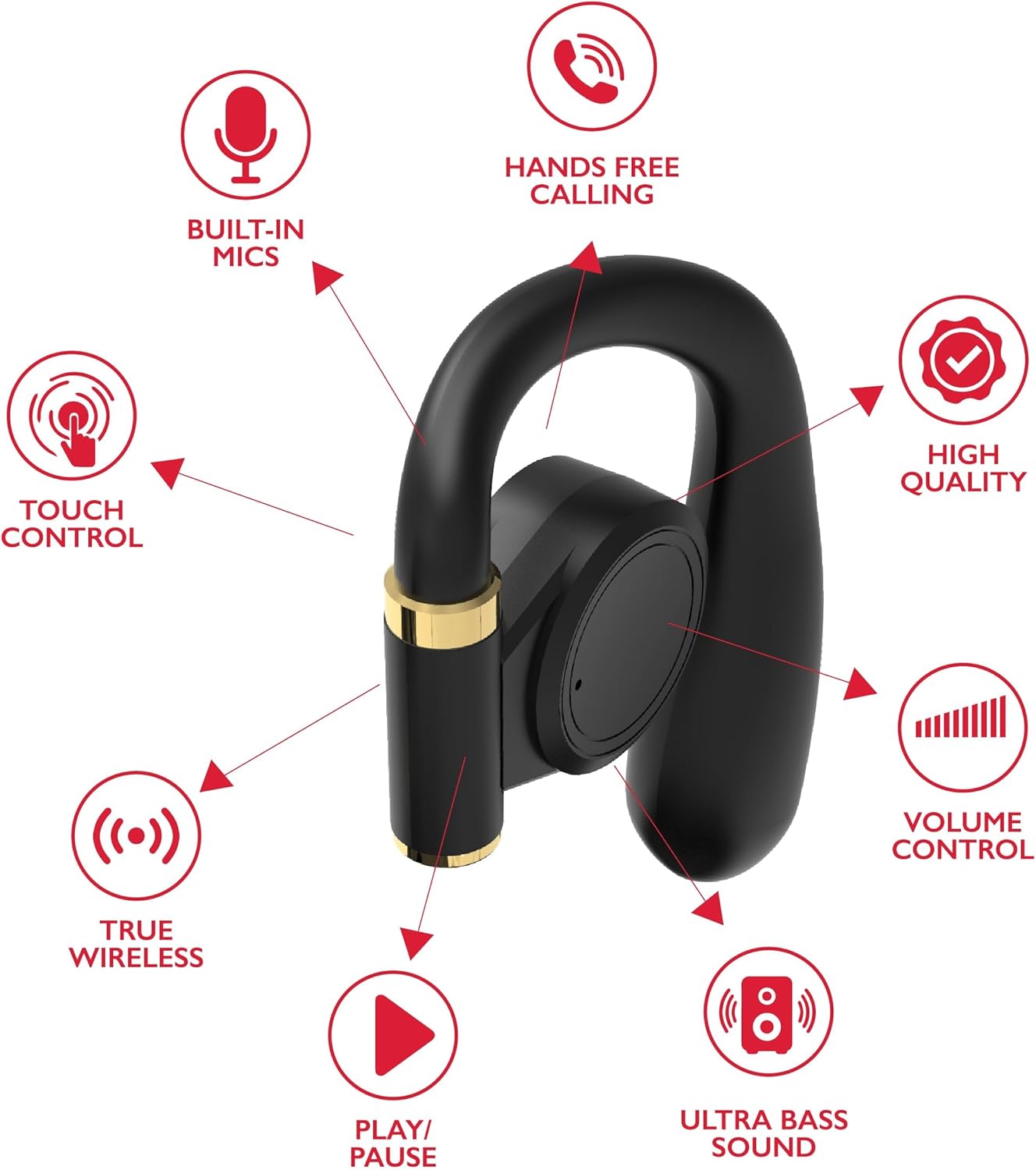
Vaizdas: A diagram highlights key features of a single RCA Wave-68 earbud, including built-in mics, hands-free calling, touch control, true wireless connectivity, play/pause function, ultra bass sound, volume control, and high-quality audio.
Sąranka
1. Ausinių ir dėklo įkrovimas
Before first use, fully charge the earbuds and charging case. Place the earbuds into the charging case. Connect the USB charging cable to the charging port on the case and to a power source. The digital display on the case will show the charging status. A full charge provides approximately 20 hours of total playtime with the charging case.
2. „Bluetooth“ poravimas
- Maitinimas: Open the charging case. The earbuds will automatically power on and enter pairing mode. You may see a blinking light indicator on the earbuds.
- Suaktyvinkite „Bluetooth“: Savo įrenginyje (išmaniajame telefone, planšetiniame kompiuteryje ir kt.) įjunkite „Bluetooth“.
- Pasirinkite įrenginį: Ieškokite "RCA Wave-68" in the list of available Bluetooth devices and select it to connect.
- Patvirtinimas: Once connected, the earbuds will indicate successful pairing, and the light indicator may stop blinking or turn off.
If pairing fails, ensure the earbuds are charged and within range of your device. Turn off Bluetooth on other nearby devices to avoid interference.
Naudojimo instrukcijos
Maitinimo įjungimas/išjungimas
- Maitinimas: Atidarykite įkrovimo dėklą ir ausinės automatiškai įsijungs. Arba paspauskite ir 3 sekundes palaikykite abiejų ausinių jutiklinį valdymo laukelį.
- Išjungti: Įdėkite ausines atgal į įkrovimo dėklą ir uždarykite dangtelį. Jos automatiškai išsijungs. Arba paspauskite ir 5 sekundes palaikykite abiejų ausinių jutiklinį valdymo laukelį.
Palieskite valdiklius
The RCA Wave-68 earbuds feature intuitive touch controls for managing audio playback, calls, and voice assistant functions.
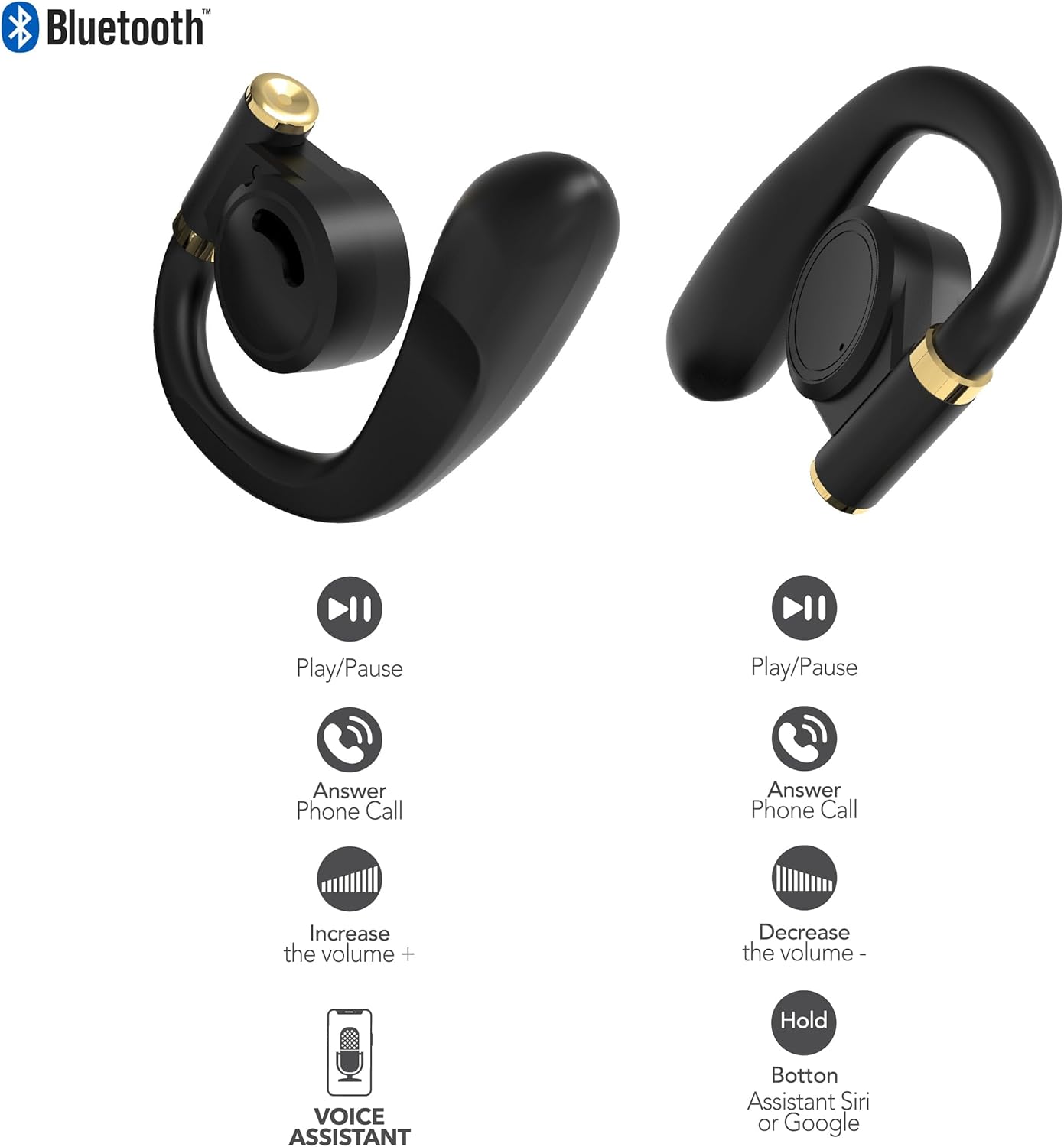
Vaizdas: This diagram illustrates the touch control functions for both the left and right RCA Wave-68 earbuds, including play/pause, answer phone call, volume increase/decrease, and activating the voice assistant.
- Leisti / pristabdyti: Vieną kartą bakstelėkite bet kurią ausinę.
- Kitas takelis: Dukart bakstelėkite dešinę ausinę.
- Ankstesnis takelis: Dukart palieskite kairę ausinę.
- Pagarsink: Tris kartus bakstelėkite dešinę ausinę.
- Patildyti: Tris kartus palieskite kairiąją ausinę.
- Atsiliepti / Baigti skambutį: Vieną kartą bakstelėkite bet kurią ausinę įeinančio arba aktyvaus skambučio metu.
- Atmesti skambutį: Įeinančio skambučio metu paspauskite ir 2 sekundes palaikykite nuspaudę bet kurią ausinę.
- Įjunkite balso asistentą („Siri“ / „Google“ asistentas): Paspauskite ir 3 sekundes palaikykite bet kurią ausinę.
Skaidrumo režimas
The Transparency Mode allows you to hear your surroundings while still enjoying your audio. This feature is useful for awareness in environments like busy streets or public transport.
- Activate/Deactivate Transparency Mode: Consult your device's Bluetooth settings or specific app if available, or refer to the product's quick start guide for a specific touch control gesture if not listed above.
Priežiūra
Valymas
Reguliarus valymas padeda palaikyti garso kokybę ir higieną.
- Ausinėms ir įkrovimo dėklui nuvalyti naudokite minkštą, sausą, nepūkuotą šluostę.
- Nenaudokite abrazyvinių valiklių, alkoholio ar cheminių tirpiklių.
- Gently remove any earwax or debris from the earbud tips and speaker mesh using a small, clean brush or cotton swab.
Sandėliavimas
Kai nenaudojate, laikykite ausines įkrovimo dėkle, kad apsaugotumėte jas nuo dulkių ir pažeidimų.
- Laikyti vėsioje, sausoje vietoje, toliau nuo ekstremalių temperatūrų.
- Venkite ilgalaikio tiesioginių saulės spindulių ar drėgmės poveikio.
Trikčių šalinimas
Jei kyla problemų dėl RCA Wave-68 ausinių, žr. šiuos dažniausiai pasitaikančius sprendimus:
- Earbuds not powering on automatically: Ensure the charging case is charged. Place earbuds back in the case, close the lid, then open it again. If issues persist, manually power on by pressing and holding the touch control area for 3 seconds.
- Ausinės nesusijungia: Make sure both earbuds are fully charged. Turn off Bluetooth on your device, then turn it back on. Forget "RCA Wave-68" from your device's Bluetooth list and attempt to pair again. Ensure no other devices are actively connected to the earbuds.
- Nėra garso iš vienos ausinės: Place both earbuds back into the charging case, close the lid, and then take them out again. This often re-syncs them. Check your device's audio balance settings.
- Charging case not displaying battery info/not charging: Ensure the USB cable is securely connected to both the case and the power source. Try a different USB cable or power adapter. Clean the charging port on the case for any debris.
- Mažas garsumas arba prasta garso kokybė: Adjust the volume on both your device and the earbuds. Ensure the earbuds are properly seated in your ears for a good seal. Clean any debris from the earbud speaker mesh.
- Iškritusios ausinės: Ensure you are using the correct ear tip size for a secure and comfortable fit.
Specifikacijos
| Funkcija | Detalė |
|---|---|
| Modelio pavadinimas | 68 banga |
| Prekės ženklas | RCA |
| Ryšio technologija | Belaidis ryšys („Bluetooth“) |
| Bluetooth versija | 5.3 |
| Baterijos veikimo laikas | Iki 20 valandų (su įkrovimo dėklu) |
| Kontrolės metodas | Palieskite |
| Ausų išdėstymas | Ausyje |
| Formos faktorius | Ausyje |
| Medžiaga | Plastikas, Silikonas |
| Ypatingos savybės | Built-In Voice Assistant, Transparency Mode |
| UPC | 850068964468 |
Saugos informacija
- Neardykite ir nemodifikuokite ausinių ar įkrovimo dėklo.
- Saugokite įrenginį nuo ekstremalių temperatūrų, drėgmės ar skysčių.
- Nenaudokite ausinių dideliu garsumu ilgą laiką, kad nepažeistumėte klausos.
- Laikyti vaikams ir naminiams gyvūnėliams nepasiekiamoje vietoje.
- Prietaisą išmeskite atsakingai laikydamiesi vietinių taisyklių.
Garantija ir palaikymas
RCA products are designed for reliability and performance. For warranty information or technical support, please refer to the warranty card included in your package or visit the official RCA support websvetainėje. Prašome išsaugoti pirkimo įrodymą garantiniams reikalavimams.


