1. Įvadas
This manual provides detailed instructions for the proper use and maintenance of your iKF R2 Pro Retro Wireless Headphones. Please read this manual thoroughly before using the product to ensure optimal performance and longevity.

The iKF R2 Pro headphones feature a retro design with metal and leather elements, offering both wireless Bluetooth 5.4 and wired 3.5mm AUX connectivity. They include Active Noise Cancellation (ANC) up to -45dB, 40mm HiFi drivers, and customizable lighting via the iKF app.
2. Kas yra dėžutėje
Išpakuodami patikrinkite, ar yra visi daiktai:
- iKF R2 Pro Wireless Headphones
- Įkrovimo kabelis
- 3.5 mm AUX garso laidas
- Vartotojo vadovas (šis dokumentas)
3. Sąranka
3.1. Ausinių įkrovimas
Before first use, fully charge the headphones. Connect the provided charging cable to the charging port on the headphones and a compatible USB power source. A full charge typically takes approximately 2 hours. The LED indicator will change to show charging status.
3.2. „Bluetooth“ poravimas
- Įsitikinkite, kad ausinės yra išjungtos.
- Paspauskite ir palaikykite maitinimo mygtuką 3 sekundes, kol LED indikatorius mirksės mėlynai ir raudonai, rodydamas susiejimo režimą.
- Savo įrenginyje (išmaniajame telefone, planšetiniame kompiuteryje, kompiuteryje) įjunkite „Bluetooth“ ir ieškokite galimų įrenginių.
- Select "iKF R2 Pro" from the list of devices.
- Prijungus, LED indikatorius ims šviesti mėlynai arba švies nemirkčiojant, priklausomai nuo modelio.
3.3. iKF App Installation and Connection
For enhanced features like customizable lighting and equalizer settings, download the official iKF app from your device's app store. Follow the in-app instructions to connect your headphones.

The iKF app allows users to personalize sound profiles with various equalizer presets (Default, Popular, Bass, Rockin, Downy, Classical) and create custom settings. It also provides control over the headphone's lighting effects.
4. Naudojimo instrukcijos
4.1. Pagrindiniai valdikliai
Ausinėse yra intuityvūs valdikliai, esantys ant ausinių kaušelių:

This diagram illustrates the location and function of the various control buttons on the iKF R2 Pro headphones, including volume, power, and NC buttons.
- Maitinimo mygtukas:
- Press and hold for 3 seconds: Turn on/off.
- Click: Play/Pause.
- Double Click: Activate Voice Assistant.
- Click: Answer/Hang Up Call.
- Press and hold for 2 seconds: Reject Call.
- Volume Button (+/-):
- Click '+': Volume Up.
- Click '-': Volume Down.
- Press and hold '+': Next Song.
- Press and hold '-': Previous Song.
- NC mygtukas:
- Click: Cycle through ANC / Transparency / Normal modes.
- Triple-click: Switch between Movie/Game/Music Mode.
- Long Press: Turn Atmosphere Lights on/off.
4.2. Aktyvus triukšmo slopinimas (ANC) ir skaidrumo režimas
The NC button allows you to switch between different listening modes:
- ANC režimas: Reduces external noise by up to -45dB, ideal for focused listening in noisy environments.
- Skaidrumo režimas: Allows you to hear your surroundings while still enjoying your audio, useful for awareness in urban settings or conversations.
- Įprastas režimas: Standartinis garso atkūrimas be triukšmo slopinimo ar skaidrumo funkcijų.

This image shows a user experiencing the benefits of both Active Noise Cancellation (ANC) for quiet listening and Transparency Mode for environmental awareness with the iKF R2 Pro headphones.
4.3. Mažo delsos režimas
Activate Game Mode via the iKF app for ultra-low audio latency (35 milliseconds), providing a synchronized audio-visual experience for gaming or video playback.

The headphones are shown alongside a smartphone, highlighting their low latency feature which is beneficial for gaming and synchronized media consumption.
4.4. Laidinis ryšys (AUX)
For a wired audio experience or when battery is depleted, connect the provided 3.5mm AUX cable to the headphone's audio jack and your device's audio output.
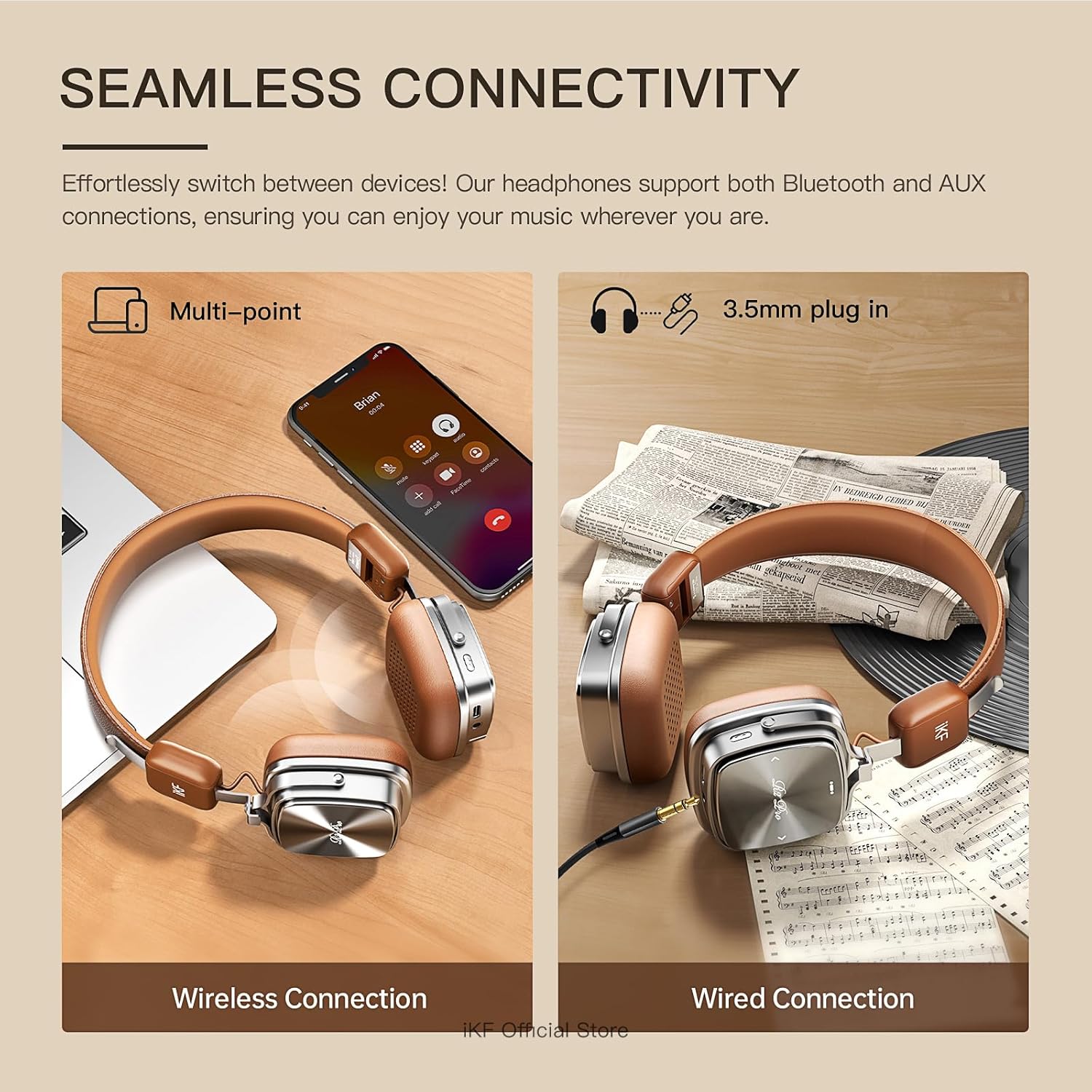
This image demonstrates the flexibility of the iKF R2 Pro headphones, showcasing both Bluetooth wireless connection to a laptop and a wired 3.5mm AUX connection to an audio source.
4.5. Daugiataškis ryšys
The headphones support multi-point Bluetooth connectivity, allowing them to be simultaneously connected to two devices. This enables seamless switching between audio sources, such as a phone and a laptop.
5. Priežiūra
5.1. Bendroji priežiūra
Handle your headphones with care. Avoid dropping them or exposing them to extreme temperatures. The headphones are constructed with leather, metal, and plastic components.
5.2. Valymas
Wipe the headphones with a soft, dry cloth. For the leather parts, use a specialized leather cleaner if necessary. Do not use harsh chemicals or abrasive materials. The detachable ear pads can be gently cleaned as per their material type.
5.3. Sandėliavimas
When not in use, store the headphones in a cool, dry place, away from direct sunlight and moisture. The foldable design allows for compact storage, reducing space when traveling.

This image highlights the adjustable headband and foldable earcups of the iKF R2 Pro, making them convenient for storage and travel.
5.4. Atsparumas vandeniui
The iKF R2 Pro headphones are rated as waterproof. However, avoid prolonged submersion or exposure to high-pressure water jets to prevent damage.
6. Problemų sprendimas
Jei kyla problemų dėl ausinių, žr. šiuos dažniausiai pasitaikančius sprendimus:
| Problema | Galima priežastis | Sprendimas |
|---|---|---|
| Neįmanoma įjungti | Senka baterija | Pilnai įkraukite ausines. |
| Nepavyksta susieti per „Bluetooth“ | Ausinės neįjungtos susiejimo režimu; įrenginio „Bluetooth“ išjungtas; trukdžiai | Ensure headphones are in pairing mode (flashing blue/red LED). Turn device Bluetooth off and on. Move closer to the device. |
| Nėra garso | Volume too low; incorrect audio source; loose AUX cable | Increase volume on headphones and device. Check device's audio output settings. Re-insert AUX cable firmly. |
| ANC neefektyvus | Incorrect mode; earcups not sealed | Ensure ANC mode is active via the NC button. Adjust headphones for a snug fit over your ears. |
For further assistance, refer to the iKF app or contact customer support.
7. Specifikacijos
- Modelio pavadinimas: iKF R2 Pro
- Ryšio technologija: „Bluetooth 5.4“, 3.5 mm lizdas
- Triukšmo valdymas: Active Noise Cancellation (-45dB), Sound Isolation
- Garso tvarkyklės dydis: 40 Millimeters (Bio-fiber composite drivers)
- Garso delsa: 35 milisekundžių (žaidimo režimas)
- Baterijos veikimo laikas: Iki 75 valandų (ANC išjungtas), 40 valandų (ANC įjungtas)
- Įkrovimo laikas: Maždaug 2 valandos
- Valdymo tipas: Palieskite valdymą
- Medžiaga: Oda, metalas, plastikas
- Prekės svoris: 0.9 svaro (14.4 uncijos)
- Atsparumo vandeniui lygis: Atsparus vandeniui
- Varža: 32 omai
- Suderinami įrenginiai: iPhone/iPad/Macbook and other Bluetooth-enabled devices
8. Garantija ir palaikymas
For warranty information, please refer to the documentation provided at the time of purchase or contact the seller directly. iKF offers customer support for product inquiries and technical assistance.
You can visit the official iKF store for more information: iKF oficiali parduotuvė


