Įvadas
Thank you for choosing the BORUIT V Series Powerful Small Flashlight and Portable Clip Light. This manual provides essential information for the safe and effective use of your new device. Please read it thoroughly before operation and retain it for future reference.

Image: The BORUIT V Series flashlight set, including two compact flashlights, charging cables, and lanyards.
Pakavimo sąrašas
Išpakuodami patikrinkite, ar pakuotėje yra visi toliau išvardyti daiktai:

Image: Contents of the package, including the flashlight, lanyard, lampshade, keychain, color box, charging cable, and user manual.
- BORUIT V Series Flashlight (V30 + V20 models)
- USB-C įkrovimo laidas
- Virvelė
- Lampshade (diffuser)
- Raktų pakabukas
- Vartotojo vadovas
Sąranka ir pradinis naudojimas
1. Įrenginio įkrovimas
Before first use, fully charge your BORUIT flashlight. Connect the provided USB-C charging cable to the flashlight's charging port and a suitable USB power source (e.g., computer, wall adapter). The indicator lights will show charging status.
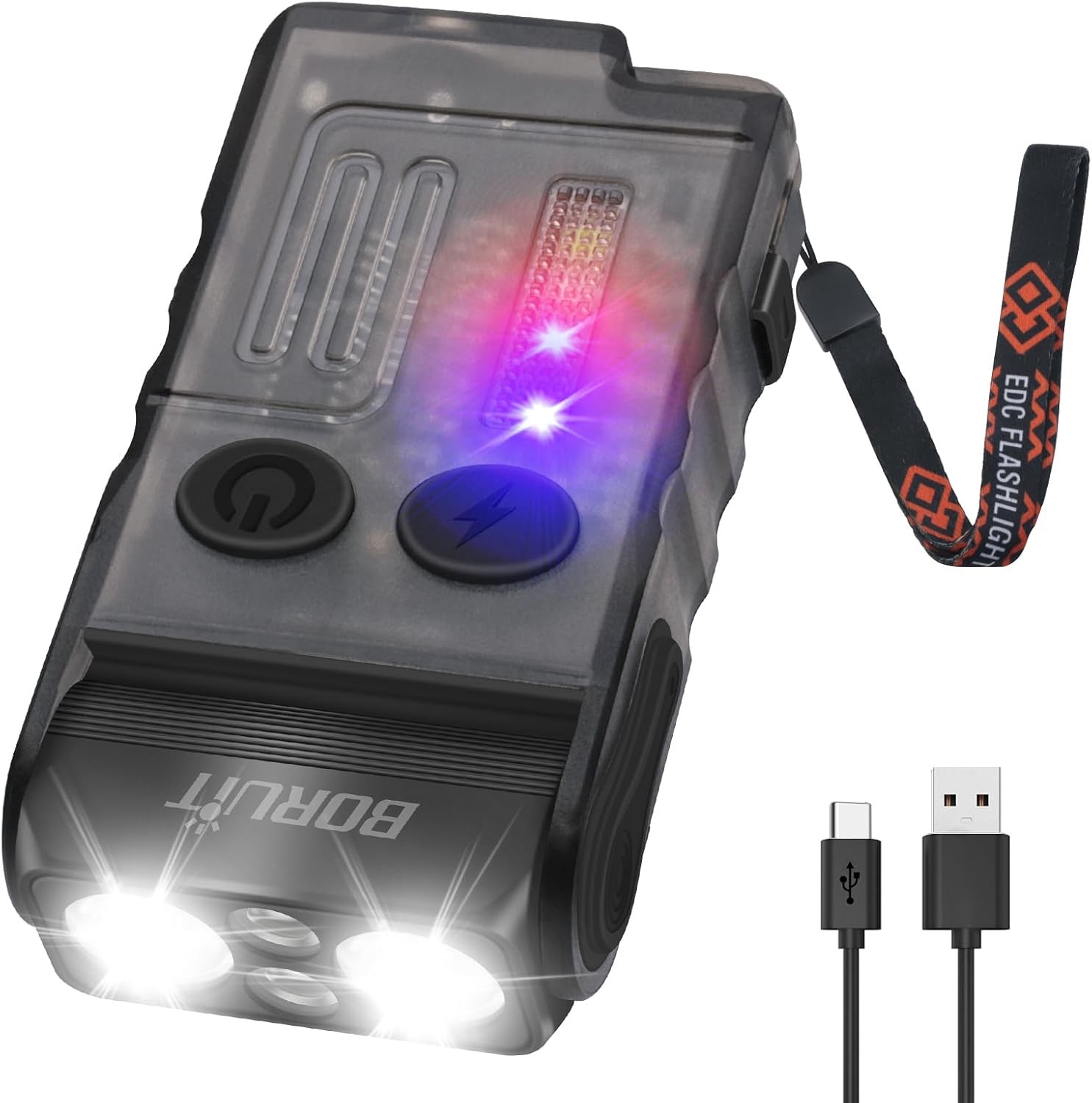
Image: The flashlight being charged via its USB-C port.
2. Attaching Lanyard and Clip
Attach the lanyard to the designated loop on the flashlight for secure carrying. The integrated clip allows for attachment to pockets, belts, or other gear. The flashlight also features a 180° rotatable magnetic base for hands-free use on metallic surfaces.
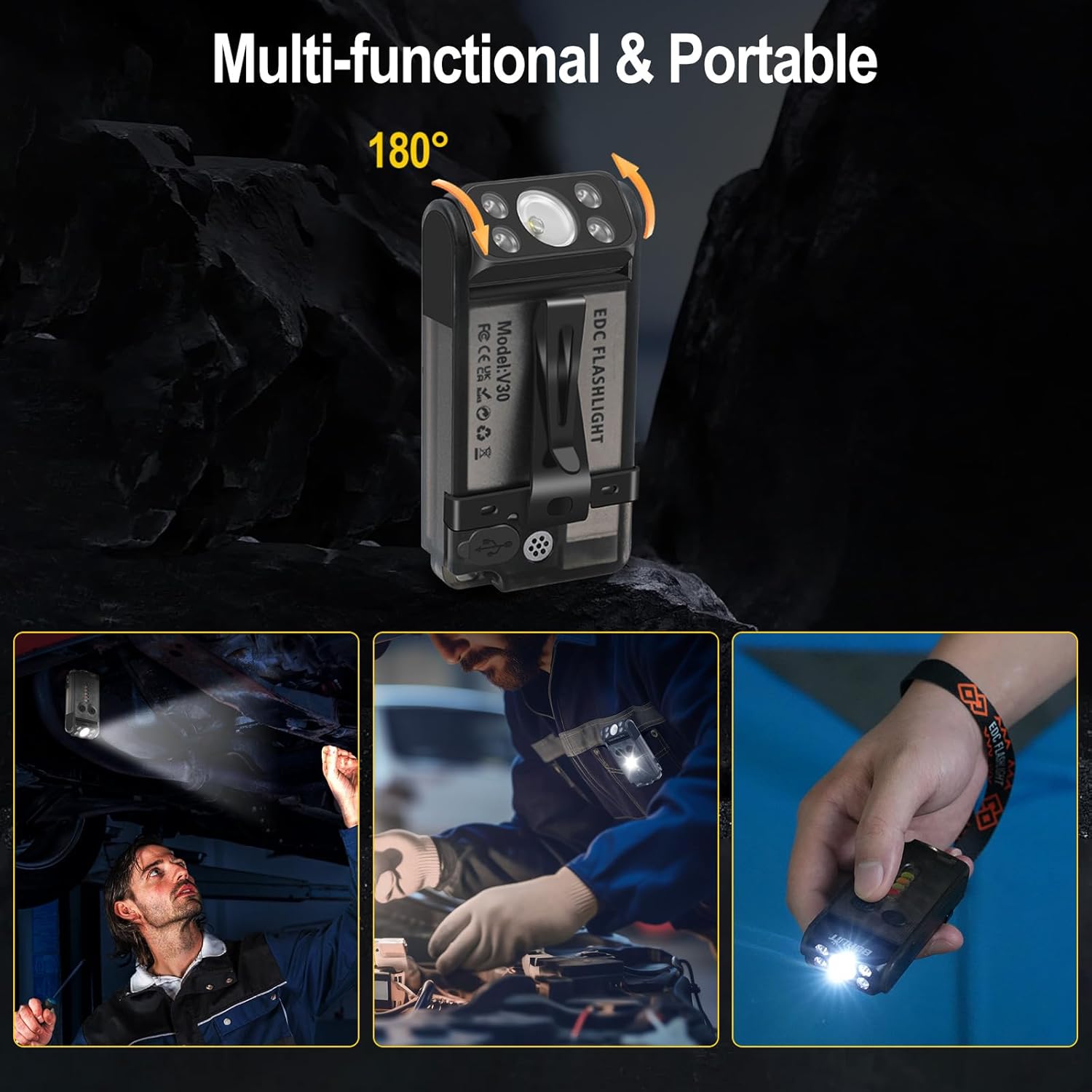
Image: Demonstrating the multi-functional clip and magnetic base for various hands-free applications.
Naudojimo instrukcijos
The BORUIT V Series flashlight features multiple lighting modes and functions controlled by two main buttons: the Main Light Button (power symbol) and the Side Light Button (lightning bolt symbol).
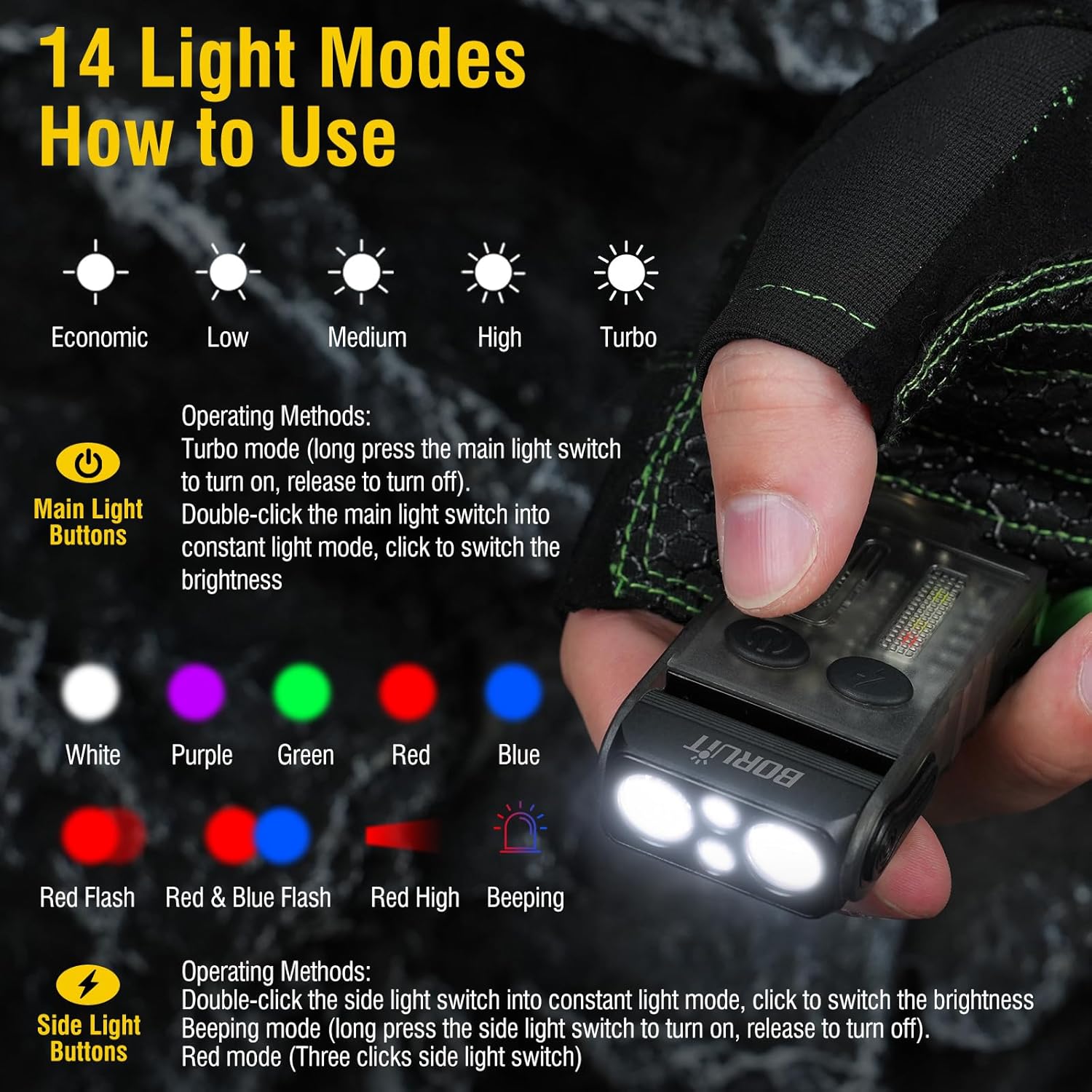
Image: Visual guide to the 14 light modes and their activation methods.
Main Light Operations (Front LEDs)
- Turn On/Off (Constant Light Mode): Double-click the Main Light Button.
- Ciklo ryškumas: Once in constant light mode, click the Main Light Button to cycle through Low, Medium, and High brightness levels. The flashlight has a memory function for the last used brightness.
- Turbo režimas: Long press the Main Light Button from the off state to activate Turbo mode. Release the button to turn off.
- Red Light - Purple Light Cycle: Triple-click the Main Light Button to activate red light, then click again to cycle to purple light. Long press to turn off.
Side Light Operations (Side LEDs)
- Turn On/Off (Constant Light Mode): Double-click the Side Light Button.
- Ciklo spalvos: Once in constant light mode, click the Side Light Button to cycle through White, Red, Yellow, Green, Red & Blue Flashing.
- Warning Mode (Beeping): Long press the Side Light Button to enter warning mode, which includes a beeping sound. Release to turn off.
- Discharge Mode (Power Bank Function): Triple-click the Side Light Button to activate the power bank function. Triple-click again to exit this mode.
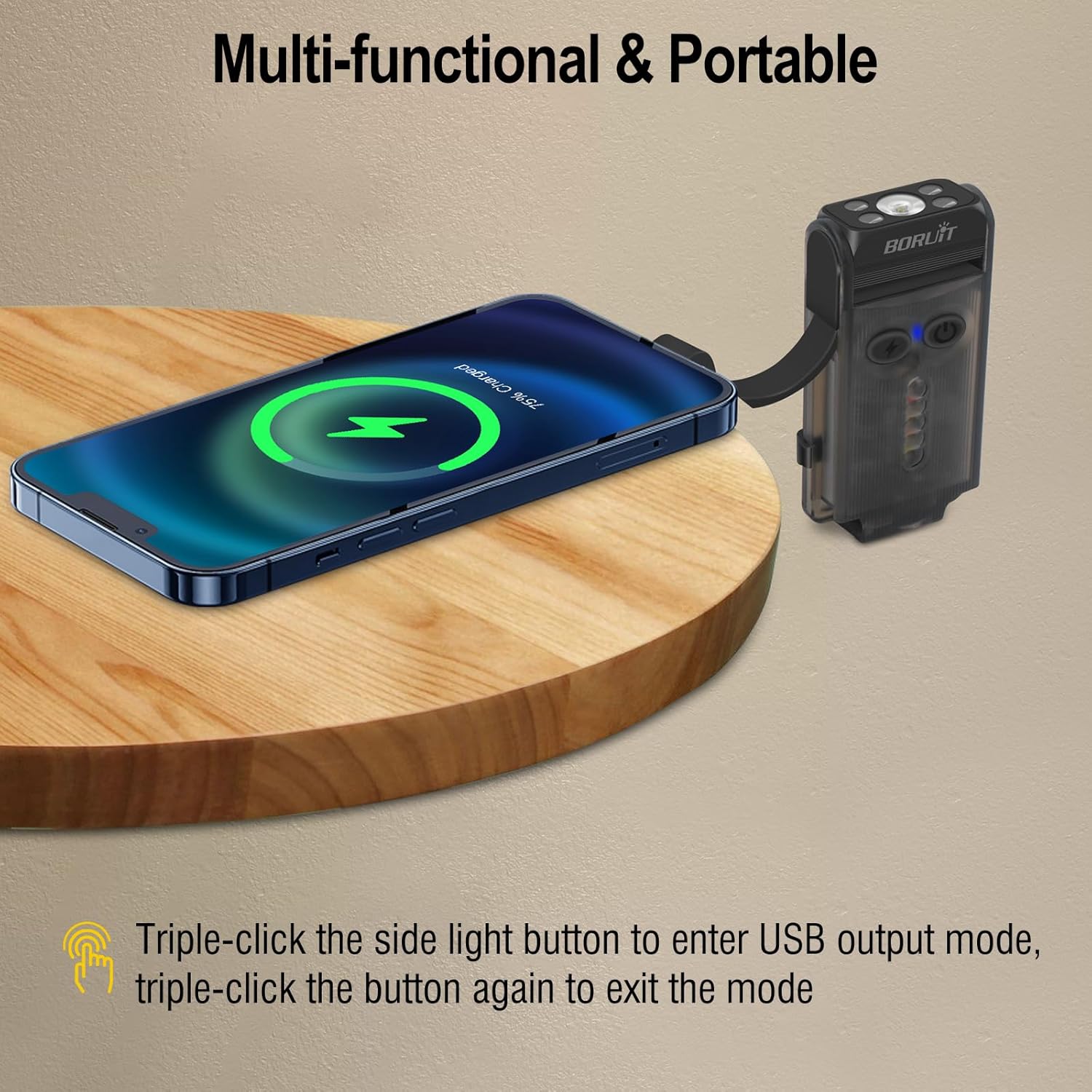
Image: The flashlight acting as a portable power bank to charge a smartphone.
Specifikacijos
| Prekės ženklas | BORUITAS |
| Modelis | V30 + V20 Flashlight |
| Medžiaga | Aliuminio lydinys + kompiuteris |
| Ypatingos savybės | Rechargeable, 3 Light Sources (White, Red, UV), 180° Rotatable Magnetic Base, Portable Clip, Power Bank Function, Buzzer |
| Matmenys (apytiksliai) | 3.3 coliai (ilgis) |
| Svoris (apytiksliai) | 3.5 uncijos |
Priežiūra ir priežiūra
- Valymas: Žibintuvėlį nuvalykite minkšta, damp audinys. Nenaudokite stiprių cheminių medžiagų ar abrazyvinių valiklių.
- Saugykla: Žibintuvėlį laikykite vėsioje, sausoje vietoje, apsaugotoje nuo tiesioginių saulės spindulių ir ekstremalių temperatūrų.
- Akumuliatoriaus priežiūra: To prolong battery life, charge the flashlight regularly, even if not in frequent use. Avoid fully discharging the battery for extended periods.
- Atsparumas vandeniui: While durable, avoid submerging the flashlight in water. It is designed for everyday use and light splashes.
Trikčių šalinimas
| Problema | Galima priežastis | Sprendimas |
|---|---|---|
| Žibintuvėlis neįsijungia. | Low battery or incorrect operation. | Charge the flashlight fully. Ensure you are using the correct button presses (double-click for constant light, long press for turbo). |
| Žibintuvėlis neįkraunamas. | Sugedęs laidas, maitinimo šaltinis arba įkrovimo prievadas. | Išbandykite kitą USB-C laidą ir maitinimo adapterį. Įsitikinkite, kad laidas tvirtai prijungtas. |
| Šviesos srautas silpnas. | Žema akumuliatoriaus įkrova arba neteisingas ryškumo nustatymas. | Charge the flashlight. Cycle through brightness levels to select a higher setting. |
| Neveikia išorinės baterijos funkcija. | Not activated or low flashlight battery. | Triple-click the Side Light Button to activate. Ensure the flashlight has sufficient charge. |
Garantija ir klientų aptarnavimas
BORUIT products come with excellent after-sales service. We are committed to addressing any issues to ensure your satisfaction. If you have any questions or require assistance with your product, please contact our customer support team. We aim to respond to all inquiries within 24 hours.
Dėl pagalbos apsilankykite BORUIT Store on Amazon arba žr. kontaktinę informaciją, pateiktą ant jūsų produkto pakuotės.


