1. Įvadas
Thank you for choosing the TOPTRO Smart Projector. This manual provides essential information for setting up, operating, and maintaining your projector to ensure optimal performance and longevity. Please read this manual thoroughly before using the product and retain it for future reference.
2. Svarbi saugos informacija
- Veikimo aplinka: Už geriausią viewing experience, it is recommended to use the projector in a dark environment.
- Garso suderinamumas: The projector does not support Dolby Audio. Ensure Dolby Audio is turned off on your source device to avoid sound issues.
- Bluetooth ryšys: The projector's Bluetooth function does not support direct connection to smartphones or computers for audio output. It is designed for connecting to external Bluetooth speakers or headphones.
- Baterijos naudojimas: The built-in battery provides approximately 2.5 hours of playback on a full charge. If the battery is depleted, charge for at least 15 minutes before resuming use.
- Programinės įrangos atnaujinimai: If the application prompts you to update, it is recommended not to update. Press the "return button" on the remote control to continue normal operation.
- Dulkių prevencija: The projector features a fully sealed optical system designed to prevent dust accumulation, reducing issues like yellowing and black spots. Do not attempt to open the optical system.
3. Pakuotės turinys
Pažymėkite langelį prie šių elementų:
- TOPTRO Smart Projector
- Maitinimo laidas
- Nuotolinio valdymo pultas
- Vartotojo vadovas (šis dokumentas)
4. Produktas baigtasview
Pagrindinės savybės
- Integruota baterija: 20000mAh capacity for up to 2.5 hours of portable use.
- Built-in Android System: Access to a built-in App Store for streaming applications like YouTube, Netflix, and Prime Video.
- Smart Electric Focus & Auto Vertical Keystone: Automatic image adjustment for clear, rectangular projection.
- Fully Sealed Optical Machine: Prevents dust contamination, reducing yellowing and black spots, and extends lifespan.
- Shocking Stereo Sound: Customized super large sound cavity for 360-degree stereo surround sound.
- 5G High-Speed WiFi: Faster and more stable wireless connection.
Projektoriaus komponentai
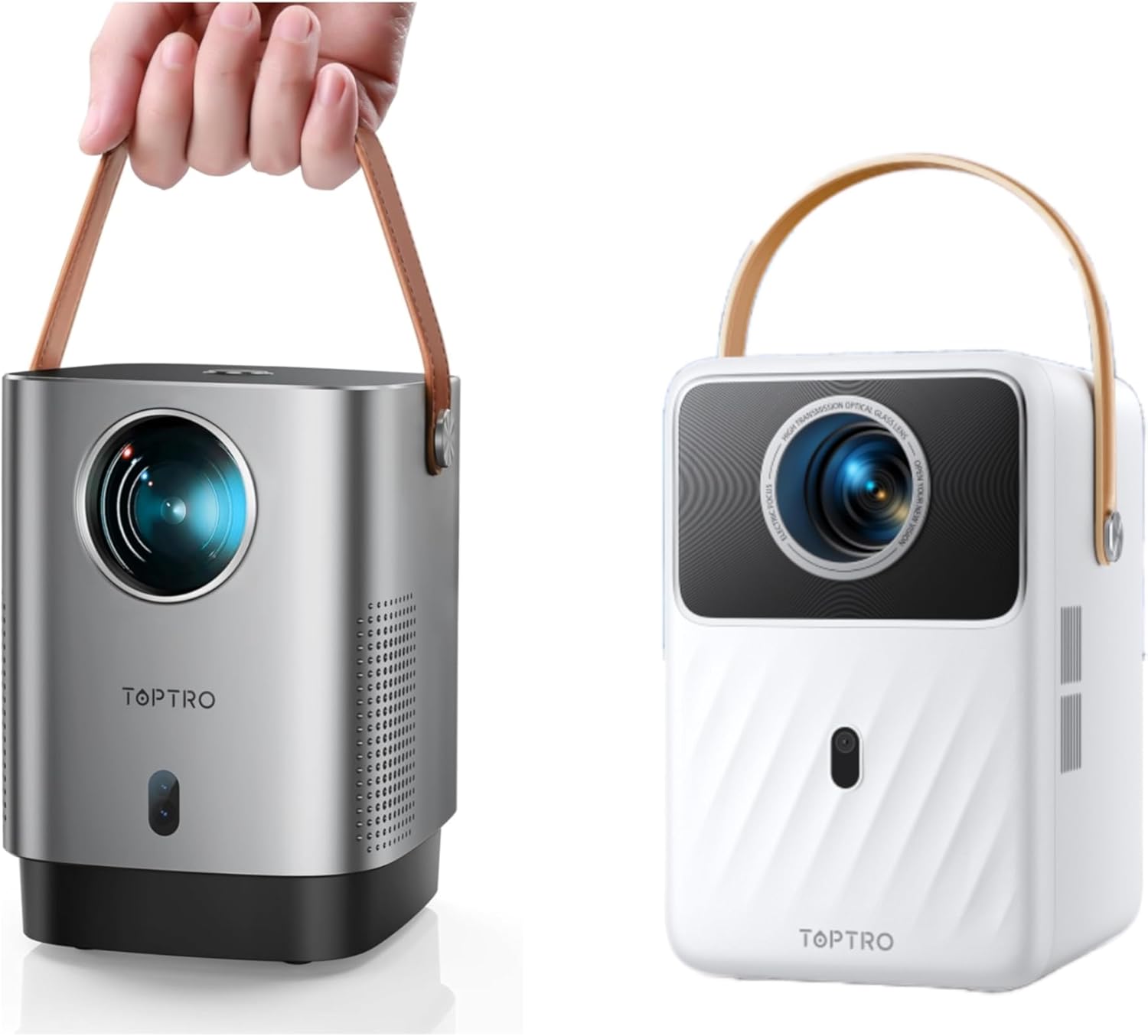
Image: The TOPTRO Smart Projector, showcasing its compact design and portable handle. Available in silver and white finishes.

Vaizdas: Viršus view of the projector, highlighting the USB and HDMI input ports for connecting various devices.

Image: A projected image demonstrating the high-definition picture quality, emphasizing clarity and detail.

Image: The projector positioned near an external speaker, symbolizing its powerful stereo sound output.
5. Pradinė sąranka
- Įjungimas:
Connect the power cord to the projector and a power outlet. If using the built-in battery, ensure it is sufficiently charged. Press the power button located on the top of the projector to turn it on.

Image: A user's finger pressing the power button located on the top surface of the projector.
- Vieta:
Place the projector on a stable, flat surface. For optimal image quality, project onto a smooth, light-colored wall or a projector screen in a dark room.
- Fokusavimo ir kertinio akmens korekcija:
The projector features smart electric focus and auto vertical keystone correction. Use the smart remote control to obtain a clear, rectangular image within 5 seconds. The auto vertical keystone function will automatically correct distorted images.

Image: A remote control being used to adjust the electric focus of the projector, ensuring a crystal-clear image.
- Įrenginių prijungimas:
Connect your desired input devices (e.g., TV stick, game console, laptop) to the projector's HDMI or USB ports. Ensure the correct input source is selected on the projector's menu.
- Network Connection (WiFi):
Navigate to the network settings in the projector's menu. Select your 5G WiFi network and enter the password to connect for internet access and streaming.
6. Operacija
Pagrindinė operacija
- Use the provided remote control to navigate the projector's interface.
- The remote allows you to adjust volume, select input sources, access settings, and control media playback.
Smart System & Applications
The TOPTRO Smart Projector features a built-in Android operating system. This allows you to download and install various applications directly from the integrated App Store, including popular streaming services like YouTube, Netflix, and Prime Video. It is recommended to connect a TV box or Fire TV stick (not included) for a wider range of content.

Image: The projector's interface showing various pre-installed and downloadable streaming applications.
Screen Mirroring / Casting
The projector supports connectivity with iOS, Android, and PC devices, allowing you to mirror or cast content from your smartphone, tablet, or computer. Refer to the on-screen instructions for specific mirroring protocols.

Image: A visual representation of the projector's 5G WiFi capability, demonstrating faster and more stable connections compared to 2.4G WiFi.
7. Priežiūra ir priežiūra
- Valymas: Projektoriaus išorę valykite minkšta, sausa šluoste. Objektyvui valyti naudokite specializuotą objektyvo valymo šluostę ir tirpalą. Nenaudokite abrazyvinių valiklių ar tirpiklių.
- Saugykla: Kai nenaudojate, laikykite projektorių vėsioje, sausoje vietoje, apsaugotoje nuo tiesioginių saulės spindulių ir ekstremalių temperatūrų.
- Apsauga nuo dulkių: The fully sealed optical system (IP5X certified) significantly reduces dust ingress. Avoid exposing the projector to excessively dusty environments.
8. Problemų sprendimas
| Problema | Galima priežastis | Sprendimas |
|---|---|---|
| Nėra galios | Power cord not connected; Battery depleted | Ensure power cord is securely connected. If using battery, charge for at least 15 minutes. |
| Neryškus vaizdas | Out of focus; Incorrect keystone | Use the remote control for electric focus adjustment. The projector has auto vertical keystone correction. |
| Nėra garso | Volume too low; Dolby Audio enabled on source; Incorrect audio output | Increase volume. Disable Dolby Audio on your source device. Check audio output settings. |
| Cannot connect Bluetooth device | Attempting to connect to smartphone/computer; Device not in pairing mode | Bluetooth is for speakers/headphones only, not smartphones/computers. Ensure your Bluetooth device is in pairing mode. |
| App update prompt | System prompting for update | It is recommended not to update. Press the "return button" on the remote control to continue normal operation. |
| Yellowing or black spots on screen | Dust accumulation (unlikely due to sealed system) | The sealed optical system minimizes this. If issues persist, contact customer support. |
9. Techninės specifikacijos
| Funkcija | Specifikacija |
|---|---|
| Prekės ženklas | TOPTRO |
| Ekrano raiška | 1920 x 1080 (1080p) |
| Ryšio technologija | Bluetooth, WiFi (5G supported), HDMI, USB |
| Ypatinga funkcija | Portable, Built-in Battery, Smart Android System, Auto Focus, Auto Keystone |
| Rekomenduojami naudojimo būdai | Home Cinema, Outdoor Movies, CampKelionės |
| Gamintojas | TOPTRO |
| Pirmas prieinamas | 22 m. lapkričio 2024 d |
10. Garantija ir klientų aptarnavimas
TOPTRO provides comprehensive after-sales support for your projector:
- 1-Year Money-Back Guarantee: If you are not satisfied with your purchase within one year, you may be eligible for a refund.
- 3-Year Repair Service: The projector is covered by a 3-year repair warranty for manufacturing defects.
- Profesionali techninė pagalba visą gyvenimą: TOPTRO offers lifetime technical assistance for any issues or questions you may have regarding your projector.
For any problems or inquiries, please contact TOPTRO customer support through the official websvetainėje arba savo pirkimo platformoje. Kreipdamiesi į palaikymo tarnybą, turėkite paruoštą savo produkto modelį ir pirkimo informaciją.


