Įvadas
This manual provides comprehensive instructions for the MoKo 10X Rechargeable Magnifying Glass with 21 LED Lights. Designed for enhanced visual clarity, this device is ideal for reading, inspection, and exploring small details. It features a powerful 10X magnification, adjustable LED lighting, and a comfortable ergonomic design for extended use.
Prieš naudodami gaminį, atidžiai perskaitykite šį vadovą, kad užtikrintumėte tinkamą jo veikimą ir priežiūrą.
Kas yra dėžutėje
- MoKo 10X Rechargeable Magnifying Glass
- USB įkrovimo laidas
- Valymo šluostė
- Sandėliavimo maišelis
- Vartotojo vadovas
Sąranka
1. Pradinis įkrovimas
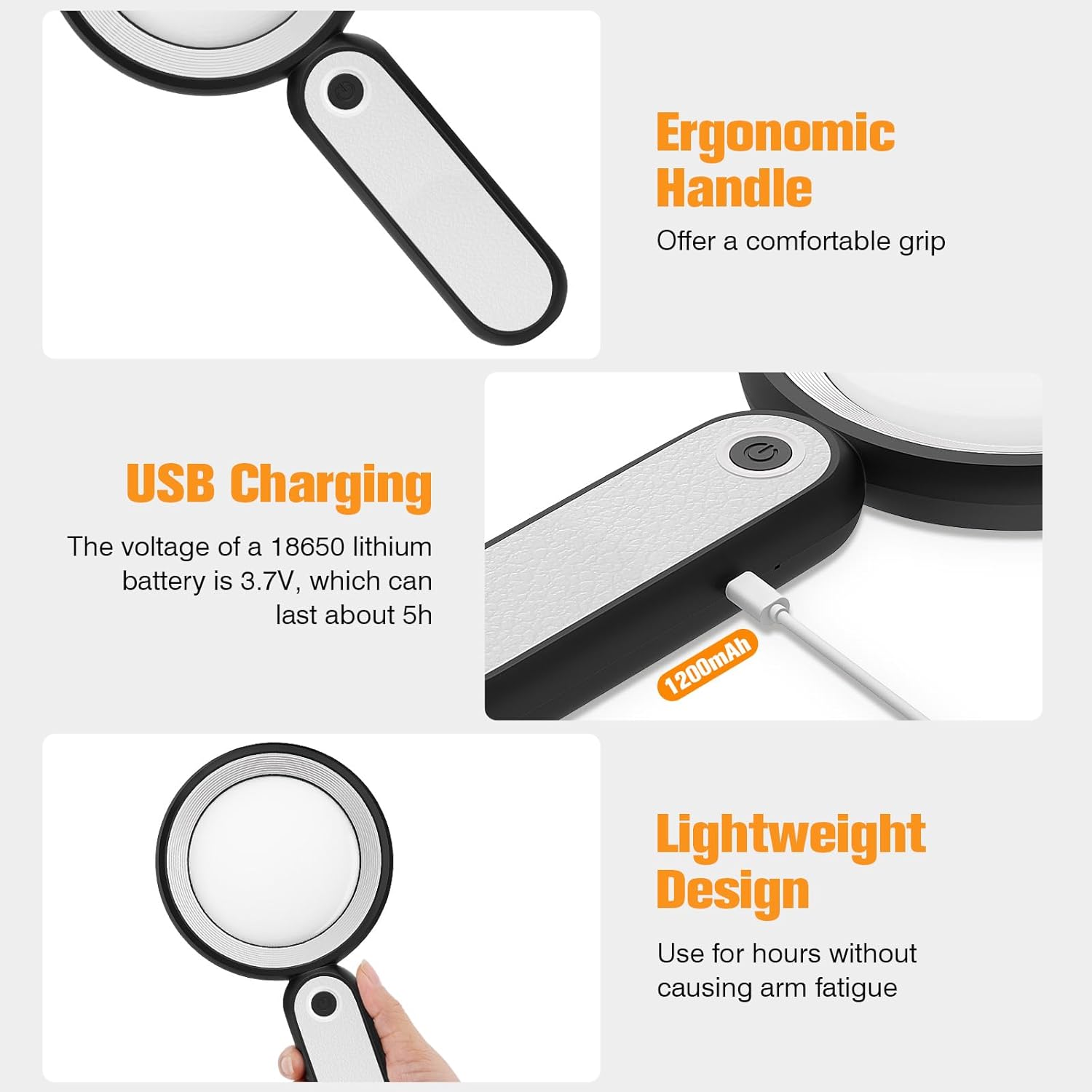
Before first use, fully charge the magnifying glass. Locate the USB charging port on the handle of the device.

Image: USB charging port on the handle.
- Connect the provided USB charging cable to the charging port on the magnifying glass.
- Kitą USB laido galą prijunkite prie suderinamo USB maitinimo adapterio (nepridedamas) arba kompiuterio USB prievado.
- The charging indicator lights (if present) will show the charging status. Allow the device to charge until fully powered, typically around 5 hours for a full charge.
2. Rankenos reguliavimas
The magnifying glass features an adjustable handle for comfortable use.

Image: Ergonomic handle design.
- Gently pivot the handle to your desired angle for handheld use.
- The handle can be folded for compact storage or extended for a comfortable grip during use.
Naudojimo instrukcijos
1. Didinimas
The MoKo Magnifying Glass provides 10X magnification for clear viewing of small text and objects.

Image: Magnifying glass in use, showing 10X magnification on text.
- Hold the magnifying glass approximately 3-5 inches (7.5-12.5 cm) above the object you wish to magnify.
- Adjust the distance slightly until the object comes into clear focus.
2. LED apšvietimo režimai
The device is equipped with 21 LED lights and three lighting modes to suit various environments and reduce eye strain.

Image: Three adjustable lighting modes (cool, warm, mixed) for the LED lights.
- Raskite maitinimo mygtuką ant rankenos.
- Vieną kartą paspauskite maitinimo mygtuką, kad suaktyvintumėte Šalta šviesa režimu.
- Norėdami perjungti į, antrą kartą paspauskite maitinimo mygtuką Šilta šviesa režimu.
- Press the power button a third time to activate the Mišri šviesa režimu.
- Press the power button a fourth time to turn off the LED lights.
Choose the lighting mode that provides the most comfortable and clear viewing experience for your specific task and ambient light conditions.
Priežiūra
1. Objektyvo valymas
To maintain optimal clarity, keep the optical glass lens clean.
- Use the provided soft cleaning cloth to gently wipe the lens surface.
- Avoid using abrasive materials, paper towels, or chemical cleaners, as these can scratch or damage the lens.
- Įstrigusiems dėmėms lengvai nuvalykiteampen the cleaning cloth with a small amount of lens cleaning solution or water, then gently wipe and dry.
2. Sandėliavimas
When not in use, store the magnifying glass in the provided storage pouch to protect it from dust and scratches.

Image: Magnifying glass being stored in its protective pouch.
- Laikyti vėsioje, sausoje vietoje, apsaugotoje nuo tiesioginių saulės spindulių ir ekstremalių temperatūrų.
Trikčių šalinimas
| Problema | Galima priežastis | Sprendimas |
|---|---|---|
| Šviesos neįsijungia. | Išsikrovęs akumuliatorius arba įrenginys išjungtas. | Charge the device using the provided USB cable. Ensure the power button is pressed correctly to cycle through modes. |
| Magnification is blurry or distorted. | Incorrect distance from object or dirty lens. | Adjust the distance between the lens and the object. Clean the lens with the provided cleaning cloth. |
| Handle is stiff or difficult to adjust. | Minor friction in the hinge. | Apply gentle, consistent pressure. Avoid forcing the hinge. |
Specifikacijos
| Funkcija | Detalė |
|---|---|
| Prekės ženklas | MoKo |
| Modelio numeris | 10X |
| Didinimo stiprumas | 10X |
| Objektyvo medžiaga | Optinis stiklas |
| LED lemputės | 21 LED karoliukai |
| Apšvietimo režimai | 3 (Cool, Warm, Mixed) |
| Maitinimo šaltinis | Rechargeable USB (1200mAh battery, 3.7V) |
| Baterijos veikimo laikas (nuolat naudojamas) | Maždaug 5 val |
| Gaminio matmenys | 9.57 x 4.72 x 1.02 colio (24.3 x 12 x 2.6 cm) |
| Prekės svoris | 7.05 uncijos (200 g) |
| UPC | 840401442876 |
Paveikslėlis: Gaminio matmenys.
Garantija ir palaikymas
MoKo products are designed for reliability and performance. For warranty information or technical support, please refer to the contact details provided with your purchase or visit the official MoKo websvetainę.
Išsaugokite pirkimo kvitą kaip pirkimo įrodymą bet kokiems garantiniams prašymams.
Svarbi saugos informacija
- Do not expose the magnifying glass to direct sunlight for extended periods, as this may cause fire or damage to surfaces.
- Laikyti vaikams nepasiekiamoje vietoje.
- Saugokitės, kad prietaisas nenukristų ir nepatirtų stipraus smūgio.
- Do not attempt to disassemble or modify the magnifying glass.


