Įvadas
The Technoline WT175 is a compact and versatile quartz alarm clock designed for convenience and portability. It features a clear digital display and offers multiple functions including time, date, temperature, humidity, and various alarm settings. Its magnetic casing makes it suitable for travel and everyday use.

1 paveikslas: Priekyje view of the Technoline WT175 Mini Travel Alarm Clock, displaying the time and control buttons.
Pagrindinės savybės
- 12/24 valandų laiko rodymas
- Datos rodymas
- Temperature display (in Celsius)
- Drėgmės ekranas
- Signalizacija su snaudimo funkcija
- Configurable alarm settings: Weekday, Weekend, or Daily
- Timer with countdown and stop function
- Senkančios baterijos indikatorius
- Magnetinis casing for versatile placement
Pakuotės turinys
- Technoline WT175 Mini Travel Alarm Clock
- Vartotojo vadovas (šis dokumentas)
- Pastaba: Baterijos neįskaičiuotos ir turi būti įsigytos atskirai.

2 paveikslas: Product packaging for the Technoline WT175, detailing specifications and features.
Sąranka
1. Akumuliatoriaus įdėjimas
- Raskite baterijų skyrių žadintuvo gale.
- Atidarykite akumuliatoriaus skyriaus dangtelį.
- Insert 1x AAA Micro LR03 battery, ensuring correct polarity (+/-).
- Saugiai uždarykite akumuliatoriaus skyriaus dangtelį.
2. Pradinis įjungimas
Upon successful battery installation, the display will activate. You may need to press the NUSTATYTI button to begin initial time and date configuration.
Naudojimo instrukcijos
The Technoline WT175 features several control buttons: NUSTATYTI, START/STOP/RESET, ZZ (Snooze/Light), AL SET ON-OFF, +, ir REŽIMAS.
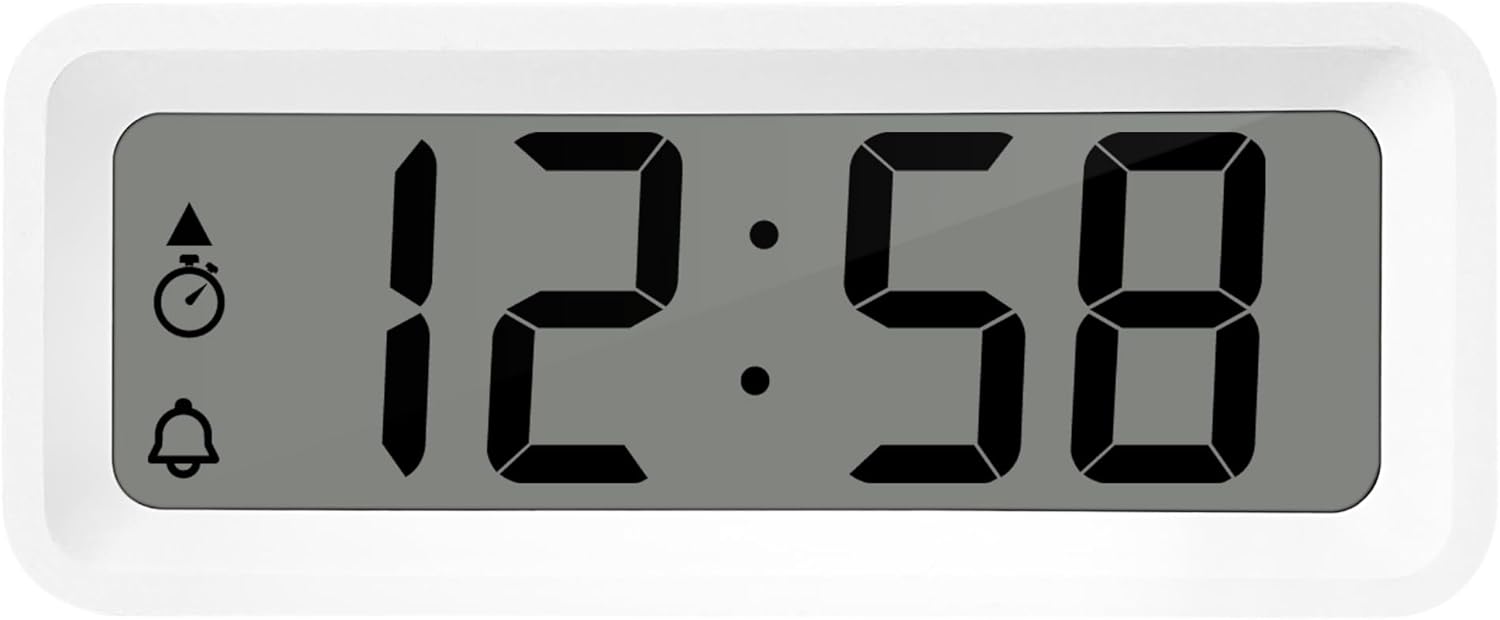
3 paveikslas: Išsamus view of the alarm clock's display and control buttons.
1. Laiko ir datos nustatymas
- Paspauskite ir palaikykite NUSTATYTI mygtuką, kol pradės mirksėti laiko ekranas.
- Naudokite + or - mygtukai valandoms reguliuoti.
- Paspauskite NUSTATYTI dar kartą, kad patvirtintumėte valandas ir pereitumėte prie minučių.
- Naudokite + or - sureguliuoti minutes.
- Spauskite toliau NUSTATYTI to cycle through and set the year, month, and day using the + or - mygtukai.
- Paspauskite NUSTATYTI paskutinį kartą, kad išeitumėte iš nustatymų režimo.
2. 12/24 valandų formato pasirinkimas
Įprasto laiko rodymo režime paspauskite REŽIMAS mygtuką, kad perjungtumėte 12 valandų ir 24 valandų laiko formatus.
3. Signalo nustatymas
- Paspauskite AL SET ON-OFF button once to enter alarm setting mode. The alarm time will flash.
- Naudokite + or - mygtukai žadintuvo valandoms reguliuoti.
- Paspauskite AL SET ON-OFF again to confirm the hour and move to alarm minutes.
- Naudokite + or - , kad sureguliuotumėte žadintuvo minutes.
- Paspauskite AL SET ON-OFF dar kartą, kad patvirtintumėte ir išeitumėte iš žadintuvo nustatymo režimo.
4. Activating/Deactivating Alarm and Snooze
- Norėdami įjungti žadintuvą ON or IŠJUNGTA, paspauskite AL SET ON-OFF button while in normal time display mode. An alarm icon will appear/disappear on the display.
- Kai skamba žadintuvas, paspauskite ZZ (Snooze) button to activate the snooze function. The alarm will temporarily stop and sound again after a few minutes.
- Norėdami visiškai išjungti žadintuvą, paspauskite bet kurį kitą mygtuką (pvz., NUSTATYTI or REŽIMAS).
5. Weekday/Weekend/Daily Alarm Settings
The WT175 allows for flexible alarm scheduling. While in alarm setting mode (after pressing AL SET ON-OFF), you can cycle through alarm types by pressing the + or - buttons after setting the alarm time. Look for indicators on the display for:
- Kasdienis žadintuvas: Signalizacija skamba kiekvieną dieną.
- Weekday Alarm: Žadintuvas skamba nuo pirmadienio iki penktadienio.
- Weekend Alarm: Šeštadienį ir sekmadienį skambės žadintuvas.
6. Timer and Countdown Function
- Paspauskite REŽIMAS button repeatedly until the timer display appears (often indicated by a stopwatch icon).
- To set the countdown timer, press and hold NUSTATYTI. Naudokite + or - to set the desired hours, minutes, and seconds. Press NUSTATYTI patvirtinti kiekvieną segmentą.
- Paspauskite START/STOP/RESET pradėti skaičiuoti atgal.
- Paspauskite START/STOP/RESET dar kartą, kad pristabdytumėte / tęstumėte atgalinį skaičiavimą.
- Norėdami iš naujo nustatyti laikmatį, paspauskite ir palaikykite START/STOP/RESET.
7. Temperatūros ir drėgmės rodymas
The Technoline WT175 continuously displays the current indoor temperature (in Celsius) and humidity levels. These readings are typically shown alongside the time and date on the main display.

4 paveikslas: The WT175 alarm clock displaying time, temperature, and humidity in a bedroom setting.
Priežiūra
1. Baterijos keitimas
When the low battery indicator appears on the display, it is time to replace the battery. Follow the battery installation steps outlined in the Sąranka section. Ensure to dispose of old batteries responsibly according to local regulations.
2. Valymas
To clean the alarm clock, use a soft, dry cloth. Do not use abrasive cleaners, solvents, or immerse the device in water. Avoid spraying cleaning solutions directly onto the unit.
Trikčių šalinimas
- Ekranas tuščias arba blankus:
- Patikrinkite, ar baterija tinkamai įdėta.
- Pakeiskite bateriją nauja.
- Signalizacija neskamba:
- Ensure the alarm is activated (alarm icon visible on display).
- Patikrinkite, ar žadintuvo laikas nustatytas teisingai.
- Check the alarm type (Daily, Weekday, Weekend) matches your desired schedule.
- Neteisingas laikas arba data:
- Re-enter the time and date following the instructions in the Naudojimo instrukcijos skyrių.
- Ensure the 12/24 hour format is set as desired.
- Mygtukai nereaguoja:
- Išimkite ir vėl įdėkite bateriją, kad atliktumėte minkštąjį atkūrimą.
- Ensure the device is not in a specific setting mode that locks other buttons.
Specifikacijos
| Funkcija | Detalė |
|---|---|
| Modelis | WT175 |
| Prekės ženklas | Technoline |
| Matmenys (I x P x A) | 8.8 x 3.81 x 3.7 cm |
| Svoris | 120 gramų |
| Maitinimo šaltinis | 1x AAA Micro LR03 Battery (not included) |
| Ekrano tipas | Skaitmeninis |
| Ypatingos savybės | Alarm, Snooze, Temperature, Humidity, Date, Timer, Countdown, Magnetic Casing, Low Battery Indicator |
| Spalva | Balta (kaip ir dabartiniame produkto variante) |
| Naudojimas viduje / lauke | Vidinis |

5 paveikslas: Dimensions of the Technoline WT175 alarm clock.
Garantija ir palaikymas
For warranty information or technical support regarding your Technoline WT175 Mini Travel Alarm Clock, please refer to the warranty card included with your purchase or visit the official Technoline websvetainę.
Official Technoline Websvetainė: http://www.technoline.de


