1. Įvadas
Ačiū, kad pirkoteasing the Sharp KI-TX75-W Humidifying Air Purifier. This appliance is designed to improve your indoor air quality through advanced air purification and humidification technologies. It features Plasmacluster NEXT for high-density ion emission, AI AUTO mode for intelligent operation, Coanda flow for efficient dust collection, an AI monitor for real-time air quality feedback, and COCORO AIR for smart control via a smartphone app.
This manual provides essential information for the safe and efficient use, maintenance, and troubleshooting of your air purifier. Please read it thoroughly before use and keep it for future reference.
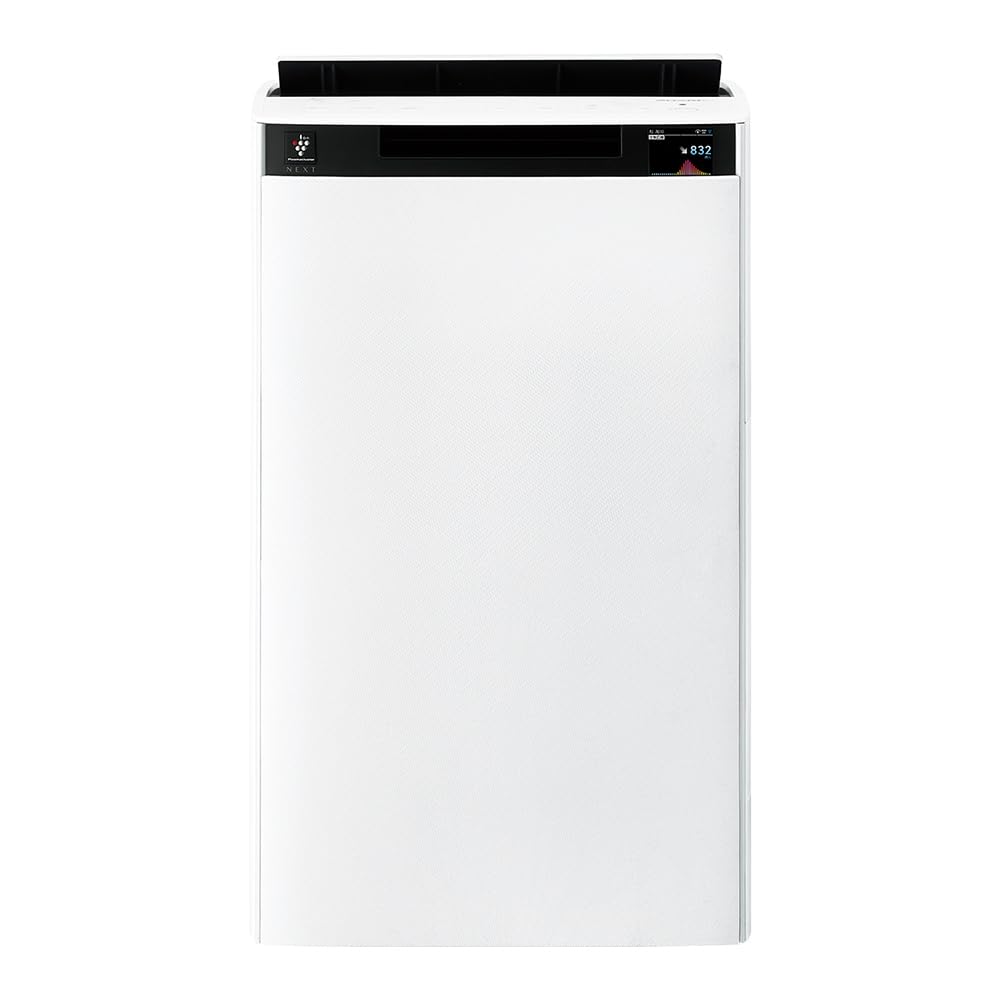
Priekyje view of the Sharp KI-TX75-W Humidifying Air Purifier.
2. Saugos informacija
Norėdami užtikrinti saugų darbą ir išvengti žalos, laikykitės šių saugos priemonių:
- Visada naudokite prietaisą su tinkamu garsumutage, kaip nurodyta ant vardinių duomenų etiketės.
- Neužblokuokite oro įleidimo ar išleidimo angų.
- Keep the appliance away from water and moisture. Do not operate with wet hands.
- Prieš valydami ar atlikdami bet kokią techninę priežiūrą, atjunkite maitinimo laidą.
- Neleiskite vaikams naudotis prietaisu be priežiūros.
- Jei maitinimo laidas pažeistas, jį turi pakeisti gamintojas, jo techninės priežiūros atstovas arba panašios kvalifikacijos asmenys, kad būtų išvengta pavojaus.
- Nekiškite pašalinių daiktų į jokias angas.
- Padėkite įrenginį ant stabilaus, lygaus paviršiaus.
3. Sąranka
3.1 Išpakavimas ir įdėjimas
- Atsargiai išimkite oro valytuvą iš pakuotės.
- Choose a location with adequate space around the unit for optimal airflow. Avoid placing it directly against walls or furniture.
- Ensure the unit is placed on a flat, stable surface. The built-in casters with stoppers allow for easy movement and secure positioning.

The unit features casters with stoppers for convenient movement and secure placement.
3.2 Filtro montavimas
The unit comes with pre-installed filters. Verify they are correctly seated before first use.
- Open the back panel of the air purifier.
- Ensure the HEPA filter, deodorizing filter, and pre-filter are securely in place.
- Uždarykite galinį skydelį.

The air purifier utilizes a three-layer filter system: pre-filter, deodorizing filter, and HEPA filter.
3.3 vandens bako užpildymas
For humidification, fill the water tank with clean tap water.
- Remove the water tank from the side of the unit.
- Open the water tank cap and fill it with fresh tap water.
- Tvirtai užsukite dangtelį ir įstatykite vandens bakelį atgal į prietaisą.

Remove the water tank from the side of the unit to fill it with water.
3.4 Pradinis įjungimas ir tinklo prijungimas
- Įkiškite maitinimo laidą į sieninį lizdą.
- Paspauskite valdymo pulto maitinimo mygtuką.
- To utilize smart features, download the COCORO AIR app on your smartphone and follow the in-app instructions to connect the air purifier to your wireless LAN network.
4. Naudojimo instrukcijos
4.1 Valdymo skydas baigtasview

The control panel allows selection of various modes and settings.
4.2 Darbo režimai
- AI AUTO Mode: This intelligent mode automatically adjusts operation based on detected air quality, aiming for a cleanroom Class 8 level environment. It optimizes airflow to effectively collect pollen, dust, and fine particles.
- Oro valymo režimas: Operates solely as an air purifier, removing airborne particles and odors.
- Drėkinimo režimas: Adds moisture to the air while purifying. The unit can deliver up to 900 mL/h of humidification.
- Plasmacluster NEXT: This technology generates high-density Plasmacluster ions (50,000 ions/cm³) to suppress airborne and adhering viruses, allergens, and odors.

AI AUTO mode significantly reduces airborne particles to maintain a clean environment.
4.3 AI Monitor
The AI Monitor visualizes the number of particles in the room and provides feedback on air quality. It displays real-time particle counts and indicates when the air is clean or needs purification.

The AI Monitor provides a visual representation of airborne particle levels.
The AI Monitor also provides notifications for humidification status, maintenance timing, and estimated electricity costs.

Notifications include humidification status, maintenance alerts, and electricity usage.
4.4 COCORO AIR App
Connect your air purifier to the COCORO AIR app via Wi-Fi for enhanced control and monitoring. The app allows you to:
- Monitor air quality and operating status remotely.
- Customize operation schedules and settings.
- Receive notifications for filter replacement and maintenance.
- Access special operating modes, such as pet-specific modes.

The COCORO AIR app provides remote control and monitoring capabilities.
5. Priežiūra
Reguliarus valytuvo valymas užtikrina optimalų veikimą ir pailgina jo tarnavimo laiką.
5.1 Filtro valymas ir keitimas
- Išankstinis filtras: Clean regularly (e.g., once a month) by vacuuming or washing with water.
- HEPA Filter & Deodorizing Filter: These filters are not washable. Replace them according to the recommended schedule (typically every 1-2 years, depending on usage and environment). The COCORO AIR app will notify you when replacement is due.
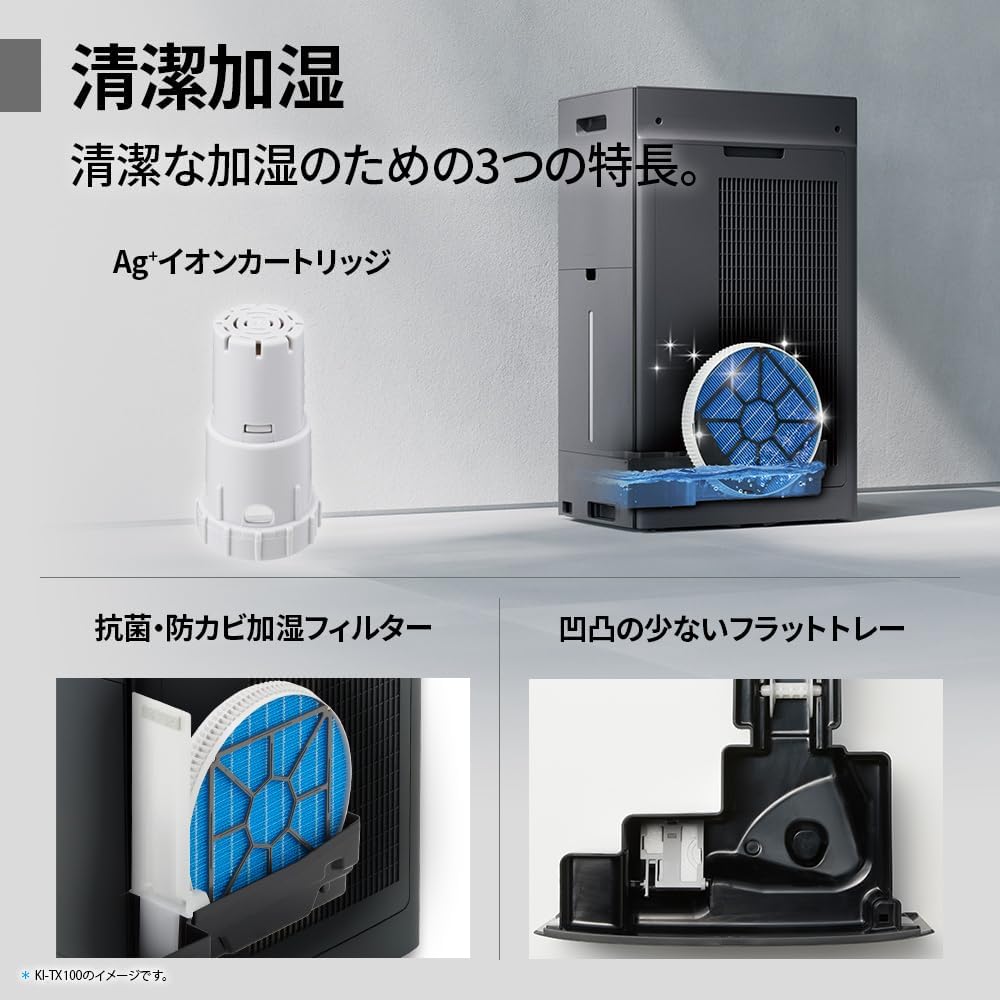
Regularly clean the pre-filter to maintain air purification efficiency.
5.2 Humidifying Filter Maintenance
The humidifying filter can be automatically cleaned using the unit's internal cleaning function. This helps prevent scale buildup.
- Remove the water tank and humidifying filter assembly.
- Add a small spoon of citric acid (commercially available) to the water tank and fill with water.
- Press the internal humidification cleaning button on the unit.
- After the cleaning cycle, rinse the tank and filter thoroughly.

The humidifying filter can be automatically cleaned using citric acid and water.
5.3 Ag+ Ion Cartridge Replacement
The Ag+ ion cartridge helps keep the water in the tank clean. Replace it approximately once a year.

Replace the Ag+ ion cartridge annually for optimal water tank hygiene.
6. Problemų sprendimas
Jei kyla problemų dėl oro valytuvo, žr. šias dažniausiai pasitaikančias problemas ir sprendimus:
| Problema | Galima priežastis | Sprendimas |
|---|---|---|
| Įrenginys neįsijungia. | Maitinimo laidas netinkamai prijungtas. Iš lizdo nėra elektros. | Patikrinkite maitinimo laido jungtį. Išbandykite lizdą su kitu įrenginiu. |
| Weak airflow or poor purification. | Filtrai užsiteršę arba užsikimšę. Užsikimšusi oro įleidimo / išleidimo anga. | Clean or replace filters. Ensure vents are clear. |
| No humidification or low humidity output. | Water tank is empty. Humidifying filter is dirty. | Refill water tank. Clean the humidifying filter. |
| Neįprastas triukšmas veikimo metu. | Unit not on a level surface. Foreign object in fan. | Ensure unit is stable. Check for obstructions (unplug first). |
| AI Monitor shows high particle count despite operation. | Filters need cleaning/replacement. Room size exceeds recommended area. | Perform filter maintenance. Consider unit placement or additional units for larger spaces. |
Jei problema išlieka ir išbandžius šiuos sprendimus, susisiekite su klientų aptarnavimo tarnyba.
7. Specifikacijos
| Funkcija | Specifikacija |
|---|---|
| Modelio numeris | KI-TX75-W |
| Prekės ženklas | Aštrus |
| Matmenys (P x G x A) | 39.5 cm x 26.5 cm x 65 cm |
| Svoris | 12 kg |
| Maitinimo šaltinis | Su laidu elektra |
| Triukšmo lygis | 20-52 dB |
| Recommended Room Size (Plasmacluster) | Up to 18 tatami (~29.7 m²) |
| Recommended Room Size (Air Purification) | Up to 34 tatami (~56.1 m²) |
| Maximum Humidification Capacity | 900 ml/val |
| Air Purification Time (8 tatami) | 9 minučių |
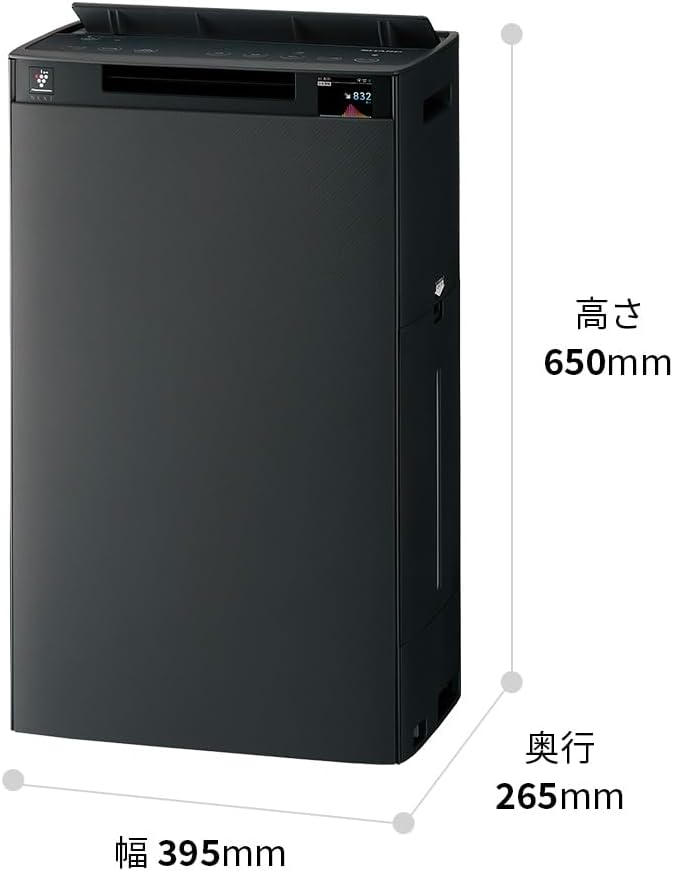
Detailed dimensions of the Sharp KI-TX75-W.
8. Garantija ir palaikymas
8.1 Gamintojo garantija
This Sharp KI-TX75-W Humidifying Air Purifier comes with a 1 metų gamintojo garantija nuo įsigijimo datos. Ši garantija taikoma medžiagų ir gamybos defektams įprasto naudojimo sąlygomis. Išsaugokite pirkimo įrodymą, jei norėtumėte pateikti pretenzijas dėl garantijos.
Garantija netaikoma žalai, atsiradusiai dėl netinkamo naudojimo, nelaimingo atsitikimo, neleistinų pakeitimų ar šiame vadove pateiktų nurodymų nesilaikymo.
8.2 Pagalba klientams
For technical assistance, warranty service, or inquiries about replacement parts, please contact Sharp customer support.
You can find additional support resources and FAQs on the official Sharp websvetainė:


