Įvadas
Ačiū, kad pirkoteasing the Jectse Digital Camera. This compact and portable camera is designed to capture high-quality photos and videos, offering features such as 5K video resolution, 80MP photo resolution, and 18X digital zoom. This manual provides detailed instructions on how to set up, operate, and maintain your camera to ensure optimal performance and longevity.
Saugos informacija
- Saugokite fotoaparatą nuo vandens ar per didelės drėgmės.
- Venkite fotoaparato numetimo ir stiprių smūgių.
- Laikykite fotoaparatą atokiau nuo tiesioginių saulės spindulių ir aukštos temperatūros.
- Naudokite tik nurodytą įkrovimo laidą ir maitinimo adapterį.
- Nebandykite patys ardyti ar taisyti fotoaparato. Dėl pagalbos kreipkitės į klientų aptarnavimo tarnybą.
- Laikyti mažiems vaikams nepasiekiamoje vietoje.
Pakuotės turinys
Prašome patikrinti, ar pakuotėje yra visi reikalingi daiktai:
- 1 x Jectse Digital Camera
- 1 x Type-C įkrovimo laidas
- 1 x Rankinis dirželis
- 1 x Vartotojo vadovas
- Note: Small Memory Card is not included.

Image: The Jectse Digital Camera shown alongside its included Type-C charging cable and hand strap, illustrating the complete package contents.
Produktas baigtasview
Familiarize yourself with the various parts and controls of your Jectse Digital Camera.

Vaizdas: priekis view of the Jectse Digital Camera, highlighting the lens and flash.

Paveikslėlis: Nugara view of the Jectse Digital Camera, showing the 2.8-inch display screen and control buttons.
Pagrindiniai komponentai:
- Objektyvas: F/2.2 f=3.83mm wide angle lens with 18X digital zoom capability.
- Flash: Integruota blykstė, skirta fotografuoti esant prastam apšvietimui.
- Ekranas: 2.8-inch screen for framing shots and reviewturinio.
- W/T Key: Used for zooming in (W) and out (T).
- Shutter Key: Press to capture photos or start/stop video recording.
- Gerai / režimo mygtukas: Confirms selections and switches between modes.
- Meniu mygtukas: Pasiekia fotoaparato nustatymus ir parinktis.
- DISP mygtukas: Changes display information on the screen.
- Baterijų skyrius: Houses the built-in 750mAh rechargeable battery.
- C tipo prievadas: Kameros įkrovimui.
- Atminties kortelės lizdas: Supports Small Memory Cards up to 256GB (not included).
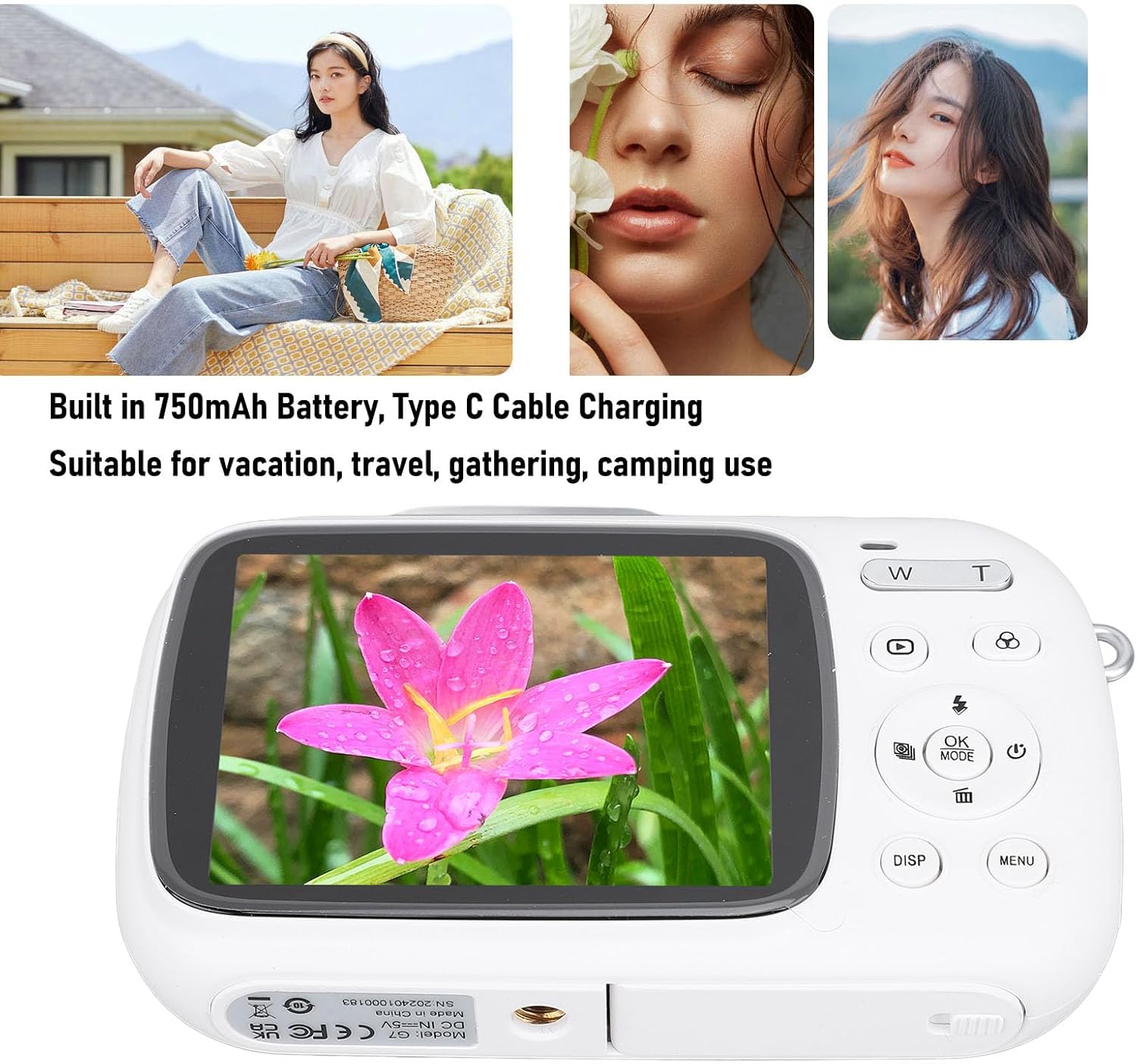
Image: Visual representation of key camera features including 80MP photo pixels, 5K HD video recording, 18X digital zoom, auto focusing, beauty filter, smiling selfie, continuous photo taking, built-in flash, and 2.8-inch display.
Sąranka
1. Akumuliatoriaus įkrovimas
The camera has a built-in 750mAh rechargeable lithium-ion battery. Before first use, ensure the battery is fully charged.
- Connect the provided Type-C charging cable to the camera's Type-C port.
- Kitą laido galą prijunkite prie USB maitinimo adapterio (nepridedamas) arba kompiuterio USB prievado.
- The charging indicator light will illuminate. Charging typically takes about 3 hours.
- Kai prietaisas visiškai įkrautas, indikatoriaus lemputė gali pasikeisti arba užgesti. Atjunkite laidą.
2. Atminties kortelės įdėjimas
A Small Memory Card (up to 256GB) is required to store photos and videos. It is not included in the package.
- Locate the memory card slot on the side or bottom of the camera.
- Insert the Small Memory Card into the slot with the metal contacts facing the correct direction (refer to the diagram near the slot if available).
- Švelniai stumkite kortelę, kol ji spragtels į vietą.
- To remove the card, push it in again until it springs out slightly, then pull it out.
3. Rankinio dirželio pritvirtinimas
Attach the included hand strap to prevent accidental drops.
- Thread the thin loop of the hand strap through the strap eyelet on the camera body.
- Didesnį dirželio galą perkiškite per ką tik sukurtą kilpą ir tvirtai patraukite, kad pritvirtintumėte.
Naudojimo instrukcijos
1. Įjungimas/išjungimas
- To power on, press and hold the Power button (usually marked with a circle and a vertical line).
- Norėdami išjungti, dar kartą paspauskite ir palaikykite maitinimo mygtuką, kol ekranas išsijungs.
2. Fotografavimas
- Turn on the camera. It will typically default to photo mode. If not, press the REŽIMAS button to switch to photo mode.
- Frame your shot using the 2.8-inch display screen.
- Naudokite W/T keys to zoom in or out (18X digital zoom).
- Paspauskite Užraktas key halfway down to focus (if applicable).
- Paspauskite Užraktas key fully down to capture the 80MP photo.
3. Vaizdo įrašų įrašymas
- Turn on the camera. Press the REŽIMAS button to switch to video recording mode.
- Frame your video using the display screen.
- Paspauskite Užraktas key to start recording 5K video. A recording indicator will appear on the screen.
- Paspauskite Užraktas dar kartą klavišą, kad sustabdytumėte įrašymą.
4. Specialiųjų funkcijų naudojimas
The camera offers several creative functions:
- Continuous Photography: Allows you to take multiple photos in quick succession. Access this setting via the MENIU.
- Time Lapse Photography: Captures images at set intervals to create a time-lapse video. Configure in MENIU.
- „Loop Video“: Records video in segments, overwriting older footage when the memory card is full. Useful for continuous recording.
- Kompozicijos linijos: Displays grid lines on the screen to help with framing and composition. Toggle with Pasinaudok button or in MENIU.
- Veido atpažinimas: Automatically detects and focuses on faces in the frame. Enable/disable in MENIU nustatymus.
- Integruota blykstė: The flash will automatically activate in low-light conditions or can be manually controlled via the flash button or MENIU.
5. Atkūrimas ir pakartotinis atkūrimasview
- Paspauskite Atkūrimas button (often indicated by a triangle icon) to enter playback mode.
- Norėdami naršyti nuotraukas ir vaizdo įrašus, naudokite krypties mygtukus.
- Paspauskite OK į view vaizdo įrašą arba priartinkite nuotrauką.
- Paspauskite Atkūrimas mygtuką dar kartą, kad išeitumėte iš atkūrimo režimo.
Priežiūra
Fotoaparato valymas
- Use a soft, lint-free cloth to wipe the camera body. Do not use liquid cleaners or solvents.
- For the lens and screen, use a specialized lens cleaning cloth or air blower to remove dust. Avoid touching the lens directly with your fingers.
- Prieš valydami įsitikinkite, kad kamera yra išjungta.
Sandėliavimas
- Fotoaparatą laikykite vėsioje, sausoje vietoje, toliau nuo tiesioginių saulės spindulių ir ekstremalių temperatūrų.
- Jei ilgesnį laiką laikysite akumuliatorių, įsitikinkite, kad jis yra iš dalies įkrautas (apie 50 %), ir įkraukite jį kas kelis mėnesius, kad palaikytumėte jo būklę.
Trikčių šalinimas
| Problema | Galima priežastis / sprendimas |
|---|---|
| Kamera neįsijungia. |
|
| Negalima fotografuoti / įrašyti vaizdo įrašų. |
|
| Vaizdai neryškūs. |
|
| Baterijos veikimo laikas trumpas. |
|
Specifikacijos
| Funkcija | Detalė |
|---|---|
| Gaminio medžiaga | ABS |
| Vaizdo raiška | 5K (Maximum), 15FPS |
| Nuotraukų raiška | 80MP (Maximum) |
| Objektyvas | F/2.2 f=3.83mm Wide Angle Lens |
| Skaitmeninis priartinimas | 18X |
| Ekranas | 2.8 colių |
| Sandėliavimas | Small Memory Card, up to 256GB (not included) |
| Baterija | 750mAh Lithium Ion Battery (built-in) |
| Įkrovimo prievadas | C tipas |
| Įkrovimo laikas | apytiksliai 3 valandas |
| Ištvermės laikas | Approx. 2 hours (usage dependent) |
| Prekės svoris | 9.1 uncijos |
| Modelio numeris | Jectsesikcd0et3w-11 |
Garantija ir palaikymas
Jectse products are manufactured to the highest quality standards. For information regarding warranty coverage, technical support, or service inquiries, please refer to the contact information provided with your purchase or visit the official Jectse websvetainę.
Išsaugokite pirkimo įrodymą, kad galėtumėte kreiptis dėl garantijos.


