1. Įvadas
This manual provides essential information for the safe and efficient use of your MESWAO 15.6 Inch Pro Android 14 Tablet. Please read this manual thoroughly before operating the device and retain it for future reference.
2. Saugos informacija
- Nelaikykite planšetinio kompiuterio ekstremaliose temperatūrose, tiesioginiuose saulės spinduliuose ar didelėje drėgmėje.
- Venkite planšetinio kompiuterio numetimo ar stipraus smūgio.
- Use only the provided power adapter and Type-C cable for charging.
- Laikykite tabletę atokiau nuo vandens ir kitų skysčių.
- Do not attempt to disassemble or repair the tablet yourself. Contact customer support for assistance.
- Ensure proper ventilation when using the tablet for extended periods.
3. Pakuotės turinys
Patikrinkite, ar pakuotėje yra visi reikalingi daiktai:
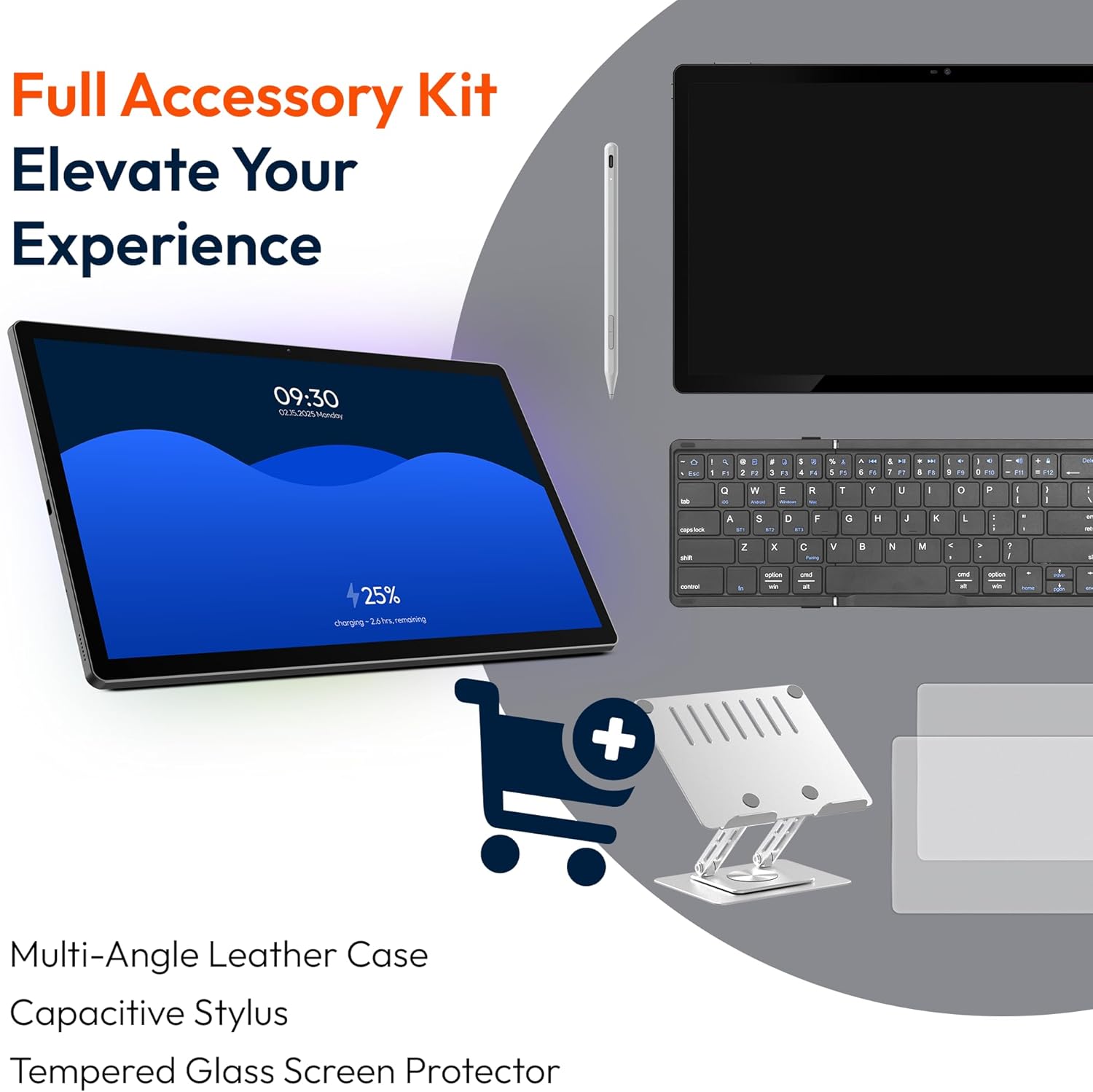
- 1 x MESWAO 15.6 inch Android Tablet
- 1x maitinimo adapteris
- 1 x C tipo laidas
- 1 x Vartotojo vadovas
- 1 x tipo C į USB adapteris
- 1 x Stuck pin
4. Įrenginys baigtasview
Familiarize yourself with the physical components of your MESWAO tablet.
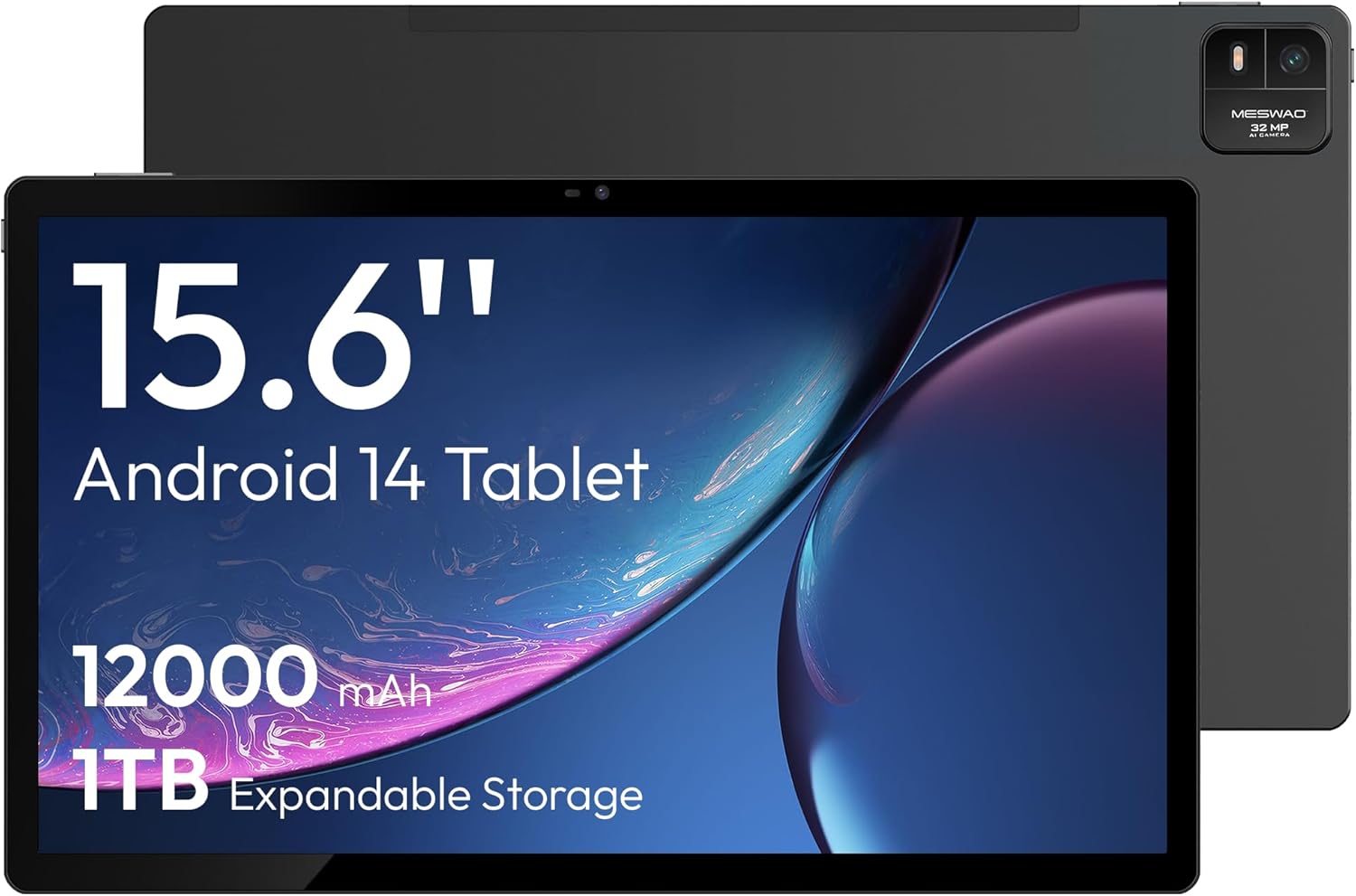
4.1 paveikslas: Priekyje view of the MESWAO 15.6-inch Android 14 Tablet, highlighting the large display and key specifications such as 12000mAh battery and 1TB expandable storage.
4.2 paveikslas: Šoninis ir galinis view of the tablet, indicating the location of the quad speakers, Type-C port, TF card slot, power button, volume controls, and front/rear cameras.
Pagrindiniai komponentai:
- 15.6 colio FHD IPS ekranas: Large screen for immersive viewing.
- Priekinė kamera: Vaizdo skambučiams ir asmenukėms.
- Galinė kamera (32MP): Nuotraukų ir vaizdo įrašų fotografavimui.
- Maitinimo mygtukas: Įjungti / išjungti planšetinį kompiuterį arba užmigdyti.
- Garsumo mygtukai: Garso lygiams reguliuoti.
- C tipo prievadas: Įkrovimui ir duomenų perdavimui.
- TF kortelės lizdas: For expandable storage (MicroSD card).
- Keturi garsiakalbiai: Dėl garso išvesties.
5. Sąranka
5.1 Pradinis įkrovimas
Before first use, fully charge the tablet. Connect the provided Type-C cable to the tablet's Type-C port and the power adapter to a wall outlet. The tablet supports 30W fast charging.

5.1 paveikslas: The tablet connected to its charger, showing the charging indicator on the screen.
5.2 Maitinimo įjungimas/išjungimas
- Norėdami įjungti: Paspauskite ir palaikykite maitinimo mygtuką, kol užsidegs ekranas.
- Norėdami išjungti: Paspauskite ir palaikykite maitinimo mygtuką, tada ekrane rodomoje parinkčių sąraše pasirinkite „Išjungti“.
- Miegui / pabudimui: Trumpai paspauskite maitinimo mygtuką.
5.3 Pradinė konfigūracija
Upon first power-on, follow the on-screen prompts to set up your Android 14 operating system. This includes selecting your language, connecting to Wi-Fi, and signing in with your Google account.
5.4 „Wi-Fi“ ryšys
- Eikite į Nustatymai > Tinklas ir internetas > Wi-Fi.
- Perjungti „Wi-Fi“ On.
- Iš sąrašo pasirinkite norimą tinklą.
- Jei būsite paraginti, įveskite slaptažodį ir palieskite Prisijunkite. The tablet supports dual-band Wi-Fi (2.4GHz and 5GHz).
5.5 „MicroSD“ kortelės įdėjimas
To expand storage up to 1TB, insert a MicroSD card:
- Planšetinio kompiuterio šone raskite TF kortelės lizdą.
- Use the provided stuck pin to gently press into the small hole next to the slot to eject the tray.
- Place the MicroSD card into the tray with the gold contacts facing down.
- Atsargiai įstatykite dėklą atgal į planšetinį kompiuterį.

5.2 paveikslas: Illustration of the tablet's internal storage and the option for expandable storage via MicroSD card.
6. Planšetinio kompiuterio valdymas
6.1 Pagrindinė navigacija
The Android 14 operating system uses touch gestures for navigation:
- Bakstelėkite: Pasirinkite elementą arba atidarykite programėlę.
- Perbraukimas: Slinkite per ekranus arba sąrašus.
- Žiupsnelis: Priartinkite arba atitolinkite vaizdus ir web puslapių.
- Ilgas paspaudimas: Pasiekite kontekstinius meniu arba perkelkite piktogramas.
6.2 Ekrano funkcijos
The 15.6-inch FHD IPS display offers a resolution of 1920 x 1080 pixels, providing clear and vibrant visuals for various applications.

6.1 paveikslas: Comparison of the MESWAO 15.6-inch display size to an A4 sheet of paper and a smaller tablet, emphasizing its expansive viewzonoje.
6.3 Našumas
Powered by the Helio G99 octa-core processor and 8GB RAM, the tablet delivers efficient performance for multitasking, gaming, and media consumption.

6.2 paveikslas: An illustration of the Helio G99 Octa-Core chipset, detailing its technical specifications and performance benefits.
6.4 Kameros naudojimas
The tablet features a 32MP rear camera and a 5MP front camera. Open the Camera app to capture photos and videos.
6.5 garsas
The quad speakers provide clear audio. You can connect Bluetooth headphones or use the Type-C port for audio output with a suitable adapter.
6.6 „Android 14“ funkcijos
The tablet runs on Android 14, offering features such as:
- Smooth Multitasking: Efficiently switch between applications.
- Tėvų kontrolė: Manage content and usage for children.
- Enhanced Privacy & UI: Improved security and user interface experience.

6.3 paveikslas: The Android 14 operating system interface, showcasing various applications and system features.
7. Priežiūra
7.1 Prietaiso valymas
Planšetinio kompiuterio ekraną ir korpusą valykite minkštu, nepūkuotu audiniu. Venkite naudoti stiprias chemines medžiagas ar abrazyvines medžiagas.
7.2 Programinės įrangos naujiniai
Reguliariai tikrinkite, ar yra sistemos atnaujinimų, kad užtikrintumėte optimalų našumą ir saugumą. Eikite į Nustatymai > Sistema > Sistemos atnaujinimas.
7.3 Akumuliatoriaus priežiūra
Norėdami pailginti baterijos veikimo laiką:
- Venkite dažnai visiškai iškrauti akumuliatorių.
- Do not expose the tablet to high temperatures.
- Atjunkite įkroviklį, kai akumuliatorius bus pilnas.
8. Problemų sprendimas
8.1 Planšetinis kompiuteris neįsijungia
- Įsitikinkite, kad akumuliatorius įkrautas. Prijunkite įkroviklį ir palaukite kelias minutes prieš bandydami įjungti.
- Paspauskite ir palaikykite maitinimo mygtuką bent 10–15 sekundžių, kad priverstumėte įrenginį paleisti iš naujo.
8.2 „Wi-Fi“ ryšio problemos
- Paleiskite iš naujo „Wi-Fi“ maršrutizatorių.
- Planšetinio kompiuterio nustatymuose pamirškite tinklą ir prijunkite iš naujo.
- Įsitikinkite, kad planšetinis kompiuteris yra „Wi-Fi“ signalo diapazone.
8.3 Lėtas veikimas
- Uždarykite nereikalingas fonines programas.
- Išvalyti programų talpyklos duomenis.
- Užtikrinkite pakankamai laisvos vietos saugykloje.
8.4 Ekranas nereaguoja
- Iš naujo paleiskite planšetinį kompiuterį.
- Įsitikinkite, kad ekranas yra švarus ir be šiukšlių.
9. Specifikacijos
| Funkcija | Specifikacija |
|---|---|
| Modelio pavadinimas | ŠMM-B3 |
| Operacinė sistema | Android 14 |
| Ekrano dydis | 15.6 colių |
| Ekrano raiška | 1920 x 1080 pikselių (Full HD) |
| Procesorius | „MediaTek Helio G99“ aštuonių branduolių procesorius |
| Grafikos koprocesorius | Malis-G75 |
| RAM | 8 GB |
| Vidinė atmintis (ROM) | 256 GB |
| Išplečiama saugykla | Iki 1 TB per „MicroSD“ kortelę |
| Galinė kamera | 32 MP |
| Priekinė kamera | 5 MP |
| Baterijos talpa | 12000 mAh |
| Įkrovimas | 30W greitas įkrovimas |
| Belaidis ryšys | Dual-Band Wi-Fi (802.11a/b/ac/ad/ax), Bluetooth |
| Prekės svoris | 4.55 svaro |
| Gaminio matmenys | 14.49 x 8.66 x 0.39 colio |
10. Garantija ir palaikymas
10.1 Informacija apie garantiją
Your MESWAO tablet comes with a 12 mėnesių garantija apima gamybos defektus. Prašome išsaugoti pirkimo įrodymą garantiniams reikalavimams.
10.2 Pagalba klientams
For technical assistance, troubleshooting, or warranty inquiries, please contact MESWAO customer support. Our support team is available to assist you.
- 24 valandų klientų aptarnavimas: Pagalba teikiama visą parą.
- Local After-sales Centers: Service centers are available in regions including the US, Germany, Japan, and more.
- Quick Response Flow: Issues reported receive a team response within 24 hours, aiming for prompt problem resolution or replacement.


