
1. Produktas baigtasview
The OWON HDS241 is a versatile 3-in-1 handheld device integrating a single-channel oscilloscope, a 24000-count digital multimeter, and a 100kHz signal generator. Designed for both outdoor and indoor use, it offers a compact form factor with powerful measurement capabilities for various electrical and electronic applications.

Image 1.1: The OWON HDS241 device, highlighting its oscilloscope, multimeter, and signal generator functions.
2. Saugos informacija
Before using the OWON HDS241, please read and understand all safety instructions to prevent electric shock, injury, or damage to the device. Keep this manual for future reference.
- Bendra sauga: Visada naudokite prietaisą neviršydami nurodyto tūriotage and current limits. Do not operate the device in wet or damp sąlygas.
- Zondas sauga: Ensure probes are correctly connected and rated for the measurement being performed. Avoid touching exposed wiring or components when the device is powered on.
- Baterijos sauga: Use only the specified battery type. Do not disassemble, crush, or expose the battery to extreme temperatures.
- Priežiūra: Visus techninės priežiūros darbus patikėkite kvalifikuotiems darbuotojams. Nebandykite taisyti įrenginio patys.
3. Pagrindinės savybės
- Skaitmeninis multimetras: 4 1/2 digit True RMS digital multimeter for measuring AC/DC voltage/current, resistance, diode, capacitance, and continuity. Maximum input voltage is AC 750V, DC 1000V.
- Signal Waveform Generator: 1-channel 100 kHz generator supporting sine, square, ramp, and pulse wave outputs. Maximum output amplitude is 2.5 Vpp.
- Osciloskopas: Waveform refresh rate up to 10,000 wfms/s, 40MHz bandwidth, and real-time sampling rate up to 250MSa/s. Features auto-setup, multiple measurement functions, 8K record length, cursor measurement, and slow scan mode for long-term signal monitoring.
- Kompaktiškas dizainas: Portable form factor with a 3.5-inch high-definition color LCD screen, suitable for various environments.
- Ilgas baterijos veikimo laikas: Low-power design with a 2000 mAh high-capacity lithium battery and standard Type-C port for charging and power bank compatibility.
4. Pakuotės turinys
The standard package for the OWON HDS241 includes:
- OWON HDS241 Handheld Oscilloscope Unit
- Test Leads for Multimeter
- Osciloskopo zondas
- C tipo USB kabelis
- Vartotojo vadovas (šis dokumentas)
Note: Additional accessories such as a BNC-to-alligator clip cable or carrying case may need to be purchased separately.
5. Įrenginio išdėstymas ir valdikliai
Familiarize yourself with the physical components and controls of the HDS241.

5.1 paveikslas: Priekinė ir šoninė dalys view of the OWON HDS241 with key controls and ports labeled. Labels include: signal input connector, display area, multifunction keys, channel key, mode switching key, system settings, save settings, power button, relative value/activation menu key, multimeter input port, horizontal time base setting/signal adjustment, return key, range switch/measurement menu key, arrow keys, auto range/auto setting key, hold value/Stop/Run key, probe compensation output (2.5V/1kHz square wave or signal generator output), USB charging/communication interface, approximate weight (0.6 kg host, excluding battery), gross weight (1.2 kg).
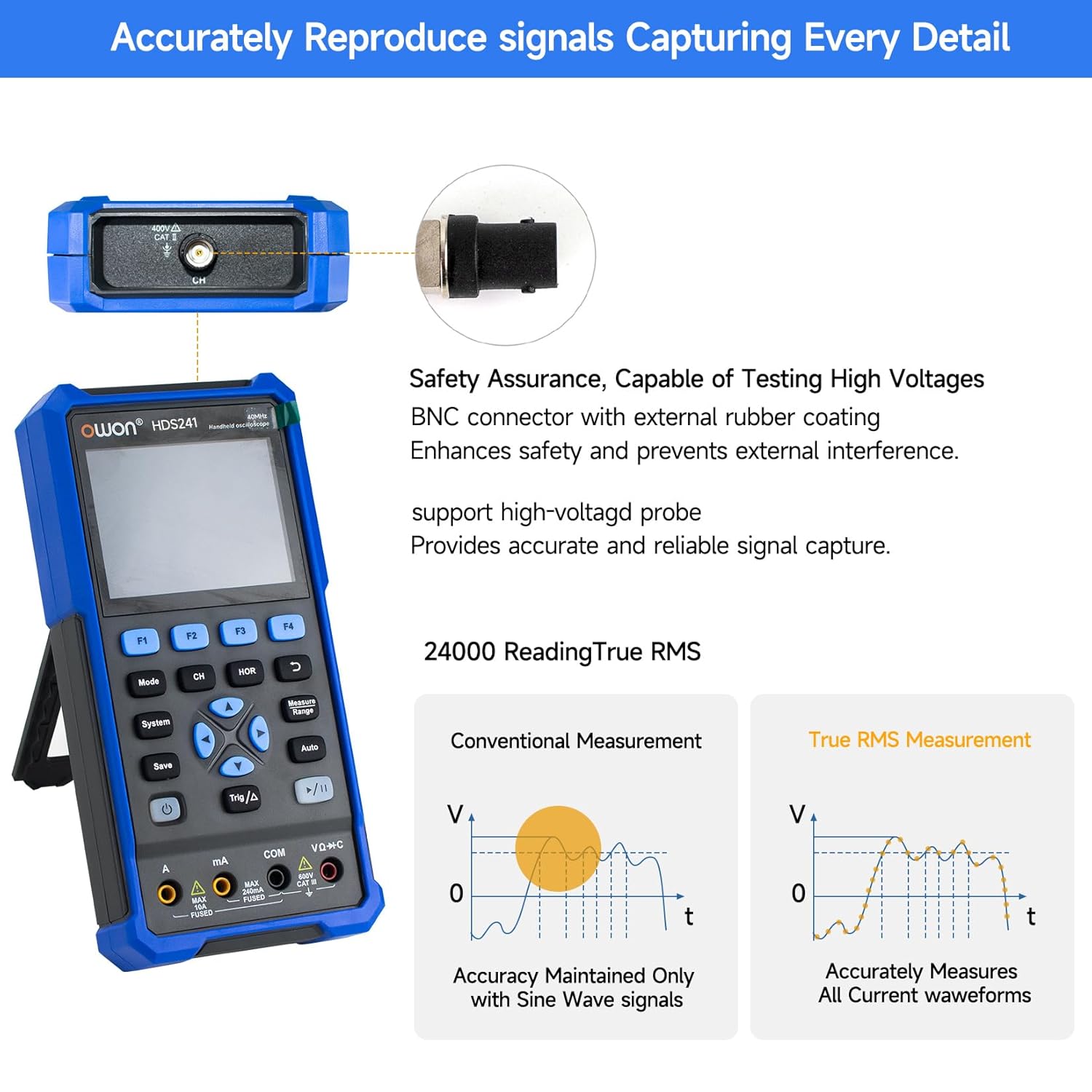
Image 5.2: Detail of the BNC connector, designed for safety and signal integrity, with external rubber coating.
6. Pradinė sąranka
6.1 Įrenginio įkrovimas
The HDS241 is equipped with a built-in 2000 mAh lithium battery. Before first use, fully charge the device using the provided USB Type-C cable and a compatible power adapter (not included) or a computer USB port.
- Connect the USB Type-C cable to the device's Type-C port.
- Kitą laido galą prijunkite prie USB maitinimo šaltinio.
- Įkrovimo indikatorius parodys įkrovimo būseną.

Image 6.1: The USB Type-C charging port and internal battery compartment, emphasizing long-lasting performance.
6.2 Įjungimas / išjungimas
Paspauskite ir palaikykite Galia mygtuką, norėdami įjungti arba išjungti įrenginį.
7. Veikimo režimai
The HDS241 features three primary operating modes: Oscilloscope, Multimeter, and Signal Generator. Press the Režimas mygtuką, kad perjungtumėte šias funkcijas.
7.1 Osciloskopo režimas
In Oscilloscope mode, the device displays real-time waveforms, allowing for detailed analysis of electrical signals. Connect the oscilloscope probe to the BNC connector on the top of the device.
- Auto-Setup: Paspauskite Auto mygtukas automatiniam bangos formos mastelio keitimui ir pozicionavimui.
- Išmatavimai: Naudokite Išmatuoti menu (accessed via F1) to select automatic measurements like Frequency, Period, Amplitude, Max, Min, Peak-to-Peak, and RMS.
- Žymeklio išmatavimai: Activate cursor measurements (accessed via F2) to manually measure voltage (ΔV) and time (ΔT) differences between points on the waveform.
- Trigerio nustatymai: Adjust trigger type, level, and mode using the Trig/Δ mygtuką.
- Horizontal/Vertical Controls: Use the navigation arrows to adjust time base (horizontal) and voltage scale (vertical).

7.1.1 pav.: pvz.amples of oscilloscope display features including dual sampling mode, high refresh rate, 8 types of auto-measurements, and cursor measurements.

7.1.2 pav.: pvz.amples of actual measured waveforms, demonstrating the oscilloscope's signal capture capabilities for different signal types.
7.2 Multimetro režimas
In Multimeter mode, the HDS241 functions as a digital multimeter. Connect the test leads to the appropriate input ports (VΩ+C, COM, A, mA) at the bottom of the device.
- Funkcijų pasirinkimas: Naudokite Režimas button to cycle through measurement types (Voltage, Current, Resistance, Capacitance, Diode, Continuity).
- Automatinis diapazonas: The device supports auto-ranging for convenient measurement.
- Duomenų sulaikymas: Naudokite Išsaugoti button or a dedicated hold function (if available) to freeze the current reading.
7.3 Signalo generatoriaus režimas
The Signal Generator mode allows the device to output various waveforms. Connect the output to the circuit under test using the appropriate cable (e.g., BNC to alligator clips, not included).
- Bangos formos pasirinkimas: Use the F-keys to select sine, square, ramp, or pulse waveforms.
- Parametrų reguliavimas: Reguliuokite dažnį ir amplitude using the navigation arrows. The maximum output amplitude is 2.5 Vpp.
8. Duomenų valdymas
The HDS241 supports data transfer to a computer via its USB Type-C port for further analysis and record-keeping.
- Prisijungimas prie kompiuterio: Use the provided USB Type-C cable to connect the device to your computer.
- Programinė įranga: Žiūrėkite OWON website for any necessary drivers or software to facilitate data transfer and analysis.
- Duomenų išsaugojimas: Naudokite Išsaugoti button to store waveform images, settings, or measurement data directly on the device.
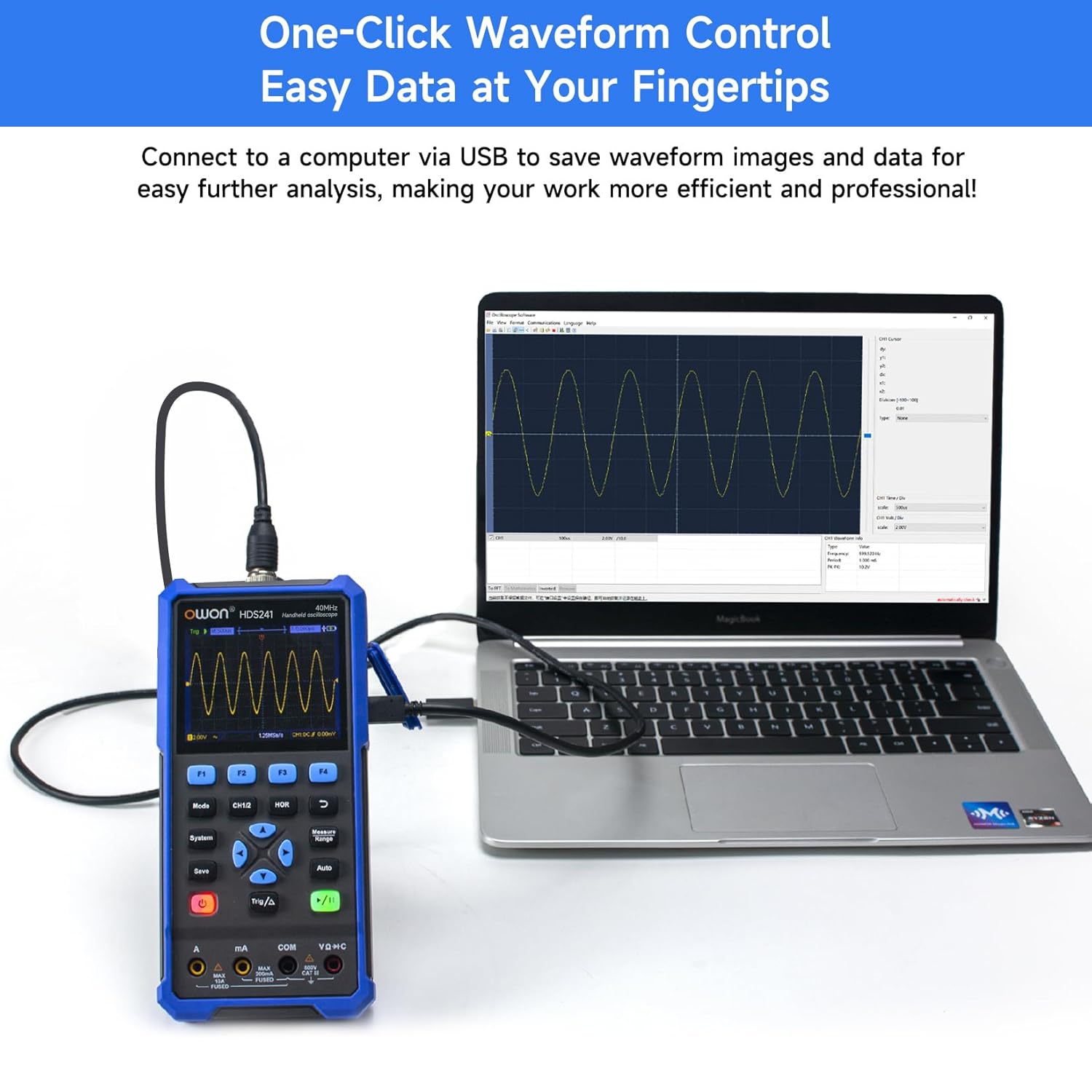
Image 8.1: The OWON HDS241 connected to a computer for data transfer and analysis, enabling easy waveform control.
9. Priežiūra
- Valymas: Prietaisą valykite minkštu, sausu skudurėliu. Nenaudokite abrazyvinių valiklių ar tirpiklių.
- Saugykla: Laikykite prietaisą vėsioje, sausoje vietoje, apsaugotoje nuo tiesioginių saulės spindulių ir ekstremalių temperatūrų.
- Akumuliatoriaus priežiūra: Ilgalaikio sandėliavimo metu įsitikinkite, kad akumuliatorius yra iš dalies įkrautas (apie 50 %), ir įkraukite jį kas kelis mėnesius, kad palaikytumėte akumuliatoriaus būklę.
- Zondo kalibravimas: Periodically calibrate the oscilloscope probe using the dedicated probe compensation output to ensure accurate measurements.
10. Problemų sprendimas
| Problema | Galima priežastis | Sprendimas |
|---|---|---|
| Įrenginys neįsijungia. | Žemas arba išsikrovęs akumuliatorius. | Connect the device to a power source using the USB Type-C cable and allow it to charge. |
| Osciloskopo režimu nerodoma bangos forma. | Probe not connected correctly; signal too small or too large; incorrect time base or voltage mastelį. | Ensure probe is securely connected. Press Auto for automatic setup. Adjust vertical and horizontal scales manually. Check trigger settings. |
| Multimeter readings are inaccurate. | Test leads not properly connected; incorrect measurement function selected; external interference. | Verify test lead connections. Ensure the correct measurement mode (voltage, current, resistance) is selected. Minimize external electrical noise. |
| Signalo generatoriaus išvestis neatitinka lūkesčių. | Incorrect waveform type, frequency, or amplitude set. | Patikrinkite pasirinktą bangos formą, dažnį ir amplitude settings in the signal generator menu. |
11. Techninės specifikacijos
Osciloskopo specifikacijos:
| Parametras | Vertė |
|---|---|
| Pralaidumas | 40 MHz |
| Kanalas | 1 |
| Samplingo norma | 250MSa / s |
| Įsigijimo režimas | Sample, Peak Detect |
| Įrašo ilgis | Max. 8K |
| Ekranas | 3.5 colio LCD |
| Bangos formos atnaujinimo dažnis | 10,000 XNUMX wfms/s |
| Įvesties jungtis | Nuolatinė srovė, kintamoji srovė, įžeminimas |
| Įvesties varža | 1 MΩ±2%, in parallel with 16 pF±10 pF |
| Zondas slopinimas | 1X, 10X, 100X, 1000X |
| Maksimali įvesties apimtistage | 400V (DC + AC, PK-PK) |
| Jautrumas Rezoliucija | 10mV/div-10V/div |
| Vertikali skiriamoji geba | 8 bitas |
| Horizontali skalė | 5ns/div-1000s/div, step 1-2-5 |
| Trigerio tipas | Kraštas |
| Trigerio režimas | Automatinis, Normalus, Vienvietis |
| Automatinis matavimas | Laikotarpis, Dažnis, Vidurkis, PK-PK, Maks., Min. Ampšviesumas, RMS |
| Žymeklio matavimas | ΔV, ΔT |

Image 11.1: Detailed oscilloscope specifications.
Digital Multimeter Specifications:
| Parametras | Vertė |
|---|---|
| Ekrano skaičius | 4½ digits (max 24000 counts) |
| Bandymo režimai | ttage, srovė, varža, talpa, diodas, tęstinumas |
| Maksimali įvesties apimtistage | AC 750V, DC 1000V |
| Maksimali įvesties srovė | AC 10A, DC 10A |
| Automatinis diapazonas | Taip |
| Tikras RMS | Taip |

Image 11.2: Detailed digital multimeter specifications.
Signal Waveform Generator Specifications:
| Parametras | Vertė |
|---|---|
| Bangos formos | Sinusas, kvadratas, Ramp, Pulsas |
| Išvesties dažnis | 10Hz-100KHz |
| Ampilgis | 2Vpp-2.5Vpp |

Image 11.3: Detailed signal waveform generator specifications.
Bendrosios specifikacijos:
- Matmenys: 9.6 x 3.8 x 19.8 cm
- Prekės svoris: 1.2 kilogramo
- Maitinimo šaltinis: Battery Powered (2000 mAh Lithium Battery)
- Spalva: Mėlyna
- Sertifikatai: CE, True RMS
12. Garantija ir palaikymas
OWON products are designed for reliability and performance. For warranty information, technical support, or service inquiries, please refer to the official OWON websvetainėje arba susisiekite su vietiniu platintoju.
- Garantinis laikotarpis: Standard manufacturer's warranty applies. Please check your purchase documentation for specific terms and duration.
- Techninė pagalba: Visit the OWON official website for FAQs, software downloads, and contact information for technical assistance.
- Grąžinimai: Refer to the retailer's return policy for details on product returns and exchanges.