Įvadas
This manual provides detailed instructions for the setup, operation, and maintenance of your Transformers TF-T31 Bluetooth TWS Wireless Earbuds. Please read this manual thoroughly before using the product to ensure proper function and longevity.
Produktas baigtasview
Pakuotės turinys
- Transformers TF-T31 Wireless Earbuds (Left and Right)
- Įkrovimo dėklas
- C tipo USB įkrovimo laidas
- Naudotojo vadovas (šis dokumentas)
Pagrindinės savybės
- "Bluetooth 5.4": Provides a stable, fast, and low-power connection.
- Dviejų režimų funkcionalumas: Switch between Gaming Mode for low latency audio and Music Mode for HiFi sound.
- Aukšta garso kokybė: Features 13mm magnetically levitated drivers for rich, detailed sound with deep bass.
- Aplinkos triukšmo slopinimas (ENC): Enhances call clarity by reducing ambient noise.
- Intuityvūs jutikliniai valdikliai: Manage music playback, calls, and mode switching directly from the earbuds.
- Pailgintas akumuliatoriaus veikimo laikas: Up to 5 hours of playback per charge, with the charging case providing up to 50 hours total.
- Ergonomiškas dizainas: Lightweight and comfortable for prolonged wear.
- Mechanical Shell Design: Unique aesthetic inspired by Transformers.

Image: The Transformers TF-T31 wireless earbuds and their distinctive mechanical shell charging case, shown in yellow.

Image: Close-up of the Transformers TF-T31 charging case, highlighting its unique mechanical shell design and the Transformers logo.
Sąranka
1. Ausinių ir dėklo įkrovimas
Prieš pirmą kartą naudodami, visiškai įkraukite ausines ir įkrovimo dėklą.
- Įdėkite abi ausines į įkrovimo dėklą. Įsitikinkite, kad jos tinkamai įstatytos.
- Connect the provided USB Type-C cable to the charging port on the case and plug the other end into a USB power source (e.g., wall adapter, computer).
- The LED digital display on the charging case will indicate the battery status during charging.
- Įkrovimas paprastai trunka maždaug 1.5 valandas.
Pastaba: The charging case has a 3.7V/300mAh battery, and each earbud has a 3.7V/30mAh built-in battery.
2. „Bluetooth“ poravimas
Norėdami susieti ausines su „Bluetooth“ įrenginiu, atlikite šiuos veiksmus:
- Maitinimas: Atidarykite įkrovimo dėklą. Ausinės automatiškai įsijungs ir pradės veikti susiejimo režimu. Galite išgirsti garsinį signalą.
- Suaktyvinkite „Bluetooth“: Savo įrenginyje (išmaniajame telefone, planšetiniame kompiuteryje, kompiuteryje) eikite į „Bluetooth“ nustatymus ir įsitikinkite, kad „Bluetooth“ įjungtas.
- Pasirinkite įrenginį: Look for "TF-T31" in the list of available Bluetooth devices and select it to connect.
- Patvirtinimas: Once connected, you will hear a confirmation sound from the earbuds, and your device will show "TF-T31" as connected.
Pastaba: Ausinės automatiškai prisijungs prie paskutinio suporuoto įrenginio, kai bus išimtos iš dėklo, jei įrenginyje įjungtas „Bluetooth“.

Image: Diagram illustrating the advanced Bluetooth 5.4 technology, emphasizing stable and fast connection.
Naudojimo instrukcijos
Maitinimo įjungimas/išjungimas
- Maitinimas: Atidarykite įkrovimo dėklą arba 3 sekundes palaikykite nuspaudę abiejų ausinių jutiklinę sritį.
- Išjungti: Įdėkite ausines atgal į įkrovimo dėklą ir uždarykite dangtelį arba 5 sekundes palaikykite nuspaudę abiejų ausinių jutiklinę sritį.
Palieskite valdiklius
The TF-T31 earbuds feature intuitive touch controls on the outer surface of each earbud. The functions are as follows:
| Veiksmas | Funkcija |
|---|---|
| Vienas bakstelėjimas (kairėn / dešinėn) | Leisti/pristabdyti muziką, atsiliepti/baigti skambutį |
| Dukart bakstelėjimas (dešinė ausinė) | Kitas takelis |
| Double Tap (kairioji ausinė) | Ankstesnis takelis |
| Trigubas bakstelėjimas (kairėn / dešinėn) | Switch between Gaming Mode and Music Mode |
| Long Press (Left/Right, 2 seconds) | Reject incoming call, Activate Voice Assistant |
Switching Modes (Gaming/Music)
The TF-T31 earbuds offer two distinct audio modes:
- Žaidimų režimas: Provides ultra-low latency audio synchronization, ideal for gaming and video playback to minimize delay between audio and visuals.
- Muzikos režimas: Delivers rich HiFi sound with enhanced bass and clear highs, optimized for an immersive music listening experience.
To switch between modes, trigubas bakstelėjimas the touch area on either earbud. You will hear an audible prompt indicating the current mode.
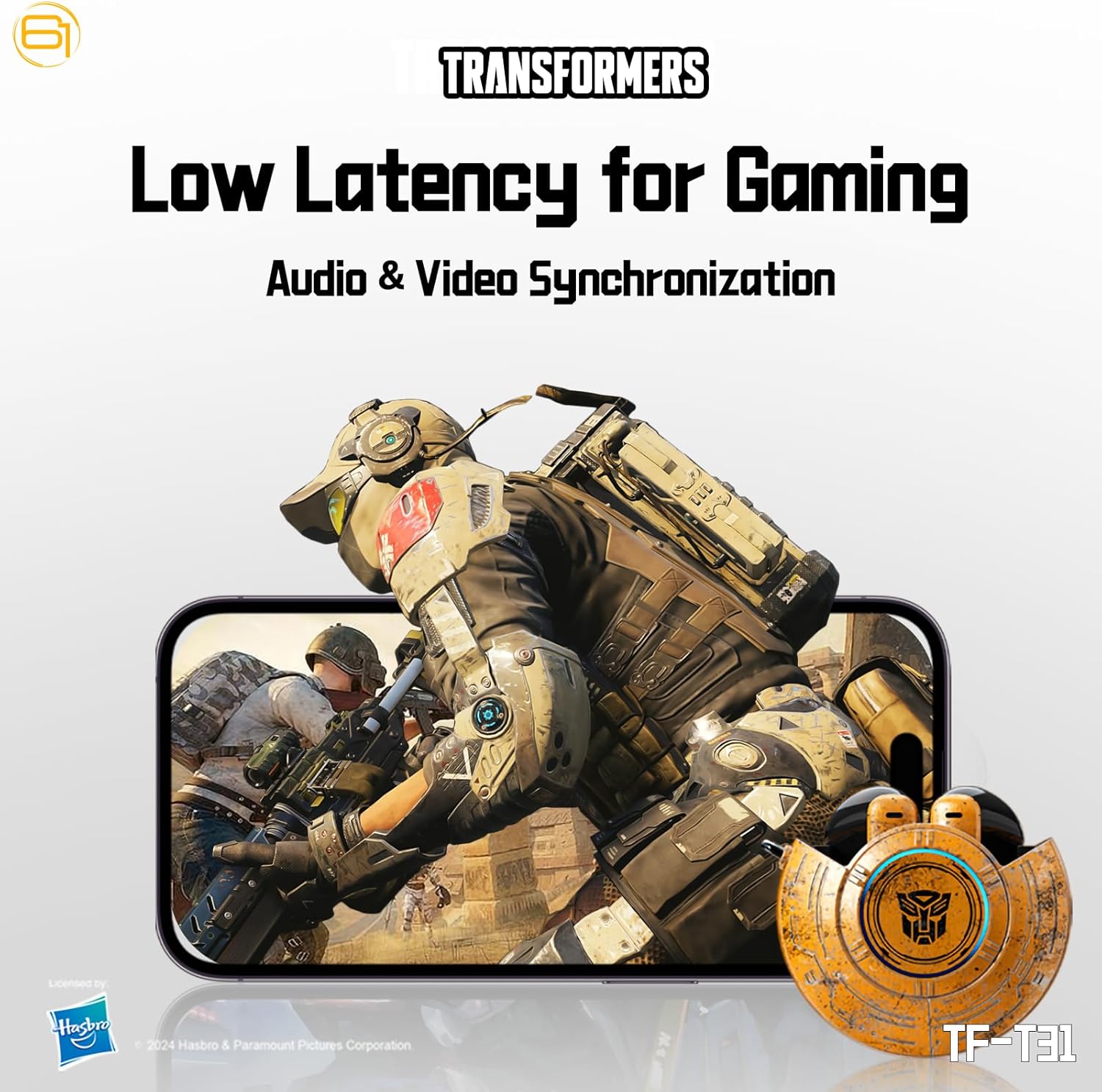
Image: Illustration of the earbuds providing low latency audio for gaming, showing a mobile gaming scenario.
Priežiūra
Valymas
- Reguliariai valykite ausines ir įkrovimo dėklą minkštu, sausu, nepūkuotu skudurėliu.
- Nenaudokite abrazyvinių valiklių, alkoholio ar cheminių tirpiklių.
- Švelniai pašalinkite ausų sierą ar nešvarumus nuo ausų tinklelio, naudodami mažą, minkštą šepetėlį arba vatos tamponėlį.
- Kad įkrovimas vyktų tinkamai, įsitikinkite, kad ausinių ir dėklo įkrovimo kontaktai yra švarūs ir sausi.
Sandėliavimas
- Kai nenaudojate, laikykite ausines įkrovimo dėkle, kad jos būtų apsaugotos ir įkrautos.
- Laikykite gaminį vėsioje, sausoje vietoje, toliau nuo ekstremalių temperatūrų ir tiesioginių saulės spindulių.
- Avoid exposing the earbuds or case to water or excessive moisture. While the product is water-resistant, it is not waterproof.
Trikčių šalinimas
If you encounter issues with your TF-T31 earbuds, please refer to the following common problems and solutions:
Ausinės nesusijungia arba neprisijungia
- Įsitikinkite, kad abi ausinės yra įkrautos.
- Įsitikinkite, kad jūsų įrenginyje įjungtas „Bluetooth“.
- Įdėkite ausines atgal į įkrovimo dėklą, uždarykite dangtelį, palaukite kelias sekundes ir vėl atidarykite, kad vėl įjungtumėte susiejimo režimą.
- On your device, forget or delete "TF-T31" from your Bluetooth device list, then attempt to pair again.
- Pabandykite susieti su kitu įrenginiu, kad atmestumėte su įrenginiu susijusias problemas.
Nėra garso arba mažas garsas
- Patikrinkite garsumo lygį tiek prijungtame įrenginyje, tiek ausinėse.
- Įsitikinkite, kad ausinės tinkamai įstatytos į ausis.
- Clean any debris from the earbud mesh that might be obstructing sound.
- Iš naujo prijunkite ausines prie įrenginio.
Įkrovimo problemos
- Įsitikinkite, kad įkrovimo laidas yra tvirtai prijungtas tiek prie dėklo, tiek prie maitinimo šaltinio.
- Įsitikinkite, kad ausinių ir dėklo viduje esantys įkrovimo kontaktai yra švarūs ir be jokių kliūčių.
- Pabandykite naudoti kitą USB C tipo laidą arba maitinimo adapterį.
- Confirm the power source is active.
Earbuds Disconnect Frequently
- Ensure your device is within the Bluetooth transmission distance (26-32 feet or 8-10 meters) without significant obstacles.
- Venkite aplinkos, kurioje yra stipri elektromagnetinė interferencija.
- Fully charge both the earbuds and the charging case.
Specifikacijos
| Funkcija | Detalė |
|---|---|
| Modelio pavadinimas | TF-T31 |
| Bluetooth versija | Bluetooth 5.4 |
| Bluetooth perdavimo atstumas | 26–32 8 pėdų (10–XNUMX XNUMX metrų) |
| Ausinių baterijos talpa | 3.7V/30mAh (each earbud) |
| Įkrovimo dėklo akumuliatoriaus talpa | 3.7 V / 300 mAh |
| Įkrovimo prievadas | C tipas |
| Įkrovimo laikas | Maždaug 1.5 val |
| Battery Talk/Music Time | Iki 5 valandų (ausinės), iki 50 valandų (su įkrovimo dėklu) |
| Dažnio atsako diapazonas | 20Hz-20KHz |
| Garsiakalbio varža | 32Ω |
| Jautrumas | 109dB±3dB |
| Valdymo tipas | Palieskite valdymą |
| Atsparumo vandeniui lygis | Atsparus vandeniui |
| Gaminio matmenys | 3.15 x 3.15 x 4.72 colio |
| Prekės svoris | 5.3 uncijos (0.15 kilogramo) |
Saugos informacija
- Klausos apsauga: Venkite klausytis dideliu garsu ilgą laiką, kad nepažeistumėte klausos.
- Vairavimo sauga: Do not use earbuds while driving or operating machinery where the inability to hear ambient sounds could pose a danger.
- Vandens ekspozicija: The earbuds are water-resistant, not waterproof. Do not submerge them in water or expose them to heavy rain. Dry them thoroughly if they get wet.
- Vaikai: Keep earbuds and small parts away from children to prevent choking hazards.
- Baterijos sauga: Do not attempt to replace the built-in batteries. Do not expose batteries to excessive heat or direct sunlight. Dispose of batteries according to local regulations.
- Valymas: Use only recommended cleaning methods. Avoid harsh chemicals.
Garantija ir palaikymas
For warranty information or technical support, please refer to the documentation provided at the time of purchase or contact the retailer/manufacturer directly. Keep your proof of purchase for warranty claims.
You can visit the official Transformers store on Amazon for more product information: Transformerių parduotuvė


