1. Įvadas
The ZEBRONICS Pixigo A16 is a 15.6-inch portable monitor designed for enhanced productivity and entertainment on the go. Featuring a Full HD 1080p resolution, anti-glare screen, and versatile connectivity options, it serves as an ideal secondary display for laptops, smartphones, and gaming consoles. Its lightweight design and 180° adjustable stand ensure flexibility and ease of use in various environments.
2. Pakuotės turinys
Patikrinkite, ar pakuotėje yra visi toliau išvardyti daiktai:
- Monitor - 1 unit
- Mini HDMI Cable - 1 unit
- Type C DP Cable - 1 unit
- Power Adapter - 1 unit
- User Manual - 1 unit
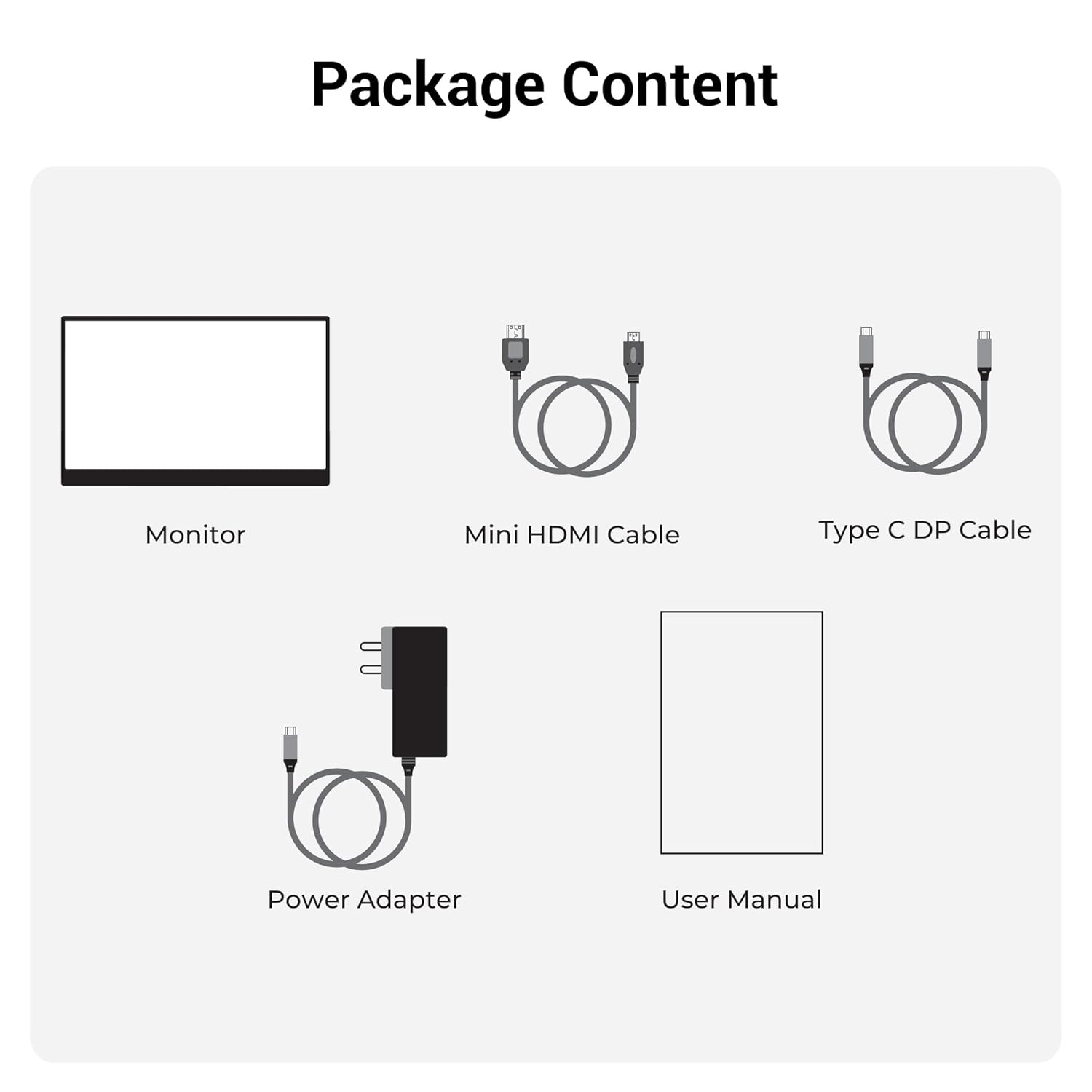
2.1 pav. Pakuotės turinys
3. Produktas baigtasview
3.1 Prievadai ir valdikliai
Familiarize yourself with the various ports and control buttons on your Pixigo A16 monitor:
- Mini HDMI prievadas: Vaizdo įvesties iš įrenginių su HDMI išvestimi jungtimi.
- Type C Port 2 (Power + Display): Supports both power delivery and display signal via a single Type-C cable.
- Type C Port 1 (Only Power): Dedicated for power input to the monitor.
- Power / Return Button: Naudojamas monitoriui įjungti / išjungti ir grįžti atgal į OSD meniu.
- LED indikatorius: Shows the power status of the monitor.
- Roller Key / Menu: Used to access and navigate the On-Screen Display (OSD) menu and adjust settings.
- Ausinių lizdas: Skirtas prijungti išorinius garso įrenginius.

Figure 3.1: Monitor Ports and Controls
3.2 Pagrindinės savybės
- 15.6-inch FHD 1080p Display: Delivers sharp and vivid visuals with a resolution of 1920x1080.
- Apsauga nuo akinimo: Minimizes reflections and eye strain for comfortable viewing.
- 180° reguliuojamas stovas: Offers flexible positioning to achieve the optimal viewing kampas.
- Dviguba įvestis: Features 1x Type-C DP port and 1x Mini HDMI port for broad compatibility.
- Integruoti garsiakalbiai: Suteikia integruotą garso išvestį.
- Lengvas ir nešiojamas: Compact design for easy transport and use in various locations.
- 300 nitų ryškumas: Ensures a bright and vibrant screen, even in well-lit environments.
- 16.7 milijonų spalvų: Supports accurate color reproduction.
- 16:9 kraštinių santykis: Ideal for media consumption and multitasking.
- Tvirtinamas prie sienos: Supports wall mounting for a clutter-free setup.

3.2 pav.: Ekrano funkcijos
4. Sąranka
Follow these steps to set up your ZEBRONICS Pixigo A16 portable monitor:
- Išpakuokite monitorių: Atsargiai išimkite monitorių ir visus priedus iš pakuotės.
- Padėkite stovą: Adjust the integrated 180° stand to your desired viewing kampas.
- Prijunkite maitinimą: Connect the provided Power Adapter to the Type C Port 1 (Power Only) on the monitor and plug it into a power outlet.
- Prisijunkite prie įrenginio:
- For Type-C Devices (with DisplayPort Alt Mode): Use the Type C DP Cable to connect your device (laptop, smartphone) to Type C Port 2 (Power + Display) on the monitor. This single cable can provide both power and display signal.
- For HDMI Devices: Use the Mini HDMI Cable to connect your device (laptop, gaming console) to the Mini HDMI Port on the monitor. Ensure the monitor is also powered via Type C Port 1.
- Maitinimas: Press the Power / Return Button to turn on the monitor.

Figure 4.1: Wide Compatibility with PC, Laptop, Mobile, and Gaming Console
5. Naudojimo instrukcijos
5.1 Pagrindinės operacijos
- Maitinimo įjungimas/išjungimas: Press and hold the Power / Return Button for a few seconds.
- Įvesties šaltinio pasirinkimas: The monitor should automatically detect the input source. If not, access the OSD menu using the Roller Key and manually select the input.
- Garso reguliavimas: Use the Roller Key to adjust the volume of the built-in speakers or connected headphones.
5.2 Ekrano meniu (OSD)
OSD meniu leidžia jums pritaikyti įvairius ekrano nustatymus:
- Press the Roller Key to open the OSD menu.
- Roll the Roller Key up or down to navigate through menu options.
- Press the Roller Key to select an option or confirm a setting.
- Press the Power / Return Button to go back to the previous menu or exit the OSD.
5.3 Stovo reguliavimas
The integrated stand can be adjusted up to 180 degrees to find the most comfortable viewing angle for your needs. Simply pivot the monitor on its stand to tilt it forward or backward.

Figure 5.1: 180° Adjustable Stand
6. Priežiūra
Norėdami užtikrinti monitoriaus ilgaamžiškumą ir optimalų veikimą, laikykitės šių priežiūros nurodymų:
- Ekrano valymas: Šiek tiek naudokite minkštą, be pūkelių šluostę dampened with water or a non-abrasive screen cleaner. Avoid harsh chemicals or abrasive materials.
- C valymasasing: Nuvalykite monitorių casing minkštu, sausu skudurėliu.
- Saugykla: Kai nenaudojate, laikykite monitorių vėsioje, sausoje vietoje, toliau nuo tiesioginių saulės spindulių ir ekstremalių temperatūrų.
- Tvarkymas: Handle the monitor with care, especially when transporting it. Its lightweight design makes it portable, but it should still be protected from impacts.
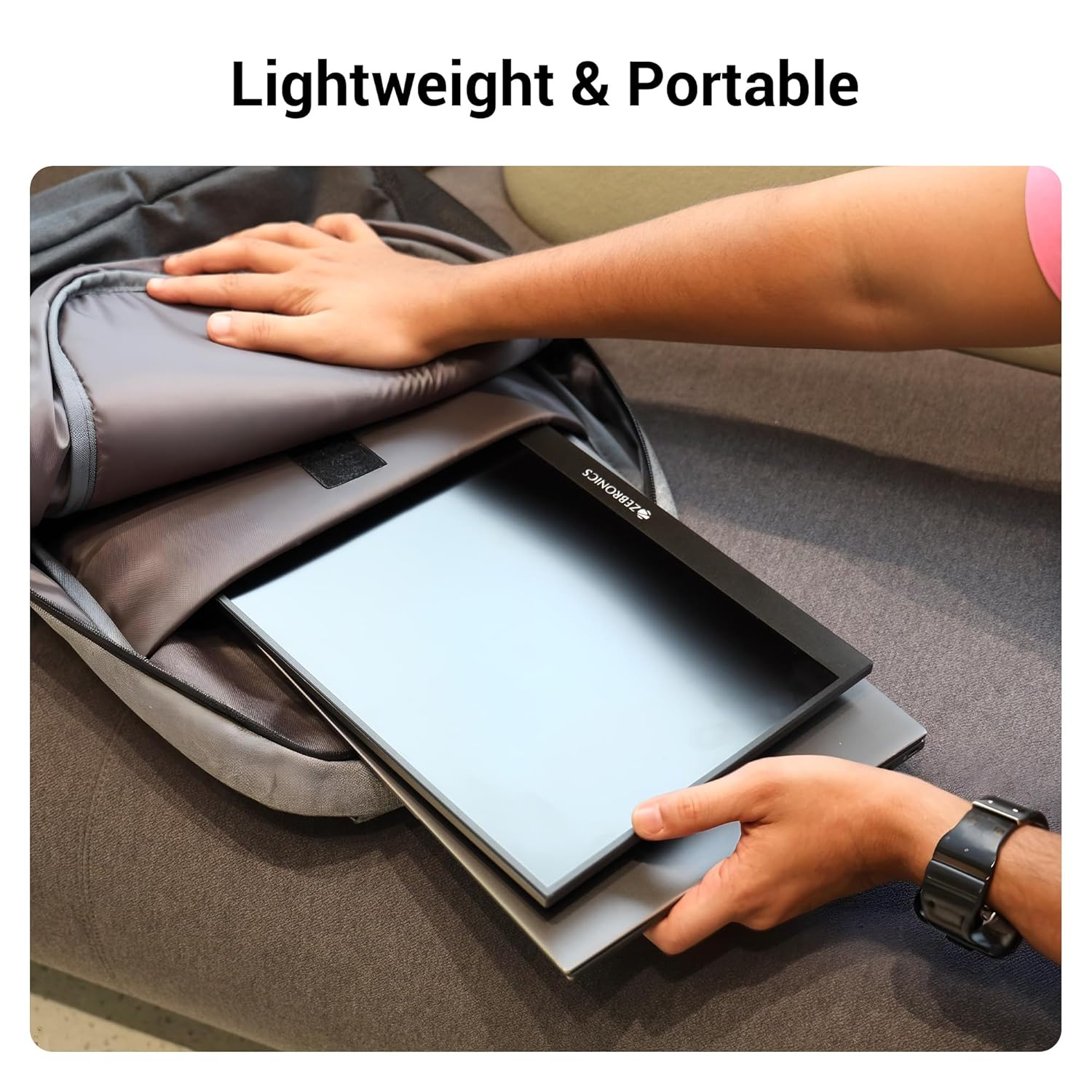
6.1 pav.: Lengvas ir nešiojamas dizainas
7. Problemų sprendimas
Jei kyla problemų dėl monitoriaus, žr. šias dažniausiai pasitaikančias problemas ir sprendimus:
| Problema | Galima priežastis | Sprendimas |
|---|---|---|
| Nėra ekrano / Nėra signalo | Incorrect input source selected; Loose cable connection; Insufficient power. | Check cable connections (HDMI/Type-C). Ensure the monitor is powered. Select the correct input source via the OSD menu. For Type-C, ensure your device supports DisplayPort Alt Mode. |
| Mirgantis ekranas | Faulty cable; Incompatible resolution/refresh rate; Power fluctuations. | Try a different cable. Adjust the resolution or refresh rate on your connected device. Ensure stable power supply. |
| Nėra garso | Volume too low/muted; Incorrect audio output selected on device. | Increase monitor volume using the Roller Key. Check audio settings on your connected device to ensure audio is routed to the monitor. |
| Monitorius neįsijungia | No power; Power adapter issue. | Ensure the power adapter is securely connected to the monitor (Type C Port 1) and a working power outlet. |
8. Specifikacijos
Detailed technical specifications for the ZEBRONICS Pixigo A16 portable monitor:
- Prekinis ženklas: ZEBRONIKA
- Modelis: Zeb-Pixigo A16
- Ekrano dydis: 15.6 colių (39.6 cm)
- Ekrano skiriamoji geba: 1920 x 1080 pikselių (FHD 1080p)
- Kraštinių santykis: 16:9
- Ryškumas: 300 nitų
- Spalvų palaikymas: 16.7 milijono spalvų
- Ekrano paviršiaus aprašymas: Matinis (apsauginis nuo akinimo)
- Ryšys: 1x Mini HDMI Port, 2x Type C Ports (1x Power + Display, 1x Power Only), Headphone Jack
- Integruoti garsiakalbiai: Taip
- Prekės svoris: 804 g
- Gaminio matmenys (PxPxA): 1.7 x 35.5 x 22.2 cm
9. Garantija ir palaikymas
For warranty information, technical support, or service inquiries, please refer to the warranty card included in your package or visit the official ZEBRONICS websvetainėje. Išsaugokite pirkimo kvitą kaip pirkimo įrodymą garantiniams reikalavimams.


