1. Įvadas
Welcome to the MAXHUB E21 Series 86-inch Digital Board user manual. This document provides essential information for the safe and efficient operation of your new interactive display. The MAXHUB E21 Series is designed to enhance collaboration, presentations, and interactive learning environments with its advanced features and intuitive interface. Please read this manual thoroughly before using the product and retain it for future reference.
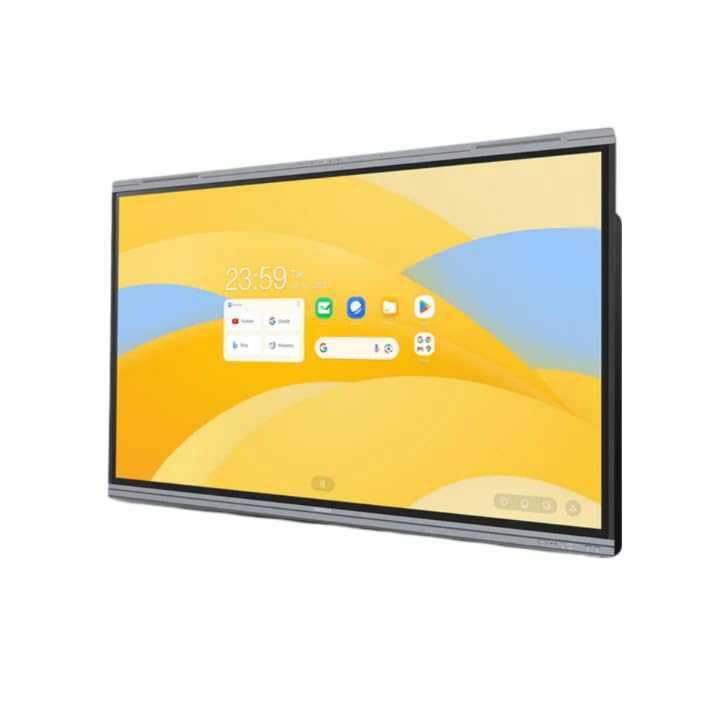
Figure 1: MAXHUB E21 Series 86-inch Digital Board in a classroom environment.
2. Saugos informacija
Norėdami užtikrinti saugų įrenginio veikimą ir išvengti jo pažeidimų, laikykitės šių saugos priemonių:
- Maitinimas: Use only the specified power adapter and ensure the power outlet is properly grounded.
- Vėdinimas: Neužblokuokite ventiliacijos angų. Užtikrinkite pakankamai vietos aplink įrenginį tinkamam oro cirkuliavimui.
- Vieta: Install the digital board on a stable surface or mount it securely to a wall using appropriate hardware. Avoid placing it in direct sunlight, near heat sources, or in areas with high humidity or dust.
- Valymas: Prieš valydami atjunkite maitinimą. Naudokite minkštą, sausą šluostę. Nenaudokite skystų ar aerozolinių valiklių.
- Tvarkymas: Handle the display with care. Avoid strong impacts or pressure on the screen.
- Aptarnavimas: Nemėginkite patys prižiūrėti gaminio. Visus techninės priežiūros darbus patikėkite kvalifikuotam techninės priežiūros personalui.
3. Pakuotės turinys
Please check the package contents upon unboxing. If any items are missing or damaged, contact your dealer immediately.
- MAXHUB E21 Series 86-inch Digital Board
- Maitinimo kabelis
- Stylus Pen(s)
- Nuotolinio valdymo pultas
- Wall Mount Bracket (optional, may vary by region/package)
- Vartotojo vadovas (šis dokumentas)
4. Sąranka
4.1 Fizinis įrengimas
The MAXHUB Digital Board can be installed on a mobile stand or wall-mounted. Follow the instructions provided with your specific stand or wall mount kit. Ensure the installation is secure and level.
4.2 Maitinimo prijungimas
- Connect the power cable to the AC IN port on the digital board.
- Kitą maitinimo laido galą prijunkite prie įžeminto elektros lizdo.
- Press the power button, usually located on the side or bottom of the display, to turn on the device.
4.3 Pradinė sąranka ir tinklo prijungimas
Upon first power-on, the system will guide you through the initial setup process, including language selection, time zone, and network configuration.
- „Wi-Fi“: Iš sąrašo pasirinkite savo „Wi-Fi“ tinklą ir įveskite slaptažodį.
- Ethernet: Connect an Ethernet cable to the LAN port for a wired network connection.

Figure 2: Main interface of the MAXHUB E21 Series Digital Board.
5. Naudojimo instrukcijos
5.1 Pagrindinė navigacija
The MAXHUB E21 Series runs on Android 13.0. Navigate the interface using touch gestures or the remote control.
- Bakstelėkite: Pasirinkite elementą arba atidarykite programą.
- Perbraukimas: Scroll through menus or pages.
- Suspausti / paskleisti: Priartinkite arba atitolinkite turinį.
- Ilgas paspaudimas: Pasiekite kontekstinius meniu arba perkelkite piktogramas.
5.2 Intelligent Touch Functionality
The digital board supports up to 40 touch points, allowing multiple users to interact simultaneously.
- Use your finger or the provided stylus for precise interaction.
- The system can differentiate between finger touch and stylus input for various functions (e.g., writing vs. erasing).
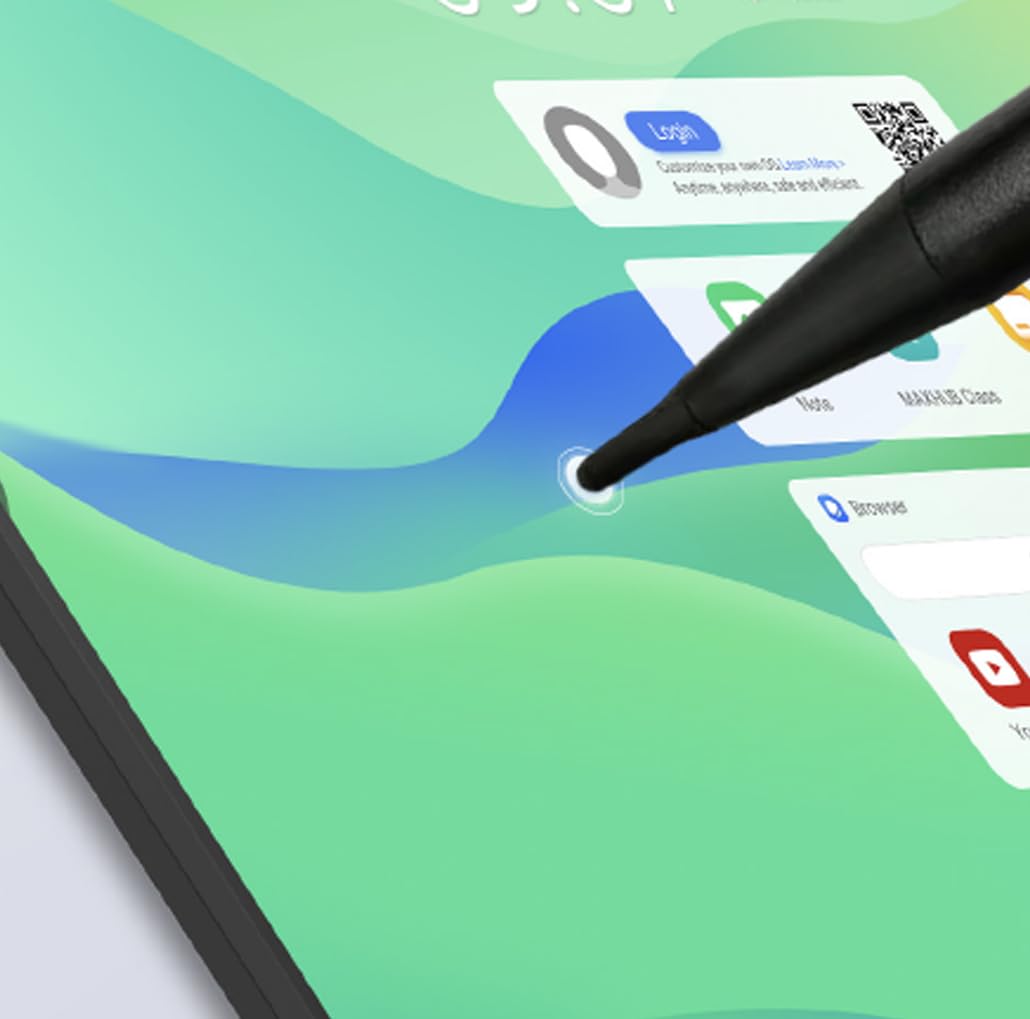
Figure 3: Stylus interaction on the digital board.
5.3 Using the Whiteboard Application
Access the built-in whiteboard application for interactive writing, drawing, and annotation.
- Select different pen colors, thicknesses, and tools from the toolbar.
- Use multi-touch gestures for zooming and panning the canvas.
- Save your whiteboard sessions for later review arba dalintis.
5.4 Connectivity (Type-C)
The Type-C port offers versatile connectivity for various peripherals.
- Duomenų perdavimas: Connect external storage devices.
- Ekrano išvestis: Connect to external monitors (if supported by specific port).
- Maitinimo tiekimas: Charge compatible devices.
- Garsas / vaizdo įrašas: Connect compatible audio/video devices.

Figure 4: Type-C connectivity options.
6. Pagrindinės savybės
The MAXHUB E21 Series 86-inch Digital Board is equipped with advanced features for superior performance and user experience:
- Expansive Ultra-HD Display: An 86-inch screen with 3840x2160 (4K) resolution delivers stunning visuals and vibrant colors, ideal for large meeting spaces and classrooms.
- Eyes Care Technology: Features TÜV-certified Low Blue Light and Flicker-Free technology to ensure a comfortable viewing experience during extended use, reducing eye strain.
- Precision Touch Features: Intelligent touchscreen technology supports up to 40 simultaneous touch points, enabling seamless multi-user collaboration and precise interaction.
- Advanced Operating System: Powered by Android 13.0 OS, combined with 8GB RAM and 64GB ROM, for fast, smooth operations, enhanced processing capabilities, and ample saugykla.
- Powerful Audio System: Integrated dual 20W speakers provide rich, clear, and impactful sound, enhancing multimedia presentations and video conferencing.
- Patvarus ir patikimas: Engineered for long-lasting performance with a 50,000-hour backlight life, ensuring consistent brightness and reliability over time.
7. Priežiūra
7.1 Ekrano valymas
To clean the screen, first power off the device and unplug the power cable. Use a soft, lint-free cloth slightly dampened with water or a screen-specific cleaning solution. Do not spray liquid directly onto the screen.
7.2 Bendras valymas
Wipe the frame and back panel with a soft, dry cloth. Avoid using abrasive cleaners or solvents.
7.3 Programinės įrangos naujiniai
Periodically check for system software updates through the device's settings menu to ensure optimal performance and access to the latest features and security patches.
8. Problemų sprendimas
If you encounter issues with your MAXHUB Digital Board, refer to the following common problems and solutions:
| Problema | Galima priežastis | Sprendimas |
|---|---|---|
| Nėra galios | Power cable not connected; Power outlet faulty; Device off | Ensure power cable is securely connected; Test power outlet; Press power button |
| Nėra ekrano | Device in standby mode; Input source incorrect | Wake up the device; Check input source settings |
| Jutiklinis ekranas nereaguoja | Screen dirty; Software glitch; Calibration issue | Clean the screen; Restart the device; Recalibrate touch (if option available) |
| Nėra garso | Per mažas garsumas; Nutildytas garsas; Prijungtas išorinis garso įrenginys | Increase volume; Unmute; Disconnect external audio or select internal speakers |
| Wi-Fi ryšio problemos | Neteisingas slaptažodis; Maršrutizatoriaus problema; Signalo trukdžiai | Verify password; Restart router; Move closer to router or reduce interference |
If the problem persists, please contact MAXHUB customer support for assistance.
9. Specifikacijos
Detailed technical specifications for the MAXHUB E21 Series 86-inch Digital Board:
| Funkcija | Specifikacija |
|---|---|
| Prekės ženklas | MAXHUB |
| Modelio numeris | E21 serija |
| Ekrano dydis | 86 colių |
| Rezoliucija | 3840 x 2160 (4K UHD) |
| Operacinė sistema | Android 13.0 |
| RAM | 8 GB |
| Saugykla (ROM) | 64 GB |
| Lietimo taškai | Iki 40 |
| Garso išvestis | 2x20W garsiakalbiai |
| Foninio apšvietimo gyvenimas | 50,000 valandos |
| Žmogaus sąsajos įvestis | Jutiklinis ekranas |
| Spalva | Pilka |
10. Garantija ir palaikymas
Your MAXHUB E21 Series Digital Board comes with a standard manufacturer's warranty. Please refer to the warranty card included in your package or visit the official MAXHUB websvetainėje, kurioje pateikiamos išsamios garantijos sąlygos.
For technical support, service, or inquiries, please contact MAXHUB customer service through their official channels. Have your product model and serial number ready when contacting support.


