1. Įvadas
This manual provides essential instructions for the setup, operation, and maintenance of your TMY Projector. Please read this manual thoroughly before using the product to ensure proper functionality and to maximize your viewpatirtį. Išsaugokite šį vadovą ateityje.
2. Produktas baigtasview
2.1 Pakuotės turinys
Patikrinkite, ar pakuotėje yra visi reikalingi daiktai:
- TMY Projector Unit
- Nuotolinio valdymo pultas
- HDMI kabelis
- Maitinimo laidas
- Garantijos kortelė
2.2 Pagrindinės savybės
- Netflix Officially Licensed: Access streaming services directly without external devices.
- 1080P raiška: Delivers clear and detailed images.
- Electric Focus & Auto Keystone: Automatic image adjustment for optimal clarity and shape.
- 270° pasukamas stovas: Flexible projection angles, including ceiling projection.
- Upgraded WiFi 6 Connectivity: Ensures stable and fast wireless streaming.
- Dual-Mode Bluetooth 5.2: Connects to external speakers or functions as a standalone Bluetooth speaker.
- Kelios ryšio parinktys: HDMI, USB, Phone/PC mirroring.
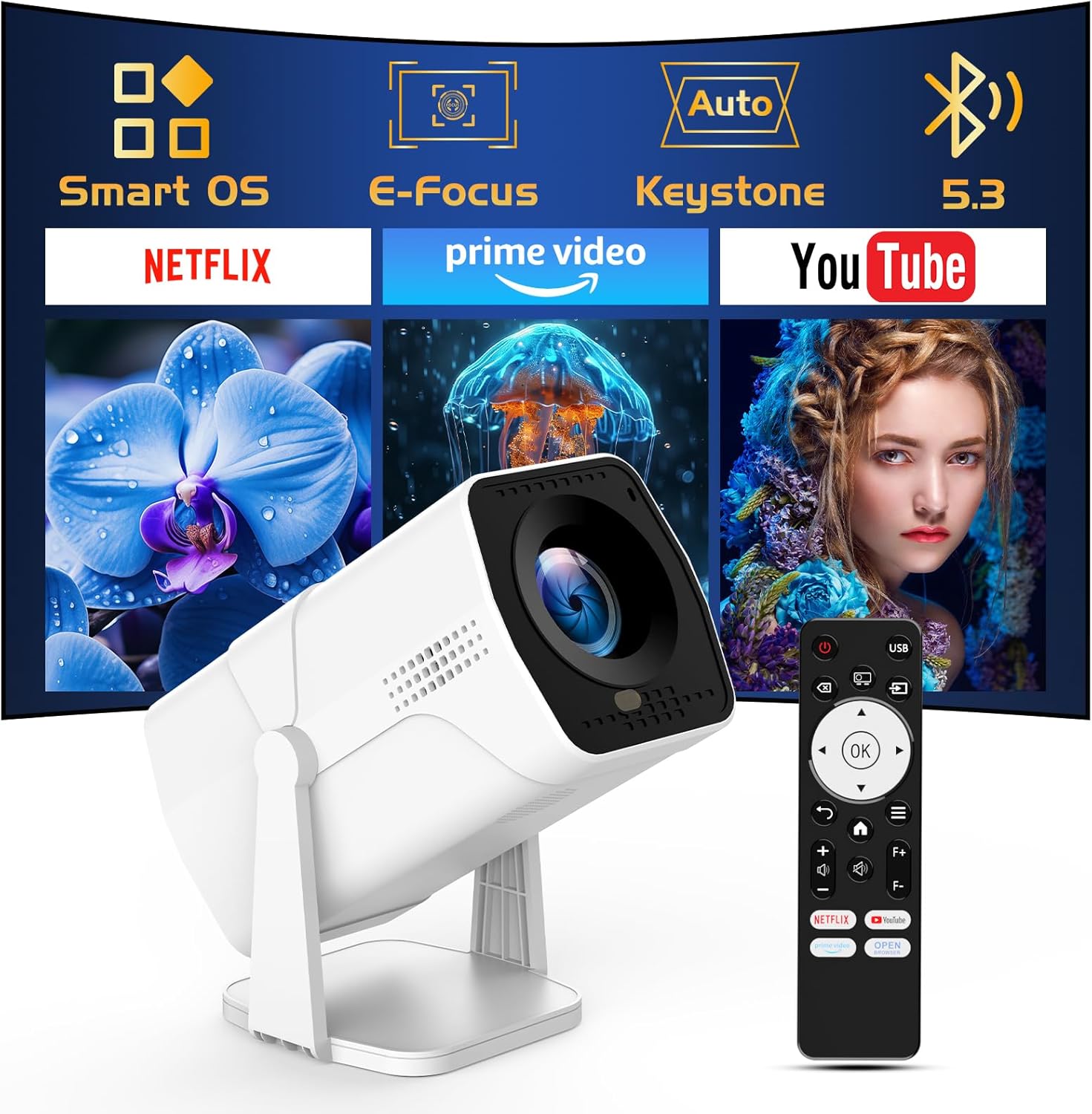
Image: The TMY Projector unit, its remote control, and a projected screen displaying logos for Smart OS, E-Focus, Auto Keystone, Bluetooth 5.3, Netflix, Prime Video, and YouTube.
3. Sąranka
3.1 Įdėjimas
Position the projector on a stable, flat surface. The 270° rotatable stand allows for versatile placement, including projecting onto walls or ceilings. Ensure adequate ventilation around the projector.

Image: A TMY Projector positioned on a bedside table, projecting an image onto the ceiling, demonstrating its 270° rotatable stand for multi-angle viewing.
3.2 Maitinimo jungtis
- Prijunkite maitinimo laidą prie projektoriaus maitinimo įvesties prievado.
- Kitą maitinimo laido galą prijunkite prie standartinio elektros lizdo.
3.3 Pradinis įjungimas ir fokusavimo reguliavimas
- Norėdami įjungti įrenginį, paspauskite projektoriaus arba nuotolinio valdymo pulto maitinimo mygtuką.
- Projektoriaus savybės Elektrinis fokusavimas ir „Auto Keystone“ correction. The image will automatically adjust for clarity and a rectangular shape within approximately 2 seconds.
- If further adjustment is needed, use the remote control to fine-tune the focus.

Image: A TMY Projector projecting a vibrant image onto a screen, with an overlay illustrating the 'FOCUS' function and icons for Auto Keystone and 50%-100% Zoom.
3.4 Tinklo ryšys („Wi-Fi“)
The projector supports WiFi 6 for a fast and stable internet connection.
- Naudodami nuotolinio valdymo pultą, eikite į meniu „Nustatymai“.
- Pasirinkite „Tinklas“ arba „Wi-Fi nustatymai“.
- Choose your desired WiFi network from the list and enter the password.
- Patvirtinkite ryšį.

Image: A TMY Projector wirelessly connected to a tablet, smartphone, and laptop, illustrating its WiFi 6 connectivity for faster streaming with no lagging.
3.5 Bluetooth ryšys
The projector features Dual-Mode Bluetooth 5.2 for audio connectivity.
- Projector Mode (Output): To connect to external Bluetooth speakers or soundbars: Navigate to 'Bluetooth Settings', enable Bluetooth, and pair with your audio device.
- Speaker Mode (Input): To use the projector's built-in speakers as a standalone Bluetooth speaker: Select 'Speaker Mode' in the Bluetooth settings. Your phone or other device can then connect to the projector to play audio.

Image: A TMY Projector illustrating its two-way Bluetooth 5.2 functionality, showing connections to a soundbar (Projector Mode) and a smartphone (Speaker Mode).
4. Operacija
4.1 Išmaniosios OS naršymas
The projector runs on a smart TV operating system. Use the provided remote control to navigate menus, select applications, and control playback.

Image: The TMY Projector unit with a projected screen showing a grid of built-in smart OS applications, including Netflix, YouTube, Prime Video, TikTok, and others.
4.2 Prieiga prie integruotų programų
The projector comes with pre-installed and officially licensed applications such as Netflix, Prime Video, and YouTube. Access these directly from the home screen or through the 'App Store' for additional content.

Image: A TMY Projector projecting a screen filled with content from officially licensed apps like Netflix, Prime Video, and YouTube, with the remote control in the foreground.
4.3 Išorinių įrenginių prijungimas
The projector offers multiple ports for connecting external devices:
- HDMI: Connect TV sticks, TV boxes, PCs/Laptops, or gaming consoles (e.g., PS).
- USB: Leisti mediją files directly from USB drives or connect other USB accessories.
- Phone/PC Mirroring: Wirelessly mirror content from your smartphone or PC (refer to the on-screen instructions for specific mirroring protocols).
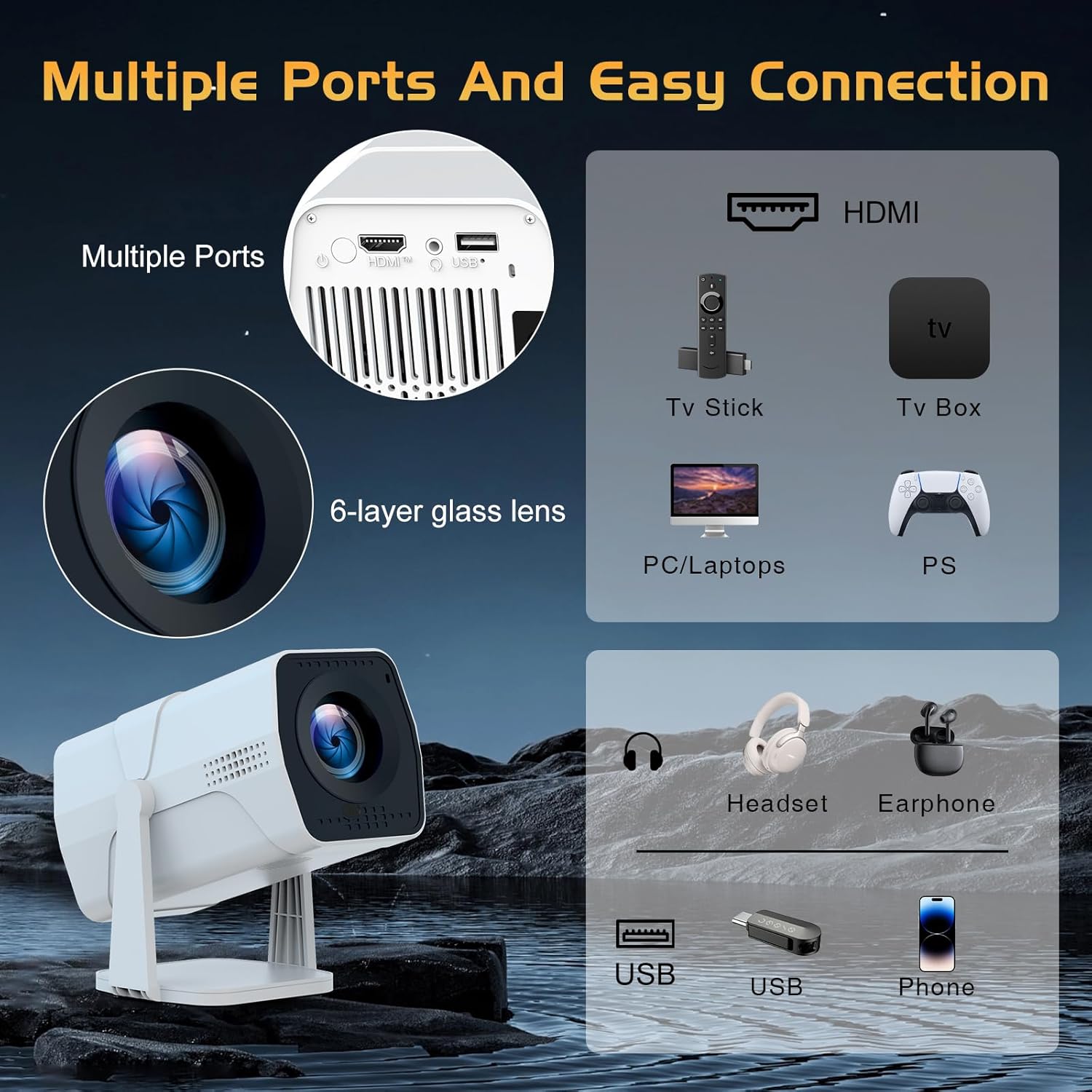
Image: A detailed diagram showing the multiple ports on the TMY Projector (HDMI, USB) and various connection possibilities, including TV sticks, PCs, gaming consoles, headsets, and phones.
4.4 Screen Zoom Function
The projector includes a 50%-100% zoom function, allowing you to adjust the screen size without moving the projector. This feature can be accessed via the remote control or settings menu.
5. Priežiūra
To ensure the longevity and optimal performance of your TMY Projector, follow these maintenance guidelines:
- Objektyvo valymas: Naudokite minkštą, nepūkuotą šluostę, specialiai skirtą optiniams lęšiams. Venkite abrazyvinių medžiagų ar stiprių cheminių medžiagų.
- Išorės valymas: Projektoriaus išorę nuvalykite minkšta, sausa šluoste. Nenaudokite skystų valiklių tiesiai ant įrenginio.
- Vėdinimas: Įsitikinkite, kad ventiliacijos angos nėra užblokuotos, kad išvengtumėte perkaitimo.
- Saugykla: Jei projektorius ilgesnį laiką nenaudojamas, jį laikykite vėsioje, sausoje vietoje, toliau nuo tiesioginių saulės spindulių ir dulkių.
6. Problemų sprendimas
If you encounter issues with your TMY Projector, refer to the following common problems and solutions:
- Nėra galios:
- Ensure the power cord is securely connected to both the projector and a working electrical outlet.
- Patikrinkite, ar maitinimo lizdas veikia.
- No Image / Blurry Image:
- Verify the projector is powered on and the lens cap is removed.
- Allow the automatic focus and keystone correction to complete. If still blurry, manually adjust focus using the remote.
- Ensure the projection surface is suitable and the projector is within the recommended distance.
- If using an external source (HDMI), ensure the correct input source is selected.
- Nėra garso:
- Patikrinkite projektoriaus ir visų prijungtų išorinių garso įrenginių garsumo lygį.
- If using Bluetooth speakers, ensure they are properly paired and connected.
- If using internal speakers, ensure external Bluetooth output is not selected.
- Nuotolinio valdymo pultas nereaguoja:
- Ensure the batteries are correctly inserted and not depleted.
- Nukreipkite nuotolinio valdymo pultą tiesiai į projektoriaus IR imtuvą.
- „WiFi“ ryšio problemos:
- Ensure your WiFi network is active and within range.
- Dar kartą patikrinkite „Wi-Fi“ slaptažodį.
- Restart the projector and your WiFi router.
- If the connection times out, try moving the projector closer to the router or reducing interference.
7. Specifikacijos
| Funkcija | Specifikacija |
|---|---|
| Prekės ženklas | TMY |
| Modelis | B0DRFF5KMF |
| Prekės svoris | 2.79 svaro |
| Gaminio matmenys | 5.35 x 4.84 x 7.09 colio |
| Spalva | Baltas |
| Ypatingos savybės | Speakers, Electric Focus, Auto Keystone, 270° Rotatable Stand |
| Ryšio technologija | HDMI, USB, „Wi-Fi 6“, „Bluetooth 5.2“ |
| Ekrano raiška | 1920 x 1080 (1080P „Full HD“) |
| Rekomenduojami naudojimo būdai | Vidinis |

Image: A visual comparison showing the TMY Projector's 1080P Full HD image quality, emphasizing that it is recommended for use in dark environments for optimal viewing, contrasted with daytime or light-on conditions.
8. Garantija ir palaikymas
TMY is committed to providing excellent customer service and product support.
- Garantija: Šiam gaminiui suteikiama 3 metų garantija.
- Grąžinimo politika: Pasinaudokite 30 dienų grąžinimo laikotarpiu.
- Techninė pagalba: Lifetime after-sale service and technical support are available.
- Atsakymo laikas: Expect a quick reply within 24 hours for support inquiries.
Dėl papildomos pagalbos apsilankykite oficialioje svetainėje TMY Store on Amazon or contact customer support through the provided channels in your warranty card.


