Įvadas
Thank you for choosing the Olafus Floodlight Camera Outdoor. This manual provides detailed instructions for the installation, operation, and maintenance of your new security camera system. Please read this manual thoroughly before installation and retain it for future reference.
The Olafus Floodlight Camera is designed to provide comprehensive outdoor surveillance with advanced features including 2K QHD video resolution, motion-activated floodlights, customizable detection zones, color night vision, and two-way audio communication.
Pakuotės turinys
Prieš montuodami patikrinkite, ar yra visi komponentai:
- Olafus Floodlight Camera Unit
- Mounting Bracket
- Instrukcijų vadovas (šis dokumentas)
- (Additional mounting hardware may be included, refer to packaging)
Specifikacijos
| Funkcija | Detalė |
|---|---|
| Modelio numeris | 3-LBS60Q |
| Vaizdo raiška | 2K QHD (3MP Effective Still Resolution) |
| Laukas View | 120 laipsnių |
| Naktinis matymas | Color Night Vision, up to 16.4 feet |
| Floodlight Output | 55W, 5500 Lumens, Dimmable |
| Judesio aptikimas | PIR Motion Detection, Customizable Zones |
| Garsas | Two-Way Talk, 105dB Siren |
| Ryšys | 2.4GHz Wi-Fi (IEEE 802.11b/g/n), Wired Power |
| Saugojimo parinktys | „Micro SD“ kortelė (iki 256 GB, nepridedama), debesies saugykla |
| Atsparumas oro sąlygoms | IP65 Atsparus vandeniui |
| Maitinimo įvestis | 110 voltų |
| Matmenys | 8 x 5 x 9 colio (I x P x A) |
| Svoris | 1.5 svaro |
| Medžiaga | Aliuminis |
| Suderinami įrenginiai | Smartphone (Olafus App), Amazon Alexa |
Svarbi saugos informacija
- Elektros sauga: Installation requires working with electrical wiring. If you are not comfortable with electrical work, consult a qualified electrician. Ensure power is turned off at the circuit breaker before installation.
- Montavimas: Mount the camera securely to a stable surface. Ensure the mounting location can support the weight of the device.
- „Wi-Fi“: This device supports 2.4GHz Wi-Fi networks only. It is not compatible with 5GHz Wi-Fi.
- Darbinė temperatūra: Ensure the camera is installed within its specified operating temperature range for optimal performance.
- Siren Use: When enabling the auto-alarm siren, consider your neighbors to avoid unnecessary disturbance.
Sąrankos vadovas
1. Download the Olafus App
The Olafus Floodlight Camera operates via the Olafus mobile application. Download the app from your device's app store or by scanning the QR code below.

2. Fizinis įrengimas
Before proceeding, ensure the power to the installation area is turned OFF at the circuit breaker.
- Pasirinkite vietą: Pasirinkite vietą lauke su skaidria šviesa view of the area you wish to monitor and access to existing electrical wiring.
- Sumontuokite laikiklį: Securely attach the mounting bracket to the wall or eaves using appropriate screws and anchors.
- Prijunkite kamerą: Connect the camera's electrical wires to your home's wiring according to local electrical codes. Typically, this involves connecting live, neutral, and ground wires.
- Pritvirtinkite fotoaparatą: Mount the floodlight camera unit onto the secured bracket.
- Atkurti maitinimą: Once the camera is securely installed and wired, turn the power back ON at the circuit breaker.
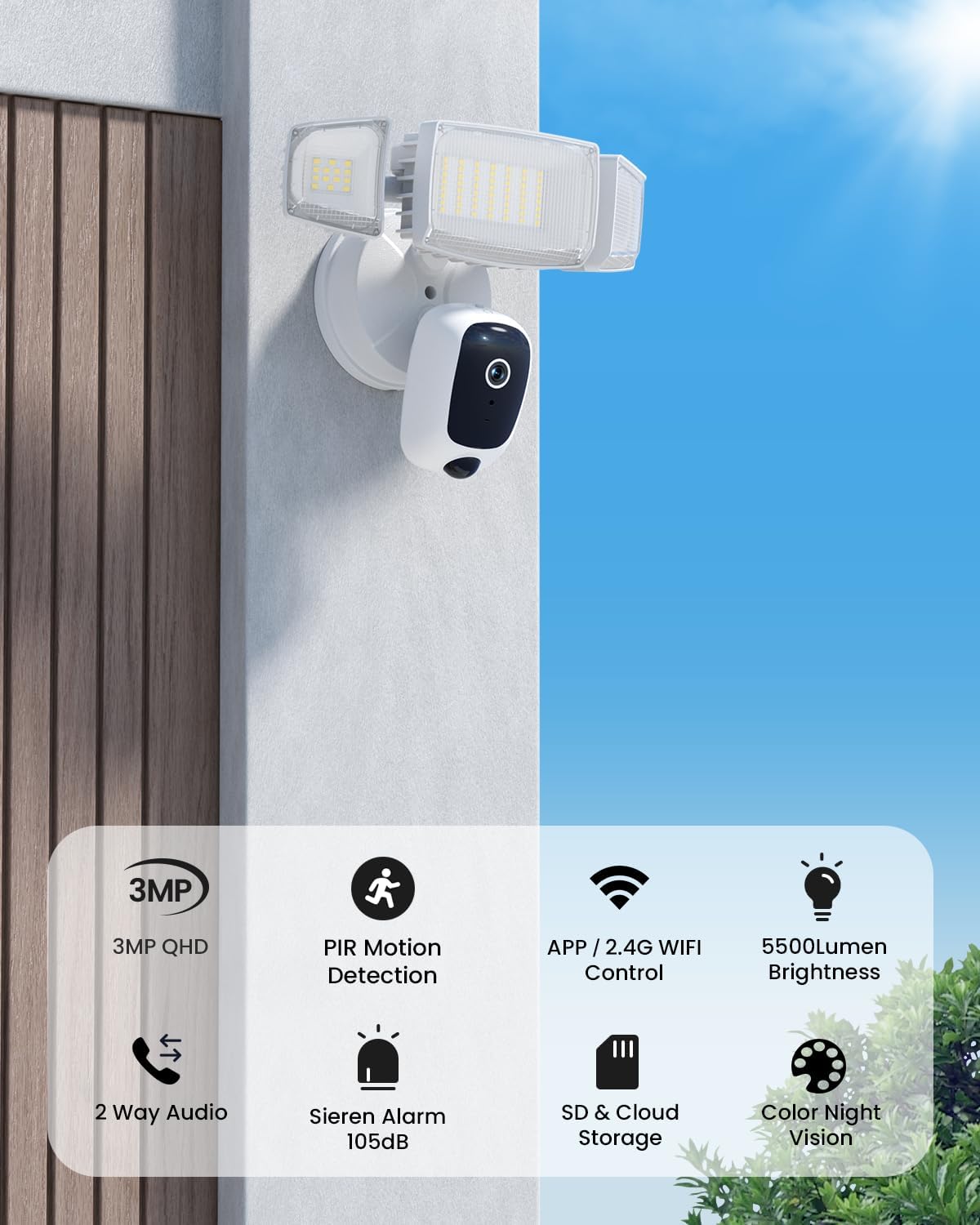
Image showing the Olafus Floodlight Camera mounted on an exterior wall, providing surveillance over an outdoor area.
3. App Pairing and Wi-Fi Connection
After physical installation and restoring power, the camera will enter pairing mode.
- Open the Olafus app on your smartphone.
- Vadovaukitės instrukcijomis programoje, kad pridėtumėte naują įrenginį.
- Pasirinkite 2.4 GHz „Wi-Fi“ tinklą ir įveskite slaptažodį. Kamera nepalaiko 5 GHz „Wi-Fi“.
- The app will guide you through connecting the camera to your Wi-Fi network. This often involves scanning a QR code displayed on your phone with the camera lens.
- Once connected, the camera will be online and accessible through the app.

Image illustrating the Olafus app interface on a smartphone, showing live camera feed and control options.
Naudojimo instrukcijos
Tiesiogiai View ir Įrašymas
Access the live video feed from your camera through the Olafus app. You can manually record video or capture screenshots directly from the live view.
Dvipusis pokalbis
Utilize the two-way audio feature to communicate with visitors or deter intruders. Press the microphone icon in the app to speak, and release to listen.

Image demonstrating the two-way talk feature, where a user communicates with a delivery person via the camera's audio.
For optimal two-way audio quality, maintain a distance of at least 10 feet (3 meters) between the camera and your smartphone during communication to prevent feedback or noise.
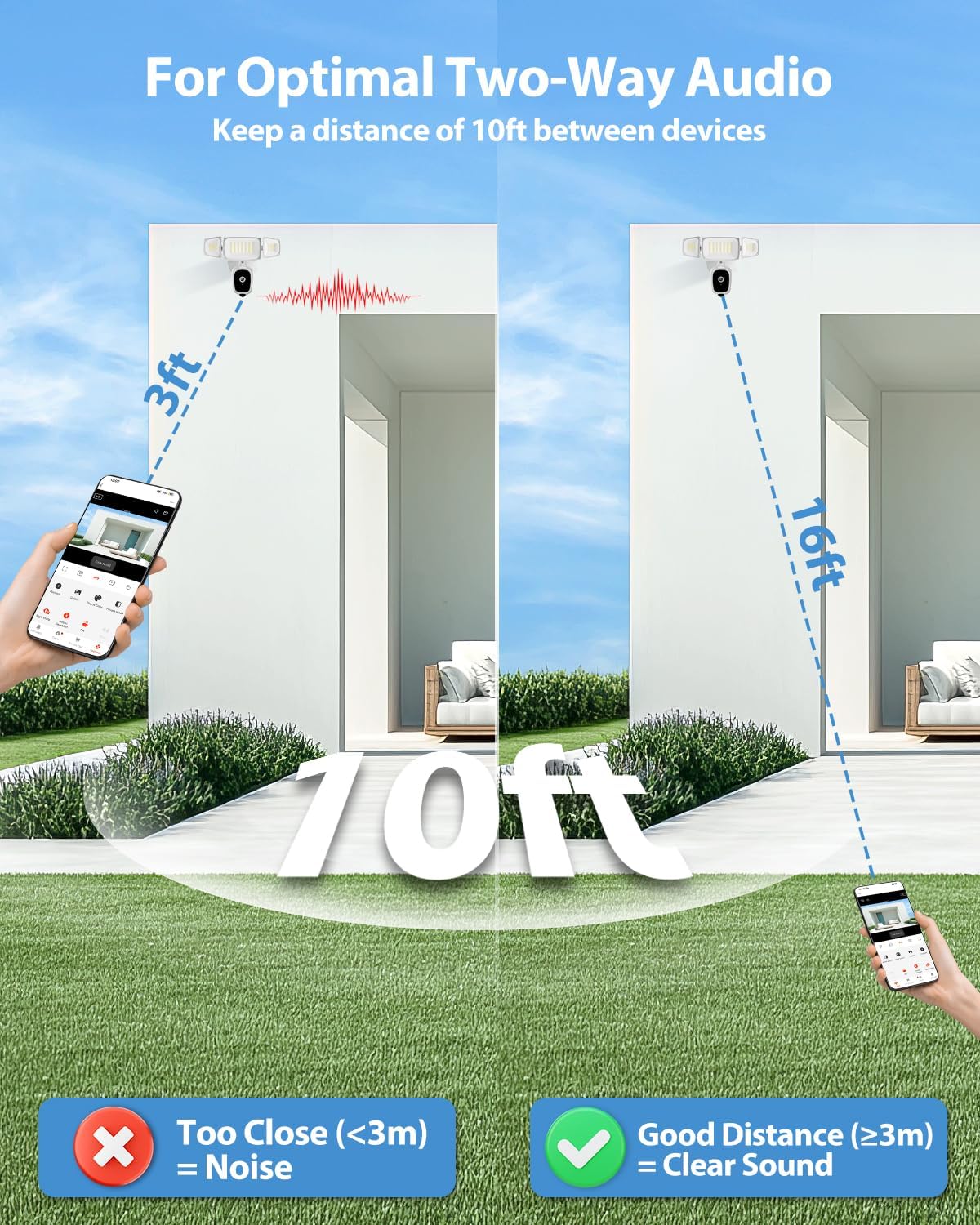
Diagram illustrating recommended distances for clear two-way audio communication, showing that being too close can cause noise.
Judesio aptikimas ir įspėjimai
The camera uses PIR motion detection to identify movement. When motion is detected, you will receive real-time alerts on your smartphone.
- Pritaikomos aptikimo zonos: In the app settings, you can define specific areas within the camera's view where motion detection should be active. This helps reduce false alarms from irrelevant areas.
- Jautrumo reguliavimas: Adjust the motion detection sensitivity to suit your environment.
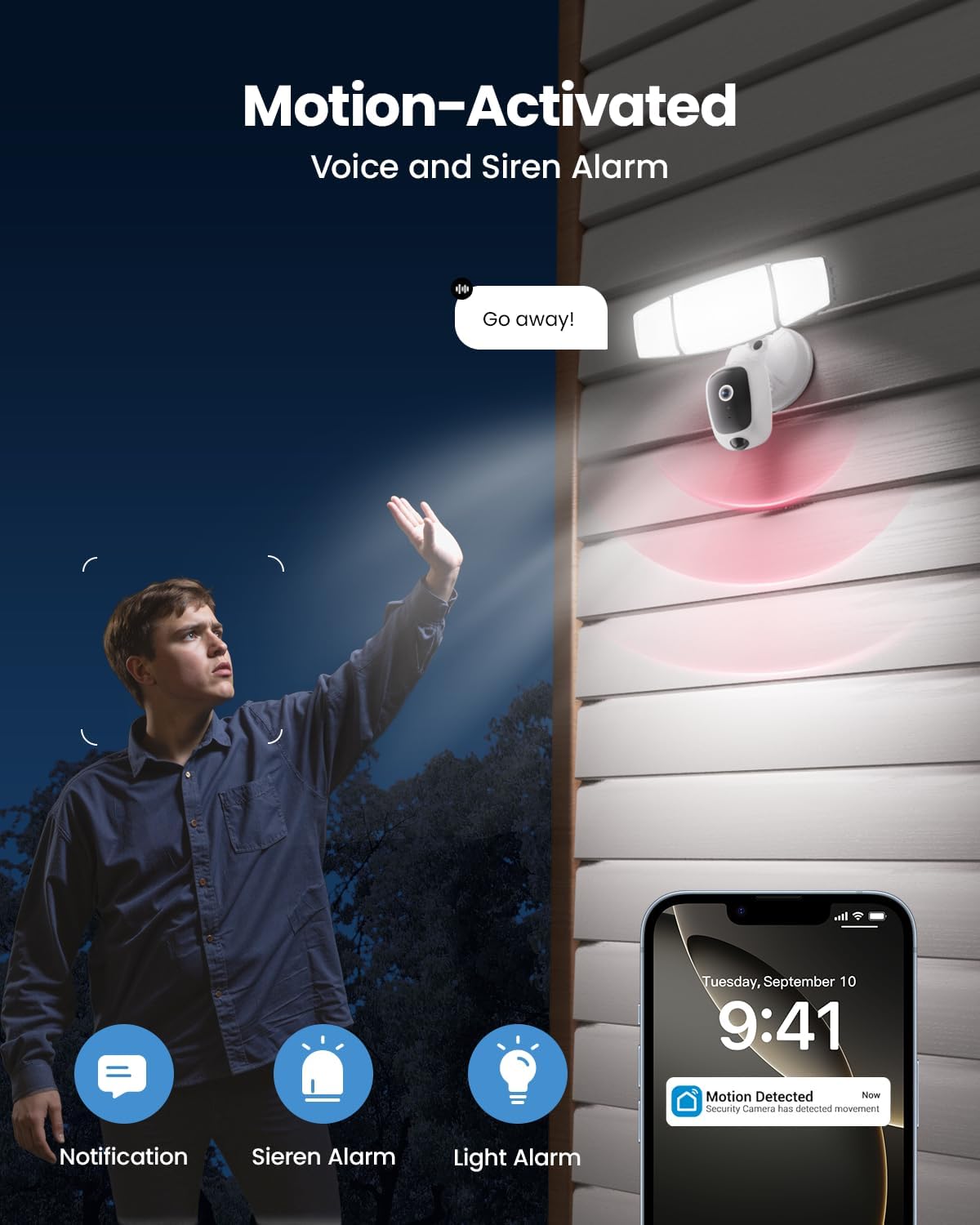
Image depicting the motion-activated features, including floodlight illumination, siren activation, and a smartphone notification for detected movement.
Floodlight Control
The 55W floodlights provide 5500 lumens of dimmable outdoor lighting. You can control the floodlights via the app:
- Rankinis valdymas: Turn the lights on/off or adjust brightness manually.
- Suaktyvintas judesiu: Configure the lights to turn on automatically when motion is detected.
- Planavimas: Set schedules for the lights to operate at specific times.
- Reguliuojamos galvutės: The three light heads can be physically adjusted to direct illumination where needed.

Image showing the Olafus Floodlight Camera with its three adjustable light heads, allowing for flexible illumination direction.
Sirenos signalas
The integrated 105dB siren can be activated manually through the app or configured to trigger automatically upon motion detection. Use this feature to deter unwanted visitors.
Spalvotas naktinis matymas
The camera provides enhanced color night vision, offering clear and detailed footage even in low-light conditions, surpassing traditional black and white night vision.
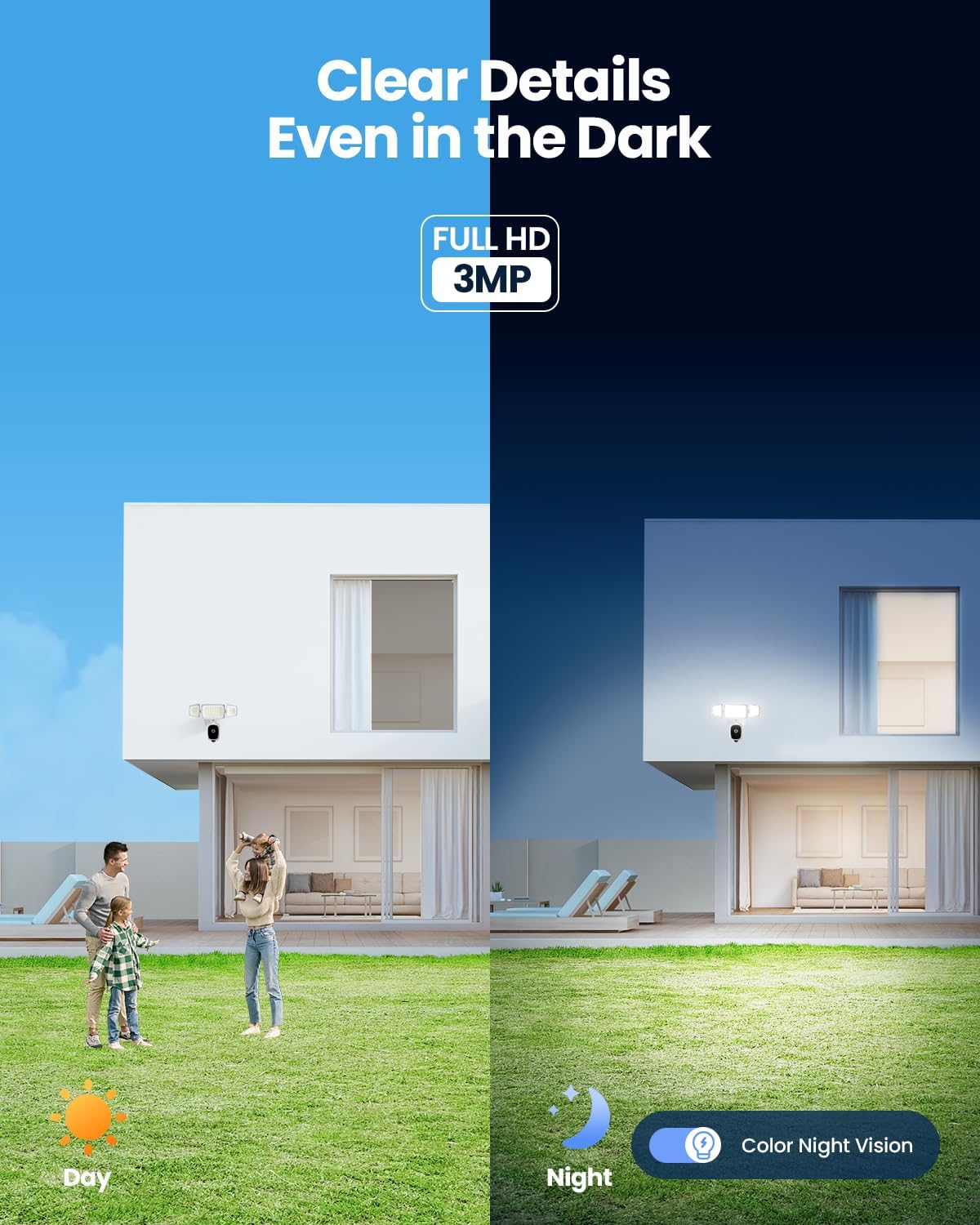
Image comparing the camera's view during the day and its color night vision capability at night, showing clear details in darkness.
Saugojimo parinktys
Your recordings can be stored in two ways:
- „Micro SD“ kortelė: Įdėkite „Micro SD“ kortelę (iki 256 GB, nepridedama) į tam skirtą kameros lizdą, skirtą vietiniam saugojimui.
- Saugykla debesyje: Subscribe to the optional cloud storage service via the Olafus app for secure, remote storage of your footage.

Close-up image of the Olafus Floodlight Camera showing the Micro SD card slot, indicating local storage capability.
Išmaniųjų namų integracija
The Olafus Floodlight Camera is compatible with Amazon Alexa, allowing for voice control of certain functions. Refer to the Olafus app for instructions on linking your camera with Alexa.
Priežiūra
- Valymas: Reguliariai valykite kameros objektyvą ir prožektoriaus dangtelius minkšta,amp cloth to ensure clear vision and optimal light output. Do not use harsh chemicals.
- Firmware atnaujinimai: Check the Olafus app regularly for firmware updates. Keeping your camera's firmware updated ensures optimal performance and security.
- SD kortelės tvarkymas: Jei naudojate SD kortelę, periodiškai ją peržiūrėkiteview ir tvarkyti saugomą maistątage, kad kortelė neužsipildytų.
Trikčių šalinimas
| Problema | Galimas sprendimas |
|---|---|
| Kamera neprisijungia prie „Wi-Fi“. |
|
| Nėra judesio aptikimo įspėjimų |
|
| Prasta vaizdo kokybė |
|
| Two-way audio feedback/noise |
|
| Floodlights not turning on |
|
Garantija ir palaikymas
For warranty information and technical support, please refer to the official Olafus website or contact their customer service directly. Details are typically provided on the product packaging or within the Olafus app.
Gamintojas: Olafas
Pirmą kartą pasiekiama data: 28 m. balandžio 2025 d
Dėl papildomos pagalbos apsilankykite Olafus Store on Amazon.


