Įvadas
This user manual provides detailed instructions for the Reacher R9BT-RA-DE, a versatile 4-in-1 device designed for convenience and functionality. It integrates a 15W magnetic wireless charger, a digital alarm clock with natural sound options, an FM radio with 40 presets, and a 10W Bluetooth 5.3 speaker. Please read this manual thoroughly to ensure proper setup, operation, and maintenance of your device.

Image: The Reacher R9BT-RA-DE highlighting its four core functionalities: wireless charging, Bluetooth speaker, FM radio, and alarm clock, presented as a stylish clock.
Produktas baigtasview
The Reacher R9BT-RA-DE is engineered to simplify your daily routine by combining multiple essential functions into one elegant unit. Its design features a grey textile body with a wood-look top panel, suitable for various interior styles.
Pagrindinės funkcijos:
- 15 W magnetinis belaidis įkrovimas: Fast and secure charging for compatible smartphones, especially iPhone 12-16 series with magnetic alignment.
- Skaitmeninis žadintuvas: Features a dimmable LED display (0-100%), 12/24-hour format, 6 natural alarm sounds (bird, sea, beep, wind chimes, piano, radio), and a 9-minute snooze function.
- FM radijas: Stable reception (87.5-108 MHz) with an extendable antenna, supporting up to 40 preset stations and both manual and automatic tuning.
- Bluetooth 5.3 garsiakalbis: 10W stereo speakers deliver 360° sound, offering stable connection up to 10 meters for streaming music and podcasts. Automatic time synchronization upon phone connection.
- Patogus vartotojui dizainas: Intuitive button layout on the top panel and rotary controls on the back for volume and display brightness.

Image: The Reacher R9BT-RA-DE in operation, showing a smartphone wirelessly charging on its magnetic pad and the digital clock display.
Sąranka
1. Išpakavimas ir įdėjimas:
- Atsargiai išimkite prietaisą iš pakuotės.
- Place the device on a stable, flat surface, such as a bedside table or office desk.
- Užtikrinkite tinkamą vėdinimą aplink įrenginį.
2. Maitinimo prijungimas:
- Connect the provided power cable to the DC input port on the back of the device.
- Kitą maitinimo laido galą prijunkite prie standartinio sieninio lizdo.
- Ekranas užsidegs, rodydamas, kad įrenginys įjungtas.
3. Initial Time Setting:
- Upon initial power-on, the time may need to be set manually or will synchronize automatically when connected via Bluetooth to a smartphone.
- Refer to the "Alarm Clock and Display" section for manual time adjustment instructions.
Naudojimo instrukcijos
1. Belaidis įkrovimas:
- Place your Qi-compatible smartphone (e.g., iPhone 12-16 series) on the magnetic charging pad located on the top surface of the device.
- The strong magnet will automatically align your phone for optimal charging.
- Charging will begin automatically. The device supports up to 15W fast charging.
- Ensure your phone case is compatible with MagSafe and is not thicker than 8mm for efficient charging.
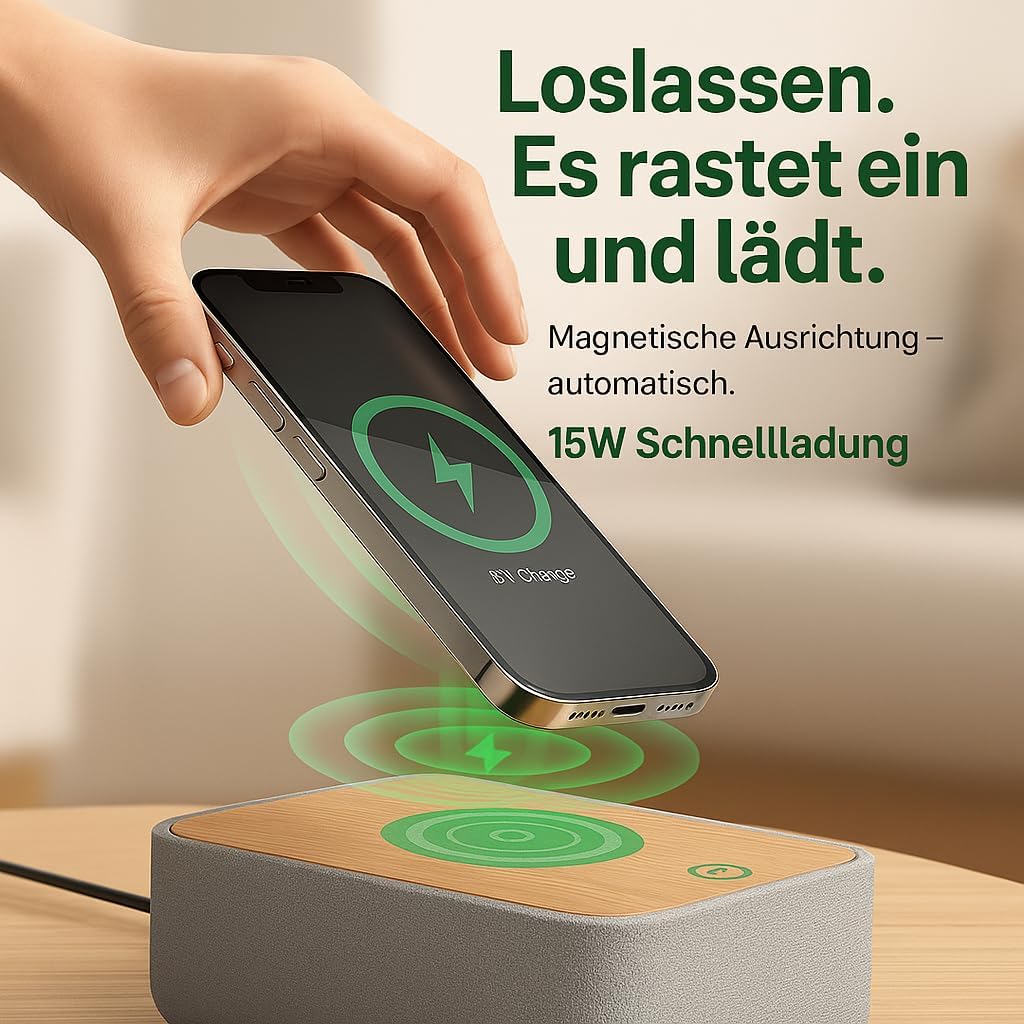
Image: Illustrates the magnetic alignment feature for wireless charging, showing a phone being placed on the charging pad.

Image: Demonstrates the 15W fast wireless charging capability of the device.
2. FM radijas:
- Extend the antenna located at the back of the device for optimal reception.
- Paspauskite FM mygtuką, kad perjungtumėte į FM radijo režimą.
- Automatinis derinimas: Paspauskite ir palaikykite Nuskaityti button (or similar, refer to device buttons) to automatically scan and save available stations (up to 40 presets).
- Rankinis derinimas: Naudokite Derinimas +/- buttons (or rotary knob) to manually adjust the frequency (87.5-108 MHz).
- Išankstinių nustatymų pasirinkimas: Naudokite Iš anksto nustatytas +/- buttons to cycle through saved stations.
- Adjust the volume using the rotary knob on the back of the device.

Image: Visual guide to the FM radio features, showing options for manual and automatic tuning, and the capacity for 40 preset stations.
3. „Bluetooth“ garsiakalbis:
- Paspauskite Bluetooth button to enter Bluetooth pairing mode. The Bluetooth icon on the display will flash.
- On your smartphone or other Bluetooth-enabled device, search for "R9BT-RA-DE" (or similar device name) in the Bluetooth settings.
- Select the device to pair. Once connected, the Bluetooth icon will stop flashing and remain solid.
- You can now stream audio from your connected device.
- The device features 10W stereo speakers for 360° sound and Bluetooth 5.3 for stable connection up to 10 meters.
- When connected, the device may automatically synchronize its time with your phone.
- Adjust the volume using the rotary knob on the back of the device (30 volume levels available).
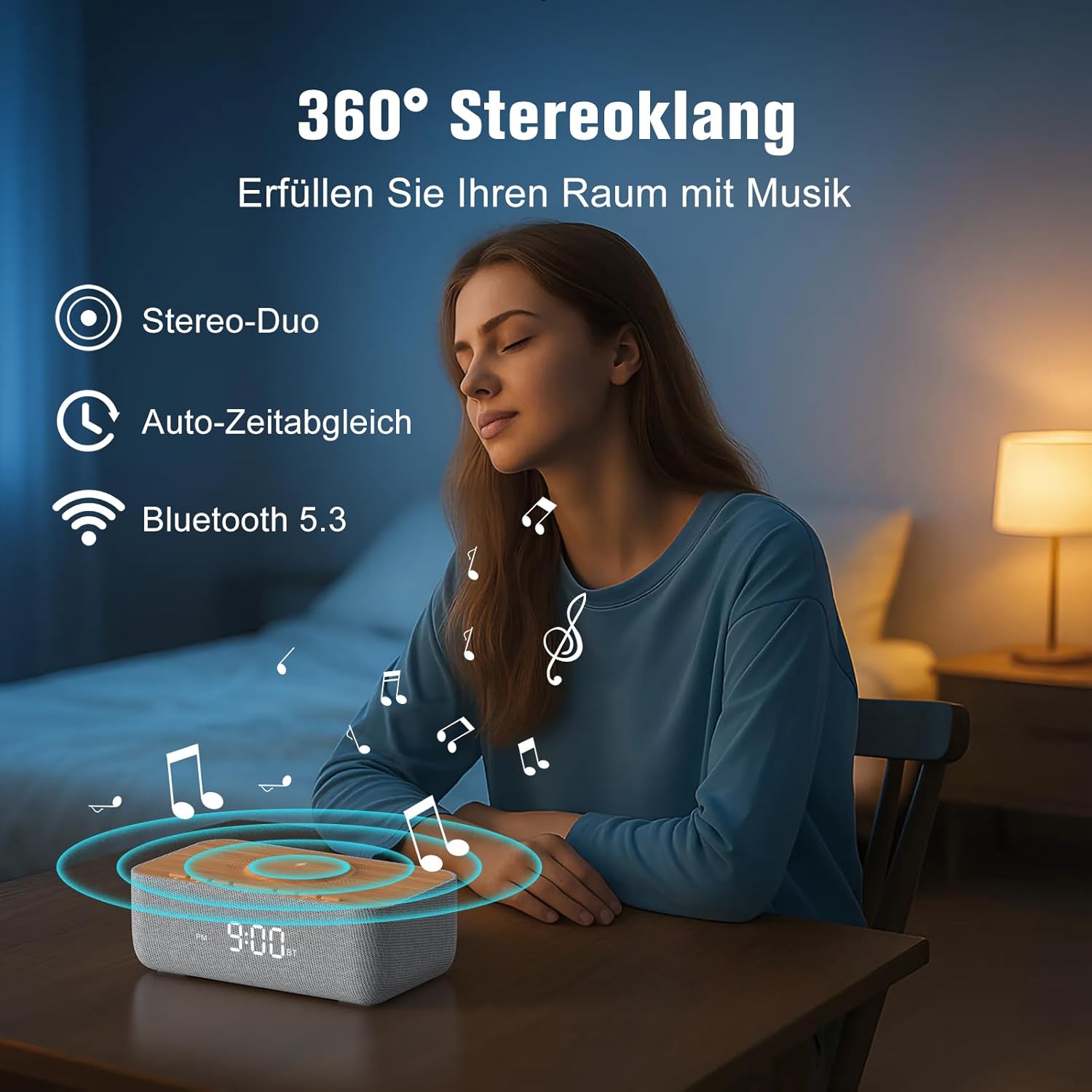
Image: Depicts the device's 360-degree stereo sound capability, Bluetooth 5.3 connectivity, and automatic time synchronization.
4. Alarm Clock and Display:
- Nustatymo laikas: Paspauskite Laikas nustatytas mygtuką. Naudokite +/- mygtukais, kad nustatytumėte valandas ir minutes. Paspauskite Laikas nustatytas dar kartą patvirtinti.
- 12/24 valandų formatas: Paspauskite 12/24H mygtuką, norėdami perjungti 12 valandų (su AM/PM indikatoriumi) ir 24 valandų formatus.
- Signalo nustatymas: Paspauskite Signalizacijos rinkinys mygtuką. Naudokite +/- , kad nustatytumėte žadintuvo laiką. Paspauskite Signalizacijos rinkinys again. Then, use +/- to select one of the 6 alarm tones (bird, sea, beep, wind chimes, piano, or FM radio). Press Signalizacijos rinkinys patvirtinti.
- Signalizacijos įjungimas / išjungimas: Paspauskite Signalizacija įjungta/išjungta button to toggle the alarm. An alarm icon will appear on the display when active.
- Snaudimo funkcija: Kai skamba žadintuvas, paspauskite Snausti button (usually a large button on top) to temporarily silence it for 9 minutes.
- Signalizacijos sustabdymas: To turn off the alarm for the day, press any button other than Snooze.
- Ekrano ryškumas: Use the rotary knob on the back of the device to adjust the LED display brightness from 0% (off) to 100%.

Image: Illustrates the 0-100% dimmable LED display, showing how the brightness can be adjusted.
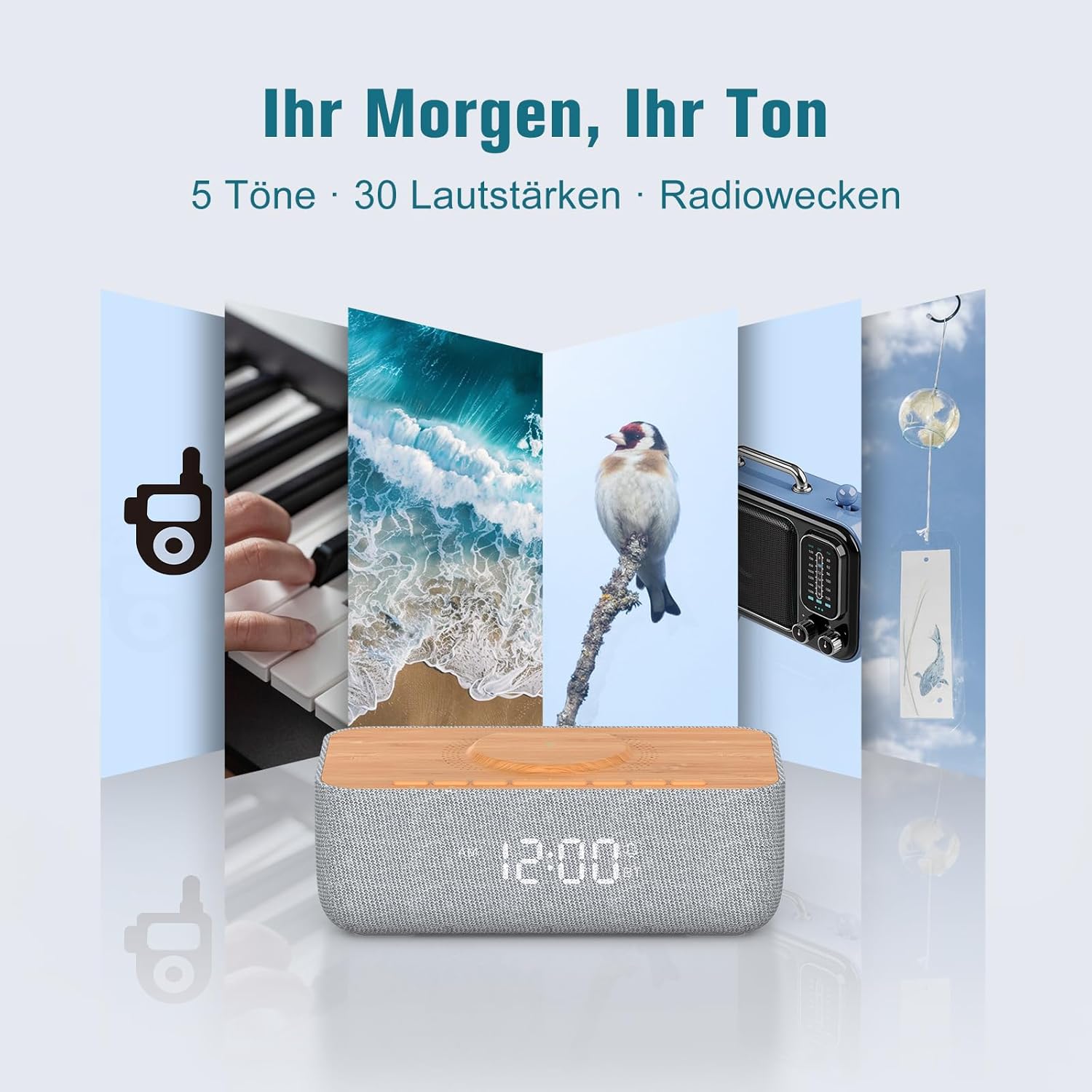
Image: Displays the variety of alarm tones, including natural sounds and FM radio, available on the device.
Priežiūra
- Valymas: Use a soft, dry cloth to wipe the device. Do not use liquid cleaners or abrasive materials.
- Saugykla: If storing the device for an extended period, unplug it from the power source and store it in a cool, dry place.
- Venkite vandens: This device is for indoor use only and is not waterproof. Keep it away from water and high humidity.
- Maitinimas: Naudokite tik pridedamą maitinimo adapterį arba sertifikuotą lygiavertį įrenginį.
Trikčių šalinimas
| Problema | Galima priežastis | Sprendimas |
|---|---|---|
| Įrenginys neįsijungia. | Neprijungtas maitinimo laidas arba neveikia maitinimo lizdas. | Įsitikinkite, kad maitinimo laidas yra tvirtai prijungtas tiek prie įrenginio, tiek prie veikiančio maitinimo lizdo. |
| Belaidis įkrovimas neveikia. | Phone not Qi-compatible, misaligned, or phone case too thick. | Ensure your phone supports Qi wireless charging. Realign the phone on the charging pad. Remove thick phone cases (over 8mm) or non-MagSafe cases. |
| Prastas FM radijo priėmimas. | Antena nėra ištiesta arba yra aplinkos trukdžių. | Fully extend the FM antenna. Try repositioning the device or antenna for better signal. |
| „Bluetooth“ neprisijungia. | Įrenginys nėra susiejimo režime, yra už diapazono ribų arba jau prijungtas prie kito įrenginio. | Ensure the device is in Bluetooth pairing mode (flashing icon). Move your phone closer. Disconnect from other Bluetooth devices. |
| Alarm volume too low/high. | Garsumas netinkamai sureguliuotas. | Adjust the volume using the rotary knob on the back of the device. Note that some alarm tones may have a gradual volume increase. |
| Ekranas per ryškus/tamsus. | Reikia pakoreguoti ryškumo nustatymą. | Use the rotary knob on the back of the device to adjust the display brightness. |
Specifikacijos
| Prekės ženklas | REACHER |
| Modelio numeris | R9BT-RA-DE |
| Spalva | Pilka / ruda |
| Gaminio matmenys (I x P x A) | 25 x 12.5 x 8.05 cm |
| Prekės svoris | 700 gramų |
| Belaidžio įkrovimo išvestis | Iki 15W |
| Belaidžio įkrovimo suderinamumas | Qi-compatible smartphones, iPhone 12-16 series (magnetic alignment) |
| FM radijo dažnių diapazonas | 87.5–108 MHz |
| FM radijo išankstiniai nustatymai | Iki 40 stočių |
| Bluetooth versija | 5.3 |
| Bluetooth diapazonas | Iki 10 metrų |
| Garsiakalbio išvestis | 10W stereofoninis |
| Ekrano tipas | Skaitmeninis LED |
| Ekrano ryškumas | 0-100% Dimmable |
| Signalizacijos tonai | 6 (Bird, Sea, Beep, Wind Chimes, Piano, FM Radio) |
| Snaudimo trukmė | 9 minučių |
| Maitinimo šaltinis | Elektros kabelis |
| Rėmo medžiaga | Wood (top panel) |
| Baterijos įtrauktos | Nr |
Garantija ir palaikymas
For warranty information and customer support, please refer to the documentation included with your purchase or visit the official REACHER website. If you encounter any issues not covered in this manual, please contact REACHER customer service for assistance.
Product is certified CE and RoHS compliant, with integrated overcurrent and short-circuit protection.