1. Įvadas
This manual provides detailed instructions for the installation, operation, and maintenance of your RESTMO Smart Water Flow Meter. Please read this manual thoroughly before use to ensure proper function and longevity of the device.
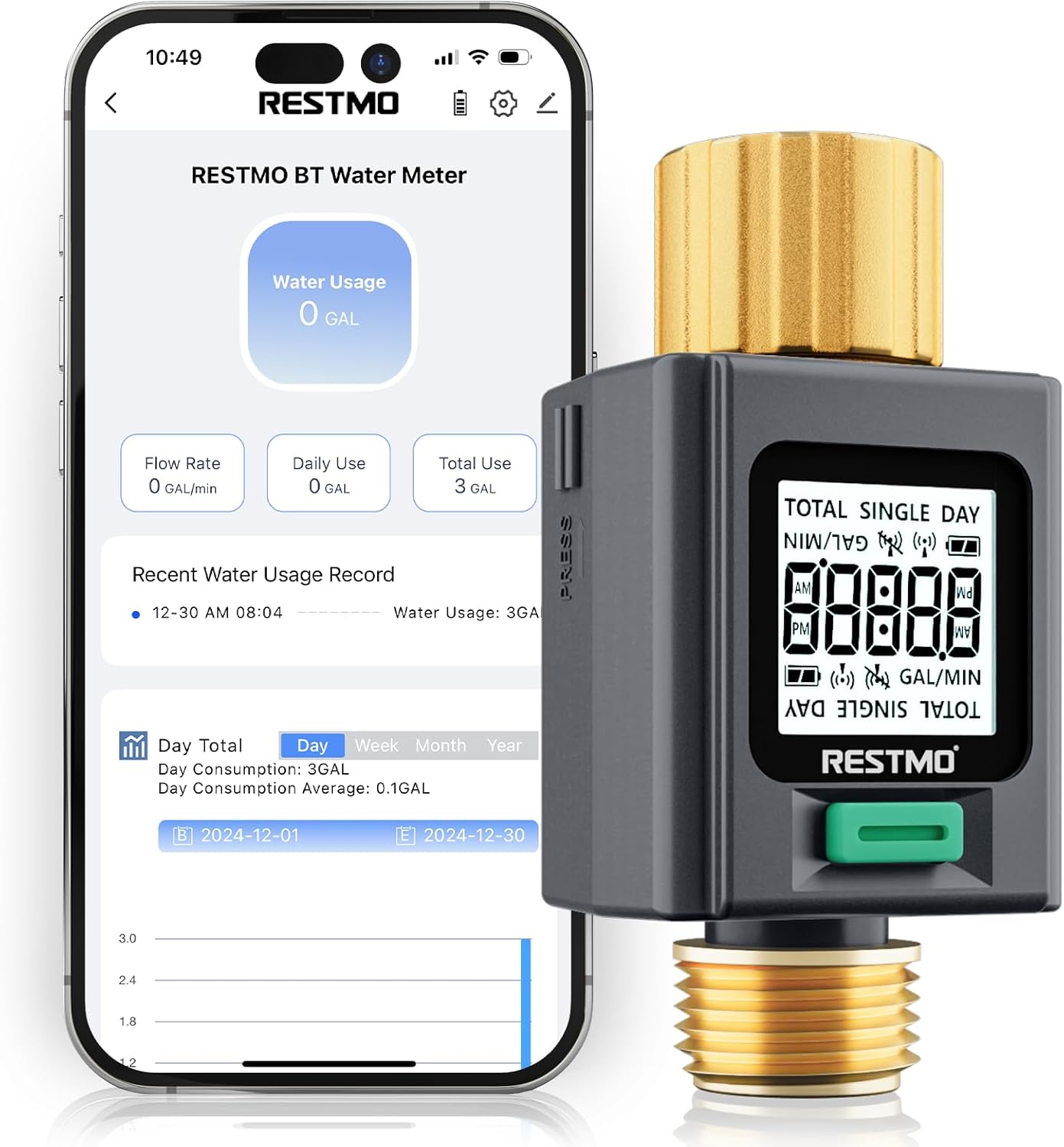
Image 1.1: RESTMO Smart Water Flow Meter connected to a smartphone app.
2. Sąranka
2.1 Pakuotės turinys
- RESTMO Smart Water Flow Meter (Model O-WM-2-BT)
- Vartotojo vadovas (šis dokumentas)
Note: Batteries are not included. Two AAA batteries are required for operation.
2.2 Akumuliatoriaus įdėjimas
- Suraskite akumuliatoriaus skyrių įrenginio gale.
- Atidarykite akumuliatoriaus skyriaus dangtelį.
- Įdėkite dvi AAA tipo baterijas, užtikrindami teisingą poliškumą (+/-).
- Saugiai uždarykite akumuliatoriaus skyriaus dangtelį.
2.3 Fizinis įrengimas
The water flow meter features durable brass inlet and outlet connections for secure attachment.

Image 2.1: Detail of the brass inlet and outlet connections, highlighting durability and leak-proof design.
- Prijunkite brass inlet (top connection, often with a swivel feature) to your water source (e.g., outdoor faucet). Ensure the connection is tight to prevent leaks.
- Connect your garden hose, RV water tank filler, or sprinkler system to the brass outlet (bottom connection, 3/4" NH thread). Ensure a secure connection.
- Verify that the flow direction arrow on the meter aligns with the direction of water flow.
2.4 Programėlės atsisiuntimas ir susiejimas
The RESTMO Smart Water Flow Meter connects via Bluetooth to the Smart Life app for monitoring and control.
- Atsisiųskite ir įdiekite Programėlė Smart Life iš „App Store“ („iOS“) arba „Google Play“ parduotuvės („Android“).
- Log in or create your account within the Smart Life app.
- Įsitikinkite, kad jūsų išmaniajame telefone įjungtas „Bluetooth“.
- On the water meter, the LCD will display "Uncon" and flash if it has not been connected. If it has been connected previously, it will display the current time. To enter pairing mode, long-press the button until the display turns to "Uncon".
- In the Smart Life app, click the "+" icon or "Add Device" to search for nearby devices.
- Select "RESTMO BT Water Flow Meter" from the list of discovered devices to complete pairing.

Image 2.2: App download and pairing instructions.
Connection Tip:
- This device can only be paired with one smartphone at a time. If you are unable to connect, ensure it has been unbound from any previous phone via the Smart Life app before attempting to pair with a new one.
- Please update the Smart Life app to the latest version for optimal performance.
3. Naudojimo instrukcijos
3.1 Ekrano funkcijos
The meter features a bright backlit display and 180° adaptive screen orientation for easy readability in various conditions.

Image 3.1: The backlit display ensures visibility day or night.
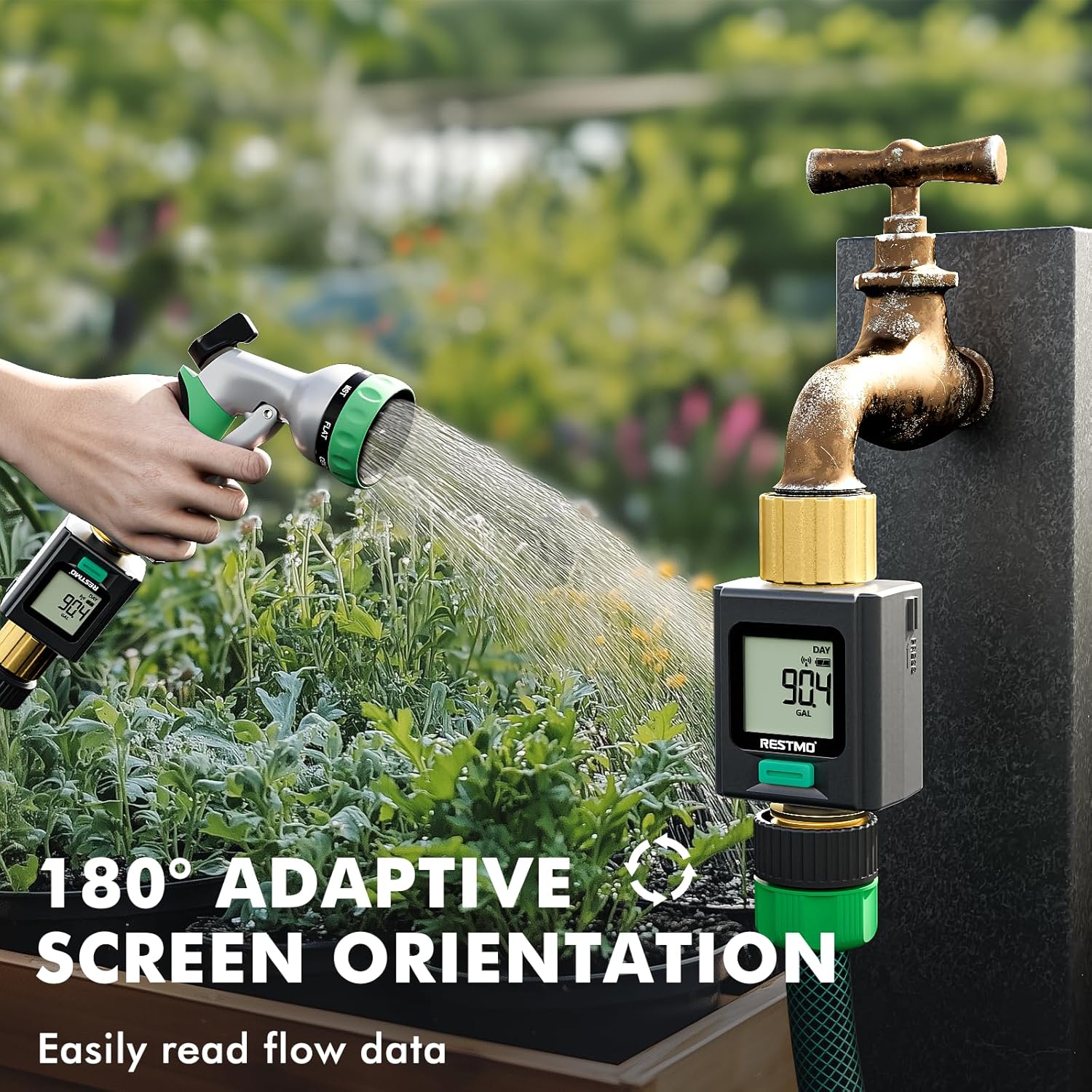
Image 3.2: The 180° adaptive screen orientation allows for comfortable viewžiūrėti bet kokiu kampu.
3.2 Matavimo režimai
The meter offers four distinct measurement modes, accessible by a short press of the main button:

Image 3.3: Visual representation of the four measurement modes.
- FLOW Mode: Displays the real-time water flow rate (e.g., Gallons per Minute).
- CONSUMPTION Mode: Shows the water usage from the last watering session.
- DIENAS režimas: Displays today's total water consumption.
- TOTAL Mode: Shows the cumulative total water usage since the last reset.
3.3 Units Conversion
To switch between US Gallons and Liters:
- Ensure the meter is in FLOW režimas.
- Long-press the button to toggle between US Gallons and Liters.

Image 3.4: Instructions for units conversion.
3.4 Duomenų atkūrimas
To reset data for Consumption, Daily, or Total modes:
- Navigate to the desired mode (CONSUMPTION, DAILY, or TOTAL) using a short press of the button.
- Long-press the button while in that mode to clear the displayed data.
3.5 Programėlių stebėjimas ir duomenų įrašai
The Smart Life app allows you to monitor water usage remotely and view istoriniai duomenys.
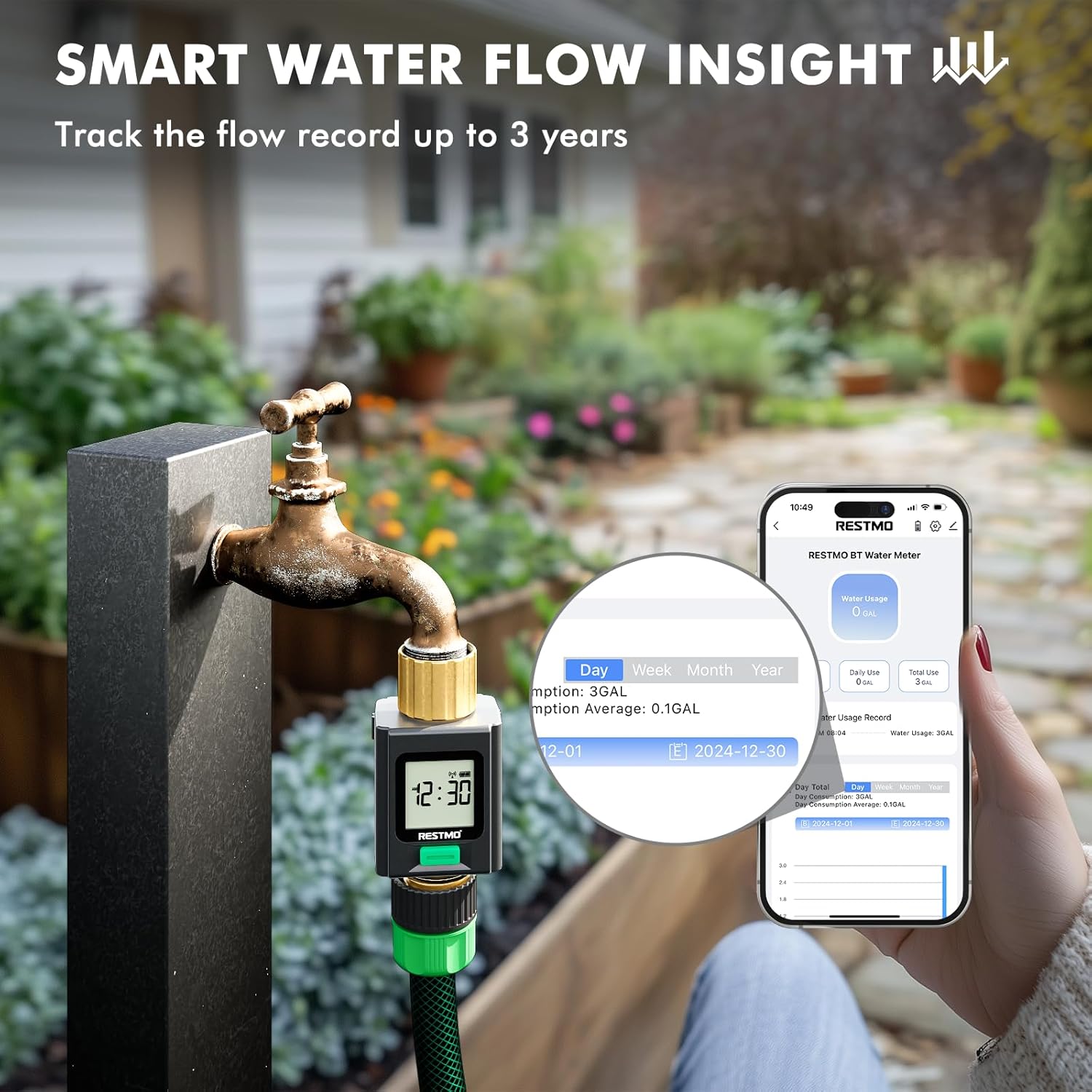
Image 3.5: Smart Life app interface showing water usage insights and historical data.
- The app records water usage data for up to 3 years, enabling analysis of usage patterns.
- The device can save up to 100 records internally if disconnected from the app. Once 100 records are exceeded, the oldest records will be automatically cleared.
4. Priežiūra
4.1 Bendroji priežiūra
- Nuvalykite prietaisą minkšta, damp cloth to clean. Do not use abrasive cleaners or solvents.
- Ensure the brass fittings are kept clean and free of debris to maintain a good seal.
4.2 Žiemos laikymas
For optimal longevity, especially in regions with freezing temperatures, it is recommended to disconnect the water flow meter from the water source and store it indoors during winter months.
5. Problemų sprendimas
| Problema | Galima priežastis | Sprendimas |
|---|---|---|
| Įrenginys nesusiejamas su programėle | Device is already paired with another phone; Bluetooth is off; App is outdated. | Unbind from previous phone via Smart Life app. Ensure Bluetooth is on. Update Smart Life app. Long-press meter button to enter pairing mode ("Uncon" display). |
| No water usage displayed/meter stopped measuring | Low batteries; Obstruction in flow path; Device malfunction. | Replace batteries. Check for debris in the inlet filter. Ensure water is flowing through the device. If problem persists, contact support. |
| Poor Bluetooth connection/limited range | Environmental interference; Distance from device. | Bluetooth range can be affected by obstacles. Try to maintain a closer proximity to the device for stable connection. |
| Vandens nuotėkis jungtyse | Loose connections; Worn washers. | Ensure all connections are tightened securely. Check and replace rubber washers if they appear worn or damaged. |
6. Specifikacijos
- Modelis: O-WM-2-BT
- Prekinis ženklas: Restmo
- Medžiaga: Brass (Inlet & Outlet)
- Spalva: Pilka
- Gaminio matmenys: 1.6 "D x 1.6" P x 3.4" A
- Prekės svoris: 0.18 kilogramo (6.4 uncijos)
- Nustatymų skaičius: 4 (Measurement Modes)
- Ekrano dydis: 4.2 colių
- Ryšys: Bluetooth (Wi-Fi not supported)
- Maitinimo šaltinis: 2 x AAA baterijos (į komplektą neįeina)
7. Informacija apie garantiją
The RESTMO Smart Water Flow Meter (Model O-WM-2-BT) typically comes with an 18 mėnesių garantija nuo įsigijimo datos. Ši garantija taikoma gamybos defektams ir užtikrina, kad gaminys veikia taip, kaip numatyta, esant įprastam naudojimui. Išsaugokite pirkimo įrodymą, jei galėtumėte pateikti pretenzijas dėl garantijos.
For specific warranty terms and conditions, refer to the documentation included with your product or contact Restmo customer support.
8. Pagalba klientams
If you encounter any issues or have questions regarding your RESTMO Smart Water Flow Meter, please contact Restmo customer support. You can often find contact information on the product packaging, the official Restmo website, or through the Smart Life app's help section.
When contacting support, please provide your product model number (O-WM-2-BT) and a detailed description of the issue.


