1. Įvadas
The ORGBRO Z3 Bluetooth Thermal Label Printer is a versatile and portable device designed for efficient label creation. It supports a wide range of label sizes from 0.8 to 3.15 inches, making it suitable for various applications including home organization, small business needs, and office use. This manual provides detailed instructions to help you set up, operate, and maintain your label printer.
2. Pakuotės turinys
Patikrinkite, ar jūsų siuntinyje yra visi toliau išvardyti daiktai:
- ORGBRO Z3 Label Printer
- USB įkrovimo laidas
- Vartotojo vadovas
- Roll of Labels (1.97"x1.18" square labels)
- USB Flash Drive (for PC drivers)
3. Produktas baigtasview
Familiarize yourself with the physical components and controls of your ORGBRO Z3 Label Printer.
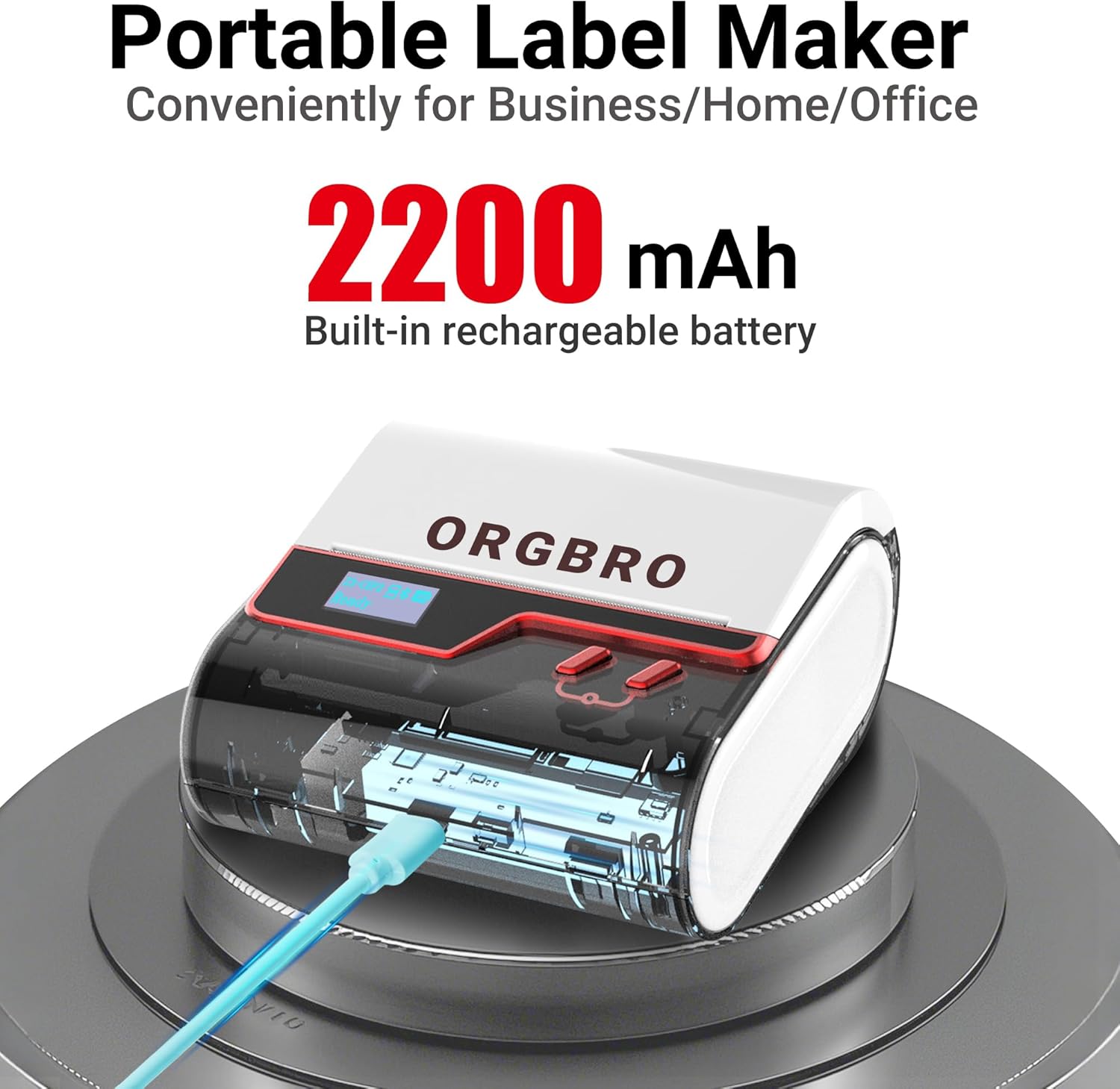
The ORGBRO Z3 Label Maker features a portable design with a built-in 2200mAh rechargeable battery, ensuring long-lasting use on the go.
The device includes a power button, an open cover button for loading labels, and a charging port. An LED screen displays essential information such as battery life, Bluetooth status, and print progress.
4. Pagrindinės savybės
- Versatile Label Compatibility: Supports labels from 0.8 to 3.15 inches wide, including square, round, transparent, and file etiketės.
- Aukštos kokybės spausdinimas: Achieves crisp 203dpi resolution at speeds up to 50mm/s, ensuring clear text, graphics, and barcodes without smudging.
- Be rašalo terminis spausdinimas: Utilizes thermal printing technology, eliminating the need for ink or toner cartridges.
- Ilgai veikianti baterija: Equipped with a 2200mAh rechargeable battery, providing up to 4 weeks of runtime on a single charge.
- Išmaniųjų programėlių integravimas: Connects via Bluetooth to the free '4BarCode' app (Android/iOS) or via USB to computers (Windows/Mac/Chrome OS/Linux) for label customization.
- Pritaikomos etiketės: The '4BarCode' app offers over 80 fonts, 150+ frames, 670+ icons, and allows importing images for personalized labels.

The ORGBRO Z3 supports a wide range of label paper widths, from 0.78 to 3.15 inches, accommodating various label styles for diverse applications.

Experience fast and clear printing with the ORGBRO Z3, capable of producing up to 52 labels per minute with a crisp 203 DPI resolution.

The ORGBRO Z3 is ideal for various business applications, including creating shipping labels, product labels, QR codes, and clothing tags.

Organize your home efficiently with the ORGBRO Z3, perfect for labeling kitchen canisters, storage bins, and other household items.
5. Sąrankos vadovas
5.1. Įrenginio įkrovimas
Before first use, fully charge the ORGBRO Z3 Label Printer using the provided USB cable. Connect the cable to the charging port on the device and a compatible USB power source. The LED screen will indicate charging status.
5.2. Etikečių įkėlimas
- Press the open cover button on the side of the printer to open the top cover.
- Insert the roll of thermal labels into the compartment, ensuring the printing side faces upwards and the label edge is aligned with the print head.
- Tvirtai uždarykite viršutinį dangtelį, kol jis spragtelėdamas užsifiksuos vietoje.
5.3. Programėlės diegimas ir prijungimas
The ORGBRO Z3 can be connected via Bluetooth to your smartphone or via USB to your computer.
5.3.1. Smartphone Connection (Bluetooth)
- Download the free '4BarCode' app from your device's app store (available for Android and iOS).
- Įsitikinkite, kad jūsų išmaniajame telefone įjungtas „Bluetooth“.
- Power on the ORGBRO Z3 Label Printer.
- Open the '4BarCode' app and follow the on-screen instructions to connect to your printer via Bluetooth. The printer's name (e.g., Z3-XXXX) should appear in the app's device list.
5.3.2. Computer Connection (USB)
- Connect the ORGBRO Z3 Label Printer to your computer using the provided USB cable.
- Install the necessary drivers from the included USB flash drive or download them from the official ORGBRO websvetainę.
- Follow the installation prompts to complete the driver setup.

The ORGBRO Z3 supports seamless connection to both phones (Android/iOS via Bluetooth) and computers (Windows/Mac/Chrome OS/Linux via USB).
6. Naudojimo instrukcijos
Once connected, you can start creating and printing labels.
6.1. Creating Labels (Using '4BarCode' App)
- Open the '4BarCode' app on your smartphone.
- Select 'Create' to start a new label project.
- Choose your desired label size and orientation.
- Use the app's tools to add text, icons, images, barcodes, or QR codes. You can customize fonts, sizes, and styles.
- Arrange elements on the label canvas as needed.
6.2. Etikečių spausdinimas
- After designing your label, tap the 'Print' button in the app.
- Review spausdinimo išankstinisview kad išdėstymas būtų teisingas.
- Adjust printing density or number of copies if necessary.
- Confirm the print command. The label will be printed from the device.
- Gently tear off the printed label along the serrated edge.

The '4BarCode' app provides multiple labels and templates, along with extensive customization options including over 80 fonts, 150+ frames, and 670+ icons.
7. Specifikacijos
| Funkcija | Detalė |
|---|---|
| Spausdinimo laikmena | Terminis popierius |
| Maksimali įvesties lapo talpa | 230 XNUMX lapų |
| Maksimalus kopijavimo greitis (juodai baltas) | 2 ppm |
| Didžiausia spausdinimo raiška | 203 dpi |
| Sheet Size (Included) | 1.97 coliai (plotis) |
| Maksimalus laikmenos dydis | 3.15 coliai (plotis) |
| Dvipusis spausdinimas | Ne (vienpusis) |
| Techninės įrangos sąsaja | USB |
| Ryšio technologija | Bluetooth, USB |
| Ypatinga funkcija | Nešiojami |
| Spausdintuvo išvestis | Vienspalvis |
| Prekės svoris | 1.21 svaro (0.55 kilogramo) |
| Gaminio matmenys | 4.42 x 4.42 x 2.41 colio |
| Baterijos | 1 AA batteries required (included) - 2200mAh rechargeable |
8. Priežiūra
- Valymas: Reguliariai valykite spausdinimo galvutę minkštu, nepūkuotu audiniu, sudrėkintu izopropilo alkoholiu. Prieš valydami įsitikinkite, kad įrenginys išjungtas.
- Saugykla: Spausdintuvą laikykite vėsioje, sausoje vietoje, apsaugotoje nuo tiesioginių saulės spindulių ir ekstremalių temperatūrų.
- Akumuliatoriaus priežiūra: Norėdami pailginti akumuliatoriaus veikimo laiką, venkite dažnai visiškai jį iškrauti. Reguliariai įkraukite įrenginį, net jei jis ilgą laiką nenaudojamas.
- Etikečių rulonai: Use only high-quality thermal label rolls compatible with the ORGBRO Z3 to ensure optimal print quality and prevent damage to the print head.
9. Problemų sprendimas
- Spausdintuvas neprisijungia:
- Įsitikinkite, kad spausdintuvas įjungtas ir visiškai įkrautas.
- Verify Bluetooth is enabled on your device and the '4BarCode' app has permission to use it.
- For USB connection, ensure drivers are correctly installed and the cable is securely connected.
- Try restarting both the printer and your connecting device.
- Prasta spausdinimo kokybė:
- Check if the label roll is inserted correctly with the printing side facing up.
- Išvalykite spausdinimo galvutę, kaip aprašyta skyriuje „Priežiūra“.
- Adjust the printing density settings in the '4BarCode' app.
- Ensure you are using compatible thermal labels.
- Etiketės netiekiamos tinkamai:
- Ensure the label roll is properly seated and not jammed.
- Patikrinkite, ar etiketės kelyje nėra kliūčių.
- Verify the label width is within the supported range (0.8-3.15 inches).
10. Garantija ir palaikymas
ORGBRO products are designed for reliability and performance. For warranty information, technical support, or service inquiries, please refer to the contact details provided in your product packaging or visit the official ORGBRO websvetainėje. Išsaugokite pirkimo kvitą kaip pirkimo įrodymą garantiniams reikalavimams.


