Įvadas
This manual provides comprehensive instructions for the proper setup, operation, and maintenance of your EBTOOLS Camera Backpack Clip for Insta360 GO 3S. Please read this manual thoroughly before using the product to ensure optimal performance and longevity.

Image: The EBTOOLS Camera Backpack Clip, designed for secure and versatile mounting of the Insta360 GO 3S camera.
Pakuotės turinys
Patikrinkite, ar jūsų pakuotėje yra visi toliau išvardyti daiktai:
- 1 x EBTOOLS Backpack Clip Mount
- 2 x guminiai trinkelės

Image: The backpack clip mount shown alongside the two included rubber pads, which provide additional grip and protection.
Produktas baigtasview
The EBTOOLS Camera Backpack Clip is designed for secure and flexible attachment of your Insta360 GO 3S camera to various surfaces. Key features include:
- 360° sukimasis: Allows for versatile camera positioning.
- Saugi rankena: Features multiple serrations and a strong spring mechanism.
- Universalus montavimas: Compatible with backpack straps, hat brims, and clothing.
- Greitas atleidimas: Designed for fast installation and removal.
- Patvari medžiaga: Constructed from ABS for lasting use.

Paveikslėlis: Padalijimas view showing the camera clip independently and attached to a backpack strap with an Insta360 GO 3S camera, illustrating its compact design and application.
Sąrankos instrukcijos
- Attach Rubber Pads (Optional): For enhanced grip and to protect surfaces, peel and apply the included rubber pads to the inner surfaces of the clip's jaws.
- Open the Clip: Press the rear end of the clip to open its jaws.
- Position the Clip: Place the open jaws over the desired mounting surface, such as a backpack strap, hat brim, or thick clothing. Ensure the surface is securely gripped by the clip.
- Apsaugokite klipą: Release the clip to allow the strong spring to firmly hold it in place. Verify that the clip is stable and does not easily shift.
- Įdėkite kamerą: Carefully slide your Insta360 GO 3S camera into the designated slot on the clip mount until it clicks securely into place.
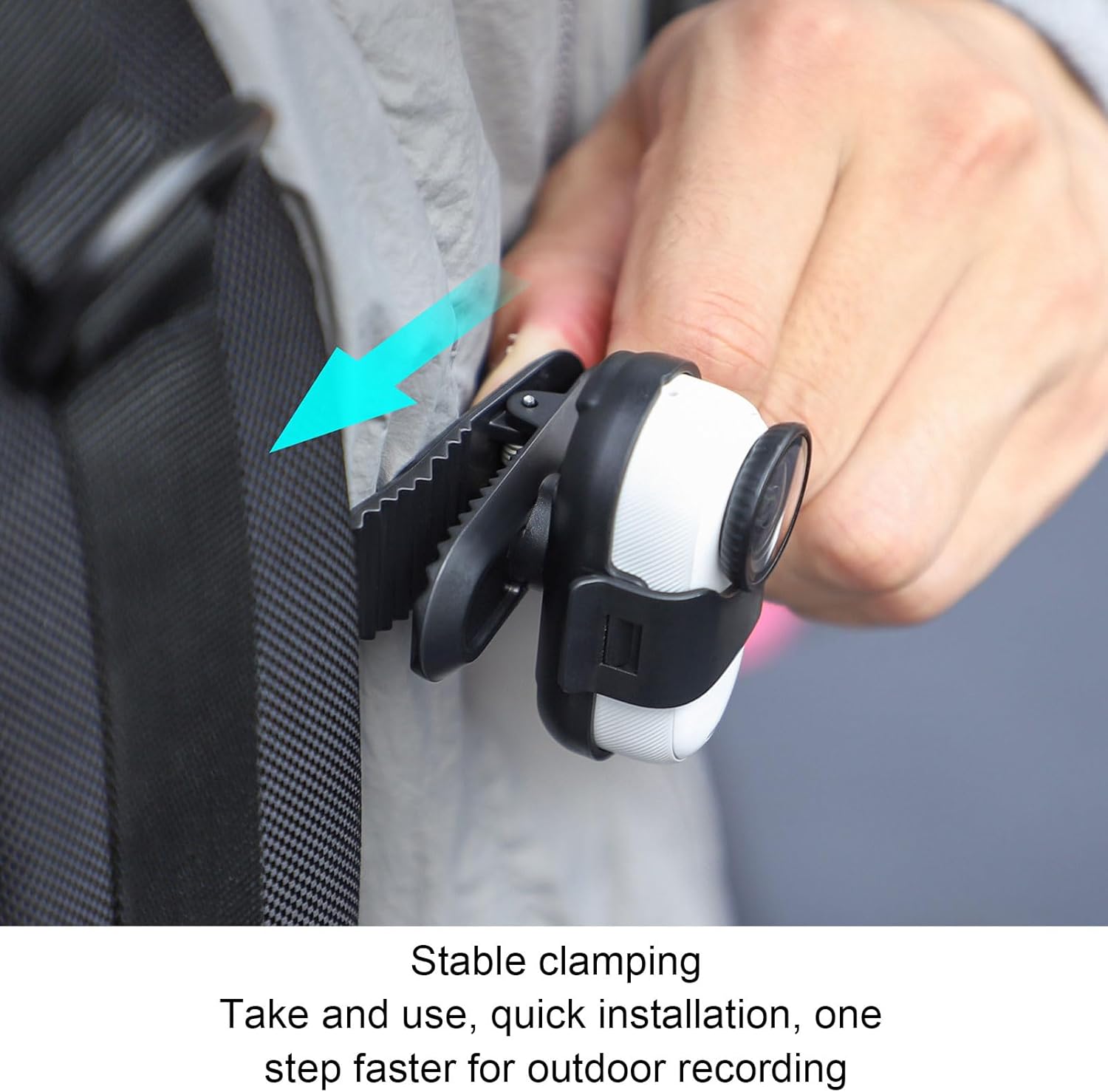
Image: A hand demonstrating the attachment of the camera clip to a backpack strap, highlighting the secure clamping mechanism for quick installation.

Image: The Insta360 GO 3S camera securely mounted on a backpack strap using the EBTOOLS clip, ready for hands-free recording.
Naudojimo instrukcijos
Once the camera is securely mounted, you can adjust its orientation:
- 360° sukimasis: The camera housing on the clip allows for full 360-degree rotation. Gently rotate your Insta360 GO 3S camera to achieve the desired recording angle (horizontal, vertical, or any intermediate position).
- Įrašas: Begin recording using your Insta360 GO 3S camera's controls as per its own instruction manual.

Image: A visual representation demonstrating the 360-degree rotation capability of the camera within the clip, alongside examples of vertical and horizontal recording orientations.
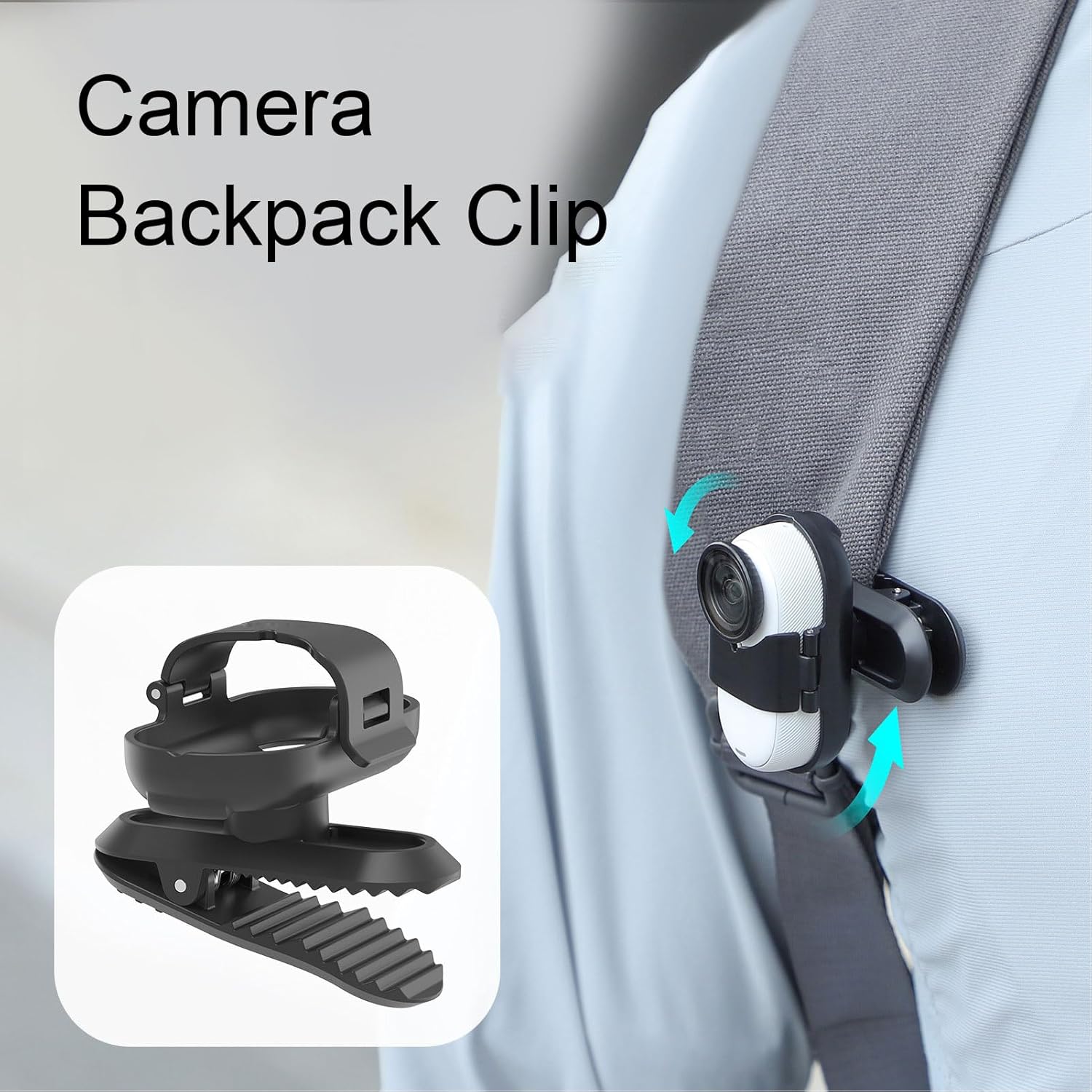
Image: The camera backpack clip with an Insta360 GO 3S attached, illustrating the rotational movement with arrows, allowing for flexible angle adjustments.
Priežiūra
- Valymas: Wipe the clip with a soft, dry cloth to remove dust and debris. For stubborn dirt, a slightly damp Galima naudoti šluostę, po kurios nedelsiant nusausinkite. Nenaudokite stiprių cheminių medžiagų ar abrazyvinių valiklių.
- Saugykla: Store the clip in a cool, dry place away from direct sunlight and extreme temperatures when not in use.
- Patikra: Periodically inspect the clip for any signs of wear or damage, especially the spring mechanism and the camera slot.
Trikčių šalinimas
| problema | Galima priežastis | Sprendimas |
|---|---|---|
| Sąvaržėlė netvirtai laikosi. | Mounting surface is too thin or too thick; spring mechanism is worn. | Ensure the mounting surface is within the clip's thickness range. Apply rubber pads for better grip. If the spring is worn, consider replacing the clip. |
| Camera feels loose in the slot. | Camera not fully inserted; slot is damaged. | Push the Insta360 GO 3S firmly into the slot until it clicks. Inspect the slot for damage; if damaged, the clip may need replacement. |
| Difficulty rotating the camera. | Dust or debris in the rotation mechanism. | Gently clean around the rotation joint. Ensure no foreign objects are obstructing movement. |
Specifikacijos
- Modelis: EBTOOLSzrasmfyo59
- Medžiaga: ABS
- Suderinamumas: Insta360 GO 3S
- Pakuotės matmenys: 2.36 x 1.57 x 1.57 colio
- Prekės svoris: 0.776 uncijos
Informacija apie garantiją
Specific warranty details for this product are not provided in the available information. Please refer to the retailer or manufacturer's official websvetainėje, kurioje pateikiamos visos taikomos garantijos sąlygos.
Pagalba klientams
For further assistance or inquiries regarding your EBTOOLS Camera Backpack Clip, please contact your point of purchase or visit the official EBTOOLS website for support resources. Specific contact information is not provided in this manual.