1. Įvadas
Ačiū, kad pirkoteasing the ELECOM LBT-ECOWS01MBK Open-Ear Bluetooth 5.4 Wireless Headphones. These headphones are designed to allow you to enjoy audio content while remaining aware of your surroundings. This manual provides essential information for the safe and effective use of your new device.

Image: The ELECOM LBT-ECOWS01MBK open-ear wireless headphones and their transparent charging case.
2. Pakuotės turinys
- ELECOM LBT-ECOWS01MBK Open-Ear Wireless Headphones (Left and Right)
- Įkrovimo dėklas
- USB Charging Cable (USB-A to USB Type-C™)
- Greitos pradžios vadovas
3. Produkto ypatybės
- Atvirų ausų dizainas: Listen to music or videos while simultaneously hearing ambient sounds, ensuring awareness of your surroundings.
- Lengvas komfortas: Each earbud weighs approximately 9.8g, providing a comfortable fit for extended wear without pressure or stuffiness.
- Aukštos kokybės garsas: Equipped with a large 16mm diameter driver for clear sound and supports AAC codec for high-quality audio on compatible devices like iPhones.
- Balso režimas: Optimizes audio frequencies to make human voices clearer, ideal for radio, audiobooks, and conversations.
- Mažos delsos režimas: Reduces audio-visual delay, enhancing the experience for videos and games.
- Išplėstinis atkūrimas: Iki 10 valandų nepertraukiamo atkūrimo vienu įkrovimu ir iki 25 valandų su įkrovimo dėklu.
- Lietimo jutiklio valdikliai: Conveniently manage music playback, volume, and calls directly from the earbuds.
- Balso asistento palaikymas: Compatible with Siri and Google Assistant for hands-free control.
- Vieno ausinės naudojimas: Bet kurią ausinę galima naudoti atskirai.
- USB Type-C™ Charging: The charging case features a USB Type-C™ port for convenient charging.

Image: A man wearing the open-ear headphones, demonstrating the ability to hear ambient sounds while enjoying media.
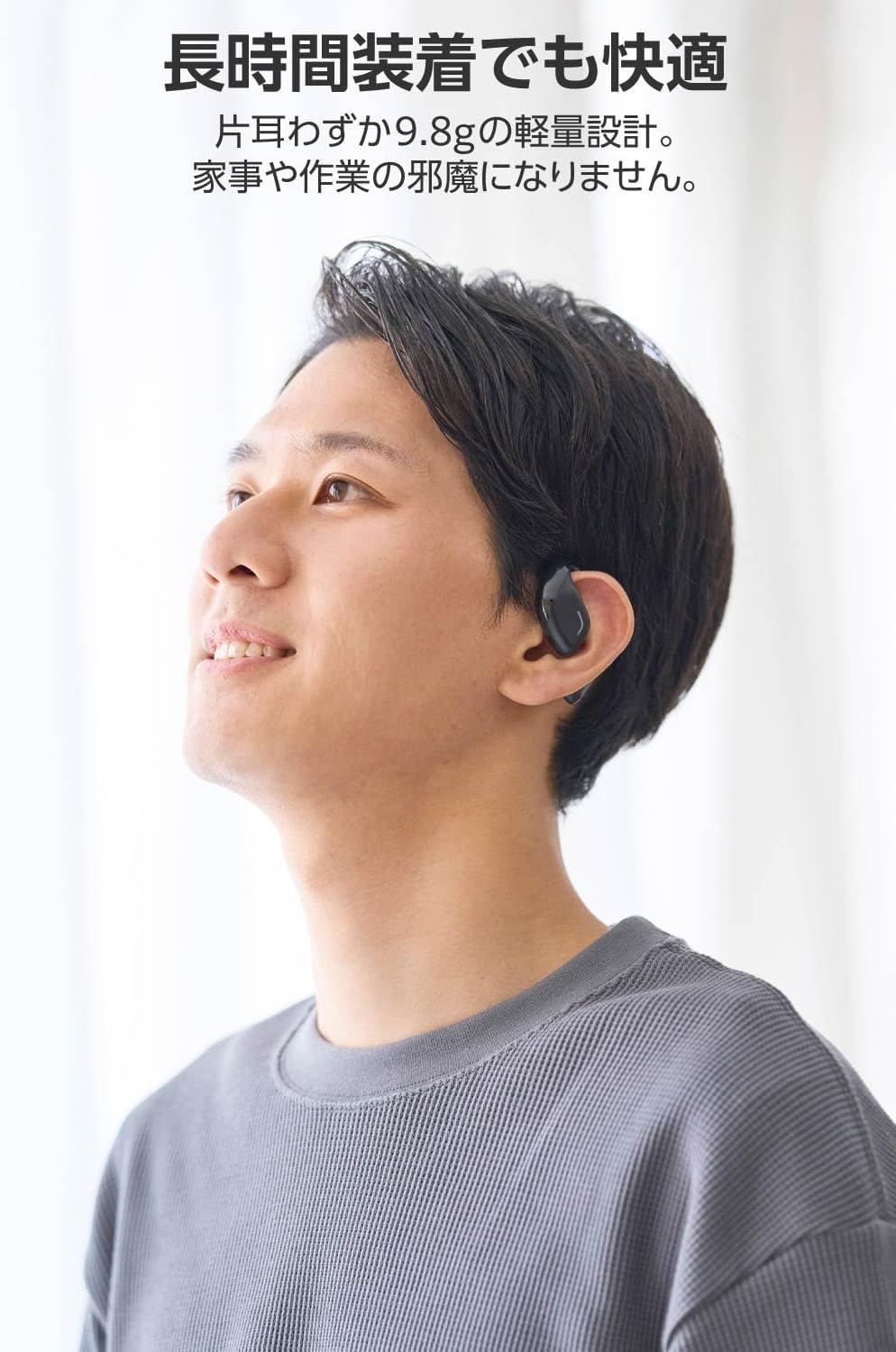
Image: A man wearing the lightweight open-ear headphones, highlighting their comfortable design for long-term use.
4. Sąranka
4.1. Ausinių ir dėklo įkrovimas
Prieš pirmą kartą naudodami, visiškai įkraukite ausines ir įkrovimo dėklą.
- Įdėkite abi ausines į įkrovimo dėklą.
- Connect the supplied USB Type-C™ cable to the charging port on the case and a USB power adapter (not included).
- Įkrovimo dėklo LED indikatorius rodys įkrovimo būseną.
Įkrovimo laikas:
- Headphones: Approximately 1.5 hours
- Įkrovimo dėklas: maždaug 1.5 valandos

Image: Illustration of the charging process for the headphones and case, showing the USB-C port and LED indicators.
4.2. Suporavimas su „Bluetooth“ įrenginiu
- Įsitikinkite, kad ausinės yra įkrautos.
- Open the charging case. The headphones will automatically enter pairing mode. The LED indicator on the earbuds will flash.
- On your device (smartphone, PC, tablet), enable Bluetooth and search for available devices.
- Select "LBT-ECOWS01MBK" from the list of found devices.
- Prijungus, ausinių LED indikatorius nustos mirksėti.
- After initial pairing, the headphones will automatically connect to the last paired device when removed from the case.
4.3. Ausinių dėvėjimas
The headphones are designed to hook over your ears.
- Atpažinkite kairįjį (L) ir dešinįjį (R) ausinių antgalius.
- With the LED facing outwards, hook the earbud over the top of your ear.
- Adjust the earbud for a comfortable and secure fit.

Image: Step-by-step guide on correctly wearing the open-ear headphones.
5. Naudojimo instrukcijos
5.1. Jutiklinis valdymas
The headphones feature touch sensors on each earbud for various functions.
| Funkcija | Veiksmas | Ausinės |
|---|---|---|
| Leisti / pristabdyti | Vienu bakstelėjimu | L arba R |
| Kitas takelis | Dukart palieskite | R |
| Ankstesnis takelis | Dukart palieskite | L |
| Padidinti garsumą | Ilgas paspaudimas (apie 2 sekundes) | R |
| Sumažinti garsumą | Ilgas paspaudimas (apie 2 sekundes) | L |
| Atsiliepti / Baigti skambutį | Vienu bakstelėjimu | L arba R |
| Atmesti skambutį | Ilgai paspauskite | L arba R |
| Suaktyvinkite balso padėjėją | Tris kartus palieskite | L arba R |

Image: Visual representation of the touch sensor areas and corresponding music and volume controls.
5.2. Switching Audio Modes
The headphones offer three distinct audio modes:
- Įprastas režimas: Standard audio playback.
- Mažos delsos režimas: Reduces audio-visual delay, suitable for watching videos or playing games.
- Balso režimas: Enhances human voice frequencies for clearer dialogue, ideal for audiobooks, podcasts, or calls.
To switch between modes, refer to the quick start guide or the official product page for specific touch gestures, as these can sometimes be customized.

Paveikslėlis: Viršview of the three available audio modes and their recommended uses.
5.3. Vieno ausinės naudojimas
You can use either the left or right earbud independently. When using only one earbud, ensure the other earbud is powered off or stored in the charging case.
6. Priežiūra
Kad užtikrintumėte ausinių ilgaamžiškumą ir optimalų veikimą:
- Reguliariai valykite ausines ir įkrovimo dėklą minkšta, sausa šluoste.
- Nenaudokite abrazyvinių valiklių ar tirpiklių.
- Venkite ausinių laikymo ekstremaliose temperatūrose, drėgmėje ar tiesioginiuose saulės spinduliuose.
- Ausinių ir dėklo įkrovimo kontaktus laikykite švarius ir be nešvarumų.
- Kai nenaudojate, laikykite ausines įkrovimo dėkle, kad jos būtų apsaugotos ir įkrautos.
7. Problemų sprendimas
Jei kyla problemų dėl ausinių, žr. šiuos dažniausiai pasitaikančius sprendimus:
- Nėra garso:
- Įsitikinkite, kad ausinės yra įkrautos.
- Patikrinkite, ar ausinės tinkamai susietos ir prijungtos prie jūsų įrenginio.
- Sureguliuokite garsumą tiek ausinėse, tiek prijungtame įrenginyje.
- Nepavyksta sujungti:
- Įsitikinkite, kad ausinės yra susiejimo režime (mirksi šviesos diodas).
- Turn off Bluetooth on other nearby devices that may have previously connected.
- Iš naujo paleiskite įrenginį ir bandykite dar kartą susieti.
- Pertraukiamas ryšys:
- Įsitikinkite, kad tarp ausinių ir jūsų įrenginio nėra jokių kliūčių.
- Move closer to your device (maximum communication distance is approximately 10m).
- Venkite aplinkos, kurioje yra stipri elektromagnetinė interferencija.
- Jutikliniai valdikliai nereaguoja:
- Įsitikinkite, kad jūsų pirštai yra švarūs ir sausi.
- Try restarting the headphones by placing them in the case and then taking them out again.
- Low Battery Voice Prompt: If you hear a repeated "Low Battery, please charge" prompt, place the earbuds in the charging case immediately.
If the issue persists, please refer to the official ELECOM support webSvetainė, kurioje rasite tolesnę pagalbą.
8. Specifikacijos
| Funkcija | Specifikacija |
|---|---|
| Modelio pavadinimas | LBT-ECOWS01MBK |
| Ryšio technologija | Wireless (Bluetooth® Version 5.4) |
| „Bluetooth Pro“files | A2DP, AVRCP, HFP |
| Palaikomi kodekai | AAC, SBC |
| Maksimalus ryšio atstumas | Maždaug 10 m (be kliūčių) |
| Frequency Response (A2DP) | 20-20,000Hz |
| Nepertraukiamo atkūrimo laikas | Approx. 10 hours (Approx. 25 hours with charging case) |
| Įkrovimo laikas (ausinės) | apytiksliai 1.5 valandas |
| Įkrovimo laikas (dėklas) | apytiksliai 1.5 valandas |
| Mikrofono tipas | MEMS tipas |
| Vairuotojo blokas | φ16mm Full Range |
| Svoris (vienai ausinei) | apytiksliai 9.8 g |
| Svoris (įkrovimo dėklas) | apytiksliai 59.0 g |
| Spalva | Matinė juoda |
| Atsparumas vandeniui | Neatsparus vandeniui |
| Darbinė temperatūra | nuo 5 ℃ iki 35 ℃ |
| Darbinė drėgmė | nuo 20% iki 80% (nekondensuojantis) |
9. Garantija ir palaikymas
9.1. Informacija apie garantiją
Šis produktas tiekiamas su a 1 metų garantija nuo pirkimo datos. Išsaugokite pirkimo įrodymą garantiniams reikalavimams. Garantija taikoma gamybos defektams, bet neapima žalos, atsiradusios dėl netinkamo naudojimo, nelaimingų atsitikimų, neleistinų modifikacijų ar įprasto nusidėvėjimo.
9.2. Pagalba klientams
For further assistance, technical support, or detailed product information, please visit the official ELECOM websvetainė:
You may also find additional FAQs and troubleshooting tips on the product support pages.


