1. Įvadas
The GOBOULT Crown R Pro 2 Smartwatch is designed to enhance your daily life with advanced features and health monitoring capabilities. It features a 1.43-inch HD AMOLED display, Bluetooth Calling 5.2, and a comprehensive health suite. This manual provides instructions for setup, operation, and maintenance of your smartwatch.

Image: The GOBOULT Crown R Pro 2 Smartwatch, showcasindėl savo elegantiško dizaino ir ryškaus ekrano.
2. Kas yra dėžutėje
Išpakuodami, patikrinkite pakuotės turinį:
- GOBOULT Crown R Pro 2 Smartwatch
- Įkrovimo kabelis
- Vartotojo vadovas
- Garantijos kortelė
3. Darbo pradžia
3.1. Įrenginio įkrovimas
Prieš pirmą kartą naudodami, visiškai įkraukite savo išmanųjį laikrodį. Prijunkite magnetinį įkrovimo laidą prie įkrovimo taškų laikrodžio gale ir įjunkite USB galą į maitinimo adapterį (nepridedamas) arba kompiuterio USB prievadą.
- Charging Time: Approximately 150 minutes for a full charge.
- Battery Life: Up to 7 days on a single charge, depending on usage.
3.2. Įjungimas/išjungimas
- Maitinimas: Press and hold the side button for a few seconds until the GOBOULT logo appears.
- Išjungti: Paspauskite ir palaikykite šoninį mygtuką, tada ekrane pasirinkite parinktį „Išjungti“.
3.3. Programėlės diegimas ir susiejimas
Norėdami išnaudoti visą savo išmaniojo laikrodžio potencialą, atsisiųskite ir įdiekite atitinkamą programėlę savo išmaniajame telefone.
- Scan the QR code in the manual or search for the 'BoultFit' app (or similar, as specified in the included manual) on your smartphone's app store (Google Play Store or Apple App Store).
- Install the application and create an account or log in.
- Įsitikinkite, kad jūsų išmaniajame telefone įjungtas „Bluetooth“.
- Open the app, navigate to 'Device' or 'Add Device', and select 'GOBOULT Crown R Pro 2' from the list of available devices.
- Patvirtinkite susiejimo užklausą ir išmaniajame telefone, ir išmaniajame laikrodyje.
4. Smartwatch Features and Operation
4.1. Ekranas ir laikrodžio ciferblatai
The smartwatch features a 1.43-inch HD AMOLED display with 600 Nits brightness for clear visibility in various lighting conditions.
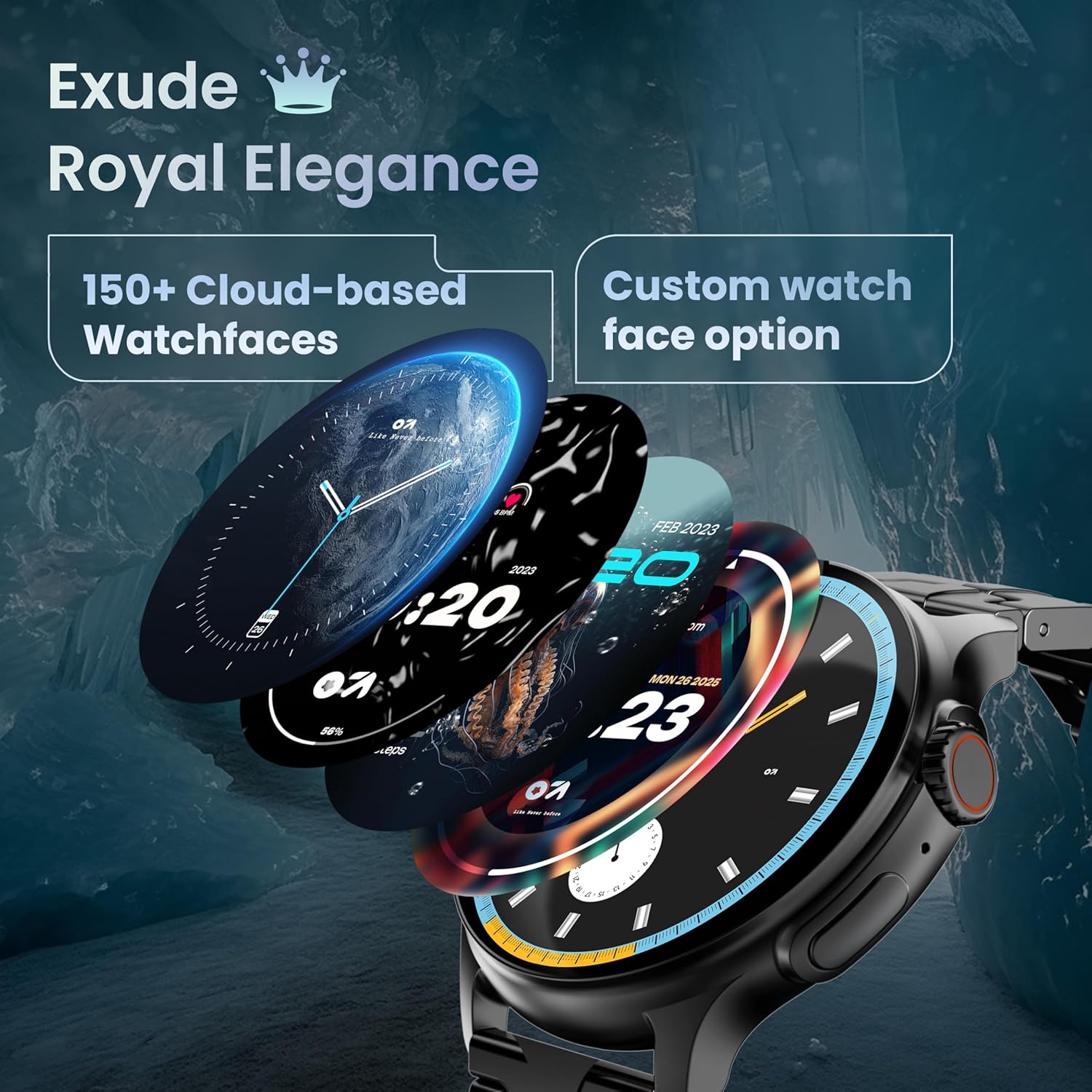
Image: A selection of over 150 watch faces available for customization.
- Laikrodžių ciferblatų keitimas: Long-press the home screen to access watch face options. Swipe left or right to browse and tap to select. More watch faces are available through the companion app.
4.2. Navigacija ir valdikliai
Navigate the smartwatch interface using touch gestures and the functional 'Working Crown'.

Image: Detail of the working crown, used for navigation and customization.
- Braukite žemyn: Pasiekite greituosius nustatymus (pvz., ryškumą, DND, akumuliatoriaus taupymą).
- Braukite aukštyn: View pranešimai.
- Braukite kairėn/dešinėn: Access widgets and main features (e.g., activity, heart rate, weather).
- Working Crown: Rotate to scroll through menus or lists. Press to return to the home screen or confirm selections.
4.3. Skambinimas per „Bluetooth“
The smartwatch supports Bluetooth Calling v5.2, allowing you to make and receive calls directly from your wrist.

Image: Illustration of the smartwatch's Bluetooth calling capabilities with integrated microphone and speaker.
- Atsiliepimas į skambučius: Tap the green phone icon on the screen when a call comes in.
- Skambinimas: Access the dial pad or contacts list from the smartwatch menu.
- Skambučių atmetimas: Tap the red phone icon.
4.4. Sporto režimai
Track over 120 sports and fitness activities with detailed analytics.

Image: The smartwatch interface showing active sports tracking and various sports icons.
- Access the 'Sports' menu to select your desired activity.
- The watch will record data such as duration, calories burned, and heart rate during your workout.
4.5. Sveikatos stebėsena
Monitor key health metrics in real-time.

Image: The health suite features, including heart rate, SpO2, and sleep monitoring.
- Širdies ritmo monitorius: Provides 24x7 heart rate tracking.
- SpO2 Blood Oxygen Saturation Monitor: Matuoja deguonies kiekį kraujyje.
- Miego stebėjimas: Seka miego modelius ir kokybę.
- Moterų menstruacinio ciklo stebėjimas: Padeda sekti ir prognozuoti menstruacinius ciklus.
- Veiklos stebėjimo priemonė: Įrašo žingsnius, atstumą ir sudegintas kalorijas per dieną.
- Kvėpavimo treniruotės: Vadovaujami kvėpavimo pratimai atsipalaidavimui.
4.6. Dirbtinio intelekto balso asistentas
Control your smartwatch hands-free using voice commands.

Image: The AI voice assistant feature, activated by pressing a button for 3 seconds.
- Press the dedicated button (or specified gesture) for 3 seconds to activate the AI voice assistant.
- Use voice commands to ask questions, set reminders, or manage tasks.
4.7. Notifications and Utilities
Receive SMS and push notifications directly on your wrist. The smartwatch also includes useful utilities.

Image: The 'Find My Phone' feature, which causes the connected phone to ring or vibrate.
- Pranešimai: Ensure notification permissions are enabled in the companion app for your desired applications.
- Skaičiuotuvas: Access the calculator from the app menu for quick calculations.
- Rasti mano telefoną: Use this feature from the smartwatch to make your connected phone ring or vibrate, helping you locate it.
4.8. Atsparumas vandeniui ir dulkėms (IP67)
The smartwatch is IP67 rated, providing protection against dust and temporary immersion in water.
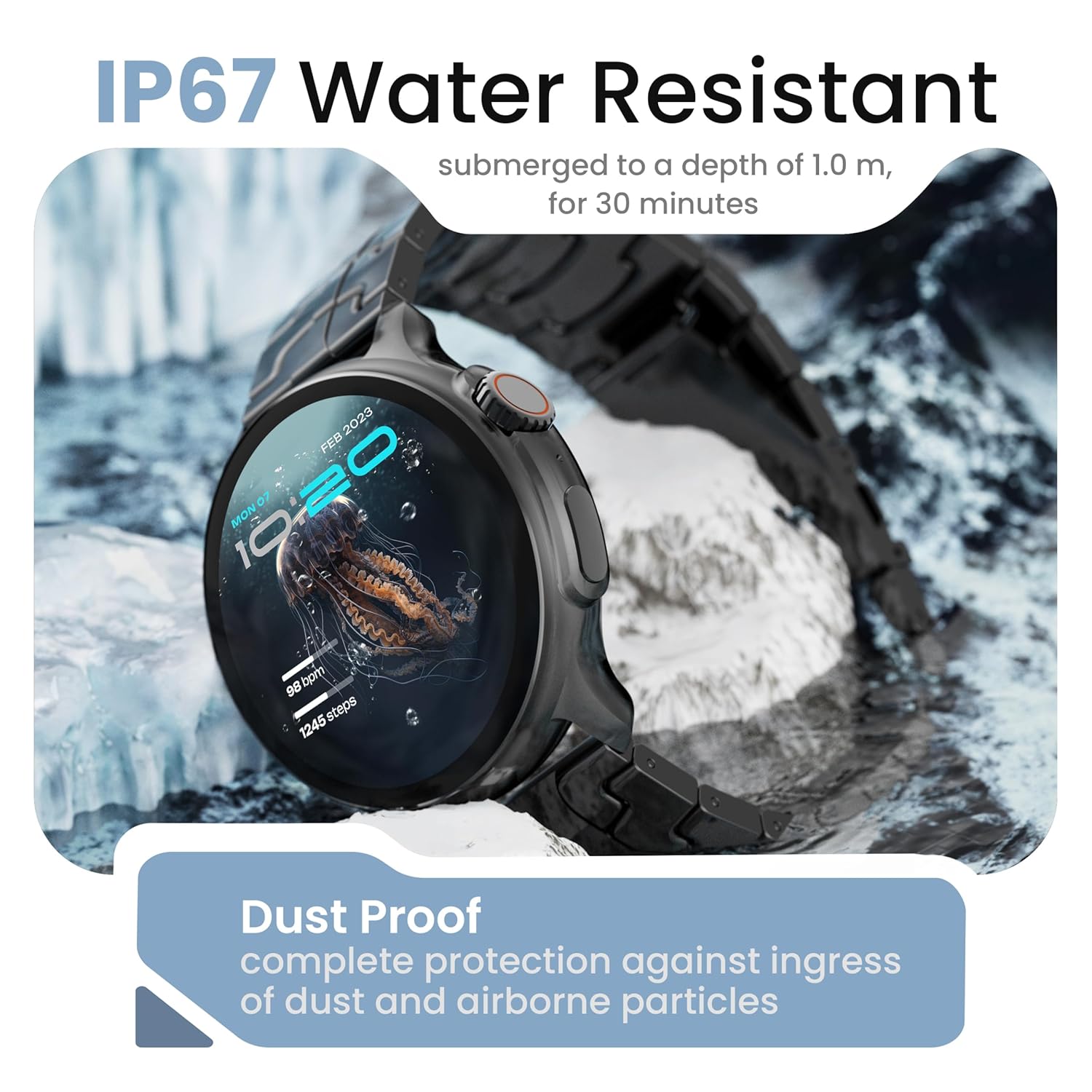
Image: The smartwatch demonstrating its IP67 water resistance, capable of being submerged up to 1 meter for 30 minutes.
- The device is resistant to sweat, splashes, and brief immersion in water up to 1 meter for 30 minutes.
- Venkite naudoti laikrodį karštame vandenyje, saunose ar garinėse pirtyse.
- Do not press buttons while the watch is submerged.
5. Priežiūra ir priežiūra
- Valymas: Reguliariai valykite laikrodį ir dirželį minkštu, sausu skudurėliu. Jei reikia, naudokite šiek tiek drėgnąamp skudurėliu ir gerai išdžiovinkite.
- Venkite cheminių medžiagų: Nenaudokite stiprių cheminių medžiagų, valymo tirpiklių ar ploviklių, nes jie gali pažeisti laikrodžio apdailą ir sandariklius.
- Saugykla: Laikykite išmanųjį laikrodį vėsioje, sausoje vietoje, kai nenaudojate.
- Įkrovimas: Naudokite tik pateiktą įkrovimo laidą.
6. Problemų sprendimas
6.1. Smartwatch Not Turning On
- Įsitikinkite, kad laikrodis yra visiškai įkrautas. Prijunkite jį prie įkroviklio bent 30 minučių.
- Norėdami priverstinai paleisti iš naujo, ilgesnį laiką (10–15 sekundžių) palaikykite nuspaudę šoninį mygtuką.
6.2. Nepavyksta susieti su išmaniuoju telefonu
- Ensure Bluetooth is enabled on your smartphone and the smartwatch.
- Make sure the smartwatch is within the Bluetooth range of your phone (typically 10 meters).
- Perkraukite ir išmanųjį telefoną, ir išmanųjį laikrodį.
- Išvalykite „Bluetooth“ talpyklą telefone (jei taikoma) ir bandykite dar kartą susieti.
- Įsitikinkite, kad papildoma programėlė atnaujinta į naujausią versiją.
6.3. Netikslūs sveikatos duomenys
- Įsitikinkite, kad laikrodis tvirtai uždėtas ant riešo – ne per stipriai ir ne per laisvai.
- Nuvalykite jutiklius laikrodžio gale.
- Matavimo metu venkite per didelio judėjimo.
- Note that smartwatch health data is for reference only and should not be used for medical diagnosis.
6.4. Pranešimai nerodomi
- Check if notification permissions are granted for the companion app and individual applications on your smartphone.
- Ensure the smartwatch is connected to your phone via Bluetooth.
- Disable 'Do Not Disturb' mode on both your phone and smartwatch.
7. Specifikacijos
| Prekės ženklas | GOBOULT |
| Modelio pavadinimas | R Pro 2 |
| Ekrano dydis | 1.43 colių |
| Ekrano tipas | HD AMOLED |
| Ryškumas | 600 nitų |
| Bluetooth versija | 5.2 |
| Atsparumas vandeniui | IP67 |
| Baterijos veikimo laikas (vidutinis) | 7 dienų |
| Akumuliatoriaus įkrovimo laikas | 150 minučių |
| Operacinė sistema | „Android“ (suderinamas) |
| Prekės svoris | 56.5 g |
| Įtraukti komponentai | Smartwatch, Charging Cable, User Manual, Warranty Card |
8. Garantija ir palaikymas
8.1. Informacija apie garantiją
Your GOBOULT Crown R Pro 2 Smartwatch comes with a standard manufacturer's warranty. Please refer to the included Warranty Card for specific terms, conditions, and duration of the warranty.
8.2. Pagalba klientams
For any product-related queries, technical assistance, or warranty claims, please contact GOBOULT customer support through the following channels:
- Websvetainė: Visit the official GOBOULT webDUK ir pagalbos išteklių svetainė.
- El. paštas: Refer to your warranty card or the official webklientų aptarnavimo el. pašto adresų svetainė.
- Telefonas: Contact numbers may be available on the official GOBOULT websvetainėje arba garantijos kortelėje.
Please have your product model number (R Pro 2) and purchase details ready when contacting support.


