Įvadas
Thank you for choosing the Gravity C20 Pro Smartwatch. This rugged smartwatch is designed for durability and advanced functionality, featuring a 1.83-inch TFT display, IP68 waterproofing, Bluetooth calling, AI voice assistant, and over 100 sports modes. This manual will guide you through the setup, operation, and maintenance of your new device.

Vaizdas: priekis view of the Gravity C20 Pro Smartwatch, showcasindėl tvirto dizaino ir ekrano.
Kas yra dėžutėje
- Gravity C20 Pro Smartwatch
- Įkrovimo kabelis
- Vartotojo vadovas
Produktas baigtasview ir Savybės
The Gravity C20 Pro is built to withstand challenging environments while providing comprehensive smart features. Its robust construction and advanced sensors make it an ideal companion for active lifestyles.
Pagrindinės funkcijos:
- Durable 1.83" TFT Display: Large and clear screen for easy readability.
- IP68 atsparumas vandeniui: Designed to protect against dust and water exposure.
- „Bluetooth“ skambutis: Skambinkite ir priimkite skambučius tiesiai iš savo riešo.
- DI balso valdymas: Hands-free operation for various functions.
- 100 ir daugiau sporto režimų: Išsamus įvairių fizinių veiklų stebėjimas.
- Sveikatos stebėjimas: Includes heart rate, sleep tracking, step counting, and sedentary reminders.
- Ilgas baterijos veikimo laikas: 380mAh battery offering extended standby time.
- Išmanieji pranešimai: Receive alerts for calls, messages, and apps.

Image: Two Gravity C20 Pro smartwatches, emphasizing their robust and outdoor-ready design.

Image: A graphic displaying icons for key features such as heart rate monitoring, call reminders, pedometer, information reminders, blood pressure monitor, sleep monitor, calories, sedentary reminder, exercise data, IP68 waterproof, stress monitor, voice assistant, blood oxygen monitor, heart rate warning, and calculator.
Sąranka
1. Pradinis įkrovimas
Before first use, fully charge your Gravity C20 Pro Smartwatch. Connect the magnetic charging cable to the charging points on the back of the watch and plug the USB end into a power adapter (not included) or a computer's USB port. The watch display will indicate charging status.
2. Maitinimo įjungimas/išjungimas
- Maitinimas: Paspauskite ir palaikykite maitinimo mygtuką (paprastai šone), kol ekranas užsidegs.
- Išjungti: Paspauskite ir palaikykite maitinimo mygtuką, tada ekrane pasirinkite „Išjungti“.
3. Programėlės diegimas ir susiejimas
To unlock the full potential of your smartwatch, download the companion app on your iOS or Android device. Ieškokite the app name (refer to the packaging or quick start guide for the exact name) in the App Store or Google Play Store.
- Atsisiųskite ir įdiekite programėlę savo išmaniajame telefone.
- Atidarykite programą ir vadovaukitės ekrane pateikiamomis instrukcijomis, kad sukurtumėte paskyrą arba prisijunkite.
- Įjunkite „Bluetooth“ savo išmaniajame telefone.
- In the app, navigate to the 'Device' or 'Add Device' section.
- Select 'Gravity C20 Pro' from the list of available devices.
- Patvirtinkite susiejimo užklausą ir telefone, ir išmaniajame laikrodyje.
Naudojimo instrukcijos
Pagrindinė navigacija
- Braukite aukštyn/žemyn: Slinkite per meniu ir pranešimus.
- Braukite kairėn/dešinėn: Pasiekite greitąsias funkcijas arba skirtingus laikrodžio ciferblatus.
- Bakstelėkite: Pasirinkite elementą arba atidarykite programą.
- Maitinimo mygtukas: Press to wake/sleep the screen, or return to the home screen. Long press for power options.
- Sporto mygtukas: Dedicated button to quickly access sports modes.
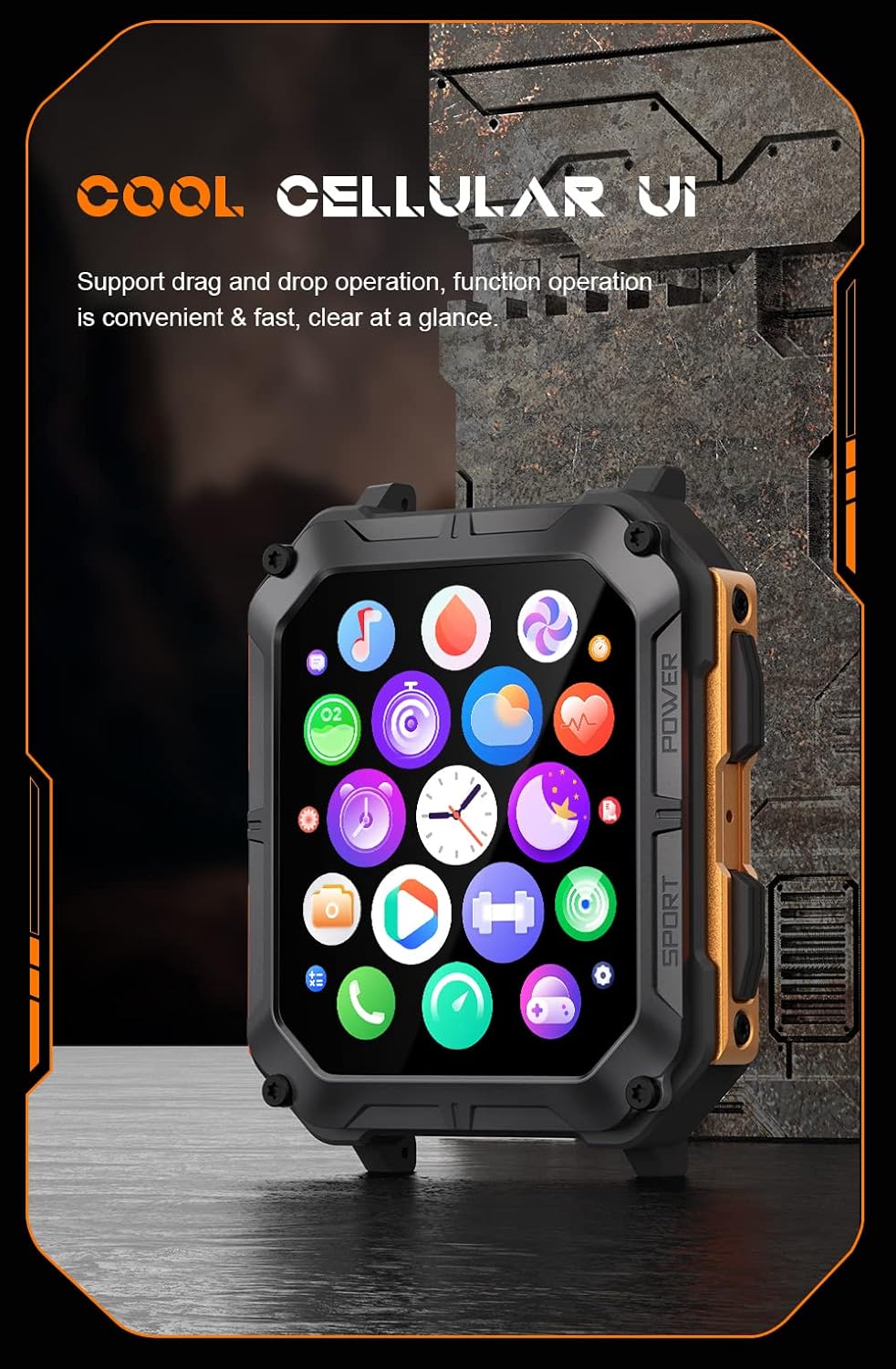
Image: The smartwatch display showing a grid of colorful application icons, illustrating the user interface.
„Bluetooth“ skambinimas
Once paired, you can make and receive calls directly from your watch.
- Atsiliepimas į skambučius: Kai skambinate, laikrodžio ekrane palieskite žalią atsiliepimo piktogramą.
- Skambinimas: Norėdami pradėti skambutį, laikrodyje atidarykite rinkiklį arba kontaktų sąrašą.
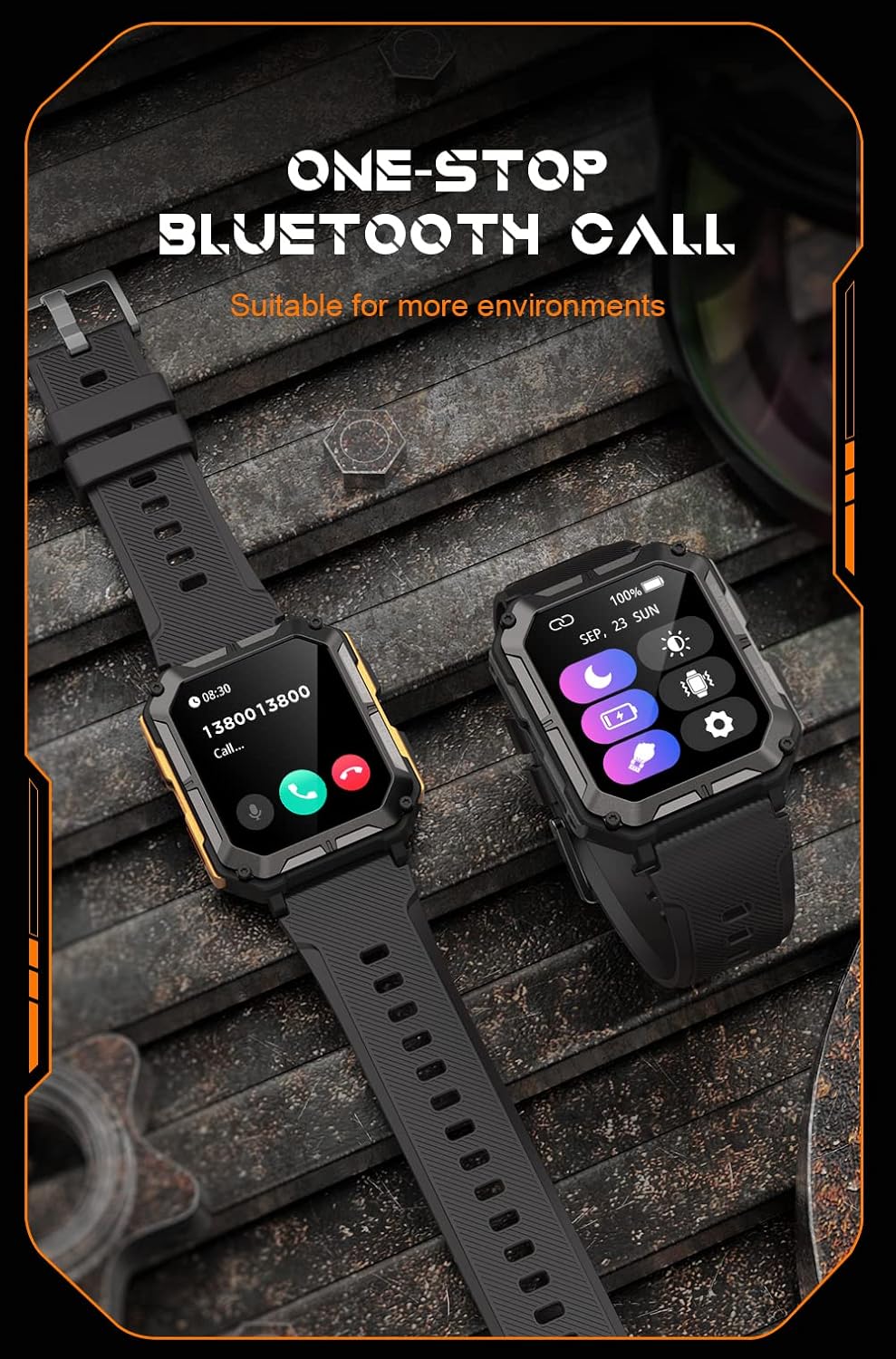
Image: Two smartwatches, one showing an incoming call notification with options to answer or decline, demonstrating the Bluetooth call feature.
AI balso padėjėjas
Activate the AI voice assistant by a designated gesture or button press (refer to in-app settings). You can then use voice commands for various tasks, such as checking weather, setting alarms, or initiating calls.
Sporto režimai
The watch supports over 100 sports modes. Access them via the Sport button or the main menu. Select your activity to start tracking metrics like duration, distance, calories burned, and heart rate.
Sveikatos stebėjimas
The C20 Pro continuously monitors your health data.
- Širdies ritmas: View real-time heart rate on the watch or in the app.
- Miego stebėjimas: Wear the watch to bed for detailed sleep analysis (deep sleep, light sleep, awake time).
- Kraujo deguonis: Išmatuokite savo SpO2 lygį.
- Žingsniai ir kalorijos: Track your daily activity and calorie expenditure.

Image: The smartwatch display showing current heart rate (BPM) and blood oxygen saturation (SpO2) levels, indicating health monitoring capabilities.
Pranešimai
Receive notifications from your smartphone directly on your watch. Ensure notification permissions are enabled in both your phone's settings and the companion app.
Priežiūra
Išmaniojo laikrodžio valymas
Regularly clean your watch to ensure optimal performance and hygiene. Use a soft, lint-free cloth to wipe the screen and body. For stubborn dirt, slightly dampNuvalykite šluostę vandeniu. Venkite naudoti stiprias chemines medžiagas ar abrazyvines medžiagas.
Atsparumas vandeniui (IP68)
The Gravity C20 Pro is IP68 water-resistant, meaning it can withstand dust and immersion in water up to 1.5 meters for 30 minutes. It is suitable for daily use, such as washing hands or light rain. However, it is not recommended for hot showers, saunas, or diving, as steam and high water pressure can compromise the seals.
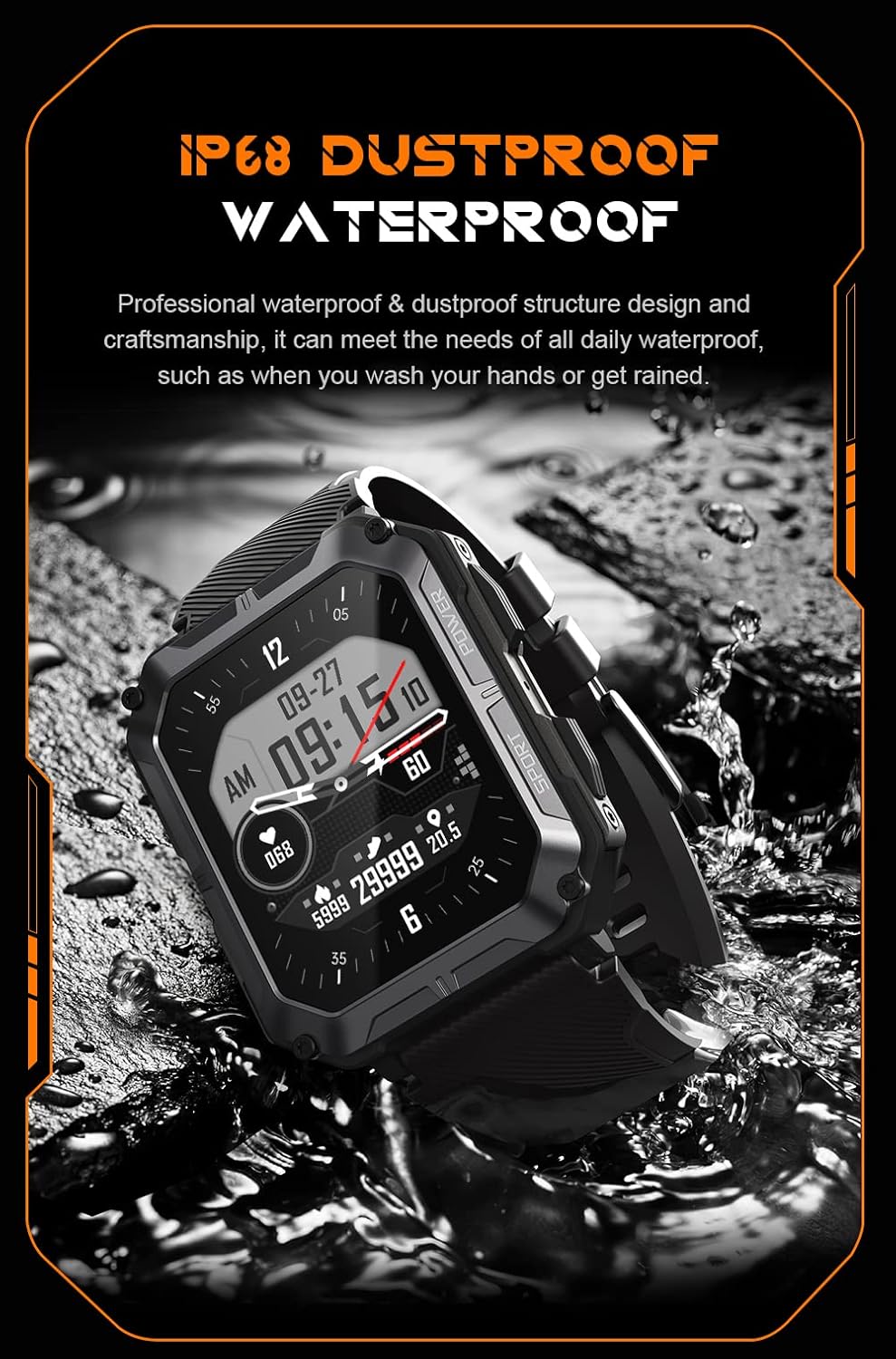
Image: The smartwatch partially submerged in water, illustrating its IP68 dustproof and waterproof capabilities.
Akumuliatoriaus priežiūra
Norėdami pailginti baterijos veikimo laiką:
- Venkite ekstremalių temperatūrų.
- Charge the watch before the battery completely drains.
- Jei ketinate ilgai laikyti, įkraukite jį iki maždaug 50 % ir išjunkite.
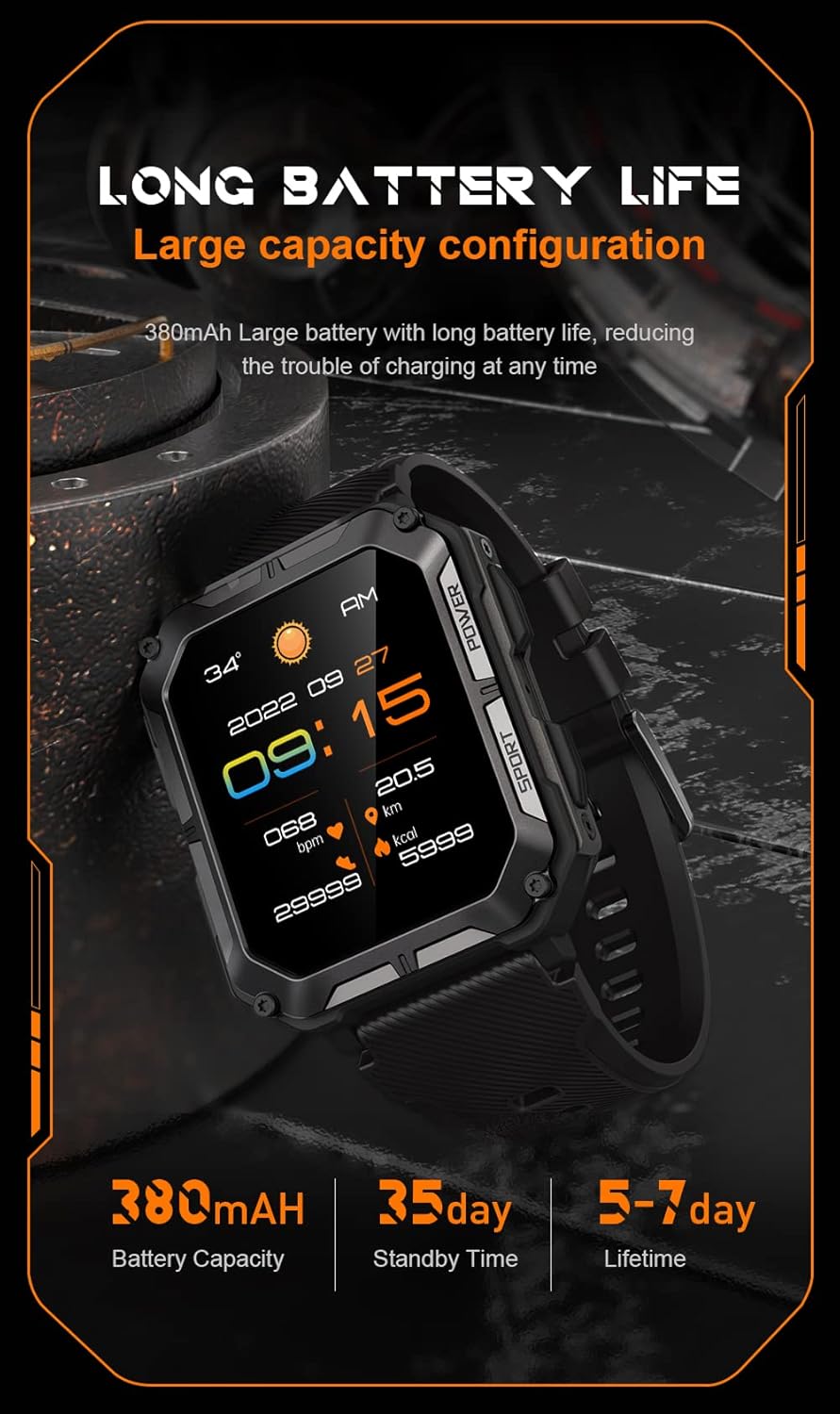
Image: The smartwatch display showing the time, date, weather, heart rate, steps, and battery level, with accompanying text emphasizing its long battery life and 380mAh capacity.
Trikčių šalinimas
| Problema | Galimas sprendimas |
|---|---|
| Watch won't power on | Ensure the watch is fully charged. Press and hold the Power button for at least 10 seconds to force a restart. |
| Nepavyksta susieti su telefonu | Ensure Bluetooth is enabled on your phone. Restart both the watch and phone. Clear previous pairings in phone's Bluetooth settings. Make sure the app is updated. |
| Netikslūs sveikatos duomenys | Ensure the watch is worn snugly on your wrist, not too tight or too loose. Clean the sensor on the back of the watch. Update watch firmware via the app. |
| Pranešimai negauti | Check notification permissions in your phone's settings for the companion app. Ensure the app is running in the background. Verify Bluetooth connection. |
| Trumpas baterijos veikimo laikas | Reduce screen brightness. Turn off unnecessary features like 'Always-On Display'. Limit frequent heart rate monitoring. Ensure no background apps are draining power. |
Specifikacijos
| Funkcija | Detalė |
|---|---|
| Modelio numeris | W4-C28 |
| Ekrano dydis | 1.83 colių |
| Baterijos talpa | 380 mAh |
| Atsparumas vandeniui | IP68 |
| Ryšys | Bluetooth |
| Operacinė sistema | Android OS (compatible with iOS) |
| Prekės svoris | 1 svaro |
| Atsparumas temperatūrai | -24°C iki 60°C |
Garantija ir palaikymas
Informacija apie garantiją
The Gravity C20 Pro Smartwatch comes with a standard manufacturer's warranty. Please refer to the warranty card included in your product packaging or visit the official Gravity websvetainėje rasite išsamias garantijos sąlygas ir galiojimo laiką.
Pagalba klientams
For any technical assistance, troubleshooting not covered in this manual, or warranty claims, please contact Gravity customer support. Contact information can typically be found on the official Gravity websvetainėje arba ant produkto pakuotės.


