Produktas baigtasview
The Gravity C28 Rugged Smartwatch is designed for durability and comprehensive health and fitness tracking. It features a 2.02-inch TFT high-resolution display, AI-generated watch faces, and over 100 sports modes. This device also includes Bluetooth calling, smart notifications, and robust water, shock, and dust resistance.

Vaizdas: priekis view of the Gravity C28 Rugged Smartwatch, showcasindėl tvirto dizaino ir skaitmeninio ekrano.
Pagrindinės savybės
- 2.02 colio HD ekranas: Clear visuals with 320x390 resolution and customizable watch faces.
- Išsamus sveikatos stebėjimas: Monitors heart rate, sleep patterns, step count, and calories.
- 100 ir daugiau sporto režimų: Tracks various activities including running, cycling, and hiking.
- Bluetooth Calling & Smart Alerts: Answer calls and receive notifications directly from the wrist.
- Patvarus ir atsparus oro sąlygoms: 1 ATM waterproof, shockproof, and dustproof design.
- Ilgas baterijos veikimo laikas: Up to 25 days standby time with a 410mAh battery.
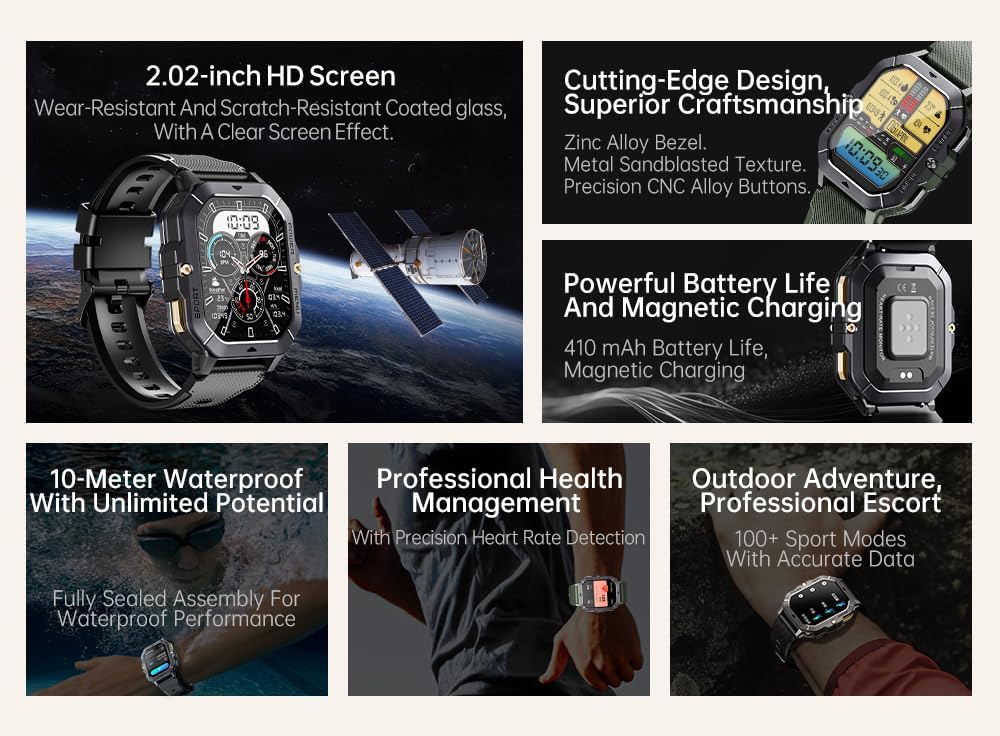
Image: Visual summary of the smartwatch's features, including HD screen, craftsmanship, battery life, waterproofing, health management, and sports modes.
Kas yra dėžutėje
Upon unboxing your Gravity C28 Smartwatch, please ensure all components are present:
- Gravity C28 Smartwatch
- Įkrovimo kabelis
- Vartotojo vadovas (šis dokumentas)
Sąranka
1. Įrenginio įkrovimas
Before first use, fully charge your Gravity C28 Smartwatch. Connect the magnetic charging cable to the charging points on the back of the watch and plug the USB end into a compatible power adapter (not included) or a computer USB port.

Image: Close-up of the smartwatch's rear, showing the magnetic charging pins and the charging cable attached.
2. Įjungimas/išjungimas
- Maitinimas: Press and hold the 'POWER' button (typically the top right button) until the screen illuminates.
- Išjungti: Press and hold the 'POWER' button, then select 'Power Off' on the screen, or continue holding until the device shuts down.
3. Programėlės diegimas ir susiejimas
The Gravity C28 Smartwatch uses the Da tinka application for full functionality and data synchronization. The app is compatible with both Android and iOS devices.
- Download the 'Da Fit' app from your device's app store (Google Play Store for Android, Apple App Store for iOS).
- Atidarykite „Da Fit“ programėlę ir vykdykite ekrane pateikiamus nurodymus, kad sukurtumėte paskyrą arba prisijungtumėte.
- Įsitikinkite, kad jūsų išmaniajame telefone įjungtas „Bluetooth“.
- In the Da Fit app, navigate to 'Add Device' or 'Bind Device'.
- Select 'C28' from the list of available devices.
- Patvirtinkite susiejimo užklausą tiek išmaniajame telefone, tiek išmaniajame laikrodyje.
Išmaniojo laikrodžio valdymas
Navigacija
- Jutiklinis ekranas: Swipe left, right, up, or down to navigate through menus and access different functions. Tap to select.
- Maitinimo mygtukas: Trumpas paspaudimas, kad grįžtumėte į laikrodžio ciferblatą arba pažadintumėte ekraną. Ilgas paspaudimas, kad atidarytumėte maitinimo parinktis.
- „MENIU“ mygtukas: Short press to access the main menu.
- Mygtukas „SPORT“: Trumpas paspaudimas, norint greitai pasiekti sporto režimus.

Vaizdas: pvzamples of different menu display modes available on the smartwatch, such as Grid View, Surface, Parallel, and Helm.
Bluetooth Calling and Smart Alerts
Once paired with your smartphone, the Gravity C28 allows you to manage calls and notifications directly from your wrist.
- Atsiliepimas į skambučius: When an incoming call is received, the watch will display the caller ID. Tap the green phone icon to answer.
- Skambinimas: Access the dial pad or contact list through the watch's menu to initiate calls.
- Pranešimai: Receive alerts for messages, social media, and other app notifications. Swipe down from the watch face to view naujausi pranešimai.

Image: Two Gravity C28 smartwatches displaying an incoming call and a message alert, demonstrating the Bluetooth call and message alert features.
AI Watch Face and DA GPT
The smartwatch supports AI-generated watch faces for personalization and integrates with DA GPT for interactive features.
- Dirbtinio intelekto laikrodžio ciferblatas: Customize your watch face by providing text prompts to the AI, which will generate unique designs.
- DA GPT: Interact with the DA GPT feature to explore new ideas or learn new things directly from your watch.

Image: Diagram illustrating the DA GPT interaction flow and the AI Watch Face generation process, showing how users can request custom watch face backgrounds.
Sporto režimai
The Gravity C28 offers over 100 sports modes to accurately track your physical activities. Access these modes via the 'SPORT' button or the main menu.
- Select your desired sport (e.g., running, cycling, swimming).
- The watch will begin tracking relevant metrics such as duration, distance, calories burned, and heart rate.
- End your workout by following the on-screen prompts. Data will sync with the Da Fit app.
Sveikatos stebėjimas
The smartwatch provides continuous monitoring of various health metrics.
- Širdies ritmas: Širdies ritmo stebėjimas realiuoju laiku.
- Miego stebėjimas: Analizuoja miego modelius, įskaitant gilų miegą, lengvą miegą ir pabudimo laiką.
- Step Counter & Calories: Tracks daily steps and estimated calories burned.
- SpO2, Blood Pressure, Stress: Provides readings for blood oxygen saturation, blood pressure, and stress levels.

Image: Screenshots of the smartwatch display showing various health metrics: Heart Rate, SpO2, Blood Pressure, Stress, Sleep, and Cycle Tracking.
Priežiūra
Valymas
Regular cleaning helps maintain the smartwatch's appearance and functionality.
- Nuvalykite ekraną ir korpusą minkštu, nepūkuotu skudurėliu.
- Įsisenėjusiam purvui šiek tiek pamirkykiteampNuvalykite šluostę vandeniu. Venkite stiprių cheminių medžiagų ar abrazyvinių medžiagų.
- Prieš įkrovimą įsitikinkite, kad įkrovimo kontaktai yra švarūs ir sausi.
Atsparumas vandeniui
The Gravity C28 is 1 ATM waterproof, meaning it can withstand splashes, rain, and brief immersion in shallow water. It is suitable for daily cleaning, sweating, and getting wet by rain.

Image: The smartwatch being used underwater, illustrating its 1 ATM waterproof capability for activities like snorkeling, and icons for daily cleaning, sweat, and rain resistance.
Svarbu: While waterproof, avoid prolonged exposure to hot water, steam, or high-pressure water jets. Do not operate buttons underwater.
Sandėliavimas
Kai ilgesnį laiką nenaudojate išmaniojo laikrodžio, laikykite jį vėsioje, sausoje vietoje, toliau nuo tiesioginių saulės spindulių ir ekstremalių temperatūrų.
Trikčių šalinimas
- Laikrodis neįsijungia: Įsitikinkite, kad laikrodis yra visiškai įkrautas. Prijunkite jį prie įkroviklio bent 30 minučių.
- Nepavyksta susieti su telefonu:
- Įsitikinkite, kad jūsų telefone ir laikrodyje įjungtas „Bluetooth“.
- Įsitikinkite, kad laikrodis yra „Bluetooth“ diapazone (apie 10 metrų).
- Iš naujo paleiskite ir laikrodį, ir telefoną.
- Išvalykite „Bluetooth“ talpyklą telefone („Android“) arba pamirškite įrenginį ir iš naujo suporuokite („iOS“).
- Netikslūs sveikatos duomenys:
- Įsitikinkite, kad laikrodis tvirtai laikosi ant riešo – ne per laisvas ir ne per veržlus.
- Nuvalykite jutiklį laikrodžio gale.
- Matavimo metu venkite per didelio judėjimo.
- Pranešimai nerodomi:
- Check notification permissions in the Da Fit app and your phone's settings.
- Ensure the Da Fit app is running in the background.
- Įsitikinkite, kad laikrodis prijungtas per „Bluetooth“.
- Trumpas baterijos veikimo laikas:
- Sumažinkite ekrano ryškumą.
- Jei nereikia, išjunkite nuolatinį širdies ritmo stebėjimą.
- Apribokite aktyvių pranešimų skaičių.
- Ensure background app refresh for Da Fit is enabled on your phone.
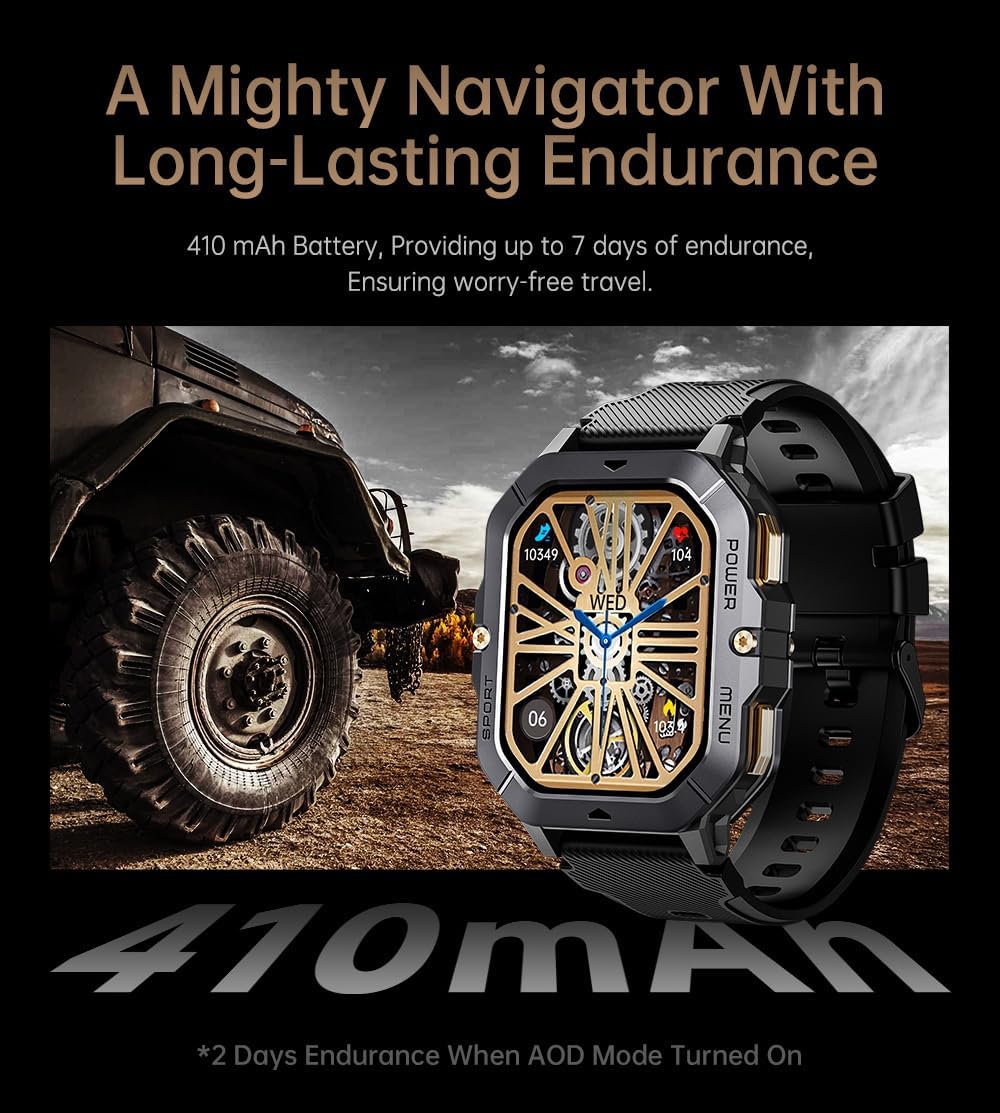
Image: The smartwatch displayed next to a large tire, emphasizing its ruggedness and long-lasting 410 mAh battery, providing up to 7 days of endurance (2 days with AOD mode).
Specifikacijos
| Funkcija | Detalė |
|---|---|
| Modelio numeris | W4-C28 |
| Ekrano dydis | 2.02 Inches TFT |
| Baterijos talpa | 410 mAh |
| Operacinė sistema | Android OS (compatible with Android & iOS via Da Fit app) |
| Ryšys | Bluetooth |
| Atsparumas vandeniui | 1 bankomatas |
| Prekės svoris | 1 svaro |
| Matmenys | 9 x 4 x 1 colių (pakuotė) |
| Baterijos tipas | Ličio polimeras |
Garantija ir palaikymas
Informacija apie garantiją
Warranty details for the Gravity C28 Smartwatch are typically provided with your purchase documentation. Please refer to the warranty card or contact your retailer for specific terms and conditions regarding coverage and duration.
Pagalba klientams
For technical assistance, troubleshooting not covered in this manual, or inquiries regarding your device, please contact Gravity customer support through the contact information provided on the product packaging or the official Gravity websvetainę.


