Įvadas
The Veqotya A-2025 Android Auto Wireless Adapter converts your car's existing wired Android Auto system into a wireless connection. This slim and lightweight adapter utilizes Bluetooth technology for stable connectivity, providing a seamless in-car experience. It allows you to access all Android Auto functions, including navigation, music, and calls, through your car's original controls.
Pakuotės turinys
Prašome patikrinti, ar pakuotėje yra visi reikalingi daiktai:
- Veqotya A-2025 Android Auto Wireless Adapter
- USB-C kabelis
- USB-A laidas

Image: The Veqotya A-2025 wireless adapter shown with its USB-C and USB-A cables.
Sąrankos instrukcijos
Follow these simple steps for the initial setup. After the first connection, the adapter will automatically activate wireless Android Auto when your car starts.
- Prijunkite adapterį: Plug the Veqotya A-2025 adapter into your car's USB port that supports wired Android Auto. Use the appropriate USB-C or USB-A cable provided.
- Enable Phone Settings: „Android“ telefone įsitikinkite, kad įjungti „Bluetooth“ ir „Wi-Fi“.
- Susieti Bluetooth: On your car's infotainment screen, select the Bluetooth pairing option. Ieškokite and connect to the Veqotya adapter's Bluetooth signal. Follow any on-screen prompts to complete the pairing process.
The first connection typically takes about 15 seconds. Subsequent reconnections should occur automatically within approximately 5 seconds when you start your car.

Image: Visual guide illustrating the plug-in, Wi-Fi/Bluetooth activation, and Bluetooth pairing steps for initial setup.
Naudojimo instrukcijos
Once connected, the Veqotya A-2025 adapter allows you to use all standard Android Auto functions wirelessly, maintaining your car's original control methods.
- Full Android Auto Functionality: Access navigation, music playback, phone calls, messaging, and other compatible apps directly on your car's display.
- Kontrolės metodai: Operate Android Auto using your car's existing controls, including:
- Jutiklinis ekranas
- OEM Knob/Controller
- Vairo ratų valdikliai
- Voice Control (e.g., "Hey Google...")
- Automatinis pakartotinis prisijungimas: The adapter is designed to automatically connect to the last paired Android phone when the car starts. If multiple paired phones are nearby, it will prioritize the most recently connected device.
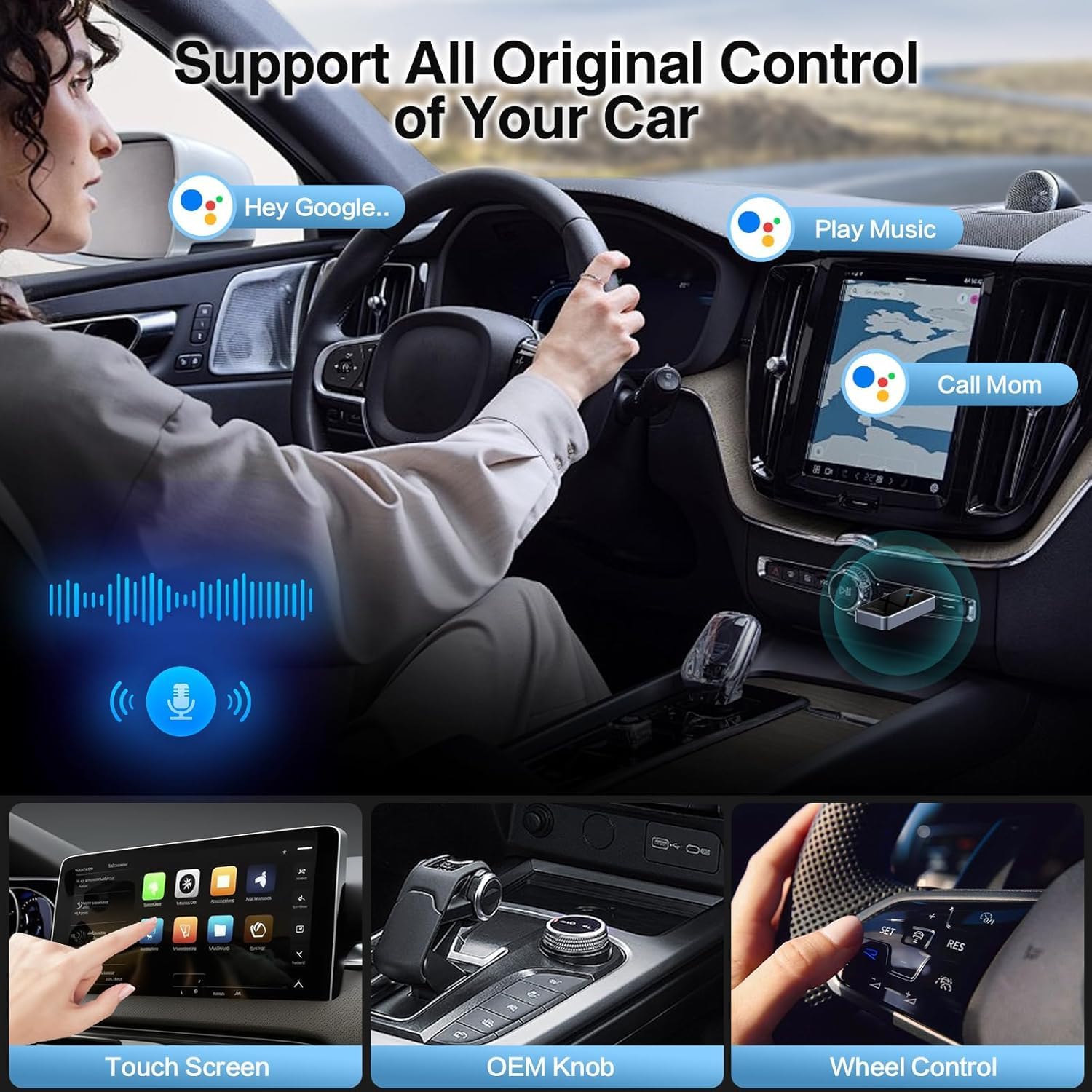
Image: Depicts the Android Auto interface with various applications like music, navigation, and phone calls.

Image: Illustrates the different control methods available for Android Auto, including touch screen, OEM knob, steering wheel buttons, and voice commands.
Suderinamumas
The Veqotya A-2025 Android Auto Wireless Adapter is designed for broad compatibility, but specific requirements must be met:
- Automobilio suderinamumas: Your car or audio system must be equipped with factory-installed wired Android Auto. The adapter supports over 800 car models from 2017 onwards.
- Telefono suderinamumas: Your Android phone must support Android Auto. Android 11 or higher is highly recommended for optimal performance.
To verify if your car model is compatible, please refer to the official Android Auto compatibility list: Android Auto Compatible Vehicles.

Vaizdas: Viršview of car brand logos and Android phone models indicating broad compatibility.
Priežiūra
To ensure the longevity and optimal performance of your Veqotya A-2025 Android Auto Wireless Adapter, follow these general maintenance guidelines:
- Laikyti švarų: Gently wipe the adapter with a soft, dry cloth to remove dust. Avoid using liquid cleaners or abrasive materials.
- Tinkamai laikykite: When not in use for extended periods, disconnect the adapter and store it in a cool, dry place away from direct sunlight and extreme temperatures.
- Elkitės atsargiai: Avoid dropping the adapter or subjecting it to physical shock, which can damage internal components.
- Programinės įrangos atnaujinimai: Periodiškai tikrinkite gamintojo website or app (if applicable) for any firmware updates to ensure the best performance and compatibility.
Trikčių šalinimas
If you encounter issues with your Veqotya A-2025 adapter, please refer to the following common solutions:
| Problema | Sprendimas |
|---|---|
| Adapteris neprisijungia automatiškai. |
|
| Audio skipping or intermittent connection. |
|
| Android Auto fails to launch or connect. |
|
| Adapter is not recognized by the car. |
|
Specifikacijos
| Funkcija | Detalė |
|---|---|
| Modelio numeris | A-2025 |
| Prekės ženklas | Veqotya |
| Ryšys | Bluetooth 5.3, Wi-Fi 2.4-5.8GHz |
| Procesorius | A7S Dual-Core |
| Suderinami įrenginiai | Cars/Audio systems with factory wired Android Auto, Android phones (Android 11+ recommended) |
| Jungties tipas | USB tipas A, USB tipas C |
| Matmenys | 6.22 x 2.87 x 0.75 colių (pakuotė) |
| Svoris | 2.39 uncijos (prekė) |

Image: Diagram highlighting the core technical specifications of the adapter, including Bluetooth version, Wi-Fi bands, and processor type.
Garantija ir palaikymas
Veqotya provides comprehensive support for the A-2025 Android Auto Wireless Adapter:
- Techninis palaikymas visą gyvenimą: Customers are entitled to lifetime technical assistance for the product.
- Klientų aptarnavimas: For any issues or inquiries, please contact Veqotya customer service. We aim to resolve all concerns within 24 hours.
For further assistance, please refer to the contact information provided with your purchase or visit the official Veqotya websvetainę.


