1. Įvadas
Welcome to the COCOCAM 2K Indoor Pan/Tilt WiFi Camera user manual. This guide provides detailed instructions on how to set up, operate, and maintain your new security camera. Please read this manual thoroughly before using the product to ensure proper functionality and safety.

Figure 1.1: COCOCAM 2K Indoor Pan/Tilt WiFi Camera
The COCOCAM 2K Indoor Pan/Tilt WiFi Camera is designed to provide comprehensive surveillance for your home, baby, or pets. With its advanced features like 2K resolution, two-way audio, AI human detection, and long-lasting battery, you can monitor your indoor spaces with ease and peace of mind.
2. Produktas baigtasview
2.1 Pakuotės turinys
Įsitikinkite, kad jūsų siuntinyje yra visi daiktai:
- 1x COCOCAM 2K Indoor Pan/Tilt WiFi Camera
- „1x“ USB įkrovimo laidas
- 1x vartotojo vadovas
2.2 Pagrindinės savybės
- Ilgai veikianti baterija: Equipped with a 5200mAh rechargeable battery for extended operation. Once fully charged, it can detect motion up to 5,000 times, ensuring continuous monitoring.
- Pakreipimo ir pasukimo funkcija: Offers a 355° horizontal rotation and 90° vertical tilt range for comprehensive room coverage.
- 2K Crystal Clear Resolution: Captures every detail with 3MP (2304*1296) resolution, ensuring high-quality video footage.
- Dvipusis garsas: Built-in microphone and speaker allow for seamless communication with family members or visitors from anywhere.
- AI Intelligent Recognition & PIR Human Detection: Advanced AI analysis and PIR human detection minimize false alerts and focus on specific areas of interest. Optional paid features include detection of vehicles, animals, and packages.
- Patobulintas naktinis matymas: Infrared night vision range of 20 meters ensures clear surveillance even in low-light conditions.
- Lanksčios saugojimo parinktys: Supports up to 128GB TF card (not included) and offers cloud storage (6-second recording and 7-day loop coverage).
- Mobile Compatibility & Voice Control: Connect effortlessly using your Android or iOS smartphone/tablet. Compatible with Amazon Alexa and Google Assistant for convenient hands-free control.

2.1 pav.: Įmontuota 5200 mAh įkraunama baterija

Figure 2.2: 355° Pan & 90° Tilt Coverage

Figure 2.3: See Clearly in 2K Resolution

2.4 pav.: Dvipusis garso ryšys

Figure 2.5: AI Intelligent Recognition & PIR Human Detection

Figure 2.6: Clear Night Vision in the Dark
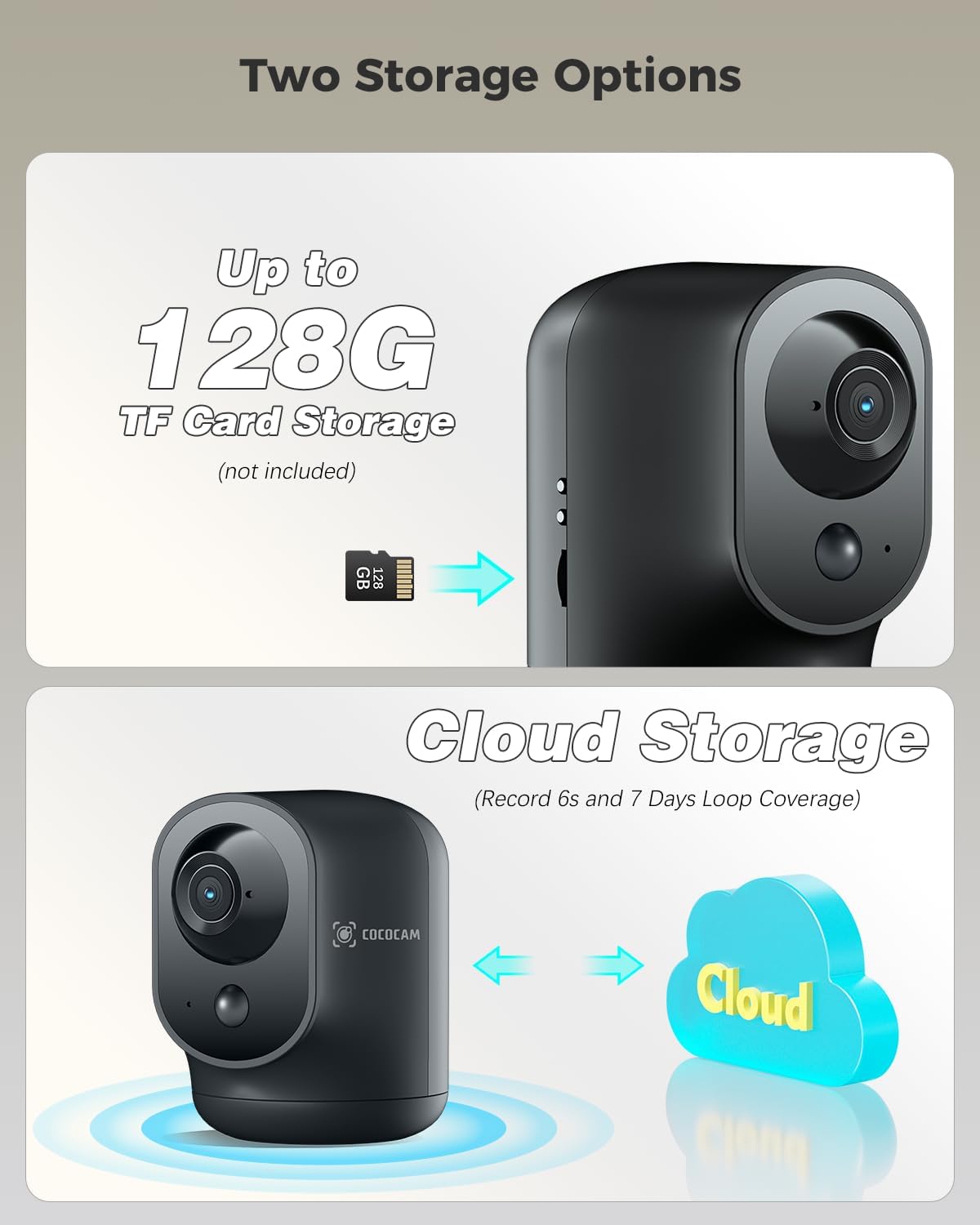
Figure 2.7: Two Storage Options
3. Sąrankos vadovas
3.1 Pradinis įkrovimas
Before first use, fully charge the camera using the provided USB charging cable. The charging indicator light will change once charging is complete.
3.2 Programėlės atsisiuntimas ir įdiegimas
Download the "CloudEdge" app from your smartphone's app store (Google Play Store for Android or Apple App Store for iOS). Follow the on-screen instructions to install the app.
3.3 Įrenginio susiejimas
- Open the CloudEdge app and create an account or log in.
- Norėdami pridėti naują įrenginį, palieskite piktogramą „+“.
- Iš sąrašo pasirinkite savo fotoaparato modelį.
- Vadovaukitės programėlėje pateiktomis instrukcijomis, kad prijungtumėte kamerą prie „Wi-Fi“ tinklo. Paprastai tai reiškia, kad kameros objektyvu nuskaitomas telefone rodomas QR kodas.
- Prisijungę galite pavadinti savo kamerą ir pradėti tiesioginį transliavimą. viewing.
3.4 Kameros išdėstymas
The camera is designed for indoor use and can be placed on any flat surface, such as a table or shelf. Ensure it is within range of your Wi-Fi network for optimal performance.
4. Naudojimo instrukcijos
4.1 Tiesiogiai View
Open the CloudEdge app and select your camera from the device list to access the live video feed. You can view realaus laiko footage iš bet kurios vietos, kur yra interneto ryšys.
4.2 Pakreipimo ir pasukimo valdymas
Kol vyksta gyvai view, use the directional controls within the app to remotely pan (rotate horizontally) and tilt (rotate vertically) the camera lens to adjust its viewing kampas.
4.3 Dvipusis garsas
Tiesioginio transliavimo metu palieskite mikrofono piktogramą view interface to speak through the camera's speaker. Tap the speaker icon to listen to audio from the camera's surroundings.
4.4 Judesio aptikimas ir įspėjimai
The camera features PIR human detection. You can customize alarm settings and define specific alarm zones within the app to focus on critical areas. When motion is detected, you will receive instant notifications on your smartphone.
4.5 Įrašymas ir atkūrimas
Recordings are triggered by motion detection. You can store footage on a local TF card (up to 128GB, not included) or subscribe to the cloud storage service for 6-second event recordings and 7-day loop coverage. Access recorded videos through the playback feature in the app.
4.6 Naktinis matymas
The camera automatically switches to infrared night vision mode in low-light conditions, providing clear black and white footage iki 20 metrų.
5. Priežiūra
- Valymas: Kameros objektyvą ir korpusą valykite minkštu, sausu audiniu. Venkite naudoti stiprias chemines medžiagas ar abrazyvines medžiagas.
- Akumuliatoriaus priežiūra: To prolong battery life, avoid exposing the camera to extreme temperatures. Recharge the battery when the app indicates a low battery level.
- Firmware atnaujinimai: Regularly check the CloudEdge app for available firmware updates. Keeping your camera's firmware updated ensures optimal performance and security.
6. Problemų sprendimas
| Problema | Galima priežastis / sprendimas |
|---|---|
| Kamera neprisijungia prie „Wi-Fi“. | Ensure your Wi-Fi network is 2.4GHz (5GHz is not supported). Check Wi-Fi password. Move camera closer to router. Reset camera and try pairing again. |
| Nėra judesio aptikimo įspėjimų | Check motion detection settings in the app. Ensure PIR detection is enabled and sensitivity is adjusted correctly. Verify alarm zones are set up. |
| Prasta vaizdo kokybė | Check your internet connection speed. Ensure the camera lens is clean. Adjust camera placement for better lighting. |
| Neveikia dvipusis garsas | Ensure microphone and speaker permissions are granted to the app on your phone. Check volume settings on both the app and your phone. |
| Baterija greitai išsikrauna | Dažnas tiesioginis ryšys viewing, excessive motion events, or weak Wi-Fi signal can increase battery consumption. Reduce sensitivity or live view time if possible. |
For more detailed troubleshooting or persistent issues, please refer to the help section within the CloudEdge app or contact COCOCAM customer support.
7. Specifikacijos
| Funkcija | Detalė |
|---|---|
| Modelio numeris | CC-C7 |
| Vaizdo raiška | 2K (3MP, 2304x1296p) |
| Panardinimo / pakreipimo diapazonas | 355° horizontaliai, 90° vertikaliai |
| Baterijos talpa | 5200 mAh (ličio jonų) |
| Naktinio matymo diapazonas | 20 metrai |
| Ryšys | „Wi-Fi“ (2.4 GHz) |
| Saugojimo parinktys | TF Card (up to 128GB, not included), Cloud Storage |
| Ypatingos savybės | Two-way audio, HD Resolution, PTZ Technology, Night Vision, PIR Human Detection, AI Recognition |
| Matmenys (I x P x A) | 7 x 8.5 x 10 cm |
| Svoris | 420 gramų |
| Medžiaga | Akrilnitrilo butadieno stirenas (ABS) |
| Suderinami įrenginiai | Išmanusis telefonas („Android“, „iOS“) |
| Valdiklio tipas | Amazon Alexa, Android, Google Assistant, CloudEdge |
8. Garantija ir palaikymas
COCOCAM products come with a standard warranty. Please refer to the product packaging or the official COCOCAM websvetainėje, kurioje pateikiamos konkrečios garantijos sąlygos.
For technical support, troubleshooting assistance, or any inquiries regarding your COCOCAM 2K Indoor Pan/Tilt WiFi Camera, please contact COCOCAM customer support. Their responsive team is available to assist you with setup and any operational questions.
You can often find contact information or support resources via the CloudEdge app or by visiting the COCOCAM brand store on Amazon or their official websvetainę.