1. Produktas baigtasview
The AWANFI YG-811 Two-Way Radios provide reliable communication for various activities. This manual details the setup, operation, and maintenance of your device to ensure optimal performance and longevity.
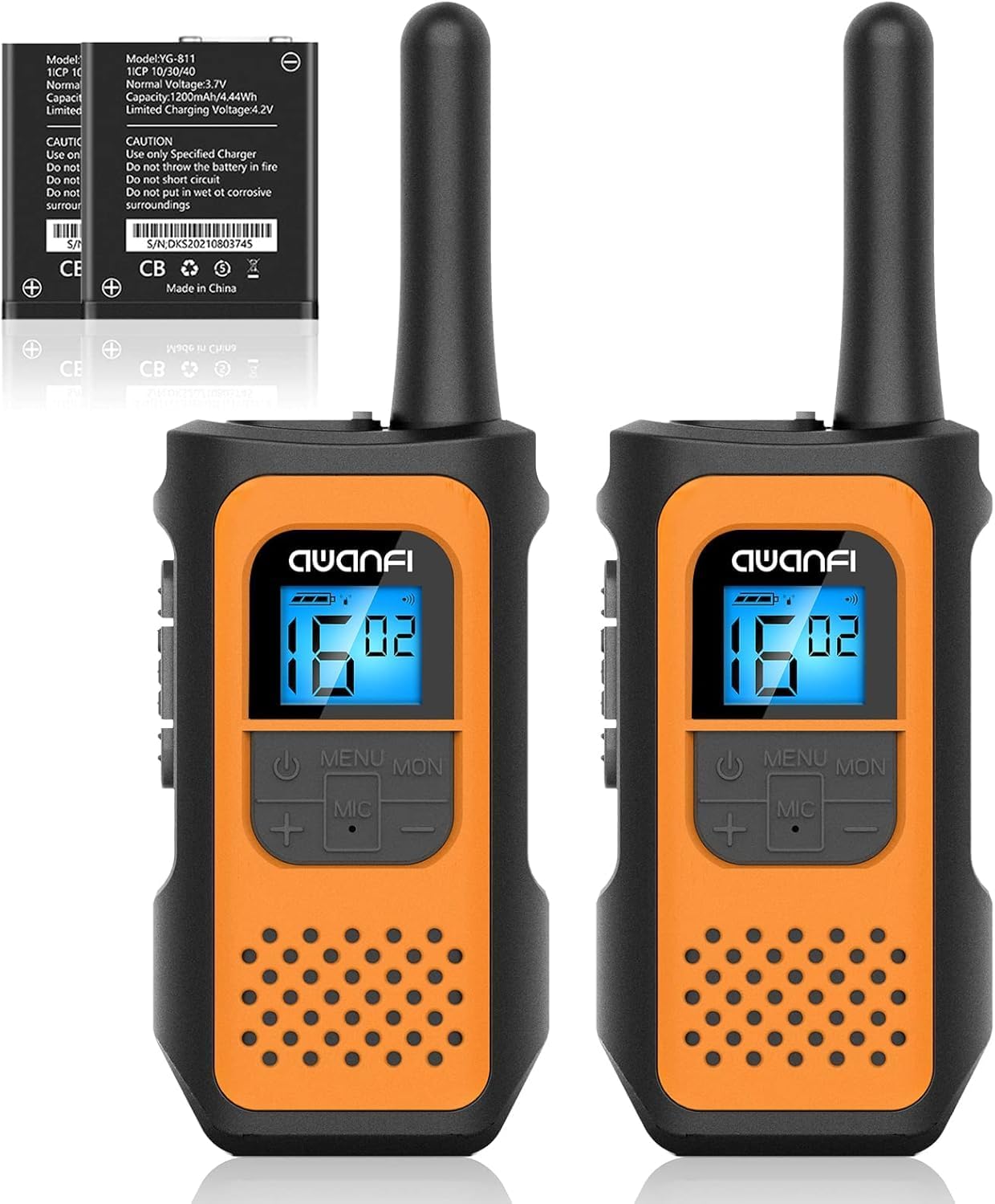
Image 1.1: AWANFI YG-811 Two-Way Radios. This image displays two orange and black walkie-talkies, highlighting their compact design and digital display.
2. Pakuotės turinys
Prašome patikrinti, ar pakuotėje yra visi reikalingi daiktai:
- 2 x AWANFI racijos
- 2 x diržo segtukai
- 1 x 2 viename C tipo kabelis
- 1 x Naudotojo vadovas (šis dokumentas)
3. Produkto ypatybės
- Įkraunama 1200 mAh ličio jonų baterija: Vienu įkrovimu užtikrina iki 24 valandų baterijos veikimo laiką.
- C tipo USB įkrovimas: Patogus ir efektyvus įkrovimas.
- 22 kanalai: Offers a wide range of communication options.
- 99 Privacy Codes: Ensures private communication.
- VOX (balsu valdoma stotis): Įgalina bendravimą laisvų rankų įranga.
- Integruotas žibintuvėlis: Useful for low-light conditions.
- Klaviatūros užraktas: Apsaugo nuo atsitiktinio nustatymų pakeitimo.
- Automatinis nuskaitymas: Automatiškai ieško aktyvių kanalų.
- 10 Call Tone Alerts: Customizable alert sounds.
- SOS sirena: Avariniam signalizavimui.
- Kompaktiškas ir lengvas dizainas: Easy to carry with included lanyards and belt clips.
- Apšviestas ekranas: Improves visibility in various lighting conditions.
- Triukšmo mažinimas: Pagerina garso aiškumą.
- Squelch System: Reduces background noise.
- Apsauga nuo kritimo: Durable environmental protection shell.
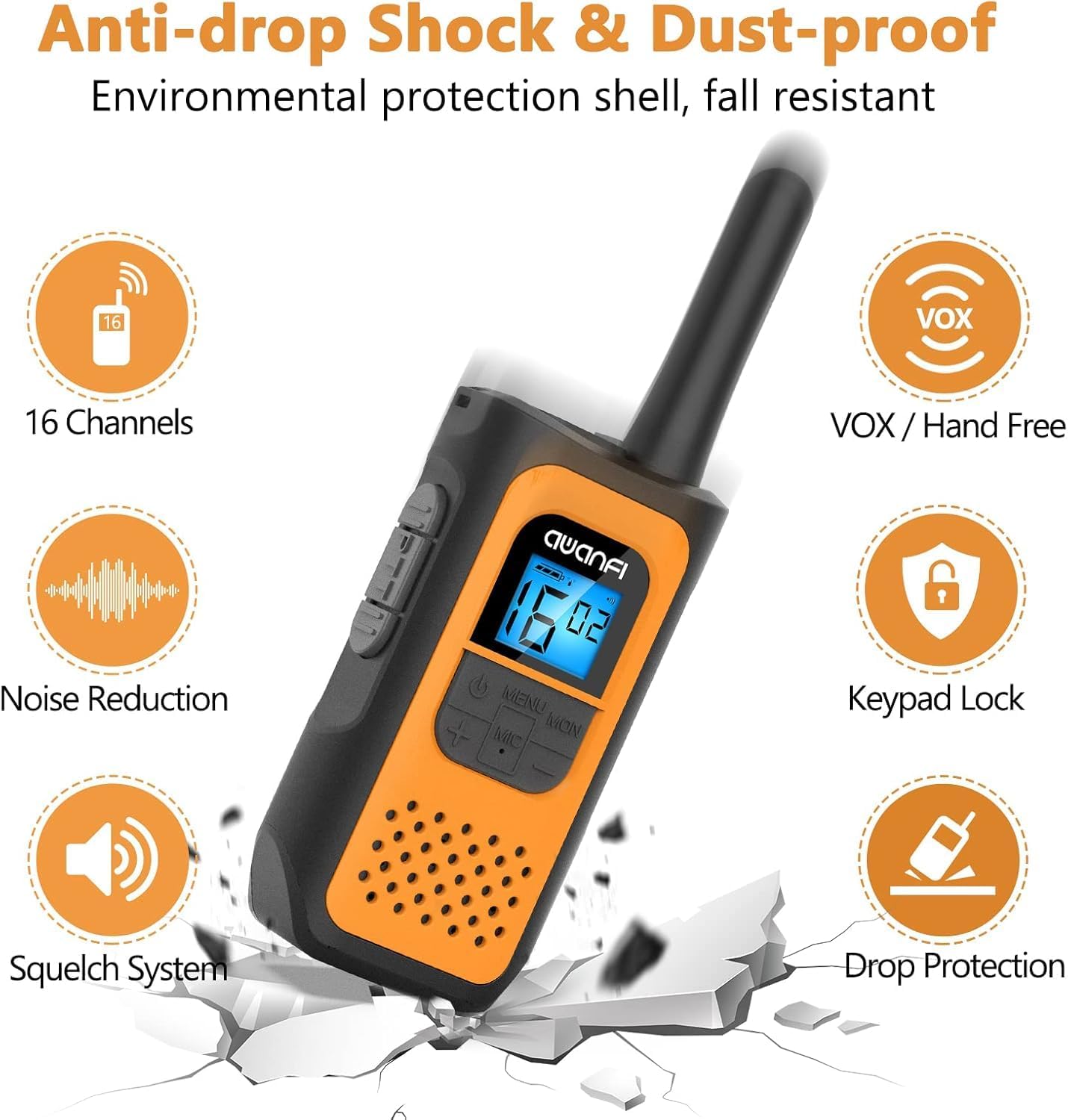
Image 3.1: Key Features of the AWANFI YG-811. This graphic illustrates the main functionalities such as VOX, Keypad Lock, and Noise Reduction.
4. Komponento identifikavimas
Familiarize yourself with the various parts of your AWANFI Two-Way Radio:

Image 4.1: AWANFI YG-811 Component Diagram. This image labels the antenna, earphone jack, charge jack, PTT button, power button, microphone/speaker, LCD display, menu/lock button, up button, and down button.
- Antena: Signalo perdavimui ir priėmimui.
- Ausinių lizdas: Connect external audio accessories.
- Įkrauti lizdą: USB C tipo prievadas įkrovimui.
- PTT mygtukas (kalbėjimo mygtukas): Paspauskite ir palaikykite, kad perduotumėte savo balsą.
- Maitinimo mygtukas: Įjungia/išjungia radiją.
- Mikrofonas/garsiakalbis: For speaking and listening.
- LCD ekranas: Rodo kanalą, akumuliatoriaus būseną ir kitus nustatymus.
- MENU/MON Button: Accesses menu settings or monitors channels.
- UP Button (+): Navigates menu or increases values.
- DOWN Button (-): Navigates menu or decreases values.
5. Sąranka
5.1 Akumuliatoriaus įdėjimas
The AWANFI YG-811 uses a 1200mAh Li-ion battery. Ensure the battery is correctly installed before first use.
- Atidarykite baterijų skyriaus dangtelį radijo imtuvo gale.
- Įdėkite ličio jonų akumuliatorių, užtikrindami, kad kontaktai būtų tinkamai sulygiuoti.
- Saugiai uždarykite akumuliatoriaus skyriaus dangtelį.

Image 5.1: Battery Installation and Safety. This image illustrates how to insert the 1200mAh Li-ion battery and highlights its safety features like overcharge protection and IEC62133 certification.
5.2 Akumuliatoriaus įkrovimas
Charge the walkie-talkie fully before initial use. Use the provided Type-C cable for charging.
- Connect the Type-C cable to the charge jack on the side of the radio.
- Connect the other end of the cable to a compatible USB power adapter, power bank, or car charger.
- LCD ekrane esantis akumuliatoriaus indikatorius rodys įkrovimo būseną.
- Charging is complete when the battery indicator shows full.
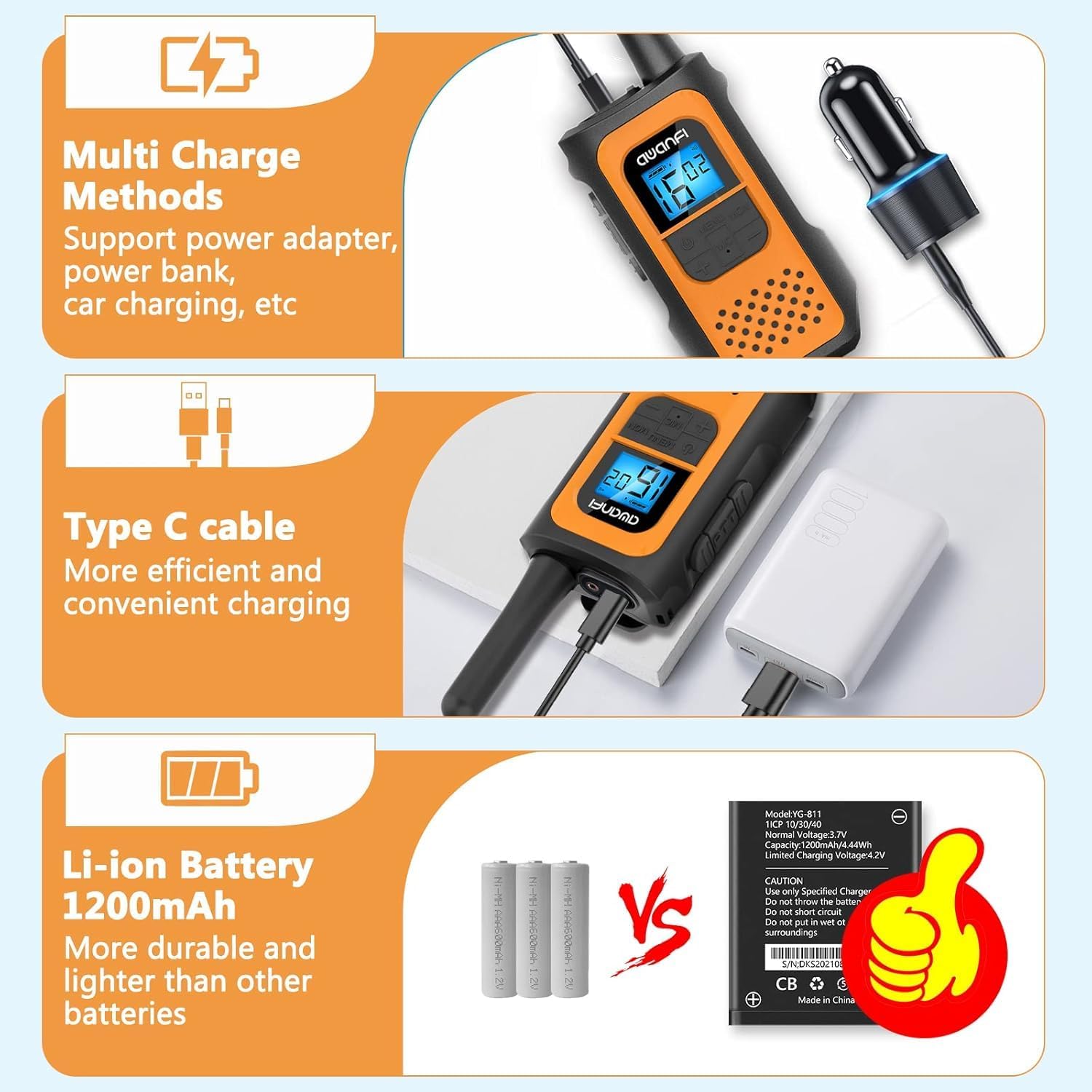
Image 5.2: Multi-Charge Methods. This image demonstrates various ways to charge the walkie-talkie using the Type-C cable, such as with a power adapter, power bank, or car charger.
5.3 Įjungimas / išjungimas
- Norėdami įjungti: Paspauskite ir palaikykite maitinimo mygtuką, kol užsidegs LCD ekranas.
- Norėdami išjungti: Paspauskite ir palaikykite maitinimo mygtuką, kol išsijungs LCD ekranas.
6. Naudojimo instrukcijos
6.1 Kanalo pasirinkimas
- Paspauskite MENU mygtuką, kad įeitumėte į meniu.
- Use the UP (+) or DOWN (-) buttons to navigate to the channel setting.
- Press MENU again to select the channel.
- Use UP (+) or DOWN (-) to choose your desired channel (1-22).
- Press MENU to confirm, then press PTT or wait for the menu to exit automatically.
6.2 Setting Privacy Codes (CTCSS/DCS)
Privacy codes help reduce interference from other users on the same channel.
- Press the MENU button repeatedly until the privacy code setting appears.
- Use UP (+) or DOWN (-) to select a privacy code (01-99).
- Press MENU to confirm, then press PTT or wait for the menu to exit automatically.
- Ensure all radios in your group are set to the same channel and privacy code.
6.3 Perdavimas ir priėmimas
- Perduoti: Press and hold the PTT button. Speak clearly into the microphone. Release the PTT button when finished speaking.
- Norėdami gauti: The radio will automatically receive transmissions when the PTT button is not pressed and you are on the same channel and privacy code as the transmitting party.
6.4 VOX funkcija (laisvų rankų įranga)
When VOX is enabled, the radio transmits automatically when it detects your voice.

Image 6.1: VOX Function in Use. This image shows two individuals hiking, with walkie-talkies attached to their backpacks, illustrating the convenience of hands-free communication.
- Press the MENU button repeatedly until the VOX setting appears.
- Use UP (+) or DOWN (-) to select a VOX sensitivity level (e.g., 1-3, with 3 being most sensitive). Select 'OFF' to disable.
- Press MENU to confirm, then press PTT or wait for the menu to exit automatically.
6.5 Klaviatūros užraktas
Kad išvengtumėte atsitiktinių nustatymų pakeitimų:
- Užrakinti: Press and hold the MENU/MON button until the lock icon appears on the display.
- Norėdami atrakinti: Press and hold the MENU/MON button again until the lock icon disappears.
6.6 Žibintuvėlis
The integrated flashlight can be activated for illumination in dark environments.
- Consult the specific button assignment in your radio's menu or quick guide for flashlight activation, typically a long press of a specific button (e.g., UP or DOWN button).
6.7 Informacija apie šaudyklą
The communication range varies depending on terrain and conditions.

Image 6.2: Communication Range. This graphic provides estimated ranges for different environments: up to 5km in mountainous areas, up to 3km in open water, and up to 1.5km in urban neighborhoods.
- Mountain to Valley: Iki 5 km
- Open Water: Iki 3 km
- Kaimynystė: Iki 1.5 km
7. Priežiūra
7.1 Akumuliatoriaus priežiūra
- Nelaikykite baterijos nuo ekstremalių temperatūrų.
- Venkite trumpojo jungimo akumuliatoriaus gnybtuose.
- Reguliariai įkraukite bateriją, net jei jos nenaudojate, kad išlaikytumėte jos tarnavimo laiką.
- Naudokite tik nurodytą įkroviklį.
7.2 Valymas
- Nuvalykite radiją minkšta, damp audinys.
- Nenaudokite stiprių chemikalų ar abrazyvinių valiklių.
- Prieš naudodami arba įkraudami, įsitikinkite, kad radijo imtuvas yra sausas.
7.3 Saugykla
- Kai nenaudojate, radijo imtuvą laikykite vėsioje, sausoje vietoje.
- Išimkite bateriją, jei ilgesnį laiką sandėliuojate.
7.4 Atsparumas vandeniui
Please note that the AWANFI YG-811 Two-Way Radio is Neatsparus vandeniuiVenkite sąlyčio su vandeniu ar didele drėgme, kad nepažeistumėte įrenginio.
8. Problemų sprendimas
| Problema | Galima priežastis | Sprendimas |
|---|---|---|
| Nėra galios | Baterija išsikrovusi arba netinkamai įdėta. | Įkraukite akumuliatorių. Įdėkite akumuliatorių atgal, užtikrindami tinkamą kontaktą. |
| Negalima perduoti ar priimti | Incorrect channel/privacy code. Out of range. Battery low. | Verify all radios are on the same channel and privacy code. Move closer to other radios. Charge the battery. |
| Prasta garso kokybė | Silpnas signalas. Trukdžiai. | Move to an open area. Change channel/privacy code. |
| Klaviatūra nereaguoja | Klaviatūros užraktas aktyvus. | Unlock the keypad by pressing and holding the MENU/MON button. |
9. Specifikacijos
- Modelio numeris: YG-811
- Prekinis ženklas: AWANFI
- Kanalų skaičius: 22
- Baterijos tipas: 1200 mAh ličio jonų (nestandartinė baterija)
- Maksimalus pokalbio diapazonas: 3 Kilometers (Open Water)
- Atsparumo vandeniui lygis: Neatsparus vandeniui
- Gamintojas: Shenzhen yizhongge Electronic Co., Ltd
10. Garantija ir palaikymas
Your AWANFI YG-811 Two-Way Radio comes with a 1 metų garantija nuo pirkimo datos.
For technical support, warranty claims, or further assistance, please contact AWANFI customer service through the retailer where the product was purchased or visit the official AWANFI websvetainę.
Prašome išsaugoti pirkimo įrodymą garantijos tikslais.


