1. Įvadas
Thank you for choosing the Happybuy SL288 Thermal Laminator Machine. This portable laminator is designed for hot lamination of documents up to A4 size, providing a protective, durable finish. It features a quick warm-up time, efficient lamination speed, and an ABS anti-jam function for reliable operation. This manual provides essential information for safe and effective use of your laminator.
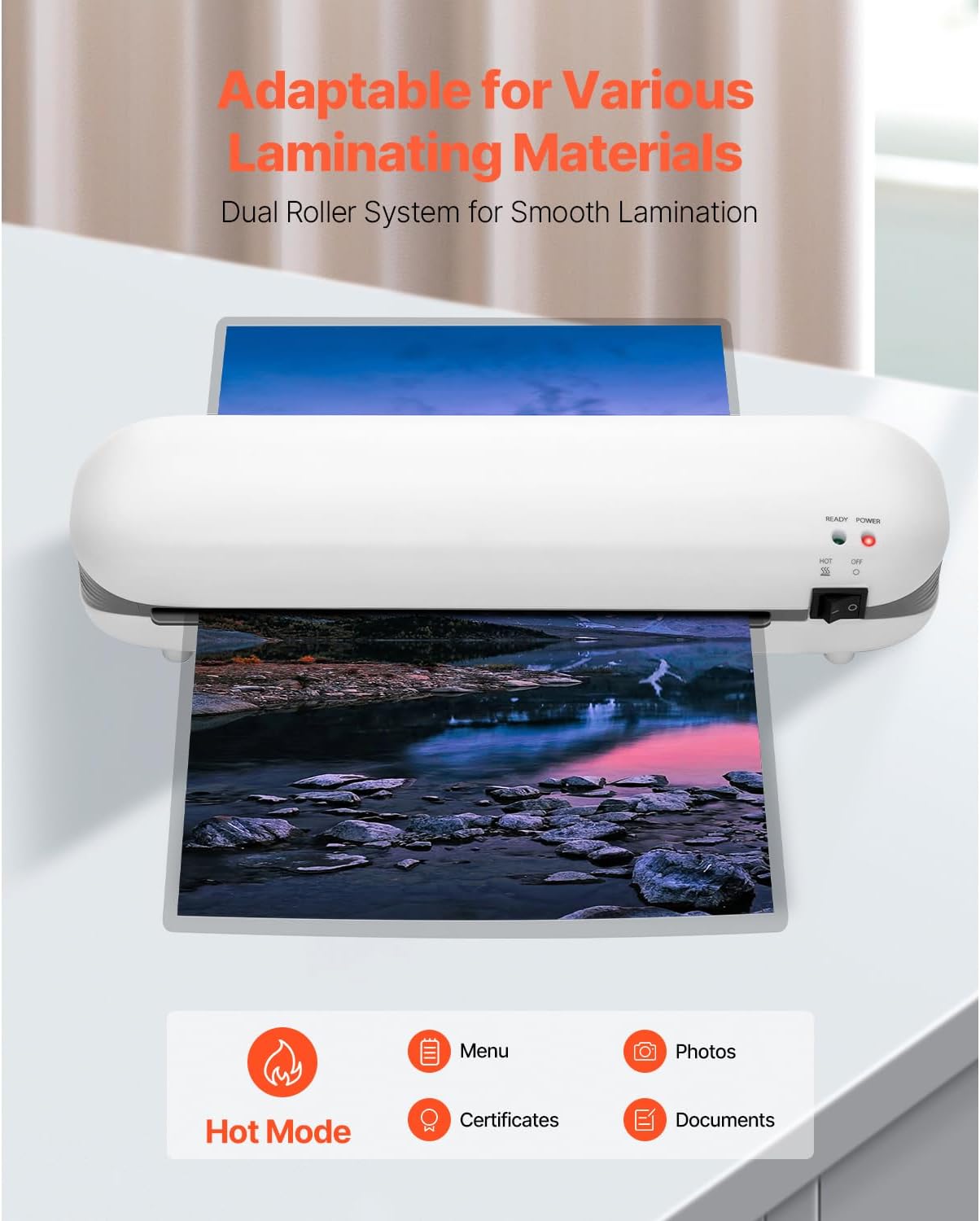
Image 1.1: The Happybuy SL288 laminator is adaptable for various laminating materials, including photos, certificates, and documents, using its dual roller system for smooth lamination.
2. Saugos instrukcijos
- Prieš naudodami laminatorių, perskaitykite visas instrukcijas.
- Nenaudokite laminatoriaus, jei pažeistas maitinimo laidas arba kištukas.
- Laikykite laminatorių atokiau nuo vandens ar kitų skysčių.
- Do not touch the heated parts of the machine during or immediately after use.
- Ensure proper ventilation around the laminator during operation.
- Atjunkite laminavimo įrenginį, kai nenaudojate arba prieš valydami.
- Šis prietaisas nėra skirtas naudoti asmenims (įskaitant vaikus), kurių fizinės, jutimo ar psichikos negalios arba neturintys patirties ir žinių, nebent už jų saugumą atsakingas asmuo juos prižiūrėtų arba instruktuotų, kaip naudoti prietaisą.
3. Produktas baigtasview
3.1 Dalių identifikavimas
Familiarize yourself with the components of your Happybuy SL288 laminator:
- Maitinimo jungiklis: Turns the laminator ON/OFF.
- Maitinimo indikatoriaus lemputė: Illuminates when the laminator is powered on.
- Pasiruošimo indikatoriaus lemputė: Illuminates when the laminator has reached optimal operating temperature.
- Film Entry Slot: Where the lamination pouch with the document is inserted.
- Film Exit Slot: Ten, kur laminuotas dokumentas išeina iš aparato.
- ABS mygtukas: Used to release jammed documents.
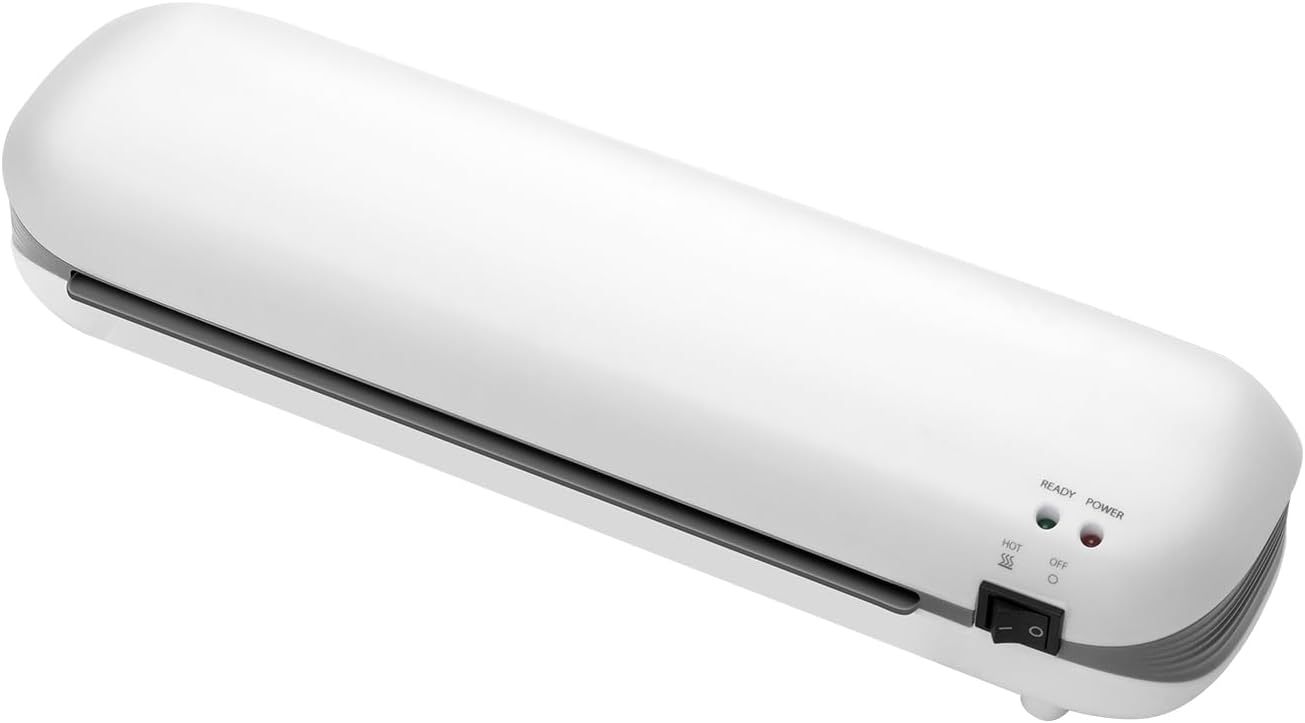
3.1 vaizdas: priekis view of the Happybuy SL288 laminator, highlighting the power switch, power indicator, and ready indicator lights.
4. Sąranka
- Vieta: Place the laminator on a flat, stable surface with adequate space around it for proper ventilation and for documents to pass through.
- Maitinimo jungtis: Prijunkite maitinimo laidą į standartinį 120 V kintamosios srovės, 60 Hz elektros lizdą.
- Maitinimas: Turn the power switch to the 'ON' position. The Power indicator light will illuminate.
- Įkaitinkite: Allow the laminator to preheat for approximately 3-4 minutes. The Ready indicator light will illuminate when the machine has reached its optimal operating temperature and is ready for use.

Image 4.1: The laminator features a quick preheat time of 3-4 minutes and a laminating speed of 13.4 inches per minute for efficient performance.
5. Naudojimo instrukcijos
5.1 Preparing for Lamination
- Ensure the laminator is preheated and the Ready light is on.
- Select a lamination pouch appropriate for your document size (up to A4) and thickness (3-5 mil).
- Place your document neatly inside the lamination pouch, ensuring it is centered and there is a small margin around the edges.

Image 5.1: The Happybuy SL288 laminator supports A4 and smaller paper sizes, with a maximum lamination width of 9 inches and film thickness of 3-5 mil.
5.2 Lamination Process
- Carefully insert the sealed edge of the lamination pouch into the Film Entry Slot.
- The laminator will automatically feed the pouch through. Do not pull or push the document.
- Once the laminated document exits the Film Exit Slot, place it on a flat surface to cool and harden.
5.3 Using the ABS Anti-Jam Function
In the event of a paper jam or misfeed:
- Press and hold the ABS button located on the side of the laminator.
- While holding the button, gently pull the jammed pouch out of the Film Entry Slot.
- Release the ABS button. Allow the machine to cool if it was overheated, then re-attempt lamination with a new pouch if necessary.

Image 5.2: The one-touch ABS button allows for quick removal of jammed documents, protecting your valuable items.
6. Priežiūra
6.1 Valymas
- Prieš valydami, įsitikinkite, kad laminatorius yra atjungtas nuo elektros tinklo ir visiškai atvėsęs.
- Mašinos išorę nuvalykite minkštu, sausu skudurėliu. Nenaudokite abrazyvinių valiklių ar tirpiklių.
- To clean the rollers, run a folded piece of paper through the laminator to pick up any adhesive residue.
6.2 Saugykla
When not in use, store the laminator in a dry, dust-free environment. Its compact design allows for easy storage.

Image 6.1: The compact design of the Happybuy SL288 laminator makes it easy to store on a desk or in a small space.
7. Problemų sprendimas
| Problema | Galima priežastis | Sprendimas |
|---|---|---|
| Laminator not turning on | No power, power switch off | Check power cord connection, ensure switch is ON. |
| Document jammed | Pouch inserted incorrectly, too thick, or misaligned | Press and hold the ABS button to release the pouch. Re-insert correctly. |
| Poor lamination quality (bubbles, wrinkles) | Laminator not fully preheated, incorrect pouch thickness, or old pouches | Wait for Ready light. Ensure pouch thickness is 3-5 mil. Use fresh pouches. |
| Laminator is slow | Normal operation, or machine not fully warmed up | Ensure Ready light is on. The laminating speed is 13.4 in/min. |
8. Specifikacijos
Detailed technical specifications for the Happybuy SL288 Thermal Laminator:
- Prekės modelio numeris: SL288
- Grynasis svoris: 2 svaro / 0.95 kg
- Gaminio matmenys: 13.4 x 4 x 2.8 col. / 340 x 103 x 71 mm
- Laminavimo funkcija: Karštas laminavimas
- ABS apsauga nuo strigimo: Taip
- Greitis: 13.4 colių/min (340 mm/min)
- Volai: 2 ritinėlių sistema
- Įkaitinimo laikas: 3-4 minučių
- Laminavimo plėvelės storis: 3–5 mln.
- Plėvelės plotis: Maximum A4 (up to 9 inches wide)
- Didžiausias energijos suvartojimas: 300W
- ttage ir dažnis: 120VAC, 60Hz

Image 8.1: Visual representation of the Happybuy SL288 laminator with its dimensions and a summary of key specifications.
9. Garantija ir palaikymas
For warranty information, product support, or to purchase accessories, please refer to the official Happybuy website or contact Happybuy customer service directly. Keep your purchase receipt as proof of purchase for any warranty claims.
Happybuy Customer Service: Please visit the Happybuy official websvetainėje, kurioje rasite kontaktinę informaciją ir pagalbos išteklius.


