1. Įvadas
This manual provides detailed instructions for the installation, operation, and maintenance of your Anpviz UltraHD 4K 8MP PTZ POE IP Camera. Please read this manual thoroughly before using the product to ensure proper functionality and safety. This camera is designed for both indoor and outdoor surveillance, offering advanced features for comprehensive security monitoring.
2. Kas yra dėžutėje
Patikrinkite, ar pakuotėje yra visi komponentai:
- Anpviz UltraHD 4K 8MP PTZ POE IP Camera (Model: PTZIP3182WD-SU-5X)
- Instrukcijų vadovas
- Montavimo plokštė ir tvirtinimo kronšteinas
- Montavimo varžtų krepšys
- Warning Sign Sticker
- Garantijos kortelė

Image: All items included in the Anpviz PTZ POE IP Camera package, showing the camera, mounting hardware, and documentation.
3. Produktas baigtasview
The Anpviz UltraHD 4K 8MP PTZ POE IP Camera is a high-performance surveillance device designed for robust monitoring. Key features include:
- 4K Ultra HD raiška: 3840x2160 @ 20fps for clear, detailed video.
- 5 kartų optinis priartinimas: 2.7-13.5mm motorized lens for detailed viewing without compromising image quality.
- „Pan & Tilt“: 0-350° pan and 0-90° tilt for wide area coverage.
- Žmonių / transporto priemonių aptikimas: Advanced motion detection to distinguish between humans and vehicles, reducing false alarms.
- Dvipusis garsas: Built-in microphone and speaker for real-time communication (compatible with Anpviz U-Series NVRs).
- 100 pėdų IR naktinio matymo funkcija: Eight infrared LED lights provide clear black and white video in low-light conditions up to 100 feet.
- 512GB SD Card Slot: Supports local storage of video footage.
- IP66 Waterproof & IK10 Explosion-Proof: Durable metal housing suitable for harsh outdoor environments.
- POE (Power Over Ethernet): Supaprastina diegimą, nes maitinimas ir duomenys tiekiami per vieną Ethernet kabelį.
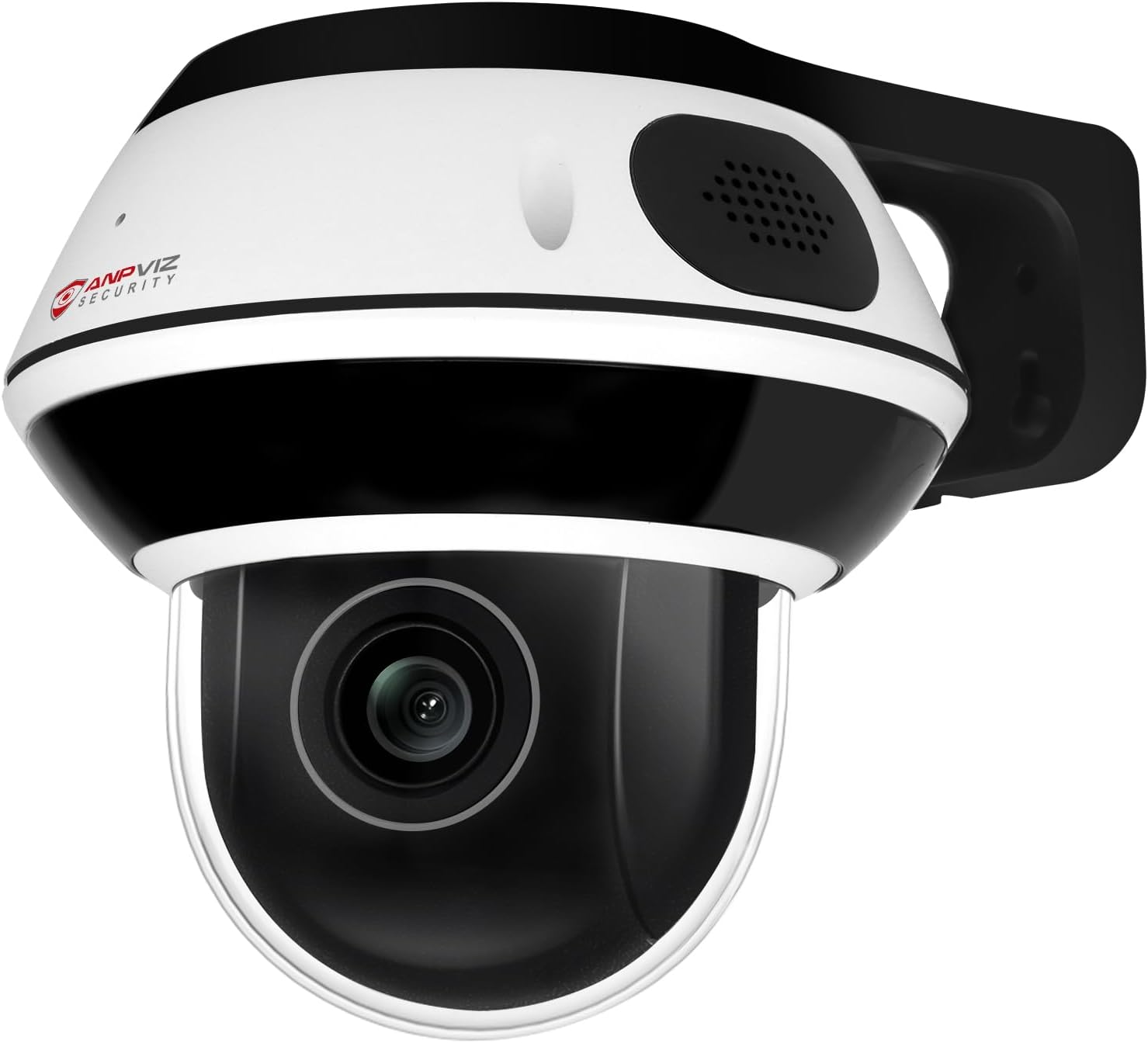
Vaizdas: priekis view of the Anpviz 4K 8MP PTZ POE IP Camera, highlighting its dome design and lens.

Image: Illustrates the 5X optical zoom capability of the Anpviz PTZ camera, showing a zoomed-in view automobilio valstybinio numerio ženklo.

Image: Comparison showing the superior image quality of the Sony IMX415 CMOS Sensor in the Anpviz camera versus an ordinary sensor, with better noise reduction and color reproduction.
4. Sąranka
4.1. Fizinis įrengimas
The camera can be mounted on a wall or ceiling using the provided mounting bracket. Ensure the mounting surface is strong enough to support the camera's weight.
- Use the drilling sticker to mark the screw holes on the desired mounting surface.
- Drill holes and insert the wall anchors if necessary.
- Attach the mounting bracket securely using the provided screws.
- Connect the necessary cables (Ethernet for PoE, or power adapter and Ethernet for non-PoE setup).
- Pritvirtinkite kamerą prie tvirtinimo laikiklio.

Image: Demonstrates wall and ceiling mounting options for the Anpviz PTZ POE IP Camera, showing the camera attached to a bracket.
4.2. Prisijungimo būdai
The Anpviz PTZ POE IP Camera offers flexible connection options:
- PoE NVR: Plug and play with Anpviz U-Series NVRs. Connect the camera directly to a PoE port on the NVR using an Ethernet cable.
- PoE jungiklis: Connect the camera to a PoE switch using an Ethernet cable. The switch will provide both power and data.
- Maitinimo adapteris: If not using PoE, connect a DC 12V power adapter (not included) to the camera and an Ethernet cable to a router or switch for data.

Image: Diagram illustrating three ways to connect the Anpviz PTZ POE IP Camera: directly to an Anpviz NVR, via a PoE switch, or using a power adapter with a router.
Video: This video demonstrates three different ways to connect Anpviz Uprime Series PoE IP Cameras, including direct connection to an NVR, via a PoE switch, and using a power adapter.
Video: A detailed guide on how to connect Anpviz Uprime Series PoE IP Cameras using three different methods.
5. Naudojimo instrukcijos
5.1. Remote Access & Control
Access your camera remotely using the VideoLink mobile app (available on Google Play and App Store) or the LMS/VideoLink PC client. This allows you to view gyvas kvailystage, capture snapshots, and control PTZ functions from anywhere.

Image: Shows the multi-platform remote access capabilities of the Anpviz camera via mobile app and PC client, displaying live surveillance footage on various devices.
Video: This video provides instructions on how to preview Anpviz Uprime Series PoE Cameras using both PC and mobile phone applications.
5.2. Pasukimas, pakreipimas ir priartinimas (PTZ)
Control the camera's movement and zoom directly from the mobile app or PC client. The camera supports 0-350° pan and 0-90° tilt, along with 5X optical zoom.

Image: Illustrates the pan (0-350°) and tilt (0-90°) range of the Anpviz PTZ camera, showing its ability to cover a wide area.
5.3. Human/Vehicle Detection
Configure the camera to detect human and vehicle motion. When motion is detected, the camera can send instant email alerts or push notifications to your device.

Image: Shows the smart human/vehicle detection feature of the Anpviz camera, with alerts sent via email or push notifications when a person or vehicle is detected.
5.4. Dvipusis garsas
Utilize the built-in microphone and speaker for two-way communication. This feature allows you to speak with visitors or deter intruders directly through the camera. Note: Two-way audio is only works with Anpviz U-Series NVRs.

Image: Illustrates the two-way audio functionality of the Anpviz camera, showing a user communicating with a delivery person.
5.5. Naktinis matymas
The camera automatically switches to IR night vision mode in low-light conditions, providing clear black and white footage up to 100 feet. The 1/2.8" Sony IMX415 CMOS Sensor ensures ultra-low night sensitivity and exceptional noise reduction.
Image: Side-by-side comparison of daytime and night vision footage from the Anpviz camera, demonstrating clear black and white imaging in low light.
6. Priežiūra
- Reguliariai valykite fotoaparato objektyvą minkštu, sausu skudurėliu, kad užtikrintumėte aiškią vaizdo kokybę.
- Check cable connections periodically to ensure they are secure and free from damage.
- Ensure the camera's firmware is up to date for optimal performance and security.
- For outdoor installations, periodically inspect the housing for any signs of wear or damage that could compromise its IP66 rating.
7. Problemų sprendimas
7.1. Nėra vaizdo transliacijos
- Ensure the camera is properly powered (PoE or DC 12V adapter).
- Check the Ethernet cable connection to the camera, NVR/switch, and router.
- Verify network settings (IP address, gateway) are correct.
7.2. PTZ Control Not Responding
- Ensure the camera has a stable network connection.
- Restart the camera and the controlling device (NVR, PC client, or mobile app).
- Check for any firmware updates for the camera.
7.3. Slaptažodžio nustatymas iš naujo
Video: This video provides a step-by-step guide on how to reset the password for Anpviz Uprime Series PoE IP Cameras.
8. Specifikacijos
| Modelio pavadinimas | PTZIP3182WD-SU-5X |
| Vaizdo jutiklis | 1/2.8" SO-NY IMX415 CMOS Sensor |
| Maksimali skiriamoji geba | 3840x2160 (8MP) @ 20fps |
| Optinis priartinimas | 5X (2.7-13.5mm Motorized Lens) |
| "Pan" diapazonas | 0-350° |
| Pakreipimo diapazonas | 0-90° |
| Naktinis matymas | 100 ft (8 IR LEDs) |
| Garsas | Dvipusis garsas (įmontuotas mikrofonas ir garsiakalbis) |
| Sandėliavimas | „Micro SD“ kortelės lizdas (iki 512 GB) |
| Aptikimas | Human/Vehicle/Motion Detection |
| Ryšys | PoE (Power over Ethernet), ONVIF |
| Atsparumo oro sąlygoms įvertinimas | IP66 |
| Atsparumas vandalams | IK10 Explosion-Proof |
| Medžiaga | Metalas |
| Matmenys | 5 x 5 x 4 colio |
| Svoris | 2.07 svaro |
9. Garantija ir palaikymas
Anpviz provides a 1-year warranty and lifetime technical support for this product. For any questions or issues, please contact our professional tech staff.
- „Amazon“ pardavėjas: Contact the seller directly through Amazon.
- Pagalba el. paštu: support@anpvizsecurity.com
- Darbo valandos: Monday-Friday, 9:00 AM - 6:00 PM (Time Zone not specified, assume local business hours).

Image: Anpviz customer support details, including email and operating hours, emphasizing 1-year warranty and lifetime technical support.


