1. Įvadas
Thank you for choosing the Oilsky M501 Pro MP3/MP4 Player. This device is designed to provide a versatile multimedia experience, combining high-fidelity audio playback, 1080P video capabilities, and smart features powered by Android 13.0. This manual will guide you through the setup, operation, and maintenance of your new player. Please read it carefully to ensure optimal performance and longevity of your device.
2. Saugos informacija
- Nelaikykite prietaiso ekstremaliose temperatūrose, tiesioginiuose saulės spinduliuose ar didelėje drėgmėje.
- Stenkitės, kad prietaisas nenumestų ar nepatirtų stipraus smūgio.
- Kad nepažeistumėte įrenginio, naudokite tik pridedamą įkrovimo laidą ir adapterį.
- Nebandykite patys išardyti ar taisyti įrenginio. Kreipkitės pagalbos į klientų aptarnavimo tarnybą.
- Saugokite prietaisą nuo vandens ir kitų skysčių.
- Ilgas klausymasis dideliu garsu gali pakenkti klausai.
3. Pakuotės turinys
Pažymėkite langelį prie šių elementų:
- 1x Oilsky M501 Pro Music Player
- 1x USB Type-C laidas
- 1x Wired Earphones
- 1x apsauginė plėvelė
- 1x apsauginis dėklas
- 1x Naudotojo vadovas (šis dokumentas)
- 1x 64GB TF Card (pre-installed or separate)

3.1 paveikslas: Contents of the Oilsky M501 Pro retail package. This image displays the music player, USB-C cable, wired earphones, a screen protector, a protective case, the user manual, and a 64GB TF card.
4. Įrenginys baigtasview
The Oilsky M501 Pro features a sleek design with a 4.7-inch touchscreen display. Familiarize yourself with the device's physical components.

4.1 paveikslas: Priekyje ir gale view of the Oilsky M501 Pro player. The front shows the 4.7-inch touchscreen with various app icons, while the rear displays a minimalist black finish.
4.1. Fiziniai mygtukai ir prievadai
- Maitinimo mygtukas: Esantis šone, naudojamas įrenginiui įjungti / išjungti arba ekranui pažadinti / užmigdyti.
- Garsumo mygtukai: Sureguliuokite garso išvesties lygį.
- C tipo USB prievadas: Įkrovimui ir duomenų perdavimui.
- 3.5 mm ausinių lizdas: For connecting wired earphones or headphones.
- MicroSD kortelės lizdas: Dėl saugojimo talpos išplėtimo.
- Integruotas garsiakalbis: Garso atkūrimui be ausinių.
5. Sąranka
5.1. Įrenginio įkrovimas
Prieš pirmą kartą naudodami, pilnai įkraukite prietaisą.
- Prijunkite USB C tipo laidą prie įrenginio įkrovimo prievado.
- Kitą laido galą prijunkite prie USB maitinimo adapterio (nepridedamas) arba kompiuterio USB prievado.
- Įkrovimo indikatorius ekrane rodys įkrovimo būseną.
5.2. Maitinimo įjungimas/išjungimas
- Norėdami įjungti: Paspauskite ir palaikykite maitinimo mygtuką, kol užsidegs ekranas.
- Norėdami išjungti: Paspauskite ir palaikykite maitinimo mygtuką, tada ekrane rodomoje parinkčių sąraše pasirinkite „Išjungti“.
- Miegui / pabudimui: Trumpai paspauskite maitinimo mygtuką.
5.3. „MicroSD“ kortelės įdėjimas
The device supports external storage expansion up to 1TB via a MicroSD card. A 64GB TF card is included.
- Suraskite „MicroSD“ kortelės lizdą įrenginio šone.
- Švelniai įkiškite „MicroSD“ kortelę į lizdą auksiniais kontaktais žemyn, kol ji spragtelės ir užsifiksuos.
- Norėdami išimti, švelniai stumkite kortelę, kol ji iššoks.

5.1 paveikslas: Illustration of the Oilsky M501 Pro's storage capabilities, showing 32GB ROM, an included 64GB SD card, and support for up to 1TB external expansion.
5.4. Prisijungimas prie Wi-Fi
The M501 Pro supports 2.4GHz and 5GHz Wi-Fi for internet access and app downloads.
- Eikite į Nustatymai > Tinklas ir internetas > Wi-Fi.
- Perjungti „Wi-Fi“ On.
- Iš sąrašo pasirinkite norimą „Wi-Fi“ tinklą.
- Jei būsite paraginti, įveskite slaptažodį, tada palieskite Prisijunkite.
5.5. „Bluetooth“ poravimas
Connect to Bluetooth headphones, speakers, or other compatible devices.
- Eikite į Nustatymai > Prijungti įrenginiai > Bluetooth.
- Perjungti Bluetooth On.
- Įsitikinkite, kad jūsų „Bluetooth“ priedas veikia susiejimo režimu.
- Select the accessory from the list of available devices to pair.
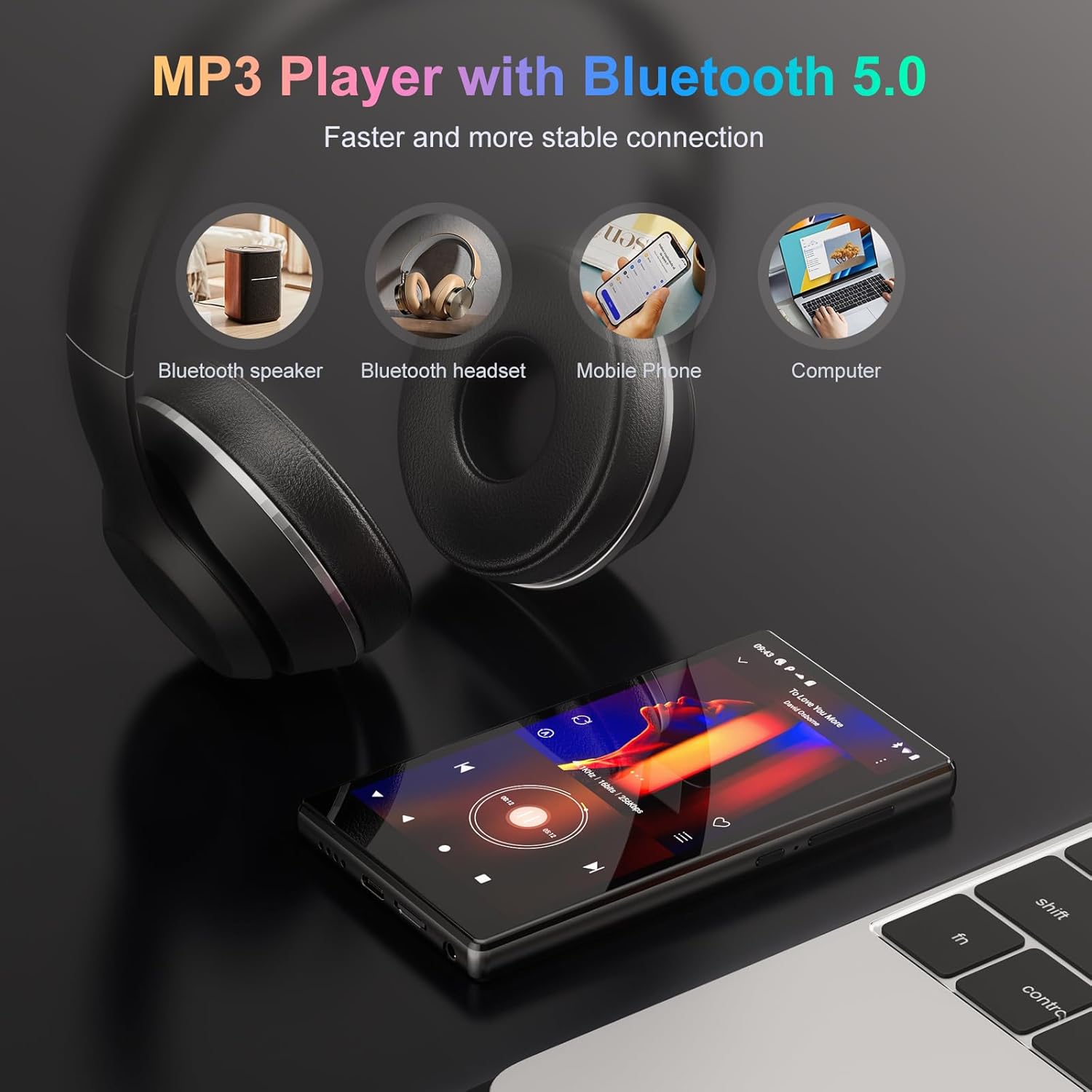
5.2 paveikslas: The Oilsky M501 Pro demonstrating its Bluetooth 5.0 connectivity, showing connections to a Bluetooth speaker, headphones, mobile phone, and computer.
6. Naudojimo instrukcijos
6.1. Pagrindinė navigacija
The M501 Pro features a 4.7-inch multi-touch screen.
- Bakstelėkite: Pasirinkite elementą arba atidarykite programėlę.
- Perbraukimas: Naršyti ekranuose arba sąrašuose.
- Žiupsnelis, norint priartinti: Priartinkite arba atitolinkite vaizdus arba web puslapių.
6.2. Muzikos atkūrimas
The device supports various audio formats including MP3, WAV, APE, FLAC, and AAC.
- Open the pre-installed music player app or a streaming app like Spotify.
- Browse your music library or search for tracks.
- Tap on a song to begin playback.
- Use the on-screen controls for play/pause, skip, and volume adjustment.

6.1 paveikslas: The music playback interface of the Oilsky M501 Pro, displaying song information, playback controls, and supported audio formats (MP3, WAV, APE, AAC, FLAC).
6.3. Vaizdo įrašų atkūrimas
Enjoy 1080P HD videos with support for AVI, MKV, RMVB, MP4, MPG, and MOV formats.
- Open the video player app.
- Pasirinkite vaizdo įrašą file from your storage.
- The video will begin playing. Use the touchscreen for playback controls.

6.2 paveikslas: The Oilsky M501 Pro displaying 1080P video content on its 4.7-inch screen, highlighting its full format video compatibility and wide viewing kampas.
6.4. App Installation (Android 13.0)
The device runs on Android 13.0, allowing access to the Google Play Store and APK installations.
- „Google Play“ parduotuvė: Connect to Wi-Fi, open the Play Store app, sign in with your Google account, and download apps.
- APK diegimas: For apps not available on the Play Store, you can download APK files from trusted sources and install them after enabling "Install unknown apps" in security settings.
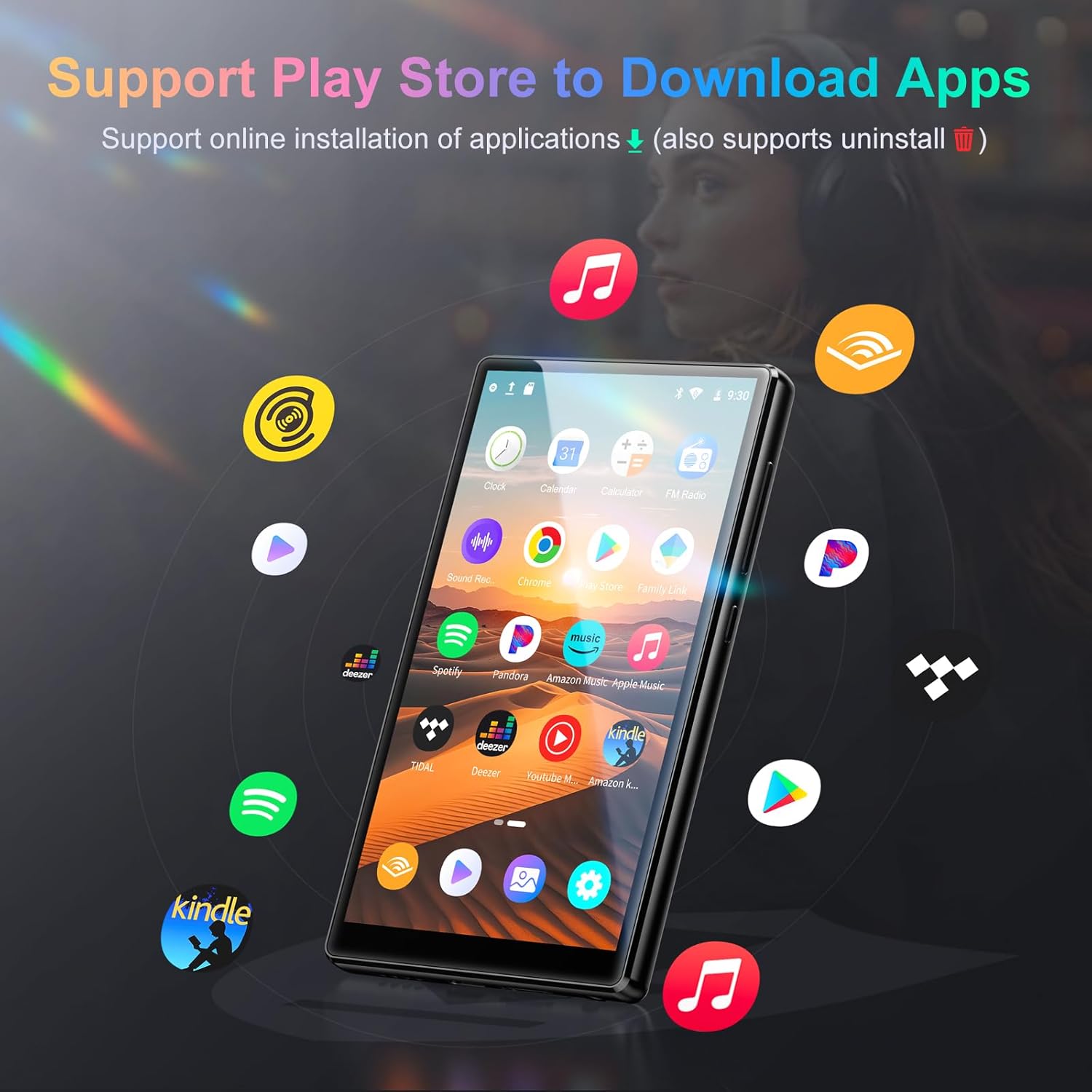
6.3 paveikslas: The Oilsky M501 Pro showcasing its support for various applications, including Spotify, Pandora, Amazon Music, and YouTube Music, downloadable via the Play Store.
6.5. Tėvų kontrolė
Utilize parental control features to manage usage for children.
- Nustatykite dienos įrenginio naudojimo laiko apribojimus.
- Schedule downtime periods.
- Manage and restrict access to specific applications.
- Access these settings through the device's Nustatymai menu, typically under "Digital Wellbeing & parental controls" or a similar section.
7. Priežiūra
7.1. Valymas
- Nuvalykite ekraną ir korpusą minkštu, sausu, nepūkuotu skudurėliu.
- Nenaudokite abrazyvinių valiklių, alkoholio ar cheminių tirpiklių.
7.2. Akumuliatoriaus priežiūra
- Venkite dažnai visiškai iškrauti akumuliatorių.
- Reguliariai įkraukite įrenginį, net jei jo nenaudojate, kad palaikytumėte akumuliatoriaus būklę.
- Jei prietaisas nebus naudojamas ilgą laiką, laikykite jį vėsioje, sausoje vietoje.
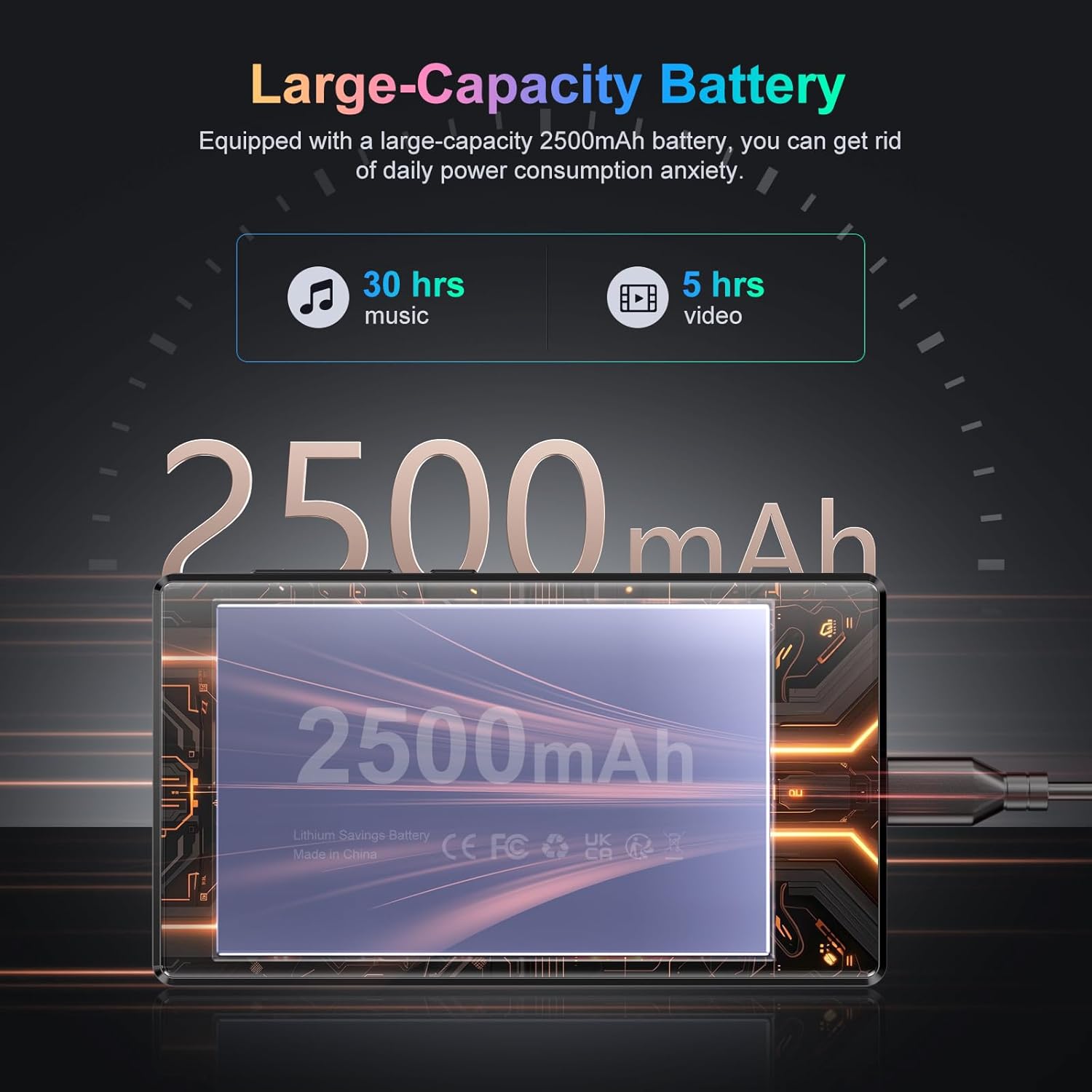
7.1 paveikslas: An illustration highlighting the Oilsky M501 Pro's 2500mAh battery, indicating approximately 30 hours of music playback or 5 hours of video playback on a full charge.
7.3. Programinės įrangos atnaujinimai
Periodically check for software updates in Nustatymai > Sistema > Sistemos atnaujinimas kad jūsų įrenginyje būtų įdiegtos naujausios funkcijos ir saugos pataisymai.
8. Problemų sprendimas
| Problema | Galimas sprendimas |
|---|---|
| Įrenginys neįsijungia. | Ensure the battery is charged. Connect to a charger for at least 30 minutes. If unresponsive, perform a forced restart by holding the Power button for 10-15 seconds. |
| Nepavyksta prisijungti prie „Wi-Fi“. | Check if Wi-Fi is enabled in settings. Verify the Wi-Fi password. Restart your router and the device. Try connecting to a different network. |
| „Bluetooth“ įrenginys nesusijungia. | Ensure Bluetooth is enabled on both devices. Put the accessory in pairing mode. Move devices closer. Restart both devices. |
| Programėlės veikia lėtai arba stringa. | Close background apps. Clear app cache (Settings > Apps > [App Name] > Storage & cache > Clear cache). Restart the device. Ensure sufficient storage space. |
| Nėra garso iš garsiakalbio / ausinių. | Check volume levels. Ensure headphones are properly connected. Test with different headphones. If using Bluetooth, ensure it's connected and volume is up. |
9. Specifikacijos
Detailed technical specifications for the Oilsky M501 Pro.
| Funkcija | Detalė |
|---|---|
| Prekės ženklas | Oilskis |
| Modelio numeris | M501 Pro |
| Operacinė sistema | Android 13.0 |
| Procesorius | MTK 8 branduolių |
| RAM | 4 GB |
| Vidinė atmintis (ROM) | 32 GB |
| Išplečiama saugykla | Up to 1TB via MicroSD card (64GB TF card included) |
| Ekrano dydis | 4.7 colių |
| Ekrano raiška | 1280 x 720 (HD) |
| Ekrano technologija | LCD (G+F+F multi-touch) |
| Bluetooth | Bluetooth 5.0 |
| Wi-Fi | 2.4 GHz ir 5 GHz dviejų juostų |
| Garso formatai | MP3, WAV, APE, FLAC, AAC, etc. |
| Vaizdo įrašų formatai | AVI, MKV, RMVB, MP4, MPG, MOV, etc. (1080P Full Format) |
| Baterijos talpa | 2500mAh Lithium-polymer |
| Ypatingos savybės | High-resolution audio, Built-in speaker, Parental controls |
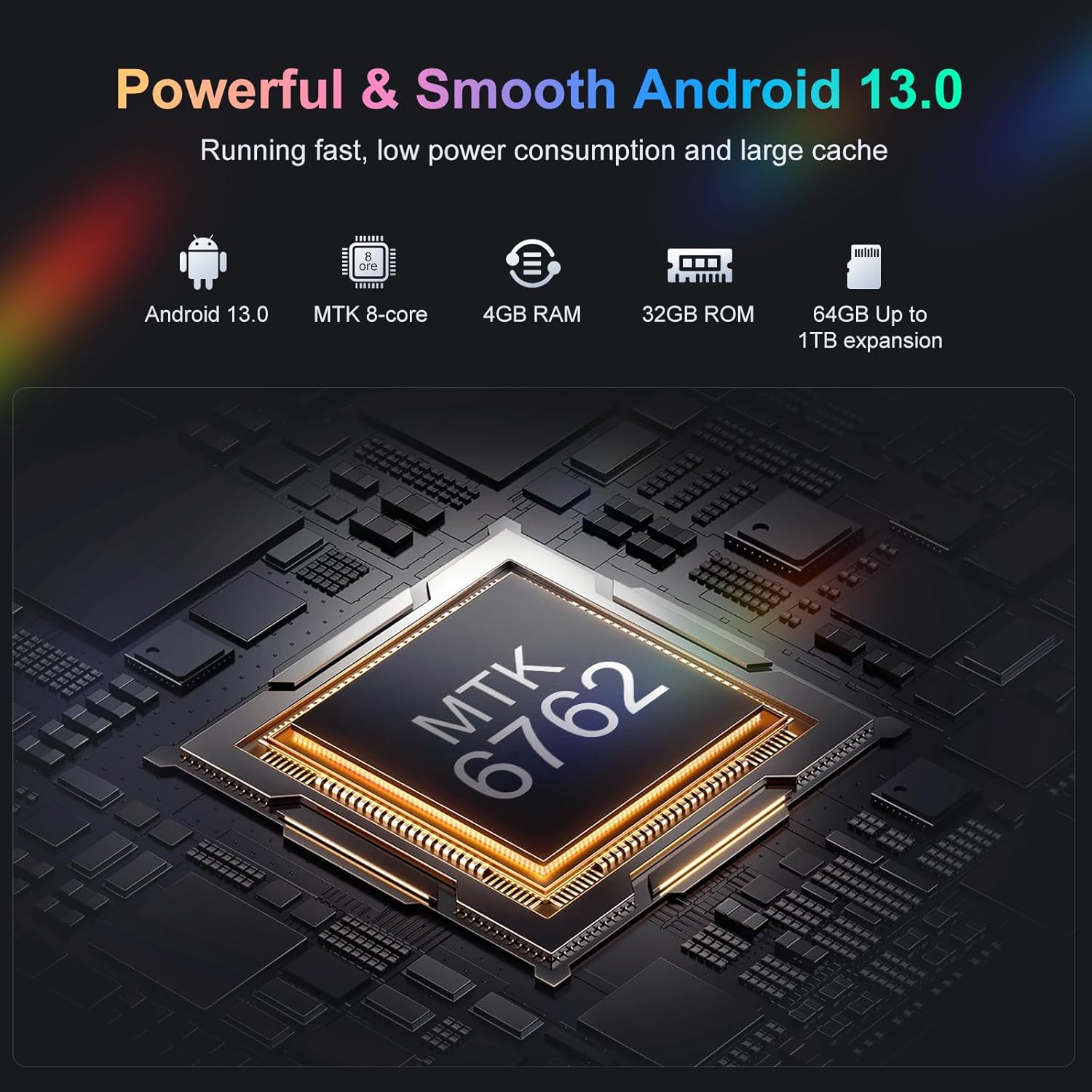
9.1 paveikslas: Vidinis view highlighting the MTK 8-core processor, 4GB RAM, 32GB ROM, and 64GB included storage with up to 1TB expansion for the Oilsky M501 Pro.
10. Garantija ir palaikymas
Oilsky products are designed for reliability and performance. For warranty information, please refer to the warranty card included in your package or visit the official Oilsky websvetainę.
If you encounter any issues or have questions not covered in this manual, please contact Oilsky customer support through the contact information provided on the official websvetainėje arba jūsų pirkimo platformoje.
- Palaikymas internetu: Aplankykite Oilsky Brand Store on Amazon Norėdami gauti daugiau informacijos ir paramos išteklių.


