1. Produktas baigtasview
The ShanWan Q38 is a versatile wireless Bluetooth controller designed for a wide range of gaming platforms. It features advanced controls such as Hall Effect joysticks and micro-switch buttons for enhanced precision and responsiveness.

1.1 paveikslėlis: Iš viršaus į apačią view of the ShanWan Q38 Wireless Bluetooth Controller, showcasindėl kompaktiško dizaino ir mygtukų išdėstymo.
2. Pakuotės turinys
Prašome įsitikinti, kad pakuotėje yra visi daiktai:
- ShanWan Q38 Wireless Bluetooth Controller
- USB įkrovimo laidas
- Vartotojo vadovas (šis dokumentas)
- 1 AAA Battery (pre-installed or included separately)
3. Sąranka ir ryšys
3.1 Valdiklio įkrovimas
Before initial use, ensure the controller is sufficiently charged. Connect the provided USB charging cable to the controller's charging port and to a USB power source (e.g., computer, USB wall adapter). The LED indicator will show charging status.
3.2 Suderinamumas
The ShanWan Q38 controller is compatible with the following platforms:
- Nintendo Switch / Switch 2 (firmware upgrade may be required for Switch 2)
- Garų denis
- Kompiuteris („Windows“)
- Android devices (phones, tablets)
- iPhone
- iPad
- macOS devices
- PS4 (as indicated by mode switch, specific compatibility may vary)

Image 3.1: The ShanWan Q38 controller demonstrating compatibility with multiple gaming platforms.
3.3 Prisijungimas per Bluetooth
Norėdami prijungti valdiklį prie įrenginio:
- Maitinimas: Press and hold the Home button on the controller until the indicator lights begin to flash.
- Pasirinkite režimą: Use the mode switch located on the top edge of the controller to select the appropriate mode for your device:
- X Mode: For Mobile & Computer (Android, PC, macOS, iOS).
- S režimas: For Nintendo Switch.
- P režimas: For PS4 (if compatible).
- Poravimas: On your device, navigate to the Bluetooth settings and search for available devices. Select "ShanWan Q38" (or similar) from the list to pair.
- Patvirtinimas: Once successfully paired, the indicator light on the controller will become solid.
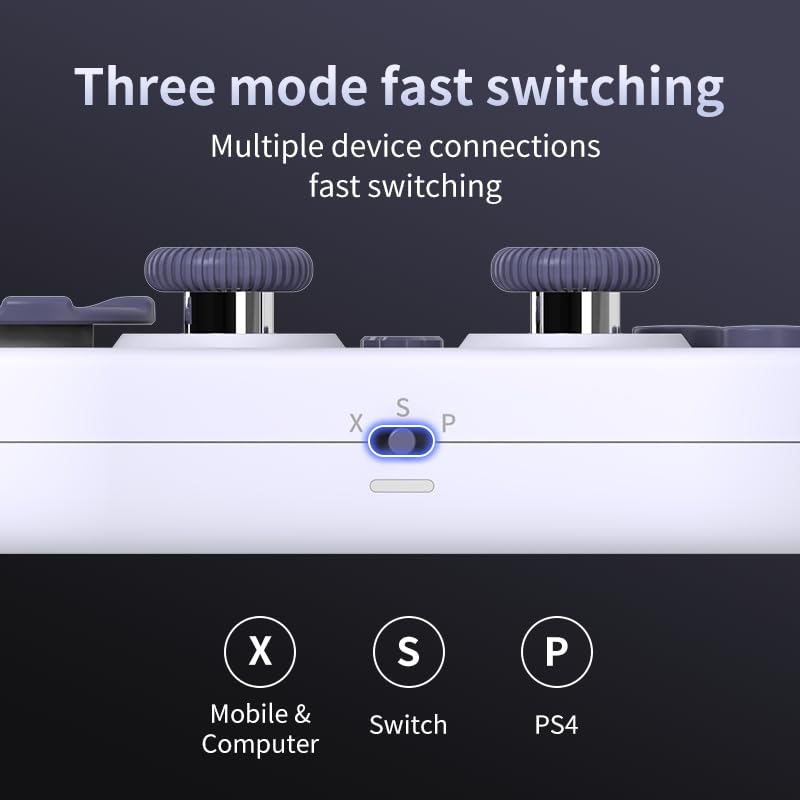
Image 3.2: Detail of the three-mode fast switching selector on the controller.
3.4 Customization and Calibration
For advanced customization, including button remapping and macro functions, download the official "gamepad space" application. This application also allows for controller calibration to ensure optimal performance.
4. Valdiklio valdymas
4.1 Pagrindinės savybės
- Holo efekto valdymo svirtys: Provides high precision and sensitivity. The joystick height is adjustable between 5mm and 8mm for personalized comfort.
- Composite Micro-Switch Buttons: These buttons offer a tactile response similar to mechanical keyboards, providing quick and precise input.
- Mechanical Triggers: Designed for fast response times.
- Dual Micro Motors: Provides dual vibration feedback for an immersive gaming experience.
- Somatosensory Gyroscope: Equipped with a 6-axis gyroscope for motion control in supported games.

Image 4.1: Detail of the adjustable Hall Effect joysticks.

Image 4.2: Close-up of the composite micro-switch action buttons.

Image 4.3: Diagram illustrating the internal components of the composite micro-keypad.
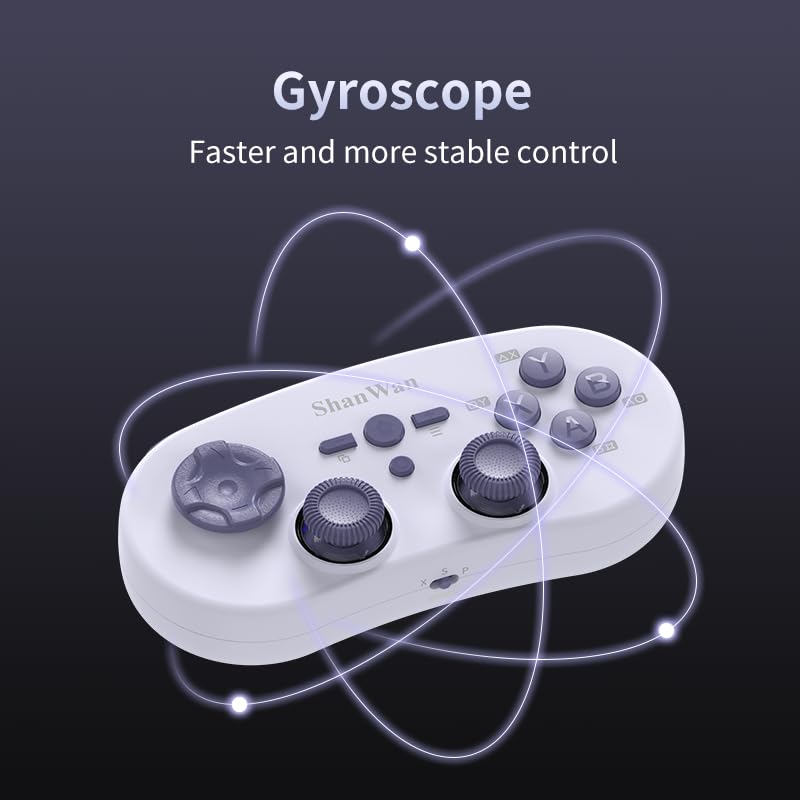
Image 4.4: Visual representation of the controller's gyroscope functionality.
4.2 Žaidimų patirtis
The compact design allows for portability, making it suitable for gaming on the go with devices like the Nintendo Switch or smartphones.

Image 4.5: Controller in use with a Nintendo Switch.

Image 4.6: Controller paired with a smartphone for mobile gaming.
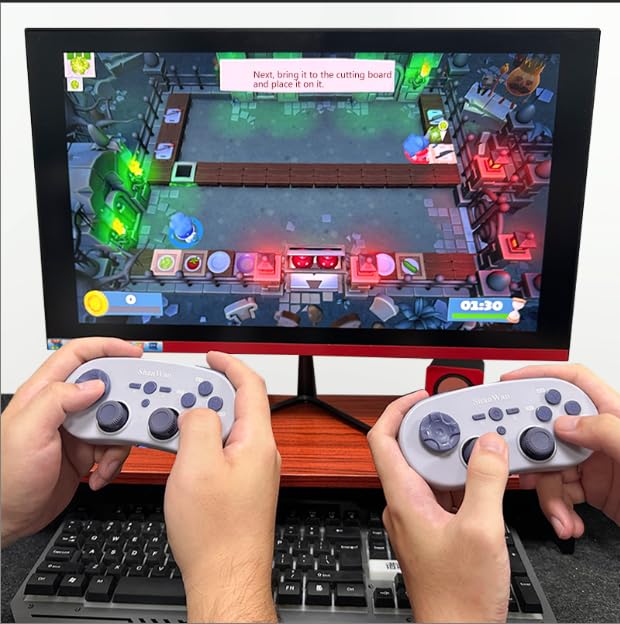
Image 4.7: Two controllers in use for multiplayer gaming on a PC.
5. Priežiūra
To ensure the longevity and optimal performance of your ShanWan Q38 controller, follow these maintenance guidelines:
- Valymas: Use a soft, dry cloth to wipe the controller. For stubborn dirt, a slightly damp Galima naudoti šluostę, tačiau įsitikinkite, kad į įrenginį nepatenka drėgmės. Venkite stiprių cheminių medžiagų ar abrazyvinių valiklių.
- Saugykla: Laikykite valdiklį vėsioje, sausoje vietoje, apsaugotoje nuo tiesioginių saulės spindulių ir ekstremalių temperatūrų.
- Akumuliatoriaus priežiūra: If using replaceable AAA batteries, remove them if the controller will not be used for an extended period to prevent leakage.
- Venkite lašų: Saugokite valdiklį nuo fizinių smūgių ir kritimų, kurie gali pažeisti vidinius komponentus.
6. Problemų sprendimas
If you encounter issues with your ShanWan Q38 controller, refer to the following common problems and solutions:
- Controller Does Not Power On:
- Ensure the battery is correctly inserted and has sufficient charge. Replace AAA batteries if necessary.
- Connect the controller to a power source using the USB cable to confirm if it charges.
- Difficulty Connecting via Bluetooth:
- Ensure the controller is in the correct mode (X, S, or P) for your device.
- Išjunkite ir įjunkite savo įrenginio „Bluetooth“.
- Pamirškite įrenginį „Bluetooth“ nustatymuose ir bandykite susieti iš naujo.
- Ensure the controller is within the effective range of your device.
- Buttons or Joysticks Not Responding Correctly:
- Calibrate the controller using the "gamepad space" application.
- Patikrinkite, ar aplink mygtukus ar valdymo svirtis nėra fizinių kliūčių ar šiukšlių.
- Ensure the controller's firmware is up to date, especially for Switch 2 compatibility.
- Random Disconnections:
- Ensure there are no strong wireless interferences nearby.
- Keep the controller close to the connected device.
- Re-pair the controller if disconnections are frequent.
7. Specifikacijos
| Funkcija | Detalė |
|---|---|
| Modelio numeris | Q38 |
| Gamintojas | Šanvanas |
| Ryšys | „Bluetooth“ belaidis ryšys |
| Suderinamumas | Switch/Switch 2, Steam Deck, PC, Android, iPhone, iPad, macOS, PS4 |
| Valdymo svirties tipas | Hall Effect, Adjustable Height (5mm-8mm) |
| Mygtuko tipas | Composite Micro-Switch |
| Vibracija | Dual Micro Motors |
| Judesio valdymas | 6 ašių giroskopas |
| Pakuotės matmenys | 5.63 x 4.53 x 1.54 colio |
| Prekės svoris | 4.6 uncijos |
| Baterijos | Reikalinga 1 AAA baterija (pridedama) |

Image 7.1: Physical dimensions of the ShanWan Q38 controller.
8. Garantija ir palaikymas
For warranty information and customer support, please refer to the official ShanWan websvetainėje arba susisiekite su pardavėju, iš kurio įsigijote gaminį. Išsaugokite pirkimo įrodymą garantiniams reikalavimams.


