Įvadas
This manual provides detailed instructions for the KEFEYA 15.6" Portable Monitor S5 PRO. This device is designed to expand your laptop's display capabilities, offering a versatile multi-screen setup for enhanced productivity and entertainment. It features a 1080P FHD IPS display with 120% sRGB color gamut, a magnetic 10,000 mAh power bank, and broad compatibility with various operating systems and devices.
Kas yra dėžutėje
Išpakuodami, patikrinkite pakuotės turinį:
- Monitor (SS Monitor) *1
- Maitinimo bankas *1
- Maitinimo adapteris *1
- C tipo–C tipo kabelis *2
- HDMI to Type-C Cable *1
- USB-A to Type-C Cable *1
- USB Flash Disk *1 (Contains drivers and user manual)
- Nešiojimo krepšys *1
- User Manual *1 (This document)
- Trumpas pradžios vadovas *1
- Dėžutė *1

Figure 1: Contents of the KEFEYA Portable Monitor package.
Sąranka
Follow these steps to set up your KEFEYA Portable Monitor:
- Išpakuokite monitorių: Atsargiai išimkite visus komponentus iš pakuotės.
- Padėties nustatymas: The monitor features an autonomous stand. For laptops between 13 and 17 inches, the monitor attaches securely. Laptops under 14.2 inches can be used without additional clamps. The chassis pivots 180° for flexible positioning.
- Prijunkite maitinimo banką: The magnetic 10,000 mAh power bank attaches to the back of the stand. Ensure the POGO PIN male and female connectors are perfectly aligned for proper power delivery. This provides 5-6 hours of wireless dual-screen operation. The power bank can also be removed for separate charging of mobile phones or tablets.
- Prisijunkite prie savo įrenginio:
- USB-C jungtis: For devices with a full-featured USB-C port (supporting video and power), use one of the provided Type-C to Type-C cables. This single cable can transmit video, audio, and power.
- HDMI jungtis: For devices with an HDMI output, use the provided HDMI to Type-C cable. You may also need to connect a USB-A to Type-C cable for power if your HDMI port does not supply sufficient power.
- Tvarkyklės diegimas: The monitor is designed for plug-and-play convenience. However, if you encounter any display issues, especially with specific operating systems or older devices, use the provided USB flash disk to install necessary drivers.
- Pradinis įjungimas: Press the multi-function button to power on the monitor.
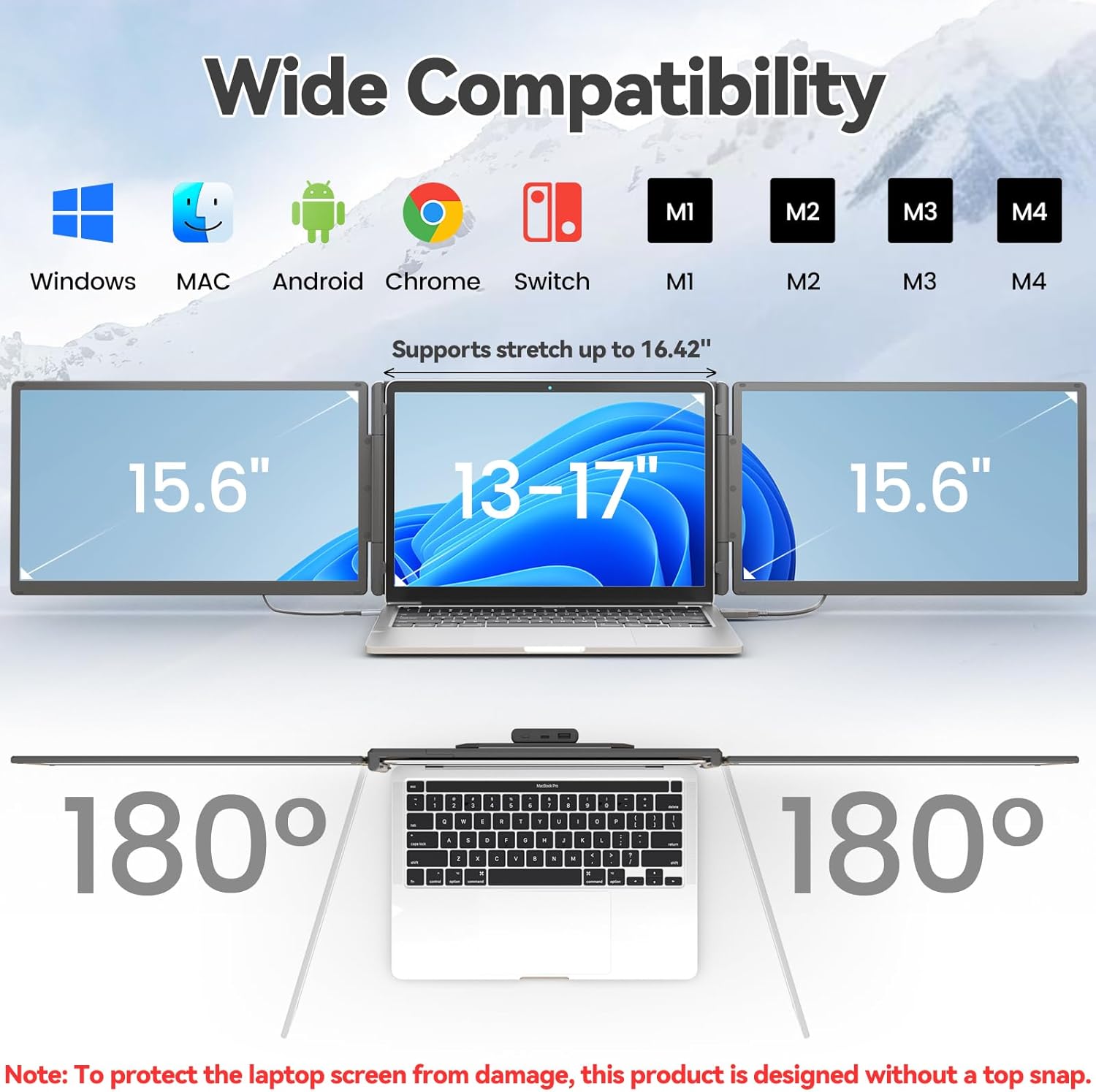
Figure 2: The monitor supports various devices and offers 180° rotation for flexible viewkampų.

Figure 3: Attaching the magnetic power bank to the monitor stand.

4 pav. Baigtaview of the ports (Type-C1, Type-C2, USB-C with PD) and multi-function button on the monitor.
Naudojimo instrukcijos
The KEFEYA Portable Monitor offers various display modes and adjustable settings to optimize your viewpatirtį.
Ekrano režimai
The monitor supports the following display configurations:
- Pratęsimo režimas: Extends your laptop's desktop across multiple screens, allowing for increased workspace and multitasking.
- Duplication (Mirror) Mode: Duplicates your laptop's display onto the portable monitor, ideal for presentations or sharing content.
- Portreto režimas: The monitor can be rotated 180° to be used in portrait orientation, beneficial for coding, document viewing, or specific creative tasks.
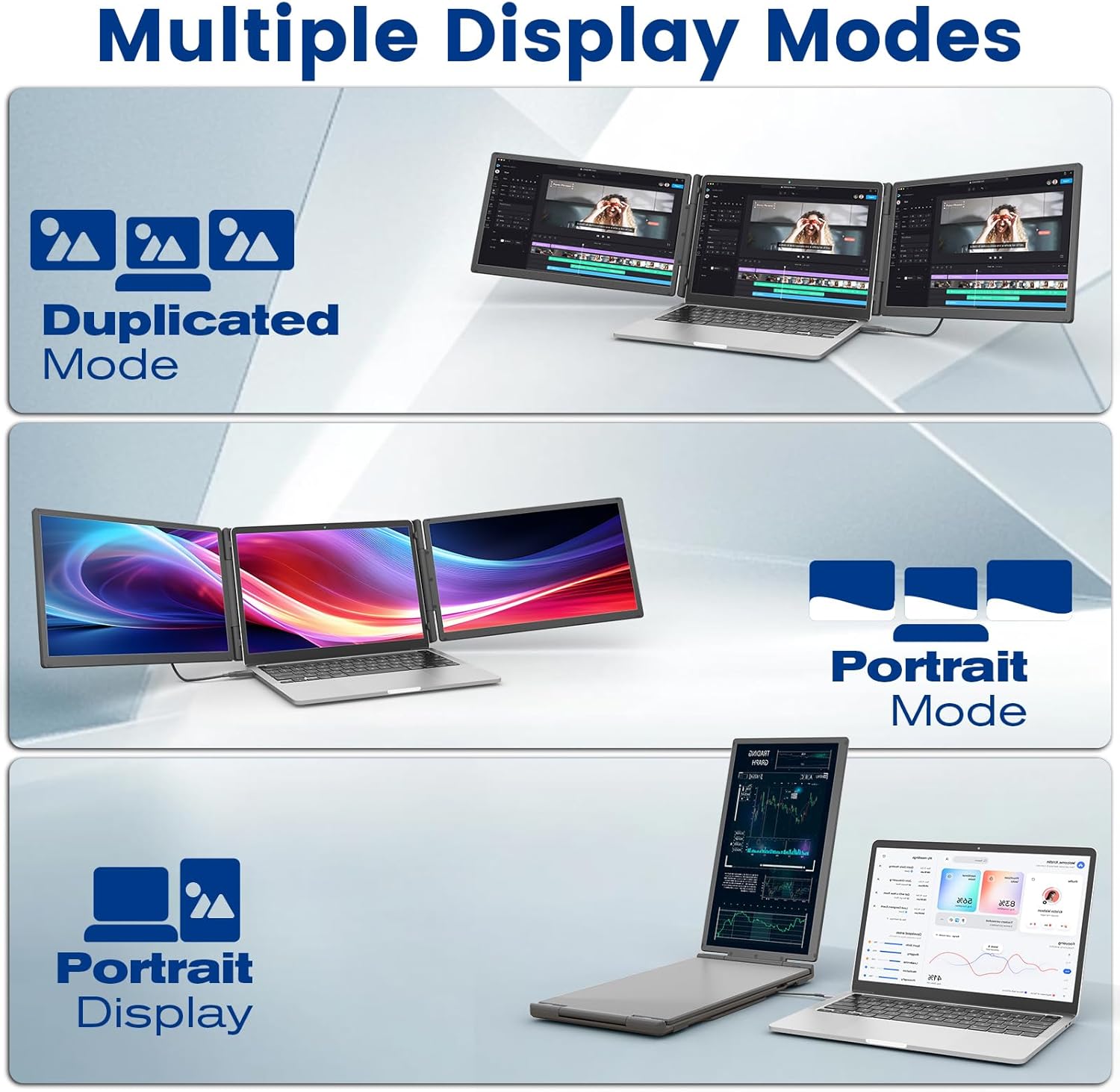
Figure 5: Illustration of Duplicated, Extended, and Portrait display modes.

6 pav. Pvzamples of using the monitor for multiple tasks like web programming, video conferencing, and online shopping.
Nustatymų reguliavimas
The multi-function buttons on the monitor allow for precise control over display parameters:
- Ryškumas: Sureguliuokite ekrano ryškumą pagal savo aplinką.
- Tint/Color: Fine-tune color settings for optimal visual accuracy.
- Apimtis: Valdykite integruotų garsiakalbių garsumą.
The monitor also features advanced low blue light technology, anti-glare design, and flicker-free operation for a comfortable viewpatirtį.
Išorinės baterijos naudojimas
The integrated 10,000 mAh power bank provides 5-6 hours of battery life for the monitor, reducing reliance on your laptop's battery. It can also be detached and used as a standalone power source for other USB-powered devices.

Figure 7: Details of the power bank, including its capacity display and ports (Type-C, USB-A).
Priežiūra
To ensure the longevity and optimal performance of your KEFEYA Portable Monitor, follow these maintenance guidelines:
- Ekrano valymas: Naudokite minkštą, nepūkuotą šluostę, specialiai skirtą elektronikai. Lengvai nuvalykiteampen the cloth with water or a screen-cleaning solution. Avoid harsh chemicals, alcohol, or abrasive materials.
- C valymasasing: Išorę nuvalykite minkšta, sausa šluoste.
- Saugykla: When not in use, store the monitor in its provided carrying bag to protect it from dust and scratches. Avoid placing heavy objects on top of the monitor.
- Aplinkos sąlygos: Laikykite monitorių atokiau nuo ekstremalių temperatūrų, tiesioginių saulės spindulių ir didelės drėgmės.
- Kabelio priežiūra: Handle cables gently. Avoid bending or twisting them sharply, which can damage the internal wires.
Trikčių šalinimas
If you encounter issues with your KEFEYA Portable Monitor, refer to the following common problems and solutions:
| Problema | Galima priežastis / sprendimas |
|---|---|
| Nėra ekrano / Juodas ekranas |
|
| Unstable Connection / Screen Flickering |
|
| Drivers Not Working / System Bugs |
|
| Monitor Does Not Stay Firmly Attached |
|
| Poor Image Quality / Incorrect Colors |
|
Specifikacijos
| Funkcija | Detalė |
|---|---|
| Prekės ženklas | KEFEYA |
| Modelio numeris | S5 PRO |
| Ekrano dydis | 15.6 colių |
| Ekrano tipas | IPS |
| Rezoliucija | 1920 x 1080 pikselių (FHD 1080p) |
| Krašto santykis | 16:9 |
| Spalvų gama | 120% sRGB |
| Ryškumas | 300 nitų (cd/m²) |
| Kontrasto santykis | 1000:1 |
| Reagavimo laikas | 2 milisekundžių |
| Atnaujinimo dažnis | 60 Hz |
| Ekrano paviršius | Matte, Anti-glare |
| Ryšys | USB Type C (x2), USB Type A, HDMI |
| Ypatingos savybės | 120% sRGB, Anti-glare screen, Energy efficiency, Blue light filter, Built-in speakers, Magnetic 10,000 mAh Power Bank |
| Matmenys (I x P x A) | 39.1 x 21.5 x 3.3 centimetro |
| Suderinamumas | Windows, Chrome, Android, Mac (M1/M2/M3/M4), Linux, Dex, PS4/5, Xbox |
Garantija ir palaikymas
KEFEYA offers a one-year warranty for this product. Our customer service team is available 24 hours a day, 7 days a week, 365 days a year to assist you.
For questions regarding compatibility, installation assistance, or if you find any missing accessories, please contact us using the contact information provided inside the product packaging. Our professional team will provide prompt assistance.
For the latest information and support resources, please visit our official website or refer to the contact details in your Quick Start Guide.


