1. Įvadas
The Keychron K17 Max is a 96% layout ultra-slim wireless custom mechanical keyboard designed for versatility and performance. It supports multiple connectivity options including 2.4 GHz, Bluetooth 5.1, and wired USB connections. Featuring low-profile Gateron switches and QMK/Launcher programmability, this keyboard offers a customizable and ergonomic typing experience across various operating systems.

Figure 1.1: Keychron K17 Max Keyboard with Gateron Low-Profile Switch Detail.
2. Sąranka ir ryšys
The K17 Max offers flexible connectivity options to suit your needs. Ensure the keyboard is charged before initial use.
2.1 Ryšio režimai
The keyboard supports three primary connection modes:
- 2.4 GHz belaidis ryšys: For high-speed performance, especially suitable for gaming, offering a 1000 Hz polling rate.
- "Bluetooth 5.1": Connects to up to three devices simultaneously, allowing seamless switching between your computer, phone, and tablet.
- Laidinis (USB): Provides a stable connection and charges the keyboard.

2.1 pav.: Galimi ryšio režimai.
2.2 Operacinės sistemos suderinamumas
The K17 Max is designed for broad compatibility across different operating systems, including macOS, Windows, and Linux. It features a dedicated switch to toggle between Mac and Windows layouts, ensuring full multimedia and function key functionality.

Figure 2.2: Multi-OS Toggle Switches.
3. Operacija
3.1 QMK/Launcher Programmability
The K17 Max utilizes open-source QMK firmware, allowing extensive customization of key remapping, macros, and shortcuts. You can easily customize each key using the Keychron Launcher web application to enhance productivity and gaming.

Figure 3.1: Keychron Launcher Web App Interface.
3.2 RGB apšvietimas
The keyboard features customizable RGB backlights. Refer to the Keychron Launcher software for detailed instructions on adjusting lighting effects, brightness, and colors.
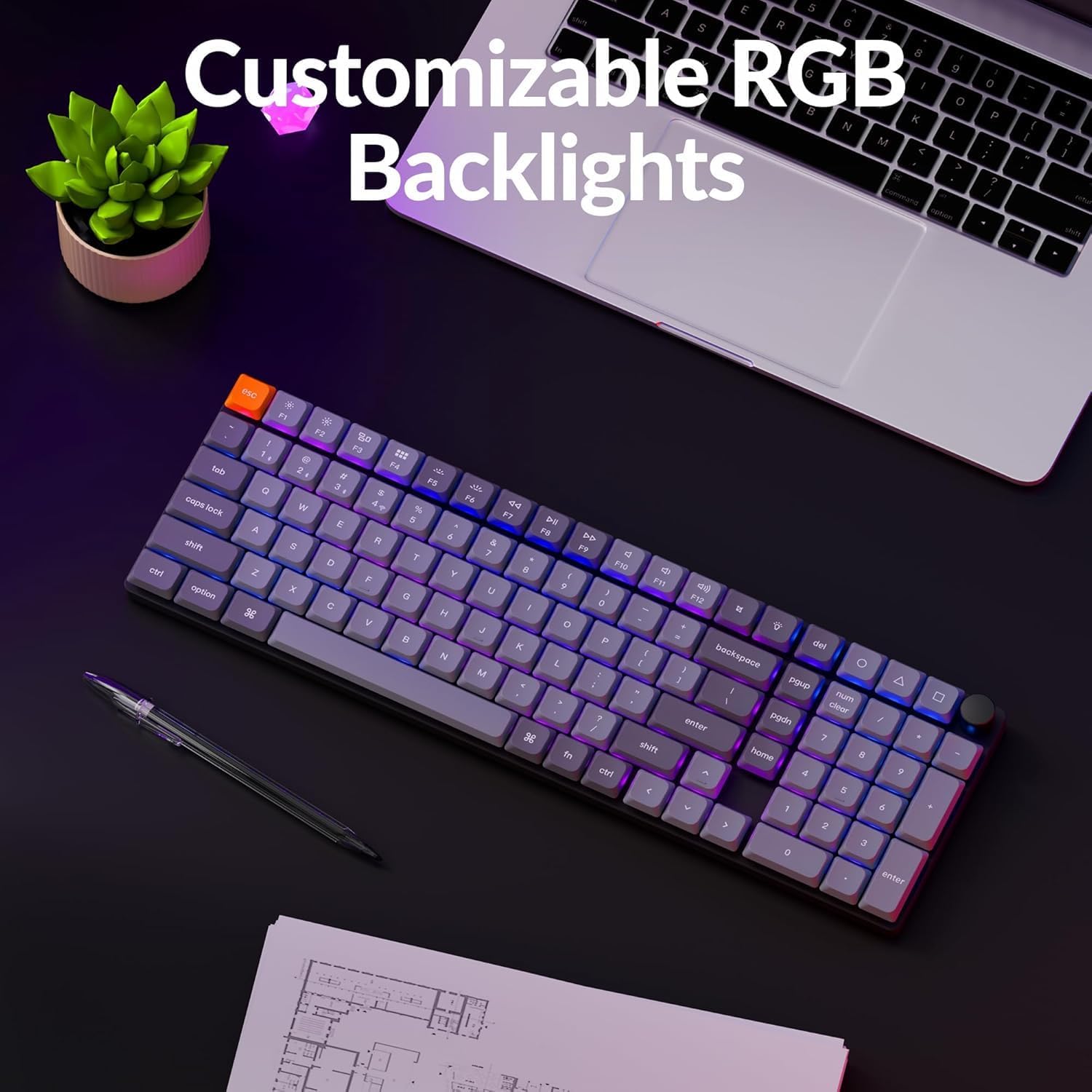
Figure 3.2: Customizable RGB Backlights in operation.
3.3 Ergonominė atrama
The K17 Max is designed with three levels of adjustable typing angle to provide ergonomic wrist support during extended use.

Figure 3.3: Adjustable Typing Angles for Ergonomic Support.
4. Priežiūra
To ensure the longevity and optimal performance of your Keychron K17 Max keyboard, follow these maintenance guidelines:
- Valymas: Regularly clean the keycaps and keyboard body with a soft, lint-free cloth. For deeper cleaning, you may carefully remove keycaps using a keycap puller and use compressed air to clear debris from beneath.
- Akumuliatoriaus priežiūra: Avoid fully discharging the battery frequently. For optimal battery health, charge the keyboard when the battery indicator suggests it. If storing the keyboard for an extended period, ensure it has a partial charge (around 50%) to prevent deep discharge.
- Saugykla: Klaviatūrą laikykite sausoje, vėsioje vietoje, toliau nuo tiesioginių saulės spindulių ir ekstremalių temperatūrų.
5. Problemų sprendimas
If you encounter issues with your Keychron K17 Max, consider the following common troubleshooting steps:
- Ryšio problemos:
- Ensure the correct connection mode (2.4 GHz, Bluetooth, or Wired) is selected via the side switch.
- For Bluetooth, ensure the keyboard is in pairing mode and your device's Bluetooth is enabled. Try re-pairing the device.
- For 2.4 GHz, ensure the dongle is securely plugged into your device and within range.
- Laidiniam ryšiui pabandykite naudoti kitą USB prievadą arba kabelį.
- Klavišai nereaguoja:
- Patikrinkite, ar klaviatūra tinkamai prijungta ir įjungta.
- Ensure the correct OS layout switch (Mac/Windows) is selected.
- If specific keys are not working, check for debris under the keycap.
- Perform a factory reset if issues persist (refer to Keychron's official support for reset procedures).
- Foninio apšvietimo problemos:
- Ensure backlighting is enabled and brightness is adjusted.
- Check Keychron Launcher settings for any custom lighting profiles that might be interfering.
For more detailed troubleshooting or persistent issues, please visit the official Keychron support websvetainę.
6. Specifikacijos
| Funkcija | Aprašymas |
|---|---|
| Modelio pavadinimas | K17M-B3 |
| Išdėstymas | 96 % išdėstymas |
| Ryšio technologija | 2.4 GHz Wireless, Bluetooth 5.1, USB Wired |
| Jungikliai | „Low-Pro“file Gaterono rudas jungiklis |
| Klaviatūros | „Low-Pro“file Double-shot PBT Keycaps |
| Foninis apšvietimas | RGB apšvietimas |
| Programuojamumas | QMK/Launcher Programmable |
| Suderinami įrenginiai | PC, Phone, Tablet (Mac, Win, Linux) |
| Medžiaga | Aliuminio korpusas |
| Prekės svoris | 1.65 svaro |
| Pakuotės matmenys | 16.3 x 6.65 x 1.5 colio |
| Baterijos | 1 ličio jonų baterija (pridedama) |
| Maitinimo šaltinis | USB veikia |
| Pasiekiama pirmoji data | 13 m. kovo 2025 d |
7. Garantija ir palaikymas
Dėl garantijos informacijos ir techninės pagalbos kreipkitės į oficialią „Keychron“ svetainę. website or contact Keychron customer service directly. Details regarding protection plans may also be available at the point of purchase.
Gamintojas: Keychron


