Įvadas
The PNI P16UV is a portable dual-band VHF/UHF radio station designed for reliable communication across various environments. It features 999 programmable channels, dual-band transmission, and 6-band reception, along with functions like VOX, scanning, FM radio, and weather channels. This manual provides detailed instructions for the proper setup, operation, and maintenance of your PNI P16UV radio.
Pakuotės turinys
Patikrinkite, ar pakuotėje yra visi toliau išvardyti daiktai:
- Portable UHF/VHF Radio (PNI P16UV)
- Antena
- Li-Ion Battery (2600mAh)
- Stalinis įkroviklis
- Ausinės su mikrofonu
- Virvelė
- Vartotojo vadovas
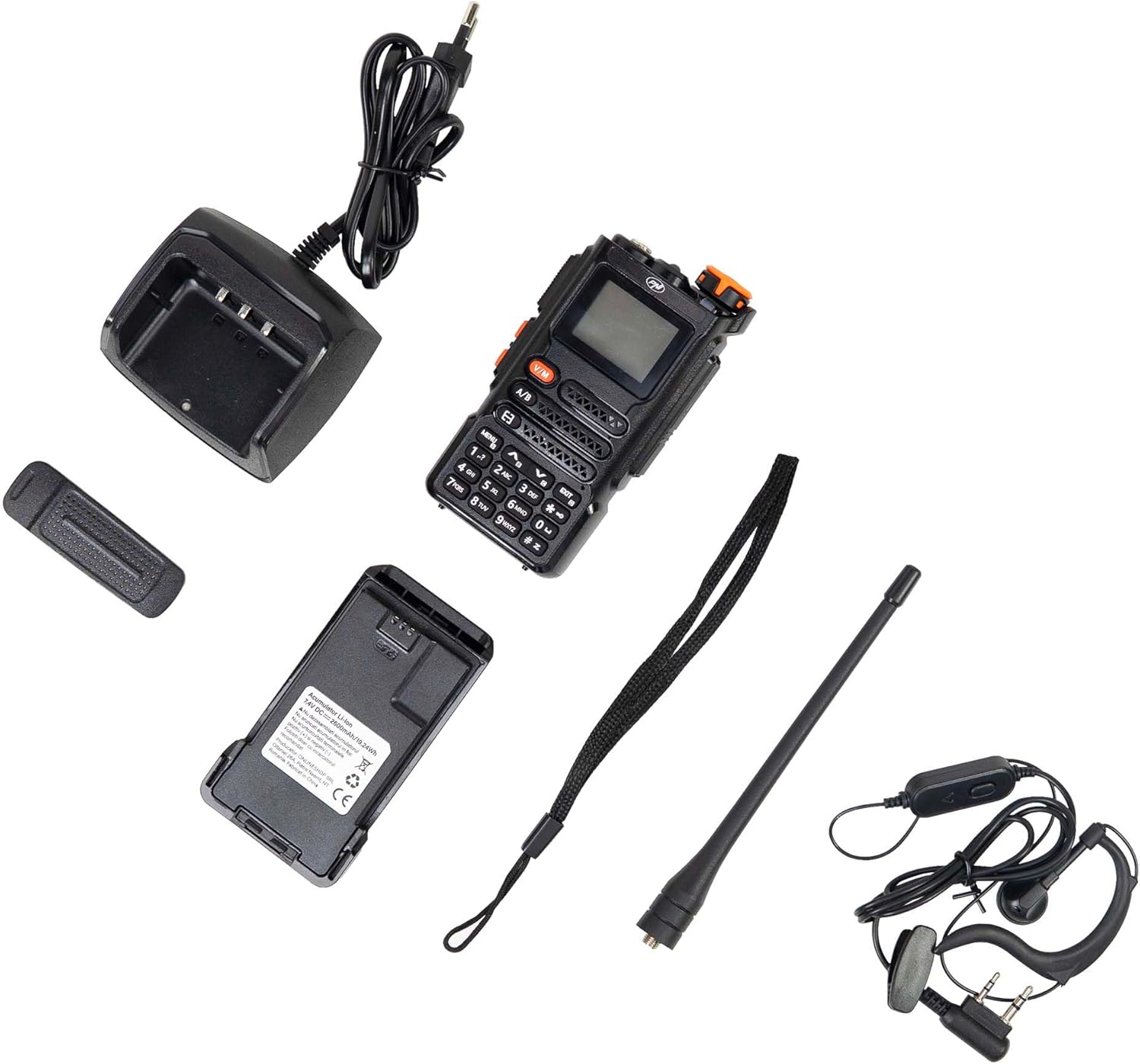
Figure 1: PNI P16UV Package Contents. This image displays the radio unit, antenna, 2600mAh Li-Ion battery, desk charger, headset with microphone, and lanyard, which are all included in the product package.
Produktas baigtasview
The PNI P16UV radio is equipped with a range of features to enhance your communication experience. Key features include:
- Dual-Band Transmission: Operates on both VHF (136-174 MHz) and UHF (400-470 MHz) frequencies.
- 6-Band Reception: Extends listening capabilities beyond standard transmission bands.
- 999 kanalai: Ample storage for various frequencies and settings.
- Reguliuojama galia: Selectable transmission power (5W High, 1W Low) for efficiency.
- VOX funkcija: Balsu aktyvuojamas perdavimas laisvų rankų valdymui.
- Skenavimo funkcija: Automatiškai ieško kanalų aktyvumo.
- FM radijas: Integruotas FM radijo imtuvas (87.5–108 MHz).
- Orų kanalai: Access to weather information.
- Ličio jonų baterija: High-capacity 2600mAh battery for extended use.
- Žibintuvėlis: Integrated LED flashlight for convenience.
- Klavišų užraktas: Apsaugo nuo atsitiktinio mygtukų paspaudimo.
- Pagalbos skambutis: Dedicated function for urgent situations.
- DTMF: Dviejų tonų daugiadažnis signalizavimas.
- Squelch: Adjustable noise reduction.
- Dvigubas laikrodis: Monitors two channels simultaneously.
- BCL (užimto kanalo blokavimas): Apsaugo nuo perdavimo užimtu kanalu.
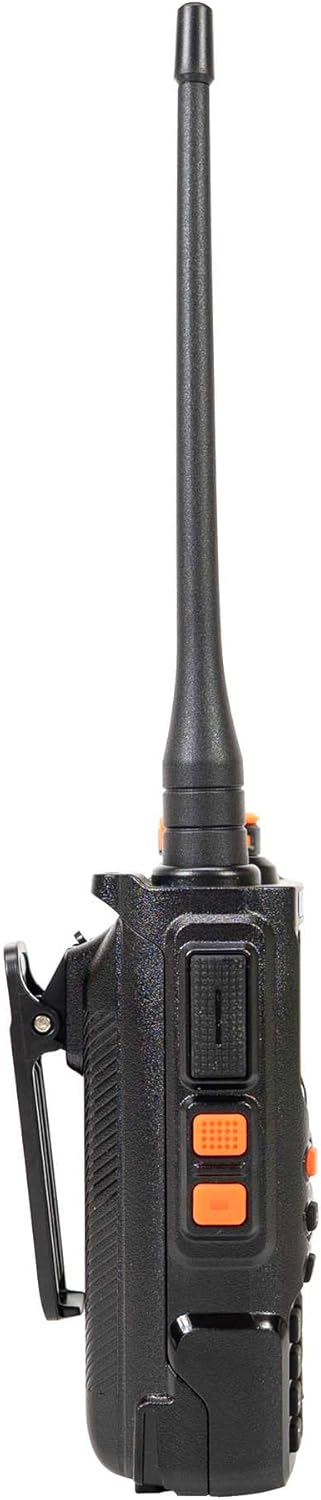
Figure 2: Main Features of PNI P16UV. This graphic highlights key functionalities such as FM Radio (87.5-108 MHz), 10 Preset Weather Channels, 1750Hz Tone Burst, Repeater Function, Type-C charging, VOX, DW (Dual Watch), TOT (Time Out Timer), CTCSS/DCS, BCL (Busy Channel Lockout), Keypad lock, SQ (Squelch), Scan, and DTMF.
Sąranka
1. Akumuliatoriaus įdėjimas
To install the Li-Ion battery:
- Įsitikinkite, kad radijo imtuvas yra išjungtas.
- Sulygiuokite akumuliatorių bloką su radijo imtuvo gale esančiais grioveliais.
- Stumkite bateriją aukštyn, kol ji spragtelėdama tvirtai užsifiksuos.
- Norėdami išimti, paspauskite atlaisvinimo fiksatorių (jei yra) ir pastumkite bateriją žemyn.

Figure 3: Battery Installation. This image shows the radio and its battery pack separated, demonstrating how the battery slides into the back of the unit.
2. Antenos pritvirtinimas
Anteną įsukite pagal laikrodžio rodyklę į radijo viršuje esančią jungtį, kol pirštais ją priveržsite. Neperveržkite.
3. Akumuliatoriaus įkrovimas
Before first use, fully charge the battery. Place the radio (with battery installed) into the desk charger. The charger indicator light will typically show red during charging and turn green when fully charged. A full charge can take several hours.

Figure 4: PNI P16UV Radio Ready for Use. This image shows the complete radio unit with the antenna attached and battery installed, displaying its front panel and screen.
Naudojimo instrukcijos
1. Įjungimas / išjungimas ir garsumo valdymas
Rotate the top-right knob clockwise to power on the radio and increase volume. Rotate counter-clockwise to decrease volume and power off.
2. Kanalo pasirinkimas
Use the up/down arrow buttons on the keypad to navigate through the 999 available channels. Alternatively, you can directly input channel numbers using the numeric keypad.
3. Dual-Band Operation (VHF/UHF)
The PNI P16UV supports both VHF and UHF bands. Use the A/B button to switch between the primary (A) and secondary (B) frequency displays. The radio can transmit on one band while monitoring another (Dual Watch).
4. VOX Transmission
The Voice Operated Exchange (VOX) function allows for hands-free transmission. When VOX is enabled, the radio will automatically transmit when it detects your voice. Adjust VOX sensitivity in the menu to prevent accidental transmissions or missed voice activation.
5. Nuskaitymo funkcija
Activate the scan function to automatically search for active signals across programmed channels. The radio will pause on an active channel and resume scanning after a set period of inactivity.
6. FM Radio and Weather Channels
The radio includes an FM broadcast receiver and dedicated weather channels. Consult the full user manual for specific instructions on accessing and tuning these features.
7. Klavišų užraktas
To prevent accidental changes to settings or transmissions, activate the keypad lock function. Refer to the radio's on-screen menu or dedicated button for this feature.
8. Emergency Call
The emergency call function, typically activated by a dedicated button, transmits an alert signal on a pre-programmed emergency frequency. Familiarize yourself with its operation for critical situations.
Priežiūra
1. Akumuliatoriaus priežiūra
- Prieš pradėdami naudoti akumuliatorių, visiškai jį įkraukite.
- Venkite per daug įkrauti arba visiškai iškrauti akumuliatorių, kad pailgintumėte jo tarnavimo laiką.
- Kai bateriją ilgesnį laiką nenaudojate, laikykite ją vėsioje, sausoje vietoje.
2. Valymas
Radijo išorę nuvalykite minkšta,amp cloth. Do not use harsh chemicals or abrasive cleaners. Ensure the radio is powered off and dry before use.
3. Sandėliavimas
When storing the radio for a long time, remove the battery. Store the radio and battery in a dry, temperature-controlled environment, away from direct sunlight and extreme temperatures.
Trikčių šalinimas
| Problema | Galima priežastis | Sprendimas |
|---|---|---|
| Radijas neįsijungia. | Baterija netinkamai įdėta arba išsikrovusi. | Įsitikinkite, kad akumuliatorius tinkamai įdėtas. Visiškai įkraukite akumuliatorių. |
| Negalima perduoti ar priimti. | Neteisingas dažnis / kanalas, neprijungta antena, išsikrovusi baterija arba per didelis triukšmo slopinimas. | Verify frequency/channel. Attach antenna securely. Charge battery. Adjust squelch level. |
| Prasta garso kokybė. | Weak signal, antenna issue, or squelch setting. | Persikelkite į vietą, kurioje geresnis signalas. Patikrinkite antenos prijungimą. Sureguliuokite triukšmo slopinimą. |
| Klaviatūra nereaguoja. | Klavišų užrakto funkcija aktyvi. | Deactivate the key lock function (refer to your radio's specific key lock combination). |
Specifikacijos
| Funkcija | Detalė |
|---|---|
| Modelis | PNI-P16UV |
| Dažnių juosta | VHF (136-174 MHz), UHF (400-470 MHz), Commercial FM |
| Kanalai | 999 kanalai |
| Perdavimo galia | 5W (Hi), 1W (Lo) |
| Baterija | 2600 mAh ličio jonų |
| Autonomija | Iki 22 valandų |
| Matmenys (su antena) | 60 x 40 x 110 mm (radio body), 265 mm (with antenna) |
| Svoris | 250 gr (radio body), 439 g (packaged) |
| Darbinė temperatūra | -26°C ~ +80°C |
| Antenos jungtis | SMA |
| Audio Accessory Pins | 2 PNI-K pins |
| Ypatingos savybės | VOX, Scan, FM Radio, Weather Channels, Flashlight, Key Lock, Emergency Call, DTMF, Dual Watch, Squelch, Time out Timer (TOT), Talk Around, BCL (Busy Channel Lockout) |
Garantija ir palaikymas
For warranty information, technical support, or service inquiries, please contact the manufacturer:
- Gamintojas: ONLINESHOP SRL
- Adresas: Olteniei 26A, Piatra Neamt, Neamt, 610206, Romania
- El. paštas: comenzi@pni.ro
- Websvetainė: www.pni.ro
Prašome išsaugoti pirkimo įrodymą bet kokiems garantiniams reikalavimams.

Figure 5: Manufacturer Information. This image displays the back of the product packaging, detailing the manufacturer (ONLINESHOP SRL), address, email (comenzi@pni.ro), and website (pni.ro).


