Įvadas
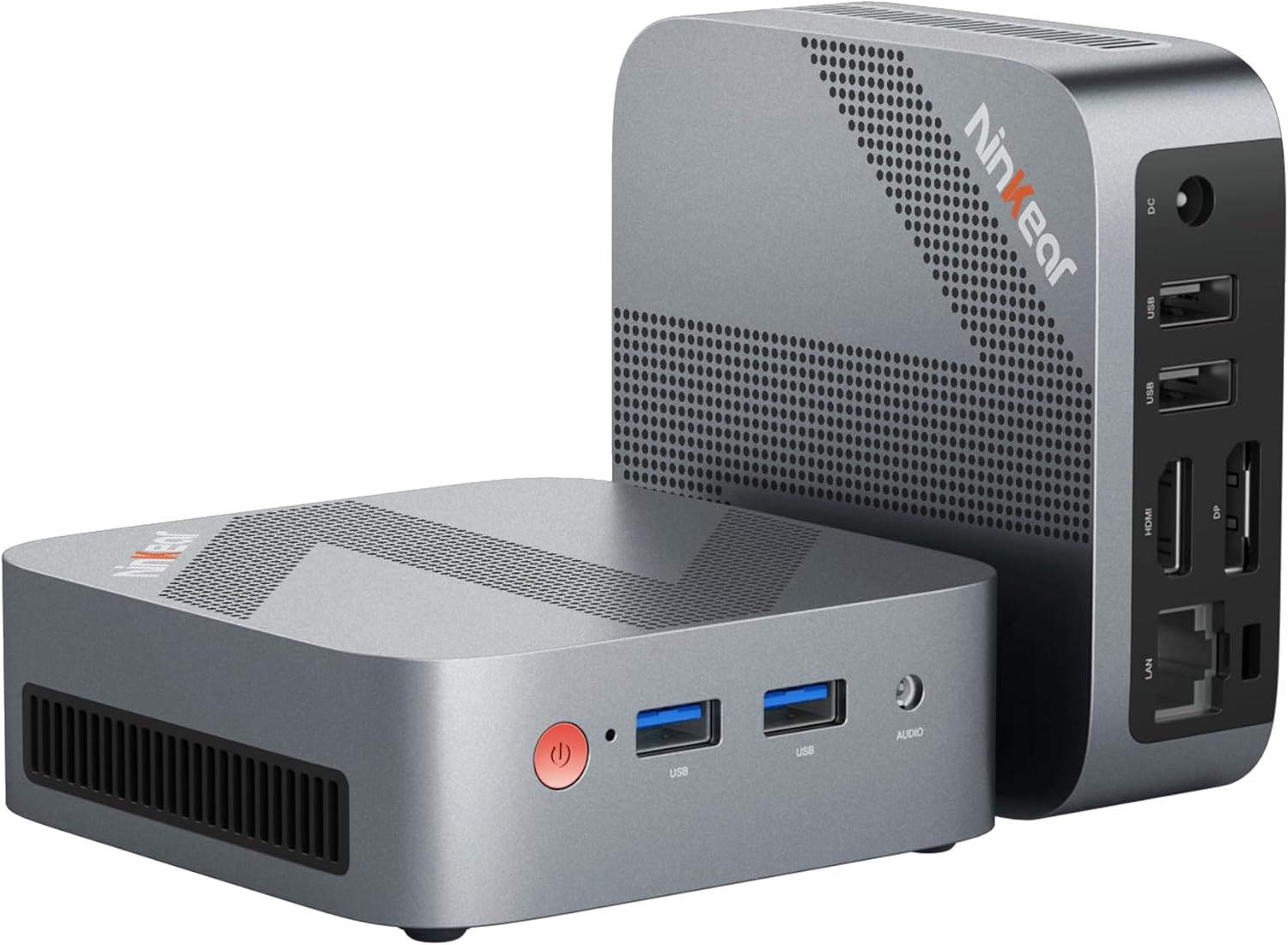
Figure 0.1: Ninkear Mini PC W-11. This compact and powerful mini PC is designed for various computing needs, from office work to multimedia entertainment.
This comprehensive user manual provides detailed instructions for the Ninkear Mini PC W-11 (MBOX 11 Mini PC). It covers initial setup, daily operation, maintenance, troubleshooting common issues, and full technical specifications. Please read this manual carefully to ensure proper use and to maximize the performance and longevity of your Ninkear Mini PC for office, home, and multimedia applications.
1. Sąranka
1.1 Išpakavimas ir pakuotės turinys
Carefully unpack all components from the box. Ensure all items listed below are present. If any item is missing or damaged, please contact customer support.

Figure 1.1: Package Contents. The box includes the Ninkear Mini PC, a user manual, a charging cable, an HDMI cable, and a fixed bracket for mounting.
- Ninkear Mini PC (MBOX 11)
- Vartotojo vadovas
- Maitinimo adapteris / įkrovimo laidas
- HDMI kabelis
- Fixed Bracket (for VESA mounting)
1.2 Fiziniai ryšiai
Before powering on, connect all necessary peripherals to the Mini PC. Refer to the diagrams below for port identification.

Figure 1.2: Front and Rear Ports of the Ninkear Mini PC. The front features USB 3.0 ports and an audio jack, while the rear includes LAN, HDMI, DisplayPort, USB 2.0, and DC power input.

Figure 1.3: Multi-purpose Port Diagram. This diagram illustrates the layout and function of each port on the Ninkear Mini PC, including power, USB 3.0, headphone/MIC jack on the front, and RJ45, DP, HDMI, USB 2.0, and DC on the back.
- Prisijungti prie ekrano: Use the provided HDMI cable to connect the Mini PC's HDMI port to your monitor or TV. The device also supports DisplayPort (DP) for alternative display connections.
- Prijunkite išorinius įrenginius:
- Klaviatūra ir pelė: Connect your USB keyboard and mouse to the available USB 3.0 ports on the front or USB 2.0 ports on the rear.
- Garsas: Connect headphones or speakers to the 3.5mm audio jack on the front.
- Tinklas: For a wired connection, connect an Ethernet cable to the RJ45 LAN port on the rear.
- Maitinimo jungtis: Connect the power adapter to the DC input port on the rear of the Mini PC, then plug the adapter into a power outlet.
1.3 First Boot and Initial Configuration
Once all connections are secure, press the power button on the front of the Mini PC. The device comes with Windows 11 pre-installed and ready for immediate use. Follow the on-screen prompts to complete the initial Windows setup, including language, region, network connection, and user account creation.
2. Operacinis
2.1 Pagrindinės operacijos
- Maitinimas: Paspauskite maitinimo mygtuką įrenginio priekyje.
- Išjungti: From the Windows operating system, click the Start button, then select Power > Shut down. Alternatively, you can press and hold the power button for a few seconds to force a shutdown (not recommended for regular use).
- Paleisti iš naujo: From the Windows operating system, click the Start button, then select Power > Restart.
2.2 Dvigubo ekrano sąranka
The Ninkear Mini PC supports dual 4K@60Hz display output via its HDMI 2.0 and DisplayPort (DP) interfaces, allowing for enhanced multitasking and productivity.

Figure 2.1: 4K Dual Display Setup. The Mini PC can connect to two monitors simultaneously via HDMI and DisplayPort, supporting 4K resolution at 60Hz for an extended desktop experience.
- Prijunkite pagrindinį monitorių prie HDMI prievado.
- Connect your secondary monitor to the DisplayPort (DP).
- Kai abu monitoriai bus prijungti ir įjungti, „Windows“ turėtų juos automatiškai aptikti.
- To configure display settings (extend, duplicate, or show only on one screen), right-click on the desktop, select "Display settings," and adjust as needed.
2.3 Connectivity (Wi-Fi, Bluetooth, Ethernet)
The Mini PC offers versatile connectivity options for your network and wireless devices.

Figure 2.2: Multiple Connection Options. The Mini PC supports high-speed Ethernet (RJ45-1000M), WiFi 2.4/5.0 GHz, and Bluetooth 5.0 for comprehensive connectivity.
- „Wi-Fi“: The Mini PC supports Wi-Fi 5 (802.11ac) for fast wireless internet access. To connect, click the Wi-Fi icon in the system tray, select your network, enter the password, and click Connect.
- Bluetooth: With Bluetooth 5.0, you can connect wireless peripherals suchs as keyboards, mice, headphones, and speakers. Go to Windows Settings > Bluetooth & devices to pair new devices.
- Ethernet: For a stable and high-speed wired network connection, plug an Ethernet cable into the RJ45 port. The Mini PC supports Gigabit Ethernet (1000M).
2.4 Saugyklos išplėtimas
The Ninkear Mini PC comes with a 512 GB M.2 SSD. For additional storage, you can upgrade the M.2 NVMe PCIe3.0 SSD or M.2 SATA SSD up to 2 TB.

Figure 2.3: Efficient and High-Capacity Storage. The Mini PC features 16GB DDR4 RAM and a 512GB M.2 SSD, with the SSD being upgradeable up to 2TB.
Consult a qualified technician or refer to detailed upgrade guides if you plan to expand the internal storage to avoid damaging the device.
3. Priežiūra
3.1 Valymas
To maintain optimal performance and extend the lifespan of your Mini PC, regular cleaning is recommended.
- Išorė: Use a soft, dry, lint-free cloth to wipe the exterior surfaces. For stubborn smudges, slightly damplt šluostę nuvalykite vandeniu arba švelniu, neabrazyviniu valikliu.
- Prievadai: Use compressed air to gently clear dust from the USB, HDMI, DP, and other ports. Avoid inserting any objects into the ports.
- Vėdinimas: Ensure the ventilation holes are clear of dust and obstructions to allow for proper airflow and cooling.
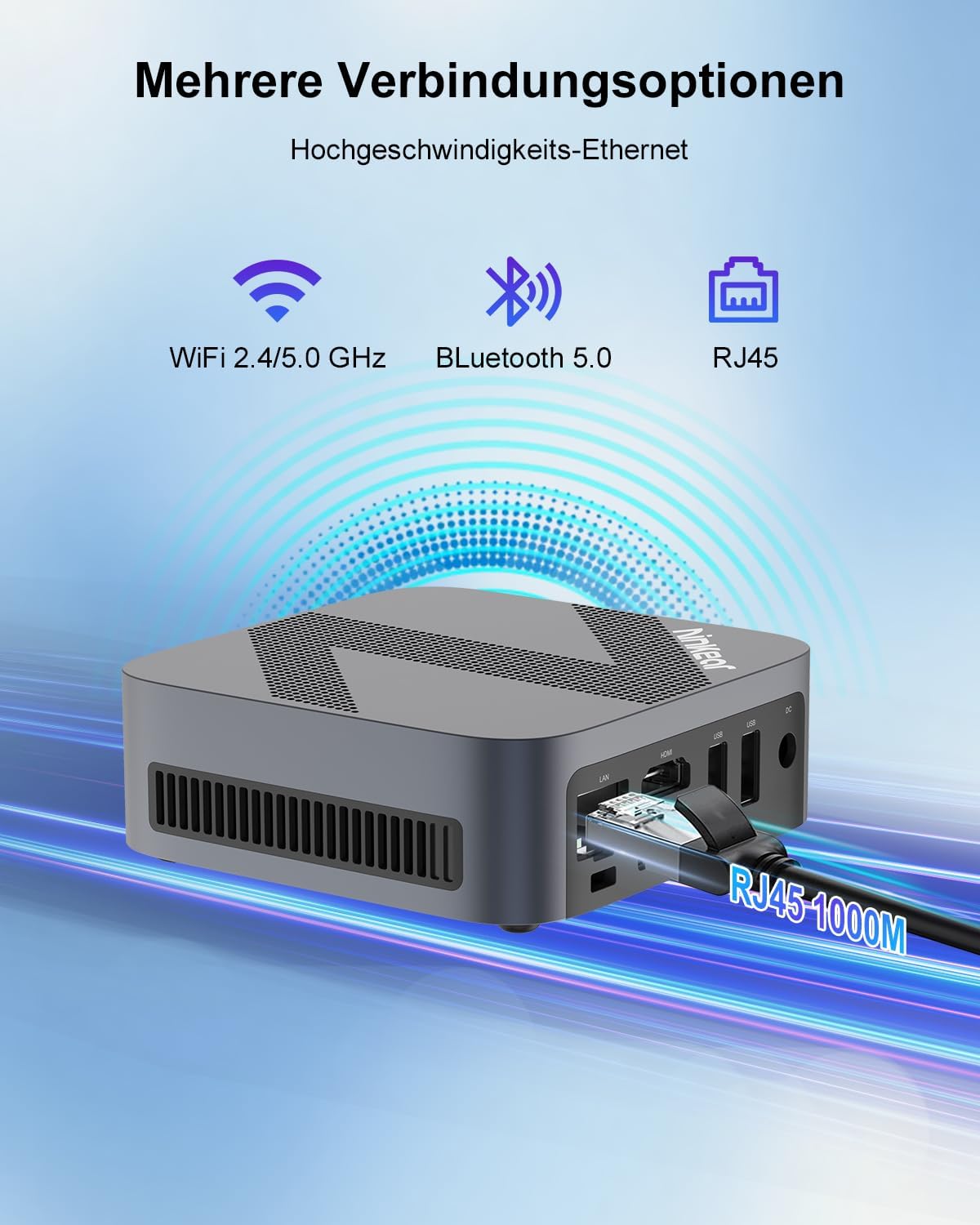
Figure 3.1: Powerful Cooling System. The Mini PC utilizes a copper pipe and aluminum heatsink design for efficient heat dissipation, ensuring quiet operation and low power consumption.
3.2 Programinės įrangos naujiniai
Reguliariai atnaujinkite operacinę sistemą ir tvarkykles, kad užtikrintumėte sistemos stabilumą, saugumą ir optimalų našumą.
- „Windows“ naujiniai: Go to Windows Settings > Windows Update and check for available updates.
- Tvarkyklės atnaujinimai: While Windows Update often handles driver updates, you may occasionally need to check the Ninkear official website for the latest drivers for specific components if you encounter issues.
3.3 Saugojimo valdymas
To maintain the health and performance of your SSD, avoid filling it to full capacity. Periodically clean up unnecessary files ir programos.
- Disko valymas: Norėdami pašalinti laikinus failus, naudokite integruotą „Windows“ disko valymo įrankį. files and other non-essential data.
- Uninstall Programs: Remove programs you no longer use from Windows Settings > Apps > Installed apps.
4. Problemų sprendimas
This section addresses common issues you might encounter with your Ninkear Mini PC. If the problem persists, please refer to the Warranty and Support section.
4.1 Nėra galios
- Patikrinkite maitinimo jungtį: Įsitikinkite, kad maitinimo adapteris yra tvirtai prijungtas tiek prie „Mini PC“, tiek prie veikiančio maitinimo lizdo.
- Bandymo išvestis: Pabandykite prijungti kitą įrenginį prie to paties maitinimo lizdo, kad įsitikintumėte, jog jis veikia.
- Maitinimo mygtukas: Ensure you are pressing the power button firmly.
4.2 Nėra ekrano išvesties
- Kabelio jungtis: Verify that the HDMI or DisplayPort cable is securely connected to both the Mini PC and the monitor.
- Monitoriaus įvestis: Ensure your monitor is set to the correct input source (e.g., HDMI 1, DP).
- Test with Another Display/Cable: If possible, try connecting the Mini PC to a different monitor or using a different HDMI/DP cable to rule out display or cable issues.
- Paleisti iš naujo: Power cycle the Mini PC and the monitor.
4.3 „Wi-Fi“ arba „Bluetooth“ ryšio problemos
- Įjungti „Wi-Fi“ / „Bluetooth“: Įsitikinkite, kad „Windows“ nustatymuose įjungti „Wi-Fi“ ir „Bluetooth“.
- Vairuotojo patikrinimas: Verify that the Wi-Fi and Bluetooth drivers are installed and up to date in Device Manager.
- Router/Device Proximity: Move closer to your Wi-Fi router or Bluetooth device.
- Restart Router/Mini PC: Restart your Wi-Fi router and the Mini PC.
4.4 System Performance Issues (Slowdown, Lag)
- Uždaryti nenaudojamas programas: Uždarykite visas fone veikiančias programas, kurios nenaudojamos.
- Patikrinkite užduočių tvarkyklę: Open Task Manager (Ctrl+Shift+Esc) to identify processes consuming high CPU, RAM, or disk resources.
- Vieta diske: Įsitikinkite, kad SSD diske yra pakankamai laisvos vietos.
- Kenkėjiškų programų nuskaitymas: Run a full system scan with antivirus software.
- Aušinimas: Įsitikinkite, kad mini kompiuteris yra tinkamai vėdinamas ir neperkaista.
5. Specifikacijos
Below are the detailed technical specifications for the Ninkear Mini PC W-11 (MBOX 11 Mini PC).
| Funkcija | Specifikacija |
|---|---|
| Prekės ženklas | Ninkear |
| Modelis/Serija | MBOX 11 |
| Modelio numeris | MBOX 11 Mini PC |
| Spalva | Pilka |
| Gaminio matmenys | 9.9 x 9.9 x 3.3 cm |
| Prekės svoris | 240 g |
| Procesoriaus prekės ženklas | Intel |
| Procesoriaus tipas | Celeron N150 (4 Cores, 4 Threads) |
| Procesoriaus greitis | Iki 3.6 GHz |
| RAM dydis | 16 GB |
| Atminties technologija | DDR4, SO-DIMM |
| Max Supported Storage | 2 TB (M.2 NVMe PCIe3.0 SSD or M.2 SATA SSD) |
| Hard Drive Size (Included) | 512 GB |
| Kietojo disko technologija | SSD |
| Grafikos koprocesorius | Intel UHD grafika |
| Grafinė sąsaja | Integruota |
| Ryšio tipas | Bluetooth 5.0, Wi-Fi 5 (WLAN) |
| HDMI sąsajos | 1 2.0 (HDMI XNUMX) |
| DisplayPort Interfaces | 1 |
| USB prievadai | 2x USB 3.0 (priekyje), 2x USB 2.0 (gale) |
| Ethernet | RJ45 (gigabitas) |
| Garso lizdas | 1x 3.5mm Headphone/MIC Jack |
| Operacinė sistema | Windows 11 (W11 OS) |
| Batteries (Internal) | 1 C Battery required (included) |
| Ličio baterijos talpa | 6 vatvalandės |
| Ličio baterijos svoris | 10 gramų |
| Number of Lithium-Ion Cells | 1 |
Pastaba: specifikacijos gali būti keičiamos be išankstinio įspėjimo.
6. Garantija ir palaikymas
Ninkear is committed to providing high-quality products and excellent customer service.
6.1 Informacija apie garantiją
If you purchase the product and experience a failure due to product defects within 1 year, please contact Ninkear customer support. You will need to provide your order number, a video or photo of the defect, and a detailed description of the issue.
6.2 Pagalba klientams
For any questions, technical assistance, or warranty claims, please contact the Ninkear Official Store or the designated customer service center. They will guide you through the repair process or provide further assistance.
Norėdami gauti daugiau informacijos, apsilankykite Ninkear Store on Amazon.


