Įvadas
This manual provides essential instructions for the safe and efficient use of your Philips TAT5000 True Wireless Bluetooth Earbuds. Please read this guide thoroughly before operating the device and retain it for future reference. These earbuds feature Adaptive Noise Canceling Pro, 6-mic call technology, and Bluetooth 5.4 multipoint connectivity, designed for a superior audio experience.
Kas yra dėžutėje
- Philips TAT5000 True Wireless Earbuds (Left and Right)
- Įkrovimo dėklas
- USB-C įkrovimo laidas
- Ausų antgaliai (maži, vidutiniai, dideli)
- Vartotojo vadovas

Image: Philips TAT5000 True Wireless Earbuds shown inside their open charging case, ready for use.
Sąranka
1. Ausinių ir dėklo įkrovimas
Before first use, fully charge the earbuds and charging case. Connect the USB-C charging cable to the charging port on the case and to a power source. The charging indicators on the case will show the charging status. A full charge provides up to 40 hours of total playtime (10 hours from earbuds + 30 hours from case with ANC off). A 15-minute quick charge provides approximately 3 hours of playtime.

Image: The Philips TAT5000 charging case, closed, displaying its USB-C charging port on the front.
2. Susiejimas su jūsų įrenginiu
- Įsitikinkite, kad ausinės yra įkrautos ir įdėtos į įkrovimo dėklą.
- Atidarykite įkrovimo dėklą. Ausinės automatiškai įsijungs susiejimo režimu.
- Savo įrenginyje (išmaniajame telefone, planšetiniame kompiuteryje, nešiojamajame kompiuteryje) įjunkite „Bluetooth“ ir ieškokite naujų įrenginių.
- Select "Philips TAT5000" from the list of available devices to connect.
- For Android devices, Google Fast Pair allows for instant connection. For Windows devices, Microsoft Swift Pair offers quick pairing.
- The earbuds support Bluetooth 5.4 multipoint connectivity, allowing connection to two devices simultaneously.
3. Tinkamų ausinių antgalių pasirinkimas
Choose the soft silicone eartips (S/M/L) that provide the most comfortable and secure fit for optimal sound quality and noise cancellation performance.
Naudojimo instrukcijos
1. Maitinimo įjungimas/išjungimas
- Maitinimas: Atidarykite įkrovimo dėklą ir ausinės įsijungs automatiškai.
- Išjungti: Įdėkite ausines atgal į įkrovimo dėklą ir uždarykite dangtelį. Jos išsijungs automatiškai.
2. Music Playback (Touch Controls)
- Leisti / pristabdyti: Tap the touch panel on either earbud once.
- Kitas takelis: Double-tap the touch panel on the right earbud.
- Ankstesnis takelis: Double-tap the touch panel on the left earbud.
3. Call Management (Touch Controls)
- Atsiliepti / Baigti skambutį: Tap the touch panel on either earbud once.
- Atmesti skambutį: 2 sekundes palaikykite nuspaudę bet kurios ausinės jutiklinį skydelį.
4. Triukšmo valdymo režimai
The earbuds feature Adaptive Noise Canceling Pro. Tap the touch panel (specific earbud/pattern may vary, refer to app for customization) to cycle through modes:
- Adaptive Noise Canceling (ANC): Sumažina aplinkos triukšmą.
- Sąmoningumo režimas: Allows you to hear your surroundings.
- Quick Awareness: Amplifies voices for quick conversations without removing earbuds.
5. „Philips“ ausinių programėlė
Download the Philips Headphones App for additional features, including:
- Customizing touch controls.
- Adjusting Equalizer (EQ) settings.
- Managing ANC levels and modes.
- Programinės įrangos atnaujinimų gavimas.
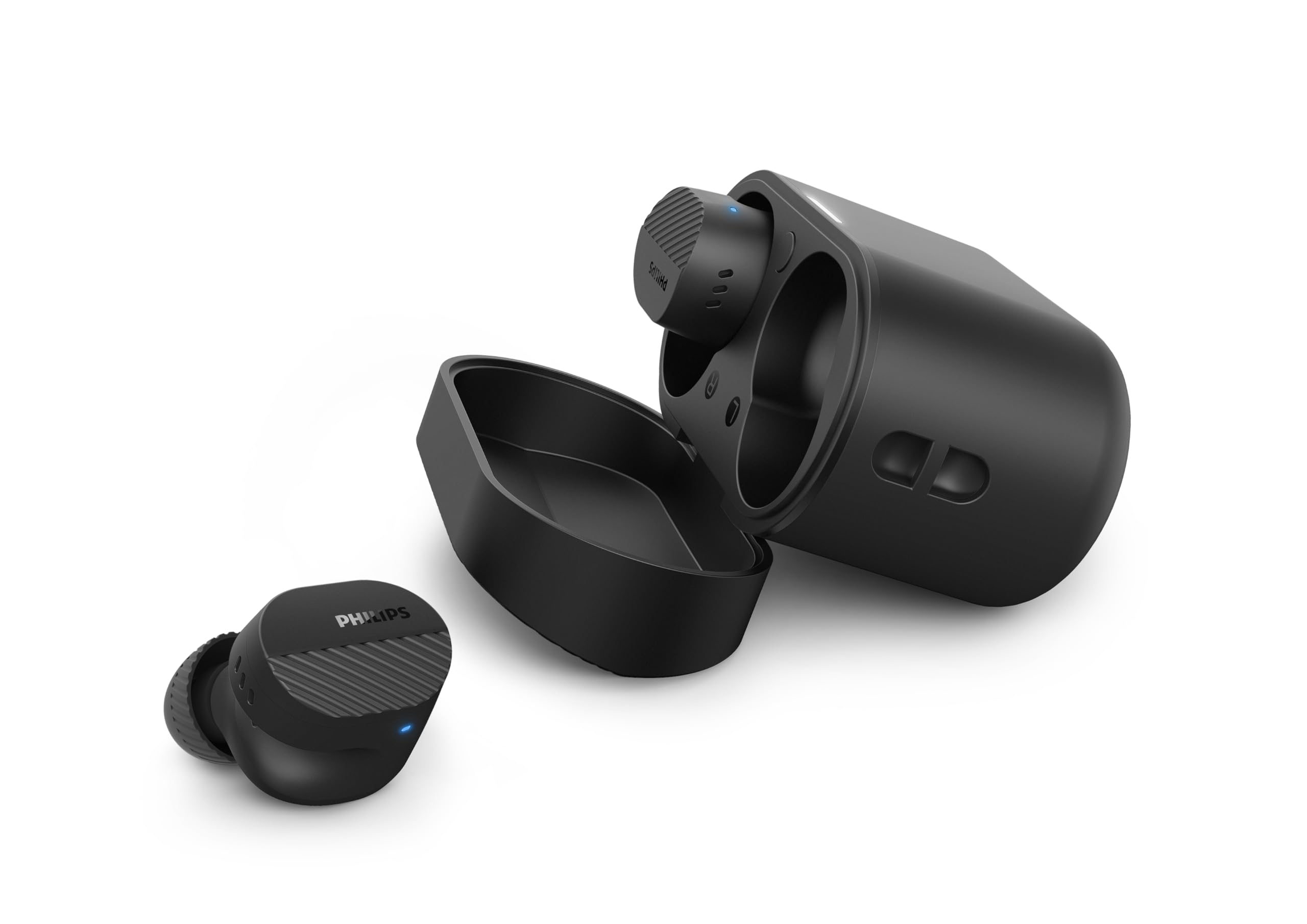
Image: A person holds the Philips TAT5000 earbuds in their charging case in one hand and a smartphone displaying the Philips Headphones app settings in the other, demonstrating app control.
Priežiūra
Valymas
- Švelniai nuvalykite ausines ir įkrovimo dėklą minkštu, sausu, nepūkuotu skudurėliu.
- Nuimkite ausų antgalius ir nuvalykite juos švelniu muilu ir vandeniu, tada kruopščiai nusausinkite prieš vėl įdėdami.
- Nenaudokite abrazyvinių valiklių, alkoholio ar cheminių tirpiklių.
Atsparumas vandeniui
The earbuds are IPX5 water resistant, meaning they are protected against sweat and splashes of water. They are not designed for submersion in water. Ensure the charging port is dry before charging.
Sandėliavimas
Store the earbuds in their charging case when not in use to protect them and conserve battery life. Avoid extreme temperatures.
Trikčių šalinimas
| Problema | Galima priežastis | Sprendimas |
|---|---|---|
| Ausinės neįsijungia | Senka baterija | Įdėkite ausines į įkrovimo dėklą ir visiškai įkraukite. |
| Nepavyksta susieti su įrenginiu | Bluetooth off, earbuds not in pairing mode, or device too far | Ensure Bluetooth is enabled on your device. Open the charging case to activate pairing mode. Move device closer to earbuds. Try forgetting the device in Bluetooth settings and re-pairing. |
| Nėra garso arba prasta garso kokybė | Incorrect eartip size, low volume, or connection issue | Adjust eartips for a secure fit. Increase volume on your device. Reconnect earbuds to your device. |
| ANC neveikia efektyviai | Improper fit, or ANC mode not active | Ensure earbuds are properly seated in your ears with the correct eartip size. Verify ANC is enabled via touch controls or the Philips Headphones App. |
| Įkrovimo dėklas neįkraunamas | Sugedęs laidas arba maitinimo šaltinis | Try a different USB-C cable and power adapter. Ensure the charging port is clean and dry. |
If issues persist, refer to the Philips Headphones App for further assistance or contact customer support.
Specifikacijos
- Modelio pavadinimas: TAT5000BK/00
- Ryšys: Bluetooth 5.4
- Garso tvarkyklės: 8mm Graphene-Coated Dynamic Driver
- Baterijos veikimo laikas: Up to 40 Hours Total (10 hours earbuds + 30 hours case, ANC off)
- Greitas įkrovimas: 15 minučių 3 valandas žaidimo
- Atsparumas vandeniui: IPX5 (Sweat and splash proof)
- Kontrolės metodas: Palieskite
- Triukšmo valdymas: Adaptive Noise Canceling Pro
- Svoris: Approximately 4.16 ounces (earbuds and case)
- Įtraukti komponentai: Earbuds, Charging Case, USB-C Cable, Eartips, User Manual
Garantija ir palaikymas
Your Philips TAT5000 True Wireless Bluetooth Earbuds are covered by a limited warranty. Please refer to the warranty card included in your product packaging or visit the official Philips websvetainėje, kurioje rasite išsamias garantijos sąlygas, taikomas jūsų regionui.
For technical support, product registration, or frequently asked questions, please visit the Philips support website or contact Philips customer service directly. Contact information can typically be found on the Philips websvetainėje arba savo produkto dokumentacijoje.


