1. Įvadas
The GAMDIAS Boreas E1-210 LITE is an air cooling solution designed for central processing units (CPUs). It features a 92mm fan with LED illumination, two copper heat pipes, and a hydraulic bearing fan for efficient heat dissipation. This cooler is compatible with a wide range of Intel and AMD motherboard sockets, providing effective thermal management for your system.
2. Pakuotės turinys
Prieš tęsdami montavimą, patikrinkite, ar pakuotėje yra visi komponentai:
- Boreas E1-210 LITE CPU Cooler Unit (Heatsink and Fan)
- Universalus tvirtinimo laikiklis
- Intel Mounting Clips/Screws
- AMD Mounting Clips/Screws
- Thermal Paste (may be pre-applied or in a small tube)
- Vartotojo vadovas (šis dokumentas)

2.1 pav.: priekis view of the GAMDIAS Boreas E1-210 LITE CPU Air Cooler.

Figure 2.2: Included mounting kit components for various CPU sockets.
3. Specifikacijos
| Funkcija | Specifikacija |
|---|---|
| Prekės ženklas | GAMDIAS |
| Modelio numeris | BOREAS E1-210 LITE |
| Ventiliatoriaus dydis | 92 mm |
| Šilumos vamzdžiai | 2 Copper Heat Pipes with Direct Contact Technology |
| Ventiliatoriaus guolio tipas | Hidraulinis guolis |
| Ventiliatoriaus greitis | Iki 2200 XNUMX RPM |
| Triukšmo lygis | 31 dBA |
| Oro srautas | 34.6 CFM |
| LED apšvietimas | Rainbow LED Illumination |
| Matmenys (IxPxH) | 9.2 x 9.2 x 2.5 cm (Fan), Overall: 9.2 x 9.2 x 2.5 cm (Note: Product dimensions are listed as 9.2 x 9.2 x 2.5 cm; 300 g, which seems to be fan dimensions. Heatsink dimensions are not explicitly separated.) |
| Prekės svoris | 300 g |
| Palaikomi lizdai | Intel: LGA1700, 1151, 1150, 1155, 1156, 1200 AMD: AM5, AM4, AM3 |
4. Sąranka ir diegimas
Follow these general steps for installing the GAMDIAS Boreas E1-210 LITE CPU cooler. Specific steps may vary slightly depending on your motherboard and CPU socket type. Always refer to your motherboard's manual for precise instructions on CPU cooler installation.
4.1. Paruošimas
- Įsitikinkite, kad jūsų kompiuteris yra išjungtas ir atjungtas nuo sieninio lizdo.
- Atidarykite kompiuterio korpusą, kad pasiektumėte pagrindinę plokštę.
- If replacing an existing cooler, carefully remove it and clean any old thermal paste from the CPU surface using isopropyl alcohol and a lint-free cloth.
4.2. Montavimo kronšteino montavimas
Raskite tinkamą tvirtinimo įrangą savo procesoriaus lizdui („Intel“ arba AMD).
- „Intel“ lizdams: Attach the appropriate Intel mounting clips to the universal mounting bracket. Position the bracket over the CPU socket, aligning the holes with the motherboard's cooler mounting holes. Secure it from the back of the motherboard if a backplate is provided or required.
- AMD lizdams: Attach the appropriate AMD mounting clips to the universal mounting bracket. Position the bracket over the CPU socket, aligning the holes with the motherboard's cooler mounting holes. Secure it.
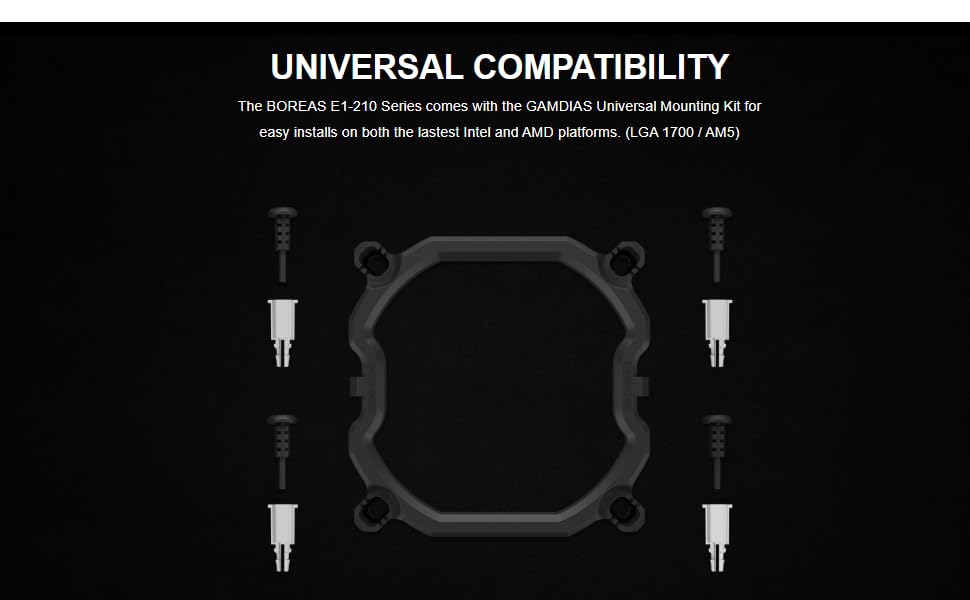
Figure 4.1: Universal mounting kit for Intel and AMD platforms.
4.3. Thermal Paste Application
Apply a small amount of thermal paste to the center of your CPU's integrated heat spreader (IHS). A pea-sized dot is usually sufficient. The cooler's direct contact heat pipes will spread it evenly upon installation.
4.4. Aušintuvo montavimas
- Carefully place the heatsink assembly onto the CPU, ensuring the base makes full contact with the thermal paste.
- Align the cooler's mounting clips with the universal mounting bracket.
- Secure the cooler by tightening the screws in a diagonal pattern (e.g., top-left, bottom-right, top-right, bottom-left) until snug. Do not overtighten.
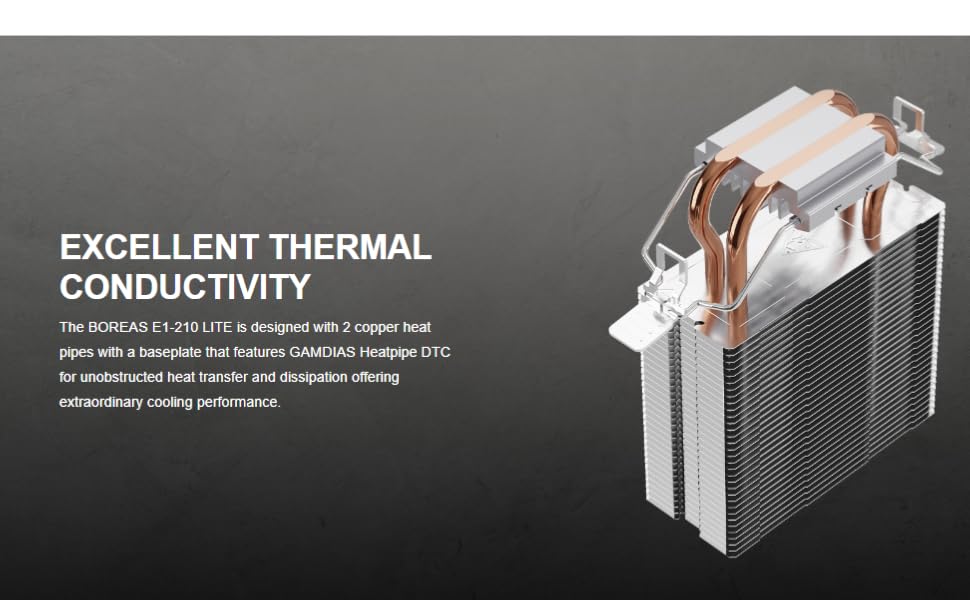
Figure 4.2: Heatsink design with 2 copper heat pipes for efficient thermal conductivity.
4.5. Ventiliatoriaus jungtis
- Locate the 3-pin fan connector on the cooler's fan cable.
- Connect this cable to an available 3-pin or 4-pin CPU Fan header on your motherboard. Refer to your motherboard manual for the exact location of the CPU Fan header.
- The fan features Rainbow LED illumination, which will light up once connected and powered on.
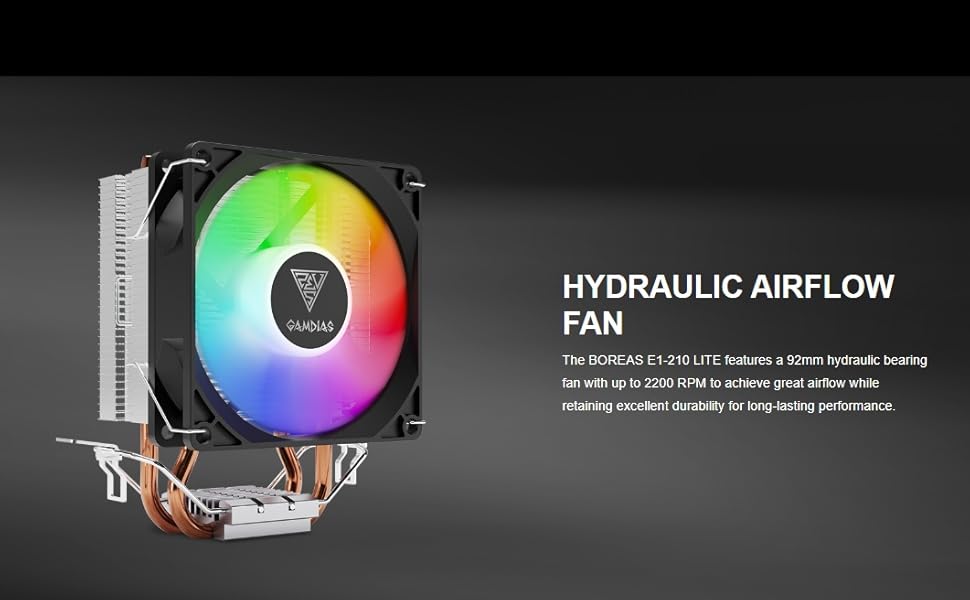
Figure 4.3: The 92mm hydraulic bearing fan provides high airflow.
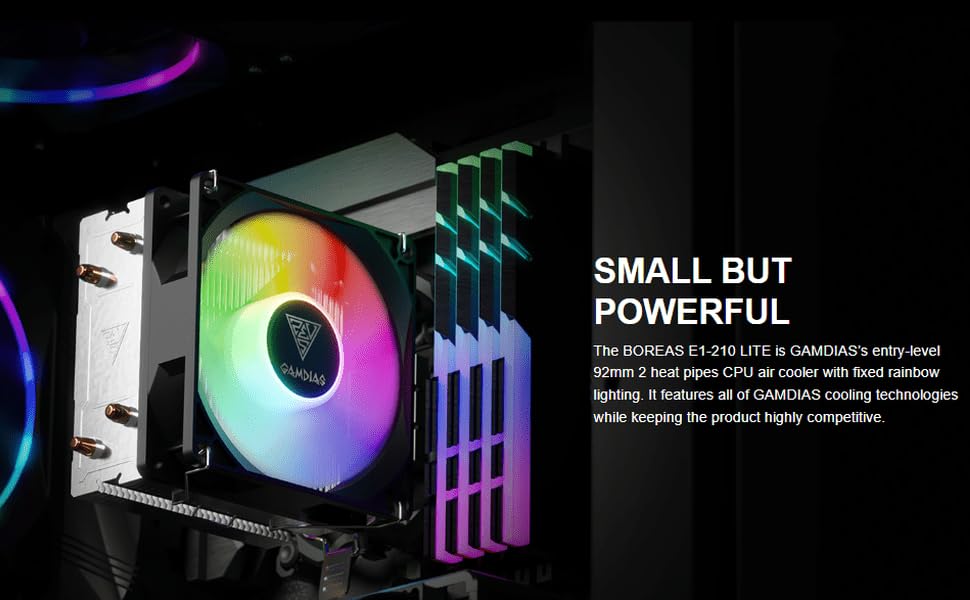
Figure 4.4: The Boreas E1-210 LITE CPU cooler installed in a system.
5. Naudojimo instrukcijos
Once installed and connected, the GAMDIAS Boreas E1-210 LITE CPU cooler operates automatically based on your motherboard's fan control settings. The fan will spin to cool the CPU, and the Rainbow LED illumination will activate.
- Ventiliatoriaus greitis: The fan operates at up to 2200 RPM. If connected to a 4-pin PWM header, your motherboard's BIOS/UEFI or operating system software may allow for fan speed control based on CPU temperature. If connected to a 3-pin header, the fan will typically run at a constant speed or be voltage-controlled by the motherboard.
- LED apšvietimas: The fan features fixed Rainbow LED lighting that illuminates when the fan receives power. There are no software controls for the LED effects on this specific model.
6. Priežiūra
Regular maintenance helps ensure optimal cooling performance and extends the lifespan of your CPU cooler.
- Dulkių šalinimas: Periodically (e.g., every 3-6 months), power off your computer and use compressed air to clean dust from the heatsink fins and fan blades. Hold the fan blades gently to prevent them from spinning rapidly during cleaning, which can damage the bearing.
- Terminė pasta: Thermal paste typically lasts for several years. If you notice consistently high CPU temperatures, consider reapplying fresh thermal paste. This involves carefully removing the cooler, cleaning old paste from both the CPU and cooler base, and applying new paste.
- Ventiliatoriaus patikrinimas: Check the fan for any signs of wear, unusual noises, or obstructions. Ensure the fan cable is securely connected.
7. Problemų sprendimas
If you encounter issues with your GAMDIAS Boreas E1-210 LITE CPU cooler, refer to the following common troubleshooting steps:
- Ventiliatorius nesisuka:
- Check if the fan cable is securely connected to the CPU Fan header on the motherboard.
- Verify that the CPU Fan header is enabled in your motherboard's BIOS/UEFI settings.
- Test the fan by connecting it to a different fan header if available.
- Aukšta procesoriaus temperatūra:
- Ensure the cooler is properly seated and making full contact with the CPU.
- Check if sufficient thermal paste was applied and that it is evenly spread. Reapply if necessary.
- Nuvalykite visas dulkių sankaupas nuo radiatoriaus briaunų ir ventiliatoriaus.
- Verify that the fan is spinning at an appropriate speed. Adjust fan curves in BIOS/UEFI if possible.
- Užtikrinkite tinkamą oro cirkuliaciją kompiuterio korpuse.
- Šviesos diodai nešviečia:
- Confirm the fan is receiving power and spinning. The LEDs are integrated with the fan's power.
- If the fan is spinning but LEDs are off, there might be an issue with the fan's LED component.
8. Garantija ir palaikymas
For warranty information and technical support, please contact GAMDIAS customer service or the retailer from whom you purchased the product. Keep your proof of purchase for warranty claims.
- Gamintojas: GAMDIAS TAIWAN, Nr. 113, Jian 2-asis kelias, Zhonghe, rajonas, Naujasis Taipėjus 235, Taivanas
- Importuotojas (Indija): Allway Distributions Pvt Ltd, No-49, H.B. Samajha Road, Baswangudi, Bengaluru- 560004, Contact - 8904307700


