Įvadas
Welcome to the user manual for your new yeewise WiFi6 Solar Security Camera System. This guide provides detailed instructions for setting up, operating, maintaining, and troubleshooting your 2-camera kit. Please read this manual thoroughly to ensure optimal performance and longevity of your security system.

The yeewise WiFi6 Solar Security Camera System, featuring two cameras, two solar panels, and a central home base.
Produktas baigtasview
Pagrindinės savybės
- WiFi 6 & Dual-Band Connectivity: Supports both 2.4GHz and 5GHz Wi-Fi for faster speeds, longer range, and smoother streaming, ensuring reliable connectivity.
- Veikimas naudojant saulės energiją: High solar efficiency allows for 365-day battery life with just 3 hours of daily sunlight. IP66 weatherproof design ensures durability in various conditions.
- No Monthly Fees & Local Storage: Includes 64GB local storage (expandable up to 512GB) for encrypted video recordings, offering privacy and no recurring subscription costs.
- 2K QHD Clarity & Color Night Vision: Captures 80% sharper details than 1080p. Built-in spotlights enable vibrant color night vision, and 10x digital zoom provides clear views.
- Smart Humanoid Detection & Alerts: Detects human movement to reduce false alarms. Features sirens, spotlights, and app push notifications to deter intruders and keep you informed.

Experience superior clarity with 2K QHD resolution.

Stay connected with advanced WiFi 6 and dual-band technology.

Benefit from true color night surveillance with built-in spotlights.
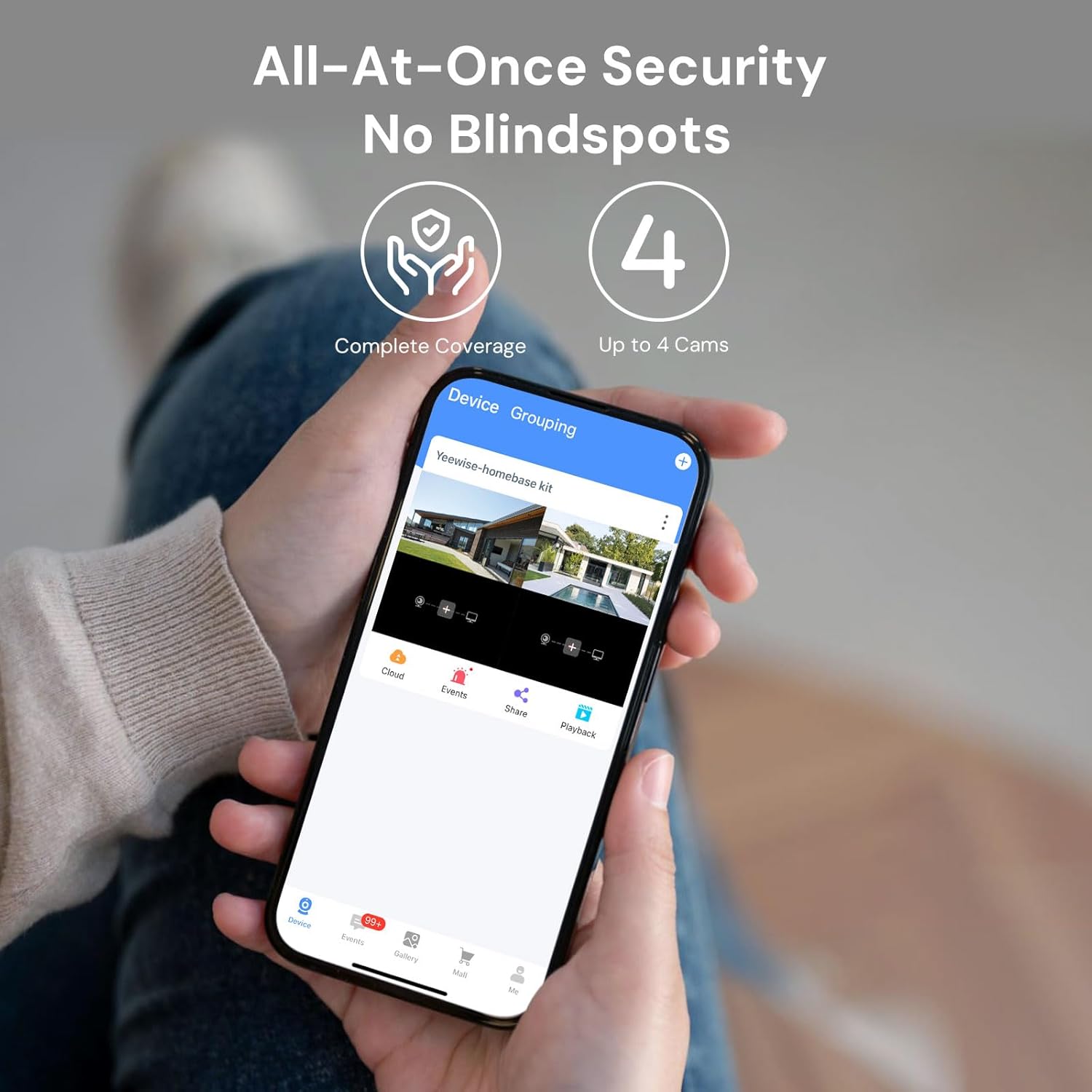
Achieve all-at-once security with no blindspots, supporting up to 4 cameras.

Advanced smart humanoid detection for accurate alerts.

Enjoy local storage with no hidden fees, expandable up to 512GB.

Reliable non-stop solar power for continuous protection.

Built for all-weather durability with IP66 weatherproof rating.
Pakuotės turinys
Your yeewise WiFi6 Solar Security Camera System (2-Cam Kit) includes the following components:
- 2 x WiFi6 Solar Security Cameras
- 2 x saulės baterijos
- 1 x Home Base
- Tvirtinimo detalės (varžtai, laikikliai)
- Power Adapter for Home Base
- Ethernet kabelis
- Instrukcijų vadovas (šis dokumentas)
Sąrankos vadovas
Follow these steps to set up your yeewise security camera system.
1. Power On the Devices
- Bazinė stotis: Connect the Home Base to power using the provided adapter. Wait for the indicator light to turn solid green, indicating it's ready for setup.
- Solar Cameras: Press the power button on each camera to turn it on. The cameras are pre-paired with the Base Station for a hassle-free installation.
2. Install the App & Connect to Wi-Fi
- Atsisiųskite KittyhokPro programėlę iš „App Store“ („iOS“) arba „Google Play Store“ („Android“).
- Launch the app and create an account or log in.
- Tap "+" or "Add Device" to add the Home Base. Enable Bluetooth when prompted. The app should automatically detect the Base Station.
- Follow the in-app instructions to connect the Base Station to your Wi-Fi network. The system supports dual-band (2.4GHz & 5GHz) for stable connections.
3. Kamerų montavimas
Pasirinkite vietą, kurioje galite gauti norimą view and maximum sunlight exposure. We recommend hanging the camera 7-10 ft (2-3 m) above the ground. Ensure the solar panel receives at least 3-4 hours of direct sunlight per day. Avoid shaded areas caused by trees, walls, or roof overhangs. Face the solar panel south (Northern Hemisphere) or north (Southern Hemisphere) for best sun exposure.

Plan your camera placement for optimal wider coverage.
- Use the included screws and brackets to securely mount the cameras and solar panels.
- Adjust the solar panel angle for optimal sunlight exposure throughout the day.

Flexible solar panel and camera mounting options.
Sąrankos vaizdo vadovas
Official User Guide for Yeewise Solar Security Kit with Home Base. This video provides a visual walkthrough of the initial setup process, including powering on devices, app installation, and basic camera connection.
Naudojimo instrukcijos
Tiesiogiai View ir Atkūrimas
Once your cameras are connected, open the KittyhokPro app. Tap on each camera in the app to view the live feed. You can also access recorded events and playback historical footage from the app's interface.
Judesio aptikimas ir įspėjimai
The system features smart humanoid detection to accurately identify people and minimize false alarms. When motion is detected, the cameras can activate built-in spotlights and sirens to deter intruders. You will receive instant push notifications on your smartphone via the app.

Receive instant alerts directly to your smartphone.
Dvipusis garsas
Utilize the two-way audio feature through the app to communicate with visitors or deter unwanted guests. Simply tap the microphone icon in the live view kalbėti per kameros garsiakalbį.
Vietinė saugykla
The Home Base comes with 64GB of built-in local storage, which can be expanded up to 512GB using a compatible microSD card. This allows you to store a significant amount of encrypted video footage without the need for cloud subscriptions.
Priežiūra
Reguliarus aptarnavimas užtikrina optimalų jūsų apsaugos sistemos veikimą ir ilgaamžiškumą.
- Valymas: Periodically clean the camera lenses and solar panels with a soft, damp šluoste, kad pašalintumėte dulkes, nešvarumus ar šiukšles, kurios gali užkimšti view or reduce charging efficiency.
- Saulės skydelio priežiūra: Ensure the solar panels remain free from obstructions (e.g., leaves, snow) to maximize sunlight absorption.
- Firmware atnaujinimai: Check the KittyhokPro app regularly for firmware updates. Keeping your system updated ensures you have the latest features and security enhancements.
- Aplinkos sąlygos: While IP66 weatherproof, extreme weather conditions (e.g., heavy snow accumulation, prolonged sub-zero temperatures) may temporarily affect performance.

The system is designed for all-weather durability.
Trikčių šalinimas
If you encounter any issues with your yeewise security camera system, refer to the table below for common problems and their solutions.
| Problema | Sprendimas |
|---|---|
| Camera not powering on / Low battery | Ensure solar panel receives at least 3-4 hours of direct sunlight daily. Check the solar panel cable connection to the camera. |
| No connection to Home Base / App offline | Verify the Home Base is powered on and its indicator light is solid green. Ensure the Home Base is connected to your Wi-Fi (2.4GHz or 5GHz). Try restarting the Home Base and the app. If cameras are not connected, try re-syncing them with the Home Base (refer to app instructions). |
| Prasta vaizdo kokybė (neryškus, tamsus) | Clean the camera lens. Ensure there are no obstructions in front of the camera. Check Wi-Fi signal strength in the camera's location. Adjust camera position for optimal lighting. |
| Jokių įspėjimų apie judėjimą | Check app notification settings on your smartphone. Ensure motion detection is enabled for the camera in the app. Verify the motion detection zone is correctly configured. |
| Neveikia dvipusis garsas | Ensure microphone and speaker permissions are granted to the app on your smartphone. Check volume settings on your phone and within the app. |
Specifikacijos
Detailed technical specifications for your yeewise WiFi6 Solar Security Camera System:
| Funkcija | Detalė |
|---|---|
| Modelio pavadinimas | YKW42 |
| Prekės modelio numeris | K8202 |
| Naudojimas viduje / lauke | Lauke |
| Maitinimo šaltinis | Varomas saulės energija |
| Ryšio protokolas | „Wi-Fi“ (2.4 GHz ir 5 GHz) |
| Vaizdo įrašymo raiška | 2560p (2K QHD) |
| Naktinio matymo diapazonas | 33 pėdų |
| Atsparumo vandeniui lygis | IP66 atsparus oro sąlygoms |
| Įdiegtos „Flash“ atminties dydis | 64 GB (mikro SD kortelė) |
| „Flash“ atminties palaikomas maksimalus dydis | 512 GB |
| Viewing kampas | 100 laipsnių |
| Kontrolės metodas | App, Remote (via Amazon Alexa) |
| Ypatingos savybės | Local Recording, 2-Way Audio, Night Vision, Built-In Light, Weather Proof |
| Prekės matmenys P x P x A | 7.13 x 6.06 x 6.14 colio |
| Prekės svoris | 2.2 svaro |
Garantija ir palaikymas
Informacija apie garantiją
Your yeewise security camera system comes with a Vienerių metų garantija, offering replacement instead of repair for covered issues.
Pagalba klientams
For further assistance, technical support, or warranty inquiries, please contact yeewise customer support:
- El. paštas: support@yeewise.com
- Websvetainė: https://www.yeewise.com
- Išsamus naudotojo vadovas (PDF): Atsisiųskite PDF


