1. Produktas baigtasview
The WVX Gaming Laptop R9-6900HX (Model A02) is a high-performance portable computer designed for demanding tasks such as gaming, content creation, and multitasking. It features an AMD Ryzen 9 6900HX processor, AMD Radeon 680M integrated graphics, and fast DDR5 memory.
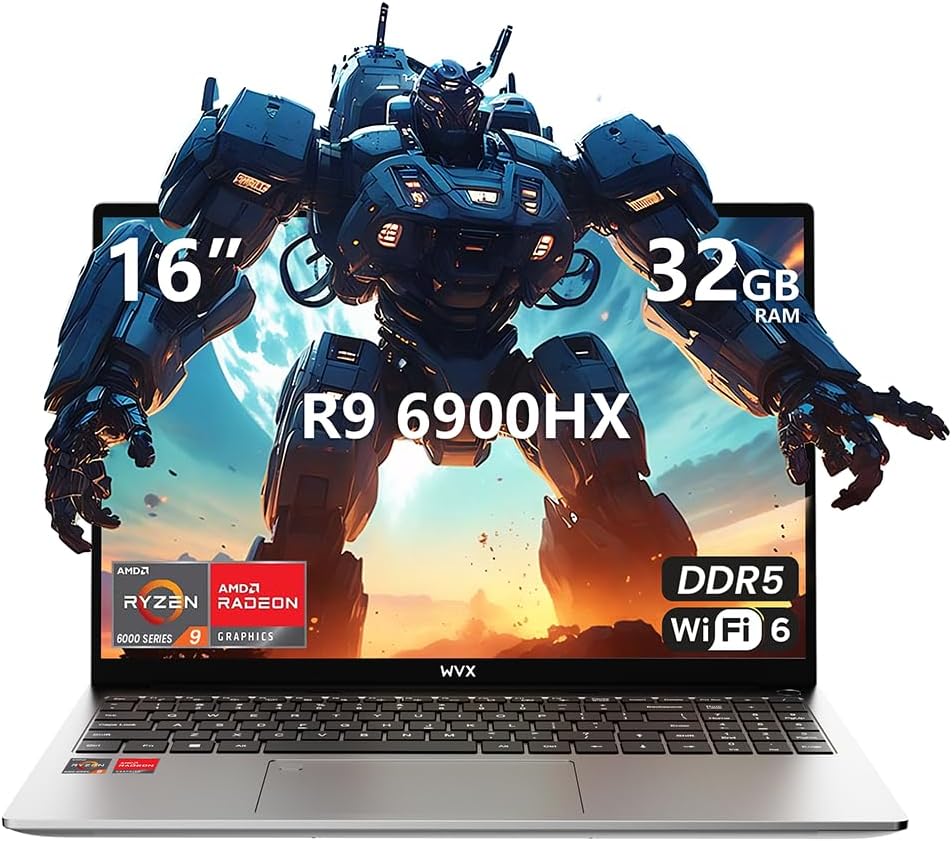
Image 1.1: WVX Gaming Laptop R9-6900HX
Pagrindinės funkcijos:
- High-Performance CPU: AMD Ryzen 9 6900HX with 8 cores and 16 threads, up to 4.9 GHz.
- Integruota grafika: AMD Radeon 680M, delivering strong visual performance.
- Fast Memory: 32GB DDR5 RAM, expandable up to 64GB.
- Ample saugykla: 512GB SSD, expandable up to 2TB.
- Ryškus ekranas: 16-inch Full HD (1920x1200) screen.
- Išplėstinis ryšys: Wi-Fi 6 and Bluetooth 5.2.
- Operacinė sistema: Iš anksto įdiegta „Windows 11 Pro“.
2. Sąranka
2.1 Išpakavimas ir pirminė apžiūra
Carefully remove the laptop and its accessories from the packaging. Ensure all components listed in the 'What's in the Box' section are present and undamaged.
- R9-6900HX laptop
- PD100W adapter (charger)
2.2 Maitinimo adapterio prijungimas
Connect the PD100W adapter to the laptop's power input port and then plug it into a power outlet. It is recommended to fully charge the laptop before its first use.
2.3 Pradinis paleidimas ir „Windows“ sąranka
Press the power button located on the laptop. The system will guide you through the initial Windows 11 Pro setup process. Follow the on-screen instructions to configure your language, region, network, and user account.
3. Naudojimo instrukcijos
3.1 Klaviatūra ir jutiklinė planšetė
The laptop features a full-size keyboard with a numeric keypad and a responsive touchpad. The keyboard is backlit for comfortable use in low-light conditions. The touchpad supports multi-touch gestures for enhanced navigation.

Image 3.1: Laptop keyboard and touchpad layout.
3.2 Ekranas ir grafika
The 16-inch FHD display offers a resolution of 1920x1200 pixels, providing clear and vibrant visuals. The AMD Radeon 680M graphics processor handles demanding visual tasks efficiently.

Image 3.2: Display features including 300 nits brightness, IPS, and low blue light.
3.3 Prievadai ir jungiamumas
The laptop is equipped with various ports for external devices and connectivity:
- 4x USB 3.0 prievadai
- HDMI prievadas
- Full-function Type-C Port (supports charging, data transfer, external 4K monitor)
- 3.5 mm ausinių lizdas
- SD kortelių skaitytuvas
For wireless connectivity, the laptop supports Wi-Fi 6 for high-speed internet and Bluetooth 5.2 for connecting peripherals.
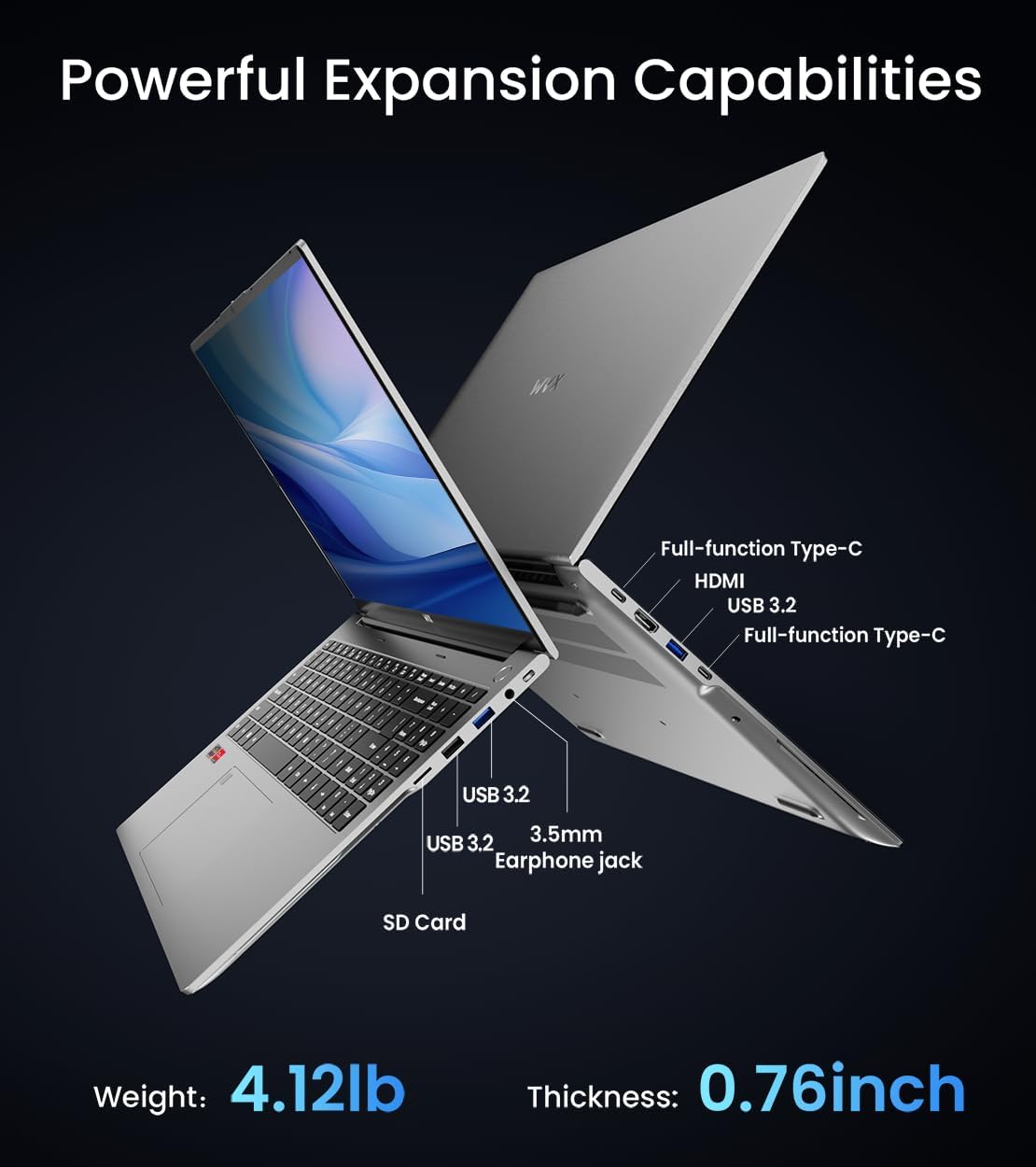
3.3 vaizdas: Baigtaview of available ports and physical dimensions.
4. Priežiūra
4.1 Valymas
To maintain optimal performance and appearance, regularly clean your laptop. Use a soft, lint-free cloth for the screen and exterior. For stubborn smudges, a slightly dampened cloth with water or a specialized screen cleaner can be used. Avoid harsh chemicals.
4.2 Programinės įrangos naujiniai
Regularly update your Windows operating system and drivers to ensure system stability, security, and optimal performance. Windows Update can be accessed through the Settings menu.
4.3 Saugyklos ir atminties atnaujinimai
The laptop's RAM can be upgraded to a maximum of 64GB, and the SSD storage can be expanded up to 2TB. Consult a qualified technician for hardware upgrades to avoid voiding your warranty.

Image 4.1: Illustration of memory and storage upgrade capabilities.
5. Problemų sprendimas
5.1 Maitinimo problemos
- Nešiojamasis kompiuteris neįsijungia: Įsitikinkite, kad maitinimo adapteris yra tvirtai prijungtas ir kad akumuliatorius yra pakankamai įkrautas. Išbandykite kitą maitinimo lizdą.
- Baterija nekraunama: Verify the power adapter is functioning correctly. Check the charging port for any obstructions.
5.2 Ekrano problemos
- Tuščias ekranas: Prijunkite išorinį monitorių, kad patikrintumėte, ar problema susijusi su nešiojamojo kompiuterio ekranu. Paleiskite nešiojamąjį kompiuterį iš naujo.
- Mirksintis ekranas: Atnaujinkite grafikos tvarkykles. Koreguokite ekrano atnaujinimo dažnį „Windows“ nustatymuose.
5.3 Našumo problemos
- Lėtas veikimas: Uždarykite nereikalingas programas. Patikrinkite, ar nėra kenkėjiškų programų. Įsitikinkite, kad yra pakankamai laisvos vietos saugykloje.
- Perkaitimas: Ensure ventilation vents are clear. Consider using a cooling pad.

Image 5.1: Illustration of the laptop's cooling system with pure copper heat pipes and fan speed.
6. Specifikacijos
| Funkcija | Specifikacija |
|---|---|
| Prekės ženklas | WVX |
| Modelio pavadinimas | R9-6900HX (A02) |
| Procesorius | AMD Ryzen 9 6900HX (4.9 GHz, 8 branduoliai, 16 gijų) |
| Grafikos koprocesorius | AMD Radeon 680M |
| RAM | 32 GB DDR5 (maks. 64 GB) |
| Kietasis diskas | 512 GB SSD (Max 2TB) |
| Ekrano dydis | 16 colių |
| Maksimali ekrano skiriamoji geba | 1920 x 1200 pikselių |
| Operacinė sistema | Windows 11 Pro |
| Belaidis tipas | 802.11ax („Wi-Fi 6“) |
| Bluetooth | 5.2 |
| USB 3.0 prievadų skaičius | 4 |
| Gaminio matmenys | 14 x 9.7 x 0.78 colio |
| Prekės svoris | 5.89 svaro |
| Baterija | 58 Wh |
| Ypatingos savybės | Backlit Keyboard, Fingerprint Reader, HD Audio |
7. Garantija ir palaikymas
WVX offers comprehensive support for your laptop:
- Techninė pagalba: Enjoy unlimited technical support.
- Remonto tarnyba: 12 months of repair service for all customers.
- Atsakymo laikas: Online connection within 24 hours for inquiries.
For any questions or concerns, please reach out to the WVX support team.

7.1 vaizdas: Baigtaview of WVX customer support services.
8. Oficialus produkto vaizdo įrašas
8.1 vaizdo įrašas: oficialus vaizdo įrašasasing the WVX R9 6900HX Laptop, highlighting its features and design.


