Įvadas
Thank you for choosing the GOBOULT Flex On-Ear Bluetooth Headphones. This manual provides essential information for setting up, operating, and maintaining your headphones to ensure optimal performance and longevity. Please read this manual thoroughly before using the product.
Kas yra dėžutėje
- GOBOULT Flex On-Ear Bluetooth Headphones
- C tipo greito įkrovimo laidas
- Vartotojo vadovas
- Garantijos kortelė
Produktas baigtasview
The GOBOULT Flex headphones are designed for comfort and high-quality audio. They feature 40mm bass-boosted drivers, Bluetooth 5.4 connectivity, and an adjustable, foldable design.

Vaizdas: Viršview of GOBOULT Flex features including 40mm drivers, Bluetooth 5.4, 4 EQ modes, 60ms low latency, 80-hour battery, and ENC calling.
Pagrindiniai komponentai:
- Ausinės: Minkšti, paminkštinti ausų kaušeliai patogumui.
- Reguliuojama galvos juosta: Allows for a customized fit.
- Valdymo mygtukai: Located on the earcups for power, volume, playback, and call management.
- C tipo įkrovimo prievadas: Ausinėms įkrauti.
- AUX įvestis: Laidiniam garso prijungimui.
- Mikrofonas: Integrated Zen™ ENC mic for clear calls.

Image: The adjustable headband and earcups of the GOBOULT Flex headphones, designed for a comfortable fit.
Sąranka
1. Ausinių įkrovimas
Before first use, fully charge your GOBOULT Flex headphones. Use the provided Type-C charging cable.
- Connect the Type-C cable to the charging port on the headphones.
- Kitą laido galą prijunkite prie USB maitinimo šaltinio (pvz., sieninio adapterio, kompiuterio USB prievado).
- The LED indicator will show charging status (refer to product for specific light patterns).
- A full charge takes approximately 60 minutes and provides up to 80 hours of playtime.
- Fast charging provides 5 hours of playtime with just 10 minutes of charging.
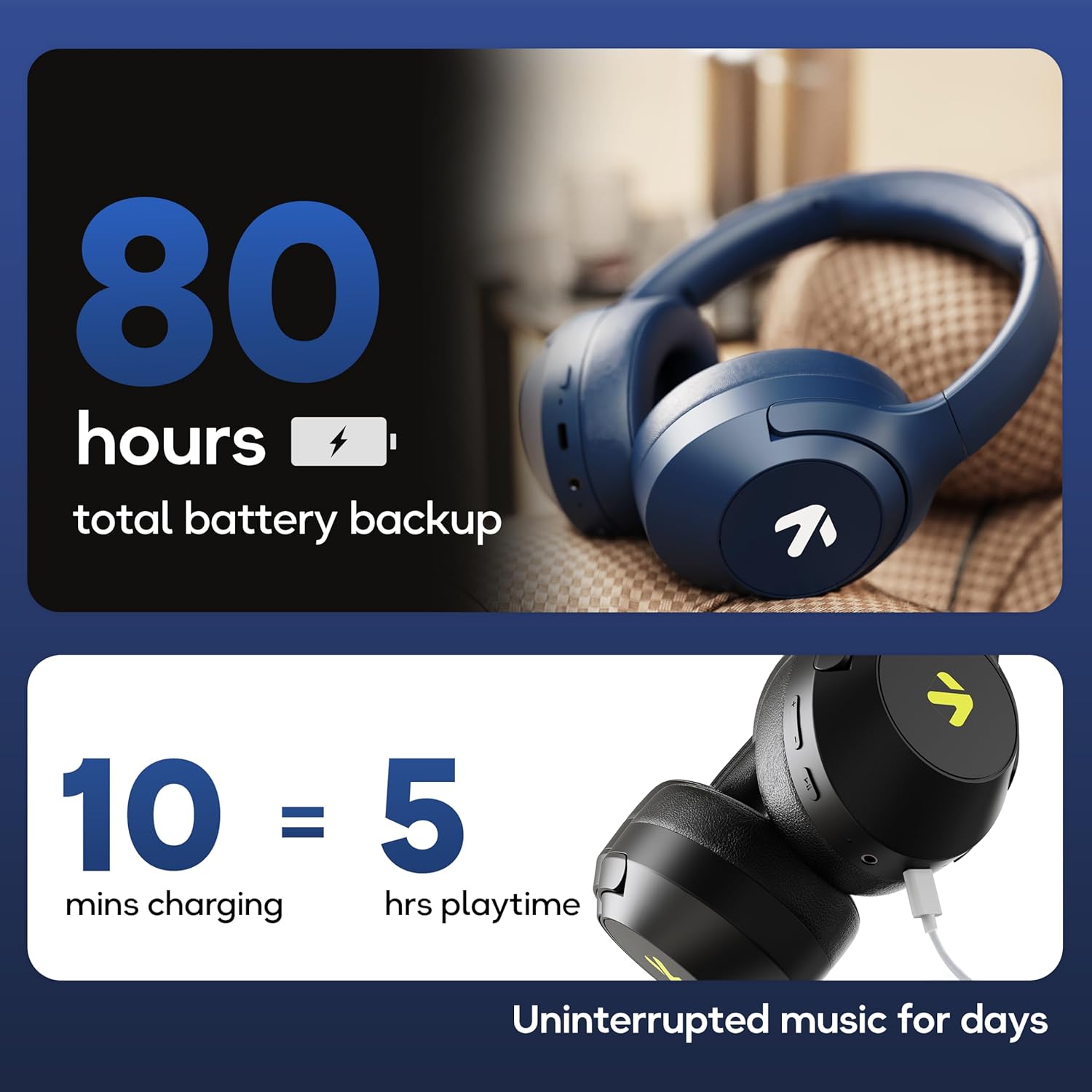
Image: Visual representation of the 80-hour battery life and fast charging capability (10 minutes charge for 5 hours playback).
2. „Bluetooth“ poravimas
Susiekite ausines su savo įrenginiu, kad galėtumėte klausytis belaidžio garso.
- Įsitikinkite, kad ausinės yra įkrautos ir išjungtos.
- Press and hold the Power button until the LED indicator flashes (usually blue and red alternately), indicating pairing mode.
- Savo įrenginyje (išmaniajame telefone, planšetiniame kompiuteryje, nešiojamajame kompiuteryje) įjunkite „Bluetooth“ ir ieškokite galimų įrenginių.
- Select "GOBOULT Flex" from the list of devices.
- Prijungus, LED indikatorius paprastai šviečia mėlyna spalva arba lėtai mirksi.
- The headphones feature Bluetooth 5.4 and Blink & Pair™ technology for fast and stable connections.

Image: The headphones connected via Bluetooth 5.4, highlighting the Blink & Pair feature for quick device connection.
Naudojimo instrukcijos
Maitinimo įjungimas/išjungimas
- Maitinimas: Paspauskite ir palaikykite maitinimo mygtuką maždaug 3 sekundes.
- Išjungti: Paspauskite ir palaikykite maitinimo mygtuką maždaug 5 sekundes.
Muzikos valdymas
- Leisti / pristabdyti: Vieną kartą paspauskite daugiafunkcį mygtuką.
- Kitas takelis: Paspauskite ir palaikykite garsumo didinimo mygtuką.
- Ankstesnis takelis: Paspauskite ir palaikykite garsumo mažinimo mygtuką.
- Pagarsink: Trumpai paspauskite garsumo didinimo mygtuką.
- Patildyti: Trumpai paspauskite garsumo mažinimo mygtuką.
Skambučių valdymas
The Zen™ ENC mic ensures clear communication by reducing environmental noise.

Vaizdas: Išsamus view of the Zen™ ENC microphone technology for effective environmental noise cancellation during calls.
- Atsiliepti / Baigti skambutį: Vieną kartą paspauskite daugiafunkcį mygtuką.
- Atmesti skambutį: Paspauskite ir 2 sekundes palaikykite daugiafunkcį mygtuką.
- Perrink paskutinį numerį: Du kartus paspauskite daugiafunkcinį mygtuką.
Balso asistentas
Activate your device's voice assistant (e.g., Google Assistant) directly from the headphones.
- Suaktyvinti „Voice Assistant“: Tris kartus paspauskite daugiafunkcį mygtuką.

Image: The headphones featuring voice assistant compatibility and IPX5 water resistance for protection against sweat and splashes.
Gaming Mode (60ms Low Latency)
Engage Combat™ Gaming Mode for ultra-low latency audio, ideal for gaming.
- Įjunkite žaidimo režimą: Refer to the specific button combination in your quick start guide (often a dedicated button or a long press of a volume button).
- This mode reduces audio latency to 60ms for a synchronized gaming experience.
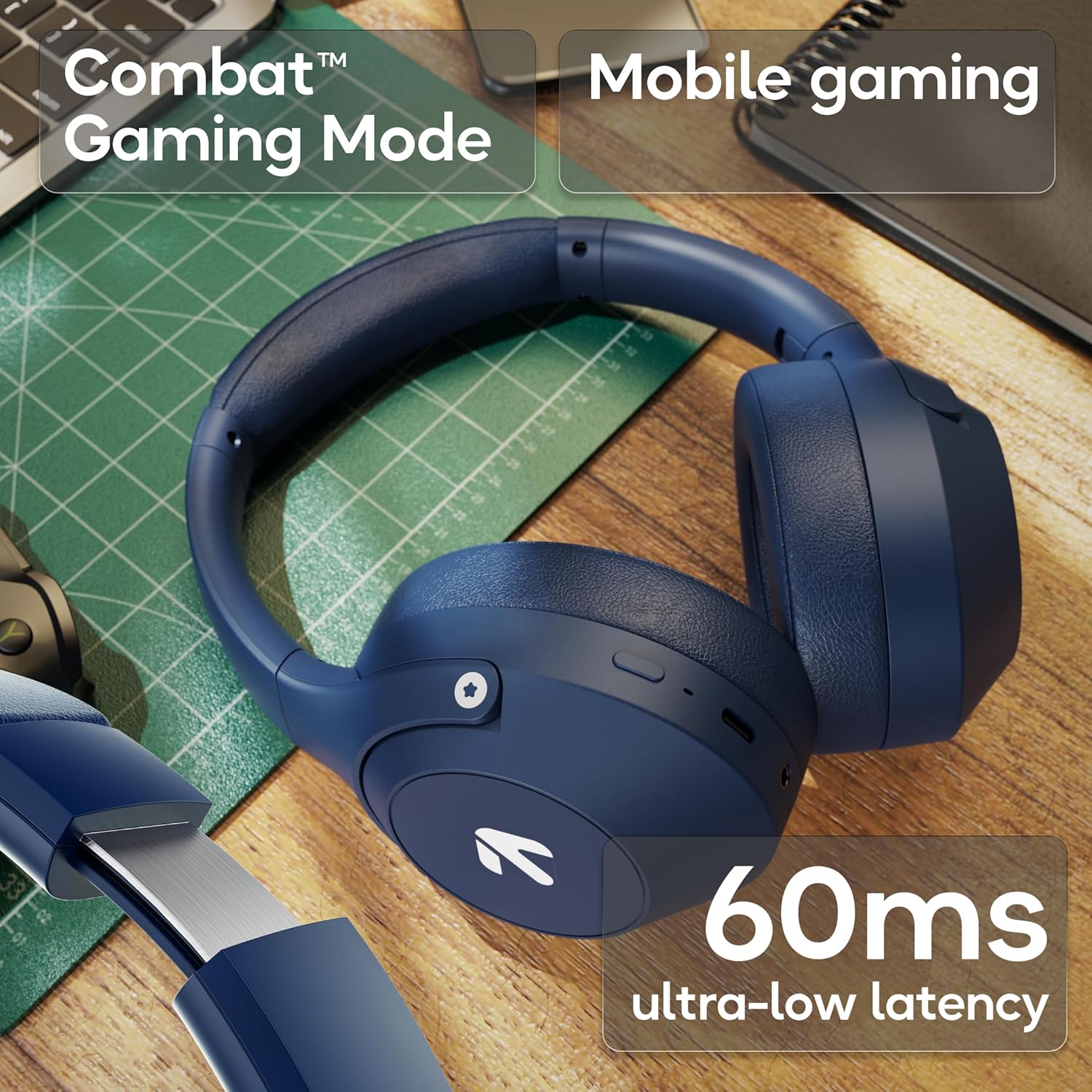
Image: The headphones highlighting the Combat™ Gaming Mode with 60ms ultra-low latency for an enhanced gaming experience.
Laidinis režimas
Use the included AUX cable for a wired connection when wireless is not preferred or the battery is low. Note that the microphone is typically off in wired mode.
- Connect one end of the 3.5mm AUX cable to the headphone's AUX port.
- Kitą galą prijunkite prie garso šaltinio 3.5 mm lizdo.
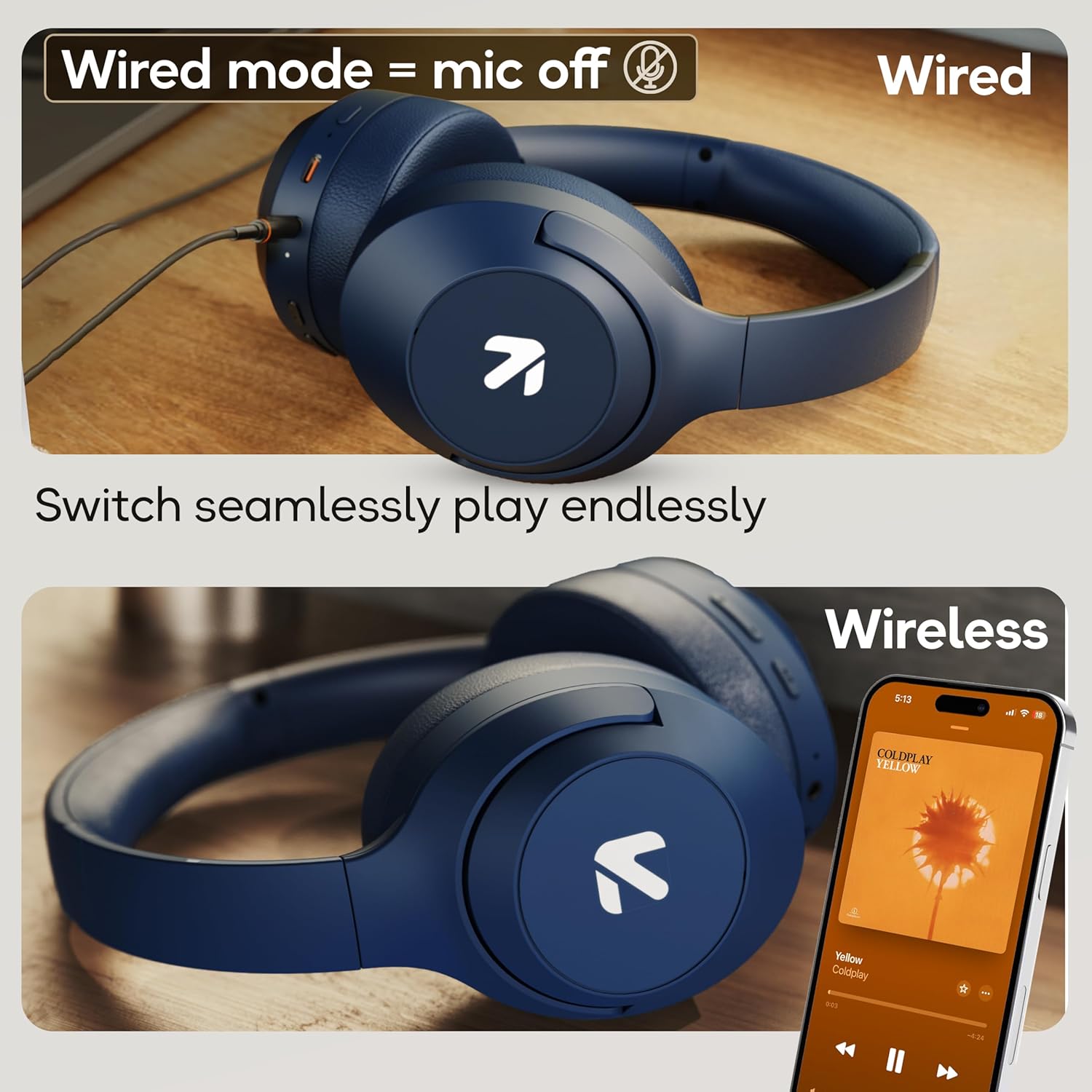
Image: Comparison of wired mode (with mic off) and wireless mode, demonstrating the flexibility of connection options.
EQ režimai
The headphones offer 4 Equalizer (EQ) modes to customize your audio experience.
- Galimi režimai: Bass, Rock, Pop, Vocal.
- Perjungimo režimai: Refer to the specific button combination in your quick start guide (often a dedicated EQ button or a combination press).

Image: The headphones emphasizing powerful bass delivered by 40mm boosted drivers with Boomx™ technology, and support for AAC/SBC codecs.

Vaizdas: vidinis view of the headphones showing the DSP processor, indicating features like seamless VoIP calls, adaptive audio equalization, and 16-bit dual-audio processing.
Priežiūra
Tinkama priežiūra užtikrina jūsų ausinių ilgaamžiškumą.
- Valymas: Ausines valykite minkštu, sausu skudurėliu. Nenaudokite stiprių cheminių medžiagų ar abrazyvinių medžiagų.
- Saugykla: Ausines laikykite vėsioje, sausoje vietoje, toliau nuo tiesioginių saulės spindulių ir ekstremalių temperatūrų. Sulankstomas dizainas leidžia jas kompaktiškai laikyti.
- Atsparumas vandeniui: The headphones are IPX5 rated, meaning they are resistant to sweat and light splashes. Do not submerge them in water or expose them to heavy rain.
Trikčių šalinimas
Nėra galios
- Įsitikinkite, kad ausinės yra visiškai įkrautos.
- Patikrinkite įkrovimo laidą ir maitinimo šaltinį.
Nepavyksta susieti per „Bluetooth“
- Įsitikinkite, kad ausinės yra susiejimo režime (LED mirksi mėlynai / raudonai).
- Įsitikinkite, kad jūsų įrenginyje įjungtas „Bluetooth“ ryšys ir jis yra ne toliau kaip 10 metrų atstumu nuo ausinių.
- Forget "GOBOULT Flex" from your device's Bluetooth list and try pairing again.
- Iš naujo paleiskite ausines ir įrenginį.
Nėra garso
- Patikrinkite garsumo lygius tiek ausinėse, tiek prijungtame įrenginyje.
- Įsitikinkite, kad ausinės yra tinkamai susietos ir prijungtos.
- If using wired mode, ensure the AUX cable is fully inserted into both the headphones and the audio source.
Prasta skambučių kokybė
- Įsitikinkite, kad mikrofonas nėra uždengtas.
- Move to a quieter environment to allow the ENC mic to function optimally.
- Patikrinkite savo įrenginio skambučių nustatymus.
Specifikacijos
| Funkcija | Specifikacija |
|---|---|
| Modelio pavadinimas | Flex |
| Prekės ženklas | GOBOULT |
| Ryšio technologija | „Bluetooth“, belaidis |
| Bluetooth versija | 5.4 (Product Title says 5.4, Specs say 5.3, using 5.4 as per title) |
| Bluetooth diapazonas | 10 metrų |
| Garso tvarkyklės dydis | 40 milimetrų |
| Garso tvarkyklės tipas | Dinaminis vairuotojas |
| Baterijos veikimo laikas | 80 Hours (Playtime) |
| Įkrovimo laikas | 60 minučių |
| Greitas įkrovimas | 10 minučių 5 valandas žaidimo |
| Ausinės Jack | Type-C Fast Charging Jack, 3.5mm AUX |
| Mikrofonas | Zen™ ENC Mic |
| Mažos delsos režimas | 60 ms („Combat™“ žaidimų režimas) |
| Atsparumo vandeniui lygis | IPX5 (Sweatproof, Water-resistant, Splashproof) |
| Triukšmo valdymas | Pasyvus triukšmo slopinimas |
| Prekės svoris | 214 gramų |
| Gaminio matmenys | 5 x 19 x 20 cm |
| Įtraukti komponentai | Cable, Headphone, Type-C Fast Charging Cable, User Manual, Warranty Card |
Garantija ir palaikymas
The GOBOULT Flex On-Ear Bluetooth Headphones come with a 1 metų garantija.
For warranty registration, technical support, or customer service inquiries, please visit the official GOBOULT website or contact their customer support team using the information provided on the warranty card.


