1. Įvadas
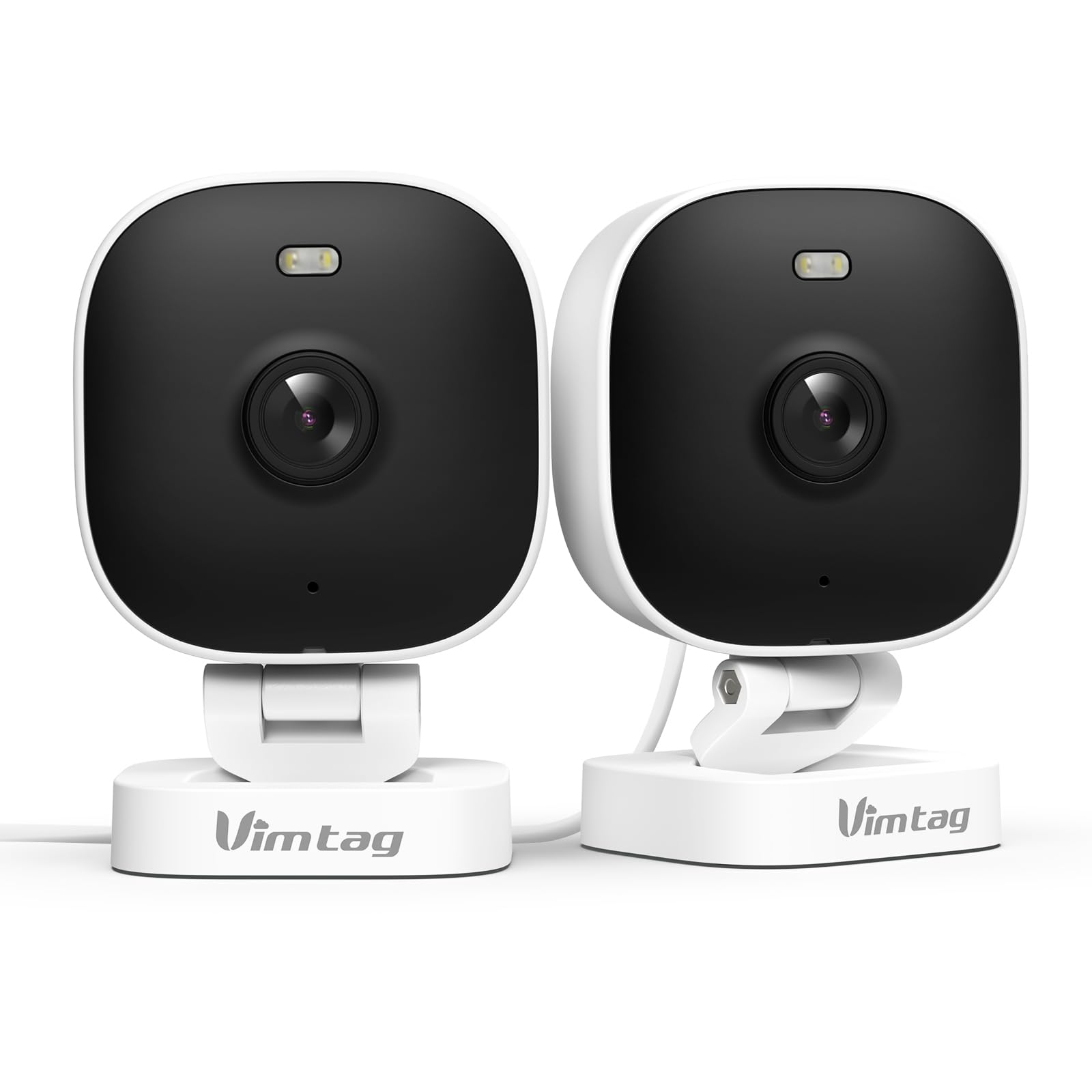
The VIMTAG 8310 2.5K Security Camera is designed to provide comprehensive surveillance for your home, pets, and loved ones. This manual provides detailed instructions for setting up, operating, and maintaining your camera to ensure optimal performance and security.
Pagrindinės funkcijos:
- Nepertraukiamas veikimas: The camera operates 24/7 via a plug-in power cable, eliminating the need for battery charging. It supports 2.4GHz and 5GHz dual-band WiFi, including WiFi 6 technology, for stable connections.
- Didelės raiškos vaizdo įrašas: Provides 2.5K resolution for clear day and night visibility. Features full-color night vision, enhanced by a built-in LED light, for detailed monitoring in various indoor and outdoor environments.
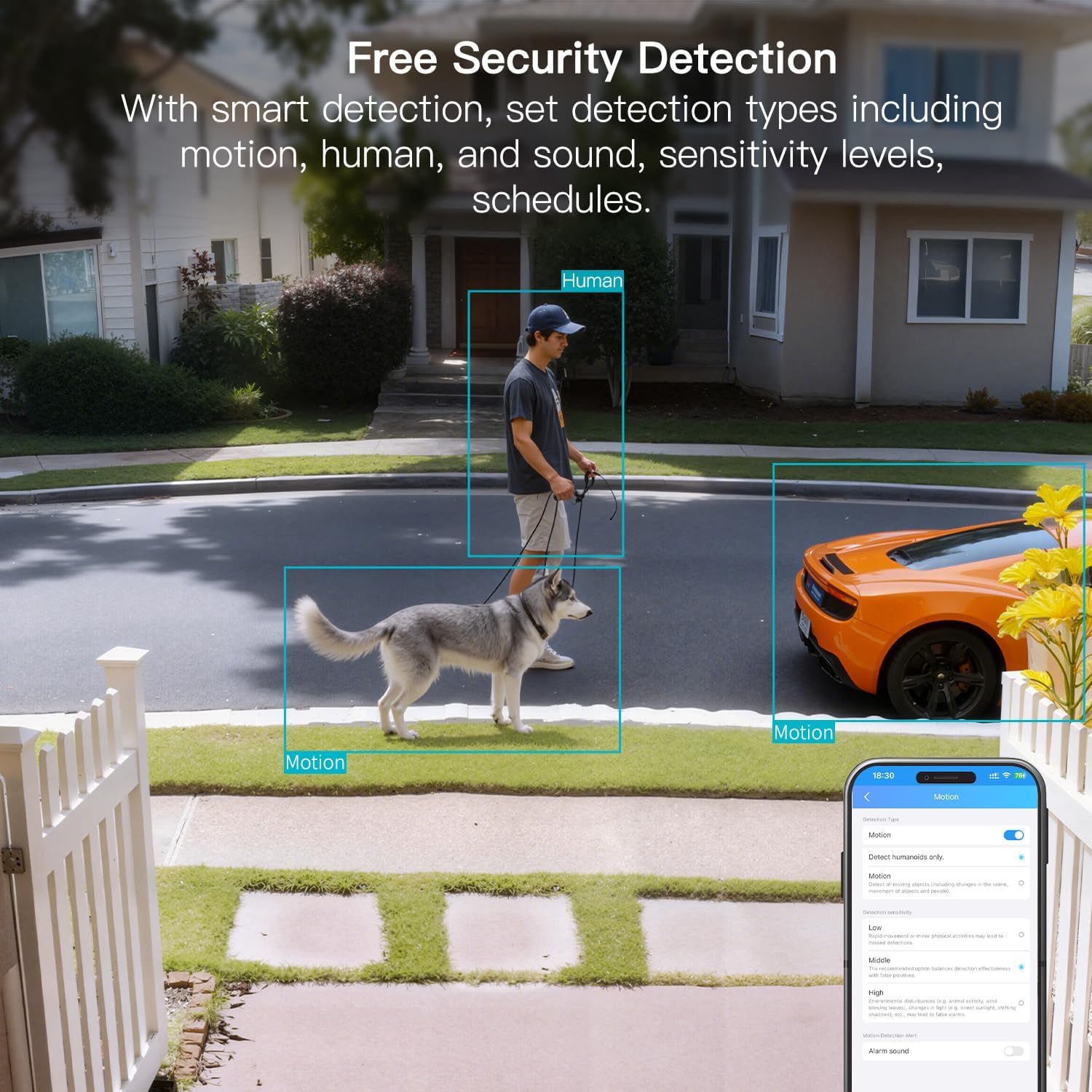
- Išmanusis aptikimas: Offers advanced detection capabilities for motion, people, and sound up to 33 feet. Users receive instant alerts for detected activity.
- Atsparumas oro sąlygoms: Rated IP65, the camera is designed for outdoor use and can withstand rain, snow, heat, and cold, ensuring continuous operation in various weather conditions.
- Remote Access and Two-Way Audio: The mobile app allows remote access to live video footage and recorded content. Built-in two-way audio enables real-time communication through the camera.
- Centralizuotas valdymas: Up to 32 Vimtag WiFi cameras can be managed within a single application. Features include smart cloud storage (subscription required), motion detection, and event filtering.
2. Kas yra dėžutėje
Patikrinkite pakuotės turinį, kad įsitikintumėte, jog yra visi reikalingi daiktai:
- Camera with cable
- Montavimo varžtas
- Maitinimo adapteris
- Instrukcijų vadovas (šis dokumentas)
3. Sąranka
3.1 Pradinė sąranka ir programėlės prijungimas
- Atsisiųskite programą: Ieškokite "Canny Cam" in your smartphone's app store (iOS or Android) and download the application.
- Registruoti paskyrą: Open the Canny Cam app and follow the on-screen instructions to register a new user account.
- Maitinimas: Connect the camera to the power adapter using the provided cable and plug it into an electrical outlet. The camera will power on automatically.
- Pridėti įrenginį: In the Canny Cam app, select the option to add a new device. Enable Bluetooth and Wi-Fi on your smartphone as prompted by the app.
- Vykdykite instrukcijas programėlėje: The app will guide you through the process of connecting the camera to your home Wi-Fi network. Ensure your Wi-Fi network is 2.4GHz or 5GHz compatible.
- Prisijungimo patvirtinimas: Once successfully connected, the app will confirm the device has been added.

Image: Visual guide showing the steps to download the Canny Cam app, enable Bluetooth and Wi-Fi, and connect the camera.
3.2 Montavimo parinktys
The VIMTAG 8310 camera offers flexible mounting options to suit various indoor and outdoor locations. Use the provided mounting screws for secure installation.
- Sieninis laikiklis: Tvirtai pritvirtinkite kamerą prie sienos naudodami tvirtinimo laikiklį ir varžtus.
- Montavimas ant lubų: Install the camera on a ceiling for an overhead view.
- Tabletop Mount/Freestanding: Place the camera on a flat surface such as a table, shelf, or desk.
- Door Mount/Window Mount: Position the camera near doors or windows for specific entry point monitoring.

Image: A hand using a screwdriver to mount the VIMTAG camera to a surface.
Vaizdas: pvzamples of various mounting positions for the camera, including freestanding, wall-mounted, and ceiling-mounted.
4. Fotoaparato valdymas
4.1 Tiesiogiai View ir Įrašymas
Pasiekite tiesioginį vaizdo transliaciją ir įrašytą maistątage through the Canny Cam app on your smartphone or tablet.

Image: A comparison demonstrating the enhanced detail of 2.5K QHD resolution compared to 1080p.
4.2 Spalvotas naktinis matymas
The camera features full-color night vision, providing clear and detailed images even in low-light conditions, unlike traditional black-and-white night vision.
Image: A visual comparison illustrating the difference between color night vision and traditional night vision.
4.3 Dviejų dažnių „Wi-Fi“ ryšys
The camera supports both 2.4GHz and 5GHz Wi-Fi bands, offering flexibility for network connection. 2.4GHz provides a stable connection over longer distances, while 5GHz offers faster speeds for shorter ranges.

Image: Explanation of 2.4GHz and 5GHz Wi-Fi benefits for the camera's connectivity.
4.4 Išmanusis aptikimas ir įspėjimai
Configure motion, human, and sound detection settings within the Canny Cam app. The camera can trigger a smart sound and light alarm and send instant notifications to your smartphone upon detecting activity.

Image: Depiction of the smart sound and light alarm feature in action.

Image: App interface showing options for setting detection types and sensitivity levels.
4.5 Dvipusis garsas
Utilize the built-in microphone and speaker for two-way communication. This allows you to speak to visitors, deter intruders, or comfort pets remotely.
Vaizdas: pvzampdvipusio garso naudojimas bendravimui per kamerą.
4.6 Saugojimo parinktys
The camera supports local storage via a MicroSD card (up to 512GB, sold separately) for continuous or event-triggered recording. Cloud storage is also available through a subscription service, offering event recording and multi-device playback.

Image: The camera's recording capabilities to a TF card or cloud storage.

Vaizdas: Viršview of Canny Cam app features, including those available with and without a cloud subscription.
4.7 „Alexa“ integracija
The VIMTAG 8310 camera is compatible with Alexa, allowing for hands-free control and live streaming to compatible Alexa-enabled devices.

Vaizdas: pvzample of using Alexa to view fotoaparato tiekimas.
5. Priežiūra
To ensure the longevity and optimal performance of your VIMTAG 8310 camera, follow these maintenance guidelines:
- Valymas: Reguliariai valykite fotoaparato objektyvą ir korpusą minkštu, sausu skudurėliu, kad pašalintumėte dulkes ir dėmes. Venkite naudoti stiprias chemines medžiagas ar abrazyvines medžiagas.
- Firmware atnaujinimai: Check the Canny Cam app periodically for available firmware updates. Keeping your camera's firmware up-to-date ensures you have the latest features and security enhancements.
- Maitinimas: Ensure the camera is connected to a stable power source. Avoid using damaged cables or adapters.
- Aplinkos apsauga: While the camera is IP65-rated for weather resistance, avoid direct exposure to extreme conditions or prolonged submersion in water.
6. Problemų sprendimas
If you encounter any issues with your VIMTAG 8310 camera, please refer to the following common troubleshooting tips or contact support:
- Nėra galios: Įsitikinkite, kad maitinimo adapteris yra tvirtai prijungtas tiek prie kameros, tiek prie veikiančio elektros lizdo.
- „Wi-Fi“ ryšio problemos: Verify your Wi-Fi network is active and the camera is within range. Try restarting your router and the camera. Ensure you are connecting to the correct 2.4GHz or 5GHz network as supported by your router and camera settings.
- Programos ryšio problemos: Check if your smartphone has a stable internet connection. Ensure the Canny Cam app is updated to the latest version. Try restarting the app or your phone.
- Prasta vaizdo kokybė: Check your internet speed. A slow connection can affect streaming quality. Ensure the camera lens is clean.
- Judesio aptikimas neveikia: Review the motion detection settings in the Canny Cam app to ensure they are configured correctly and sensitivity levels are appropriate.
Note: No relevant product videos with 'creator_type: Seller' were found in the provided data to include in this section.
7. Specifikacijos
| Funkcija | Detalė |
|---|---|
| Naudojimas viduje / lauke | Viduje, Lauke |
| Suderinami įrenginiai | Smartphone, iPhone, iPad, Android Phone, Android Pad |
| Maitinimo šaltinis | Su laidu elektra |
| Ryšio protokolas | Wi-Fi |
| Valdiklio tipas | APP |
| Montavimo tipas | Wall mount, Ceiling mount, Tabletop Mount, Freestanding, Door mount, Window mount |
| Vaizdo įrašymo raiška | 1440p (2.5K) |
| Spalva | Baltas |
| Prekių skaičius | 2 |
| Kanalų skaičius | 2 |
| Belaidžio ryšio technologija | Wi-Fi |
| Formos faktorius | Kubas |
| Efektyvi vaizdo raiška | 4 MP |
| Viewing kampas | 130 laipsnių |
| Naktinio matymo diapazonas | 33 pėdų |
| Kadrų dažnis | 25 kadrų per sekundę |
| Medžiaga | Plastikiniai |
| ttage | 5 voltų |
| Vattage | 5 vatų |
| Prekės matmenys P x P x A | 2.28 x 1.85 x 2.8 colio |
| Atsparumo vandeniui lygis | Neperšlampamas (IP65) |
| Reikalingos baterijos? | Nr |
| „Flash“ atminties tipas | Micro SD |
| Prekės svoris | 0.19 kilogramo (6.7 uncijos) |
| Vaizdo įrašų kodavimas | H.264 & H.265 |
| Forma | Stačiakampis |
| Fokusavimo tipas | Automatinis fokusavimas |
| Silpno apšvietimo technologija | Naktinė spalva |
| Priartinimo tipas | Skaitmeninis priartinimas |
| Mastelio santykis | 8 |
| Įspėjimo tipas | Garsas ir judesys |
| Šviesos šaltinio tipas | LED, IR |
| Vaizdo įrašymo formatas | MPEG-4 |
| Nuotraukų jutiklių technologija | CMOS |
| Veiksminga nejudančioji raiška | 4 MP |
| Tarptautinis apsaugos įvertinimas | IP66 |
| Maksimalus Webcam Vaizdo raiška | 4 MP |
| Kontrolės metodas | Programėlė, nuotolinio valdymo pultas |
| IR šviesos diodų skaičius | 2 |
| „Flash“ atminties palaikomas maksimalus dydis | 512 GB |
| Produkto klasė | Gyvenamasis rajonas |
| Išmaniųjų namų suderinamumas | Smart Home Compatible |
| Korinio ryšio technologija | 2.4G 5G |
| Garso ir vaizdo įrašymo galimybės | Audio, Still Image, Video |
| Dažnių juostos klasė | Dviejų juostų |

Image: Product dimensions of the VIMTAG 8310 camera.
8. Garantija ir palaikymas
For expert support with setting up and optimizing your VIMTAG cameras, please contact our support team:
- Pagalba telefonu: +1 (978) 437-5767
- Prieinamumas: Monday to Friday, 9:00 AM - 6:00 PM (ET)
VIMTAG is committed to providing lifetime technical support for its products. For any inquiries or assistance, please reach out to our dedicated support channels.

Image: VIMTAG Free Expert Support contact information.


