1. Įvadas
Ačiū, kad pirkoteasing the Gembird GMB Audio TWS-LCD-ANC-01-W Wireless In-Ear Headphones. These headphones are designed to provide a high-quality audio experience for music and calls, featuring Active Noise Cancellation (ANC) and an integrated microphone. This manual provides essential information for setting up, operating, maintaining, and troubleshooting your device.
2. Pakuotės turinys
- 1x Pair of Gembird GMB Audio TWS-LCD-ANC-01-W Wireless In-Ear Headphones
- 1x įkrovimo dėklas
- 1x USB Type-C įkrovimo laidas
3. Produktas baigtasview
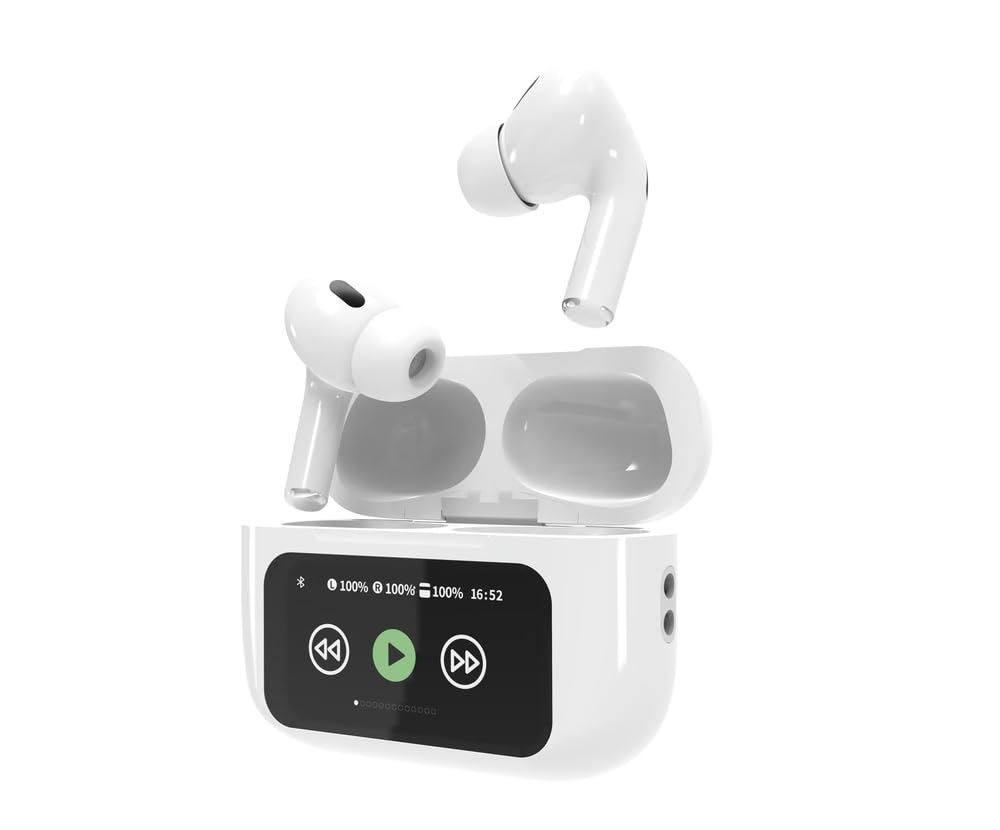
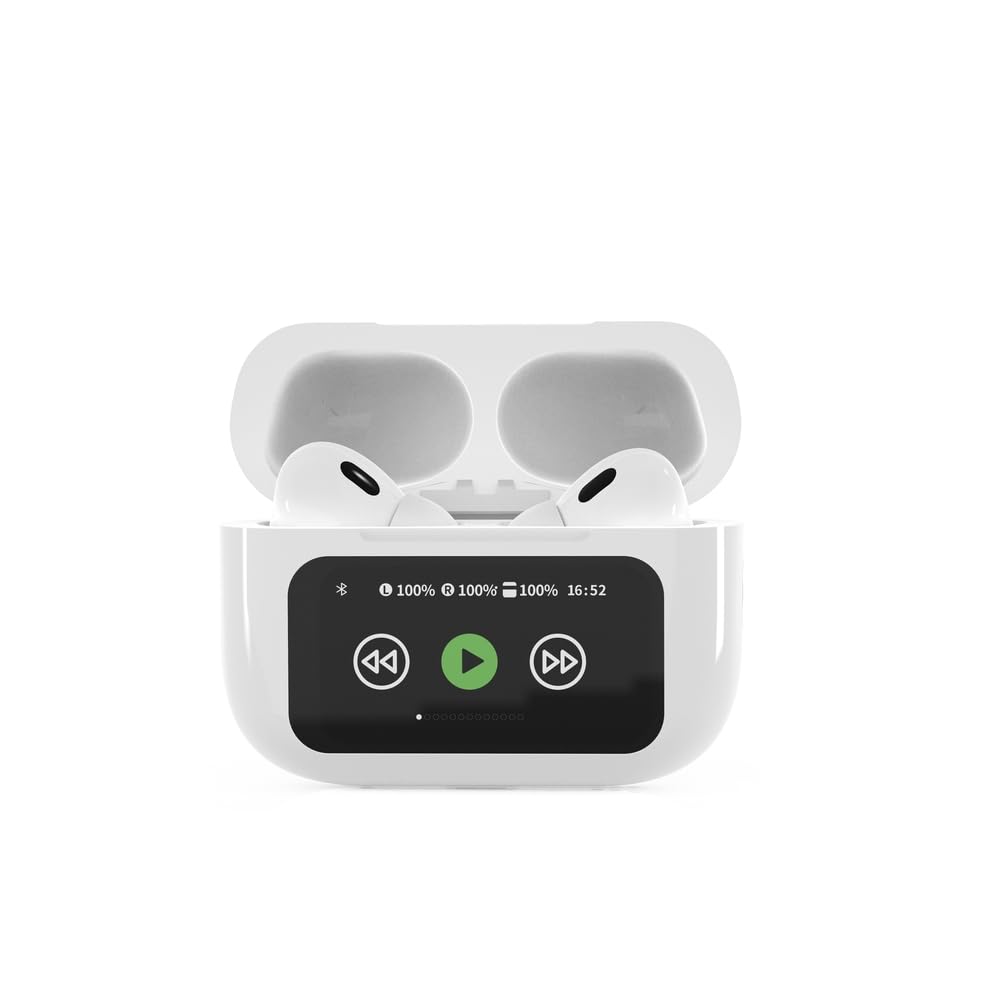

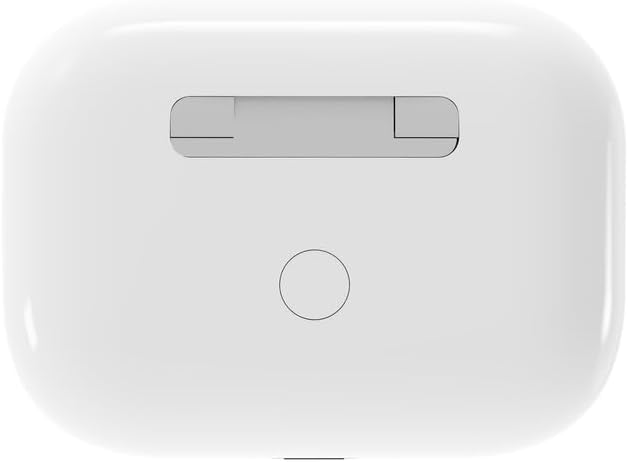

4. Sąranka
4.1 Pradinis įkrovimas
Before first use, fully charge the headphones and the charging case. Connect the supplied USB Type-C cable to the charging port on the case and plug the other end into a compatible USB power source (e.g., computer, wall adapter). The LED indicator on the case will show charging status. A full charge typically takes approximately 2 hours.
4.2 Bluetooth poravimas
- Ensure the headphones are in the charging case and the case is open. The headphones will automatically enter pairing mode.
- Mobiliajame įrenginyje (išmaniajame telefone, planšetiniame kompiuteryje, nešiojamajame kompiuteryje) įjunkite „Bluetooth“.
- Ieškokite available Bluetooth devices and select 'Gembird TWS-LCD-ANC-01-W' from the list.
- Once connected, the headphones will indicate successful pairing, and the device name will appear as 'Connected' on your mobile device.
5. Naudojimo instrukcijos
5.1 Maitinimo įjungimas/išjungimas
- Maitinimas: Ausinės automatiškai įsijungia, kai išimamos iš įkrovimo dėklo.
- Išjungti: Ausinės automatiškai išsijungia ir pradeda krautis, kai įdedamos atgal į įkrovimo dėklą ir uždaromas dangtelis.
5.2 Muzikos atkūrimas
Control music playback using the touch-sensitive areas on the earbuds or the display on the charging case.
- Leisti / pristabdyti: Single tap on either earbud or press the play/pause icon on the case display.
- Kitas takelis: Double tap on the right earbud or press the 'next' icon on the case display.
- Ankstesnis takelis: Double tap on the left earbud or press the 'previous' icon on the case display.
5.3 Skambučių valdymas
When an incoming call is received, music playback will automatically pause.
- Atsiliepti į skambutį: Vieną kartą bakstelėkite bet kurią ausinę.
- Baigti skambutį: Skambučio metu bakstelėkite vieną kartą ant bet kurios ausinės.
- Atmesti skambutį: Paspauskite ir 2 sekundes palaikykite bet kurią ausinę.
5.4 Aktyvus triukšmo slopinimas (ANC)
Activate or deactivate the Active Noise Cancellation feature to reduce ambient noise.
- Įjungti ANC: Press and hold the touch-sensitive area on the left earbud for 2 seconds, or use the dedicated ANC control on the charging case display.
5.5 Garsumo valdymas
Adjust the volume directly from your connected device or through the touch controls on the earbuds (if supported by the specific model's firmware) or the charging case display.
6. Priežiūra
6.1 Valymas
- Ausines ir įkrovimo dėklą nuvalykite minkštu, sausu, nepūkuotu skudurėliu.
- Nenaudokite abrazyvinių valiklių, tirpiklių ar stiprių cheminių medžiagų.
- Įsitikinkite, kad abiejų ausinių ir dėklo įkrovimo kontaktai yra švarūs ir sausi.
6.2 Saugykla
- Always store the headphones in their charging case when not in use to protect them and keep them charged.
- Laikyti vėsioje, sausoje vietoje, atokiau nuo tiesioginių saulės spindulių ir ekstremalių temperatūrų.
6.3 Akumuliatoriaus priežiūra
- Reguliariai kraukite įrenginį, net jei juo nesinaudojate dažnai, kad palaikytumėte akumuliatoriaus veikimo laiką.
- Venkite dažnai visiškai iškrauti akumuliatorių.
7. Problemų sprendimas
| Problema | Galima priežastis | Sprendimas |
|---|---|---|
| Ausinės neįsijungia. | Žemas arba visai nėra akumuliatoriaus įkrovos. | Place headphones in the charging case and ensure the case is charged. Charge the case fully. |
| Nėra garso iš ausinių. | Not connected via Bluetooth; volume too low; media paused. | Verify Bluetooth connection. Increase volume on both headphones and connected device. Check if media is playing. |
| Nepavyksta susieti su įrenginiu. | Headphones not in pairing mode; device already connected to another Bluetooth device; interference. | Ensure headphones are in pairing mode (open case). Turn off Bluetooth on other nearby devices. Forget the device in your phone's Bluetooth settings and try re-pairing. |
| Active Noise Cancellation (ANC) is ineffective. | ANC not activated; improper earbud fit. | Ensure ANC is toggled on. Adjust earbud position for a secure and sealed fit in your ear canal. |
| Mikrofonas neveikia skambučių metu. | Mikrofonas užblokuotas; įrenginio nustatymai. | Ensure the microphone port on the earbuds is not obstructed. Check your device's audio input settings to ensure the headphones are selected. |
8. Specifikacijos
- Modelis: TWS-LCD-ANC-01-W
- Ryšys: Belaidis ryšys, Bluetooth 5.3
- „Bluetooth Pro“files: A2DP, AVRCP, HPF, HSP
- Įkrovimo prievadas: C tipo USB
- Garso dažnių diapazonas: 20–20 000 Hz
- Mikrofonas: Integruota
- Ausinių tipas: In-ear, Binaural
- Kontrolės metodas: Palieskite
- Triukšmo valdymas: Aktyvus triukšmo panaikinimas (ANC)
- Baterijos tipas: Integrated Lithium Polymer (LiPo)
- Įkrovimo dėklo akumuliatoriaus talpa: 300 mAh
- Ausinių baterijos talpa: 30 mAh (kiekvienas)
- Continuous Audio Playback: Iki 8 valandų
- Įkrovimo laikas: Maždaug 2 val
- Produkto svoris: 66 g
- Gaminio matmenys (korpusas): 40 mm (plotis) x 60 mm (gylis) x 25 mm (aukštis)
- Suderinami įrenginiai: Nešiojamasis kompiuteris, planšetinis kompiuteris, mobilusis telefonas
- Atsparumas vandeniui: Atsparus vandeniui
- Sertifikatai: RoHS
9. Garantija ir palaikymas
9.1 Informacija apie garantiją
This product comes with a three-year warranty against manufacturing defects from the date of purchase. Please retain your proof of purchase for warranty claims. The warranty does not cover damage caused by misuse, accidents, unauthorized modifications, or normal wear and tear.
9.2 Pagalba klientams
For technical support, warranty claims, or further assistance, please contact your retailer or visit the official Gembird website. Contact information can typically be found on the product packaging or the Gembird corporate websvetainę.


