1. Įvadas
Thank you for choosing the UPERFECT 18.4-Inch 4K UHD Portable Monitor. This manual provides essential information for setting up, operating, and maintaining your new monitor. Please read this manual thoroughly before use to ensure proper functionality and to maximize your viewpatirtį.
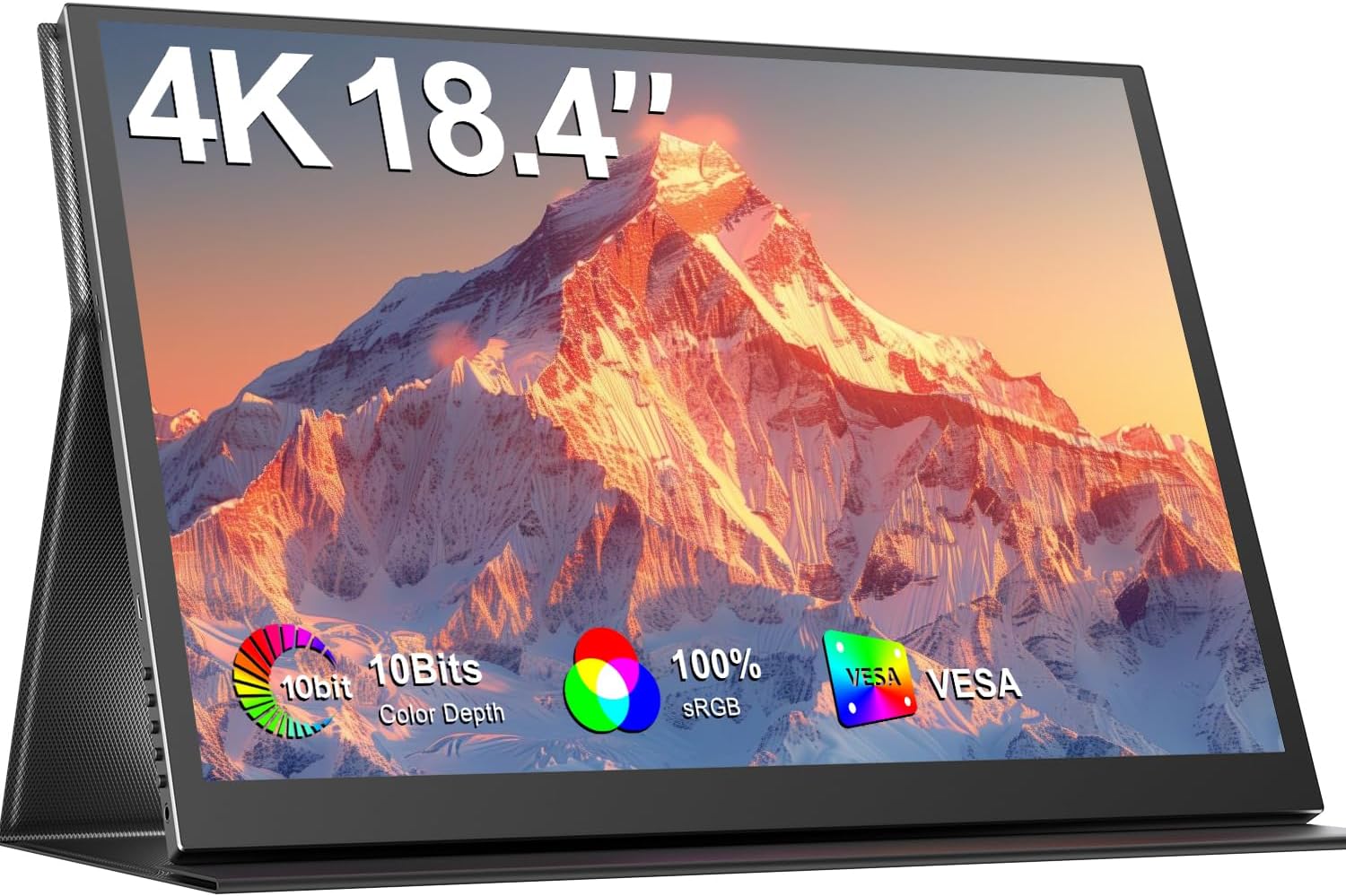
Image 1.1: The UPERFECT 18.4-Inch 4K UHD Portable Monitor, showcasindėl savo ekrano ir plono dizaino.
2. Produktas baigtasview
2.1 Pagrindinės savybės
- Large 18.4-Inch 4K UHD Display: Features a 3840x2160 resolution IPS panel for detailed visuals.
- Vivid 10-Bit Color & HDR: Offers 10-bit color depth, 100% sRGB coverage, and HDR support for accurate and vibrant images.
- Montuojamas VESA: Equipped with 75mm VESA holes for flexible mounting options.
- Platus įrenginių suderinamumas: Connects via USB-C and Mini HDMI ports to various devices including laptops, smartphones, and gaming consoles.
- Nešiojamas dizainas: Slim, lightweight, and includes a protective leather cover for travel and use as a stand.
- Integruotas garsas: Features built-in speakers and a headphone jack.
- Akių priežiūros ypatybės: Includes Blue Light Filter and Flicker-Free technology.

Image 2.1: Visual comparison illustrating the larger display area of the 18.4-inch monitor compared to a 15.6-inch model, enhancing productivity.
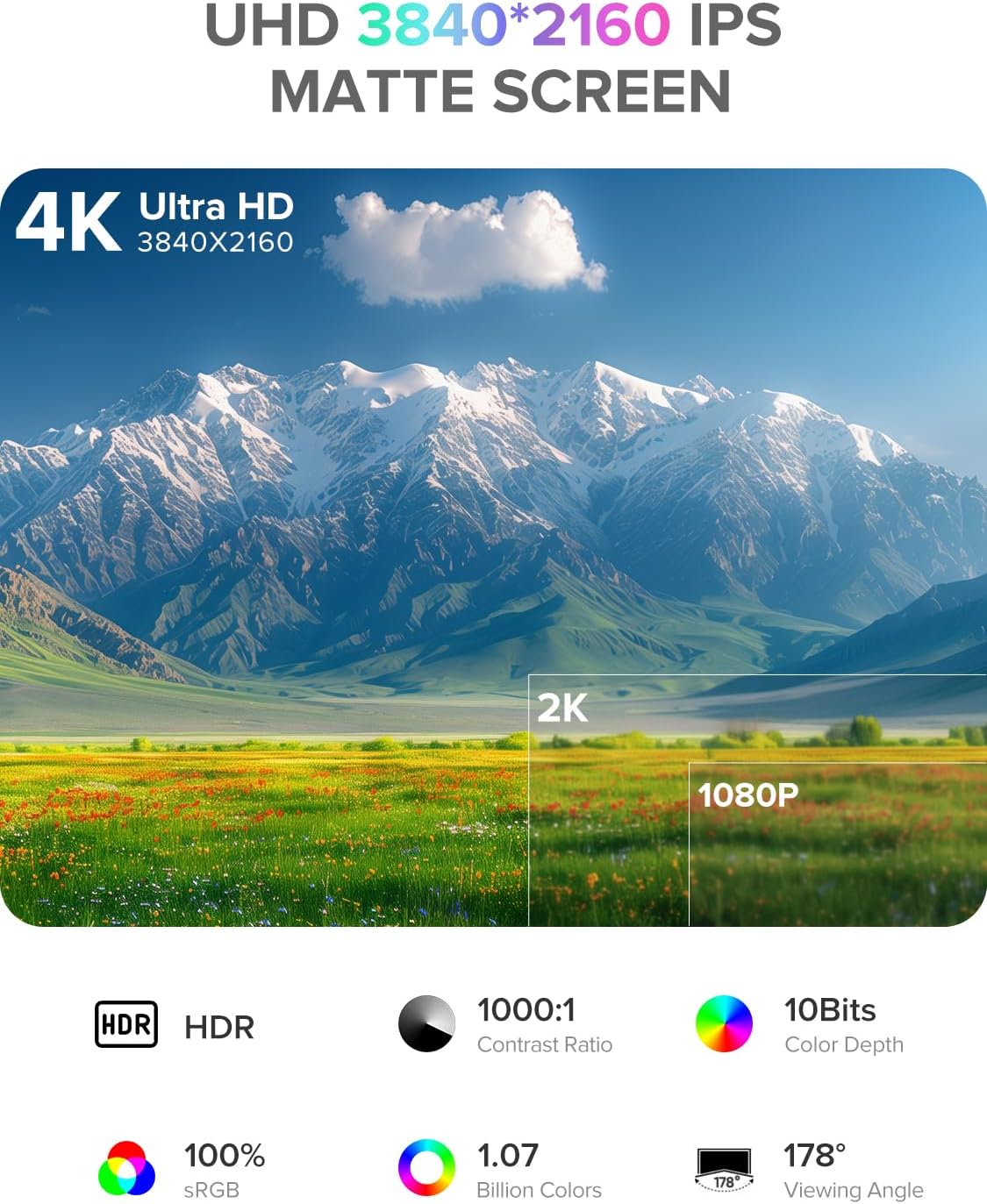
Image 2.2: Details of the monitor's 4K UHD (3840x2160) IPS matte screen, highlighting HDR, 1000:1 contrast ratio, 10-bit color depth, 100% sRGB, 1.07 billion colors, and 178° viewing kampas.

Image 2.3: Illustration of 10-bit color depth, demonstrating smoother color transitions compared to 8-bit, resulting in 1.07 billion colors.
2.2 Pakuotės turinys
Patikrinkite pakuotę, ar joje yra šie daiktai:
- UPERFECT 18.4-Inch 4K UHD Portable Monitor
- Protective Leather Cover (doubles as a stand)
- USB-C to USB-C Cable (for power and video)
- Mini HDMI į HDMI kabelis (vaizdo įrašams)
- Maitinimo adapteris (USB-C)
- Vartotojo vadovas
3. Sąrankos instrukcijos
Norėdami nustatyti nešiojamąjį monitorių, atlikite šiuos veiksmus:
- Išpakuoti: Atsargiai išimkite monitorių ir visus priedus iš pakuotės.
- Padėtis: Place the monitor on a stable, flat surface. You can use the included leather cover as a stand by folding it appropriately.
- Prijunkite maitinimą: Connect the provided power adapter to a power outlet and then to one of the USB-C ports on the monitor. An external power source is recommended for optimal performance, especially when connecting to devices that do not provide sufficient power or when using the monitor at high brightness.
- Prisijunkite prie įrenginio:
- USB-C jungtis: If your device (laptop, smartphone, tablet) has a full-featured USB-C port that supports DisplayPort Alternate Mode and power delivery, connect it to the monitor using the provided USB-C to USB-C cable. This single cable can transmit video, audio, and power.
- Mini HDMI jungtis: If your device uses HDMI, connect it to the monitor's Mini HDMI port using the provided Mini HDMI to HDMI cable. In this setup, you will also need to connect the monitor to an external power source via USB-C.
- Maitinimas: Norėdami įjungti monitorių, paspauskite maitinimo mygtuką.
4. Naudojimo instrukcijos
The monitor features an On-Screen Display (OSD) menu for adjusting various settings.
4.1 Valdikliai
The control buttons are typically located on the side of the monitor.
- ĮJUNGIMO/IŠJUNGIMO mygtukas: Press to power the monitor on or off.
- Meniu mygtukas: Press to access the OSD menu.
- Navigation Buttons ("-" / "+"): Use these buttons to navigate through the OSD menu options and adjust values.
- Grįžimo mygtukas: Used to go back to the previous menu level or exit the OSD.
4.2 Ekrano meniu naršymas
- Paspauskite Meniu mygtuką, kad atidarytumėte OSD meniu.
- Naudokite "-" or „+“ buttons to navigate between menu categories (e.g., Picture, Color, OSD Settings).
- Paspauskite Meniu button again to enter a selected category.
- Naudokite "-" or „+“ buttons to select an option within the category and adjust its value.
- Paspauskite Grįžti button to exit the current menu or the OSD entirely.
4.3 Bendrieji nustatymai
- Ryškumas / kontrastas: Sureguliuokite bendrą šviesumą ir skirtumą tarp šviesių ir tamsių sričių.
- Spalvos temperatūra: Select predefined color temperature settings or customize RGB values.
- HDR režimas: Enable or disable High Dynamic Range for compatible content.
- Kraštinių santykis: Choose between 16:9, 4:3, or other available aspect ratios.
- Apimtis: Adjust the output volume for the built-in speakers or connected headphones.
- Įvesties šaltinis: Manually select between USB-C and Mini HDMI inputs if auto-detection fails.
5. Ryšys
The UPERFECT portable monitor offers versatile connectivity options to suit various devices.

5.1 paveikslėlis: Stambus planas view of the monitor's ports, including Mini HDMI, Type-C 3.1, Micro-USB OTG, and audio jack, along with icons illustrating compatibility with phones, pads, laptops, MacBooks, Switch, PS4, PS5, and PCs.
- USB-C (Full-featured): Two USB-C ports are available. These ports support video, audio, and power delivery. Connect to compatible laptops, smartphones, and tablets with a single USB-C cable.
- Mini HDMI: For devices with an HDMI output, use the Mini HDMI port for video and audio transmission. An additional USB-C connection for power is required when using Mini HDMI.
- Micro-USB OTG: This port allows you to connect peripherals such as a keyboard or mouse directly to the monitor, expanding its functionality.
- 3.5 mm garso lizdas: Connect headphones or external speakers for private listening or enhanced audio.
Important Note on Power: For optimal brightness and stable operation, especially when using Mini HDMI or connecting to devices with limited power output, always connect the monitor to an external power source using the provided USB-C power adapter.
6. VESA tvirtinimas
The monitor is VESA compatible, allowing for flexible mounting on monitor arms or wall mounts.

Image 6.1: The portable monitor mounted on a VESA arm, demonstrating its ability to transition between landscape and portrait modes. The VESA size is 75x75 mm, and the recommended screw size is M4x4 mm.
- VESA standartas: The monitor supports the 75mm x 75mm VESA mounting standard.
- Varžto dydis: Use M4x4 mm screws for mounting. Ensure screws are not too long to avoid damaging internal components.
- Montavimas: Attach the VESA mount adapter (if included or purchased separately) to the monitor, then secure it to your desired VESA-compatible arm or stand.
7. Priežiūra
Proper care will extend the life and performance of your monitor.
- Ekrano valymas:
- Išjunkite monitorių ir atjunkite visus laidus.
- Švelniai nuvalykite ekraną minkštu, nepūkuotu audiniu (pvz., mikropluošto audiniu).
- Įsisenėjusioms dėmėms lengvai nuvalykiteampNuvalykite šluostę vandeniu arba ekrano valymo tirpalu, specialiai skirtu elektronikai. Nepurkškite skysčio tiesiai ant ekrano.
- Venkite naudoti stiprių cheminių medžiagų, alkoholio ar abrazyvinių valiklių.
- C valymasasing: Nuvalykite monitorių casing minkštu, sausu skudurėliu.
- Saugykla: When not in use, store the monitor in its protective leather cover to prevent scratches and dust accumulation.
- Tvarkymas: Venkite per didelio spaudimo ekranui ir monitoriaus numetimo.
8. Problemų sprendimas
Jei kyla problemų dėl monitoriaus, žr. toliau pateiktas dažniausiai pasitaikančias problemas ir sprendimus.
| Problema | Galimas sprendimas |
|---|---|
| Nėra signalo / Juodas ekranas |
|
| Monitorius neįsijungia |
|
| Mirgantis arba nestabilus ekranas |
|
| Nėra garso |
|
9. Specifikacijos
| Funkcija | Detalė |
|---|---|
| Prekės ženklas | PATIKIMAS |
| Modelio numeris | 184T02 |
| Ekrano dydis | 18.4 colių |
| Ekrano raiška | 3840 x 2160 pikselių (4K UHD) |
| Skydelio tipas | IPS |
| Spalvos gylis | 10 bitų |
| Spalvų gama | 100% sRGB |
| HDR palaikymas | Taip |
| Kontrasto santykis | 1000:1 |
| Reagavimo laikas | 1 milisekundė |
| Atnaujinimo dažnis | 60 Hz |
| Krašto santykis | 16:9 |
| Ekrano paviršius | Matinis |
| Ryšys | 2x USB-C (Full-featured), 1x Mini HDMI, 1x Micro-USB OTG, 1x 3.5mm Audio Jack |
| VESA suderinamumas | 75mm x 75mm (M4x4 mm screws) |
| Ypatingos savybės | Blue Light Filter, Built-In Speakers, Eye Care, Flicker-Free, Frameless |
| Spalva | Juoda |
10. Garantija ir palaikymas
UPERFECT products are designed for reliability and performance. This monitor comes with a standard manufacturer's warranty. Please refer to the warranty card included in your package or visit the official UPERFECT websvetainėje, kurioje pateikiamos išsamios garantijos sąlygos.
For technical assistance, troubleshooting, or any product-related inquiries, please contact UPERFECT customer support. Our support team is available to provide prompt and knowledgeable assistance.
You can typically find contact information on the UPERFECT official websvetainėje arba per pardavėją, iš kurio įsigijote produktą.


