1. Įvadas
Thank you for choosing the DOVOX MS-30RV Bluetooth Marine Stereo Receiver. This heavy-duty, weatherproof audio system is designed for outdoor environments, making it ideal for golf carts, UTVs, ATVs, boats, and other powersports vehicles. This manual provides essential information for proper installation, operation, and maintenance of your new stereo receiver.
2. Pakuotės turinys
Prašome patikrinti, ar pakuotėje yra visi reikalingi daiktai:
- DOVOX MS-30RV Bluetooth Marine Stereo Receiver
- Wiring Harness & Mounting Kits
- Vartotojo vadovas
3. Pagrindinės savybės
- Atsparus oro sąlygoms dizainas: IPX5 water-resistant and UV coating materials ensure durability in harsh outdoor conditions.
- „Bluetooth“ garso transliacija: Seamlessly connect A2DP Bluetooth-enabled devices for wireless music playback.
- Universalus medijos atkūrimas: Supports USB (up to 64GB) and 3.5mm Aux input for various audio sources, including MP3 players and SD cards.
- AM/FM imtuvas: Built-in AM/FM radio with 30 station presets for real-time music, news, and traffic.
- Galinga garso išvestis: 200W Max Power (4x50W) with RCA outputs for external ampkeltuvai, garsiakalbiai ir žemųjų dažnių garsiakalbiai.
- Pritaikomas garsas: Features bass, treble, balance, fader controls, and custom preset EQ options.
- Kompaktiškas dydis: Designed for easy integration with dimensions of 1.5"D x 5.3"L x 3.2"W.
4. Montavimas
4.1 Montavimo aspektai
The DOVOX MS-30RV is designed with a compact form factor for flexible installation in marine and off-road vehicles. Ensure the mounting location provides adequate space for the unit and its wiring connections. The unit's dimensions are approximately 2 inches deep, 6 inches wide, and 4 inches high.
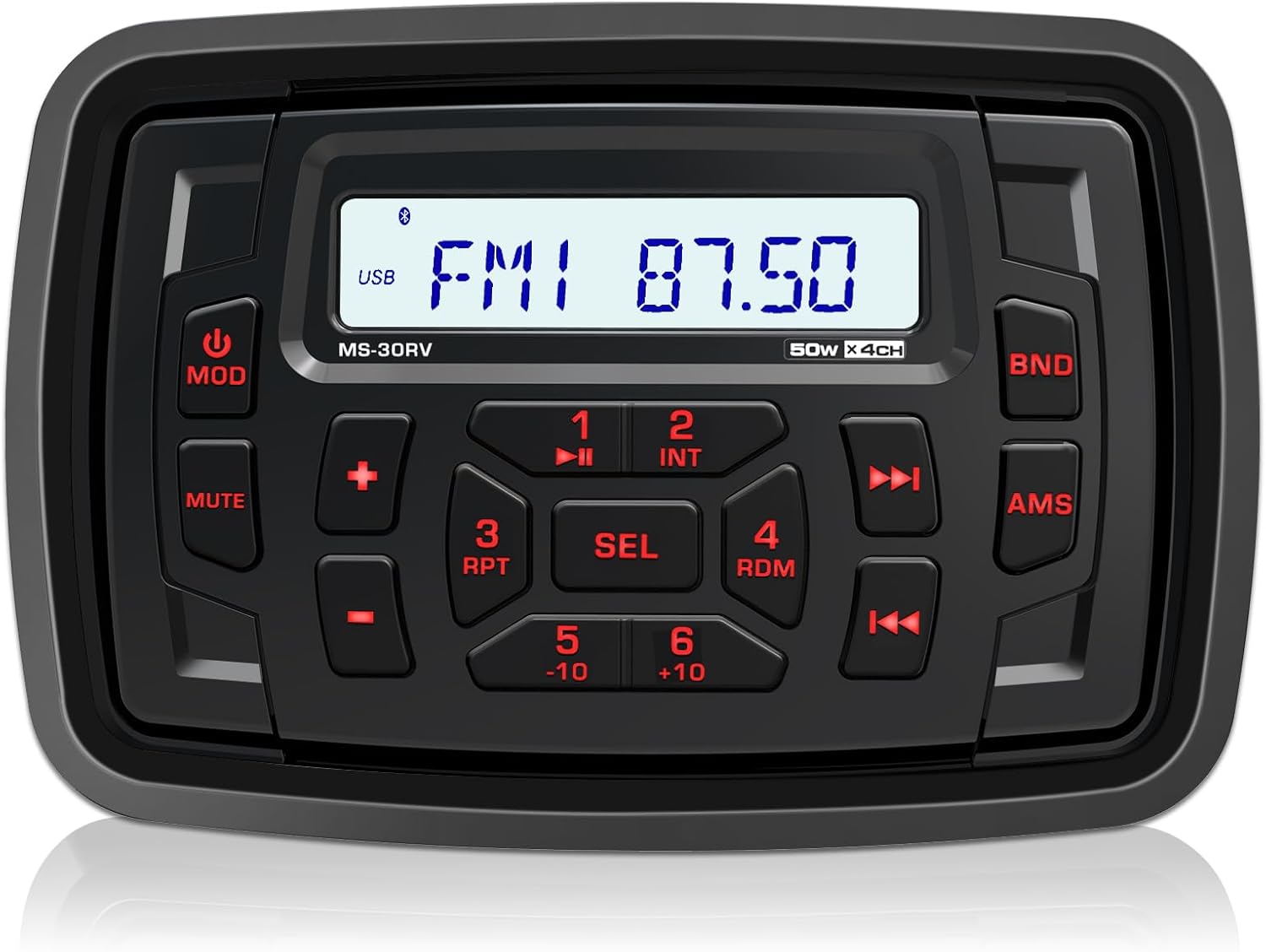
4.1 pav.: priekis view of the DOVOX MS-30RV Marine Stereo Receiver. This image displays the unit's control panel, including the display screen, buttons for mode, mute, volume, track control, and band selection.

Figure 4.2: The DOVOX MS-30RV stereo unit shown installed in a vehicle dashboard, with water droplets on its surface, demonstrating its IPX5 water-resistant capability.
4.2 Sujungimo schema
The included wiring harness features clearly labeled wires for straightforward connection. Refer to the diagram below for proper electrical connections. All wiring is designed to be standard for marine and off-road vehicle applications.

4.3 pav.: galinis view of the DOVOX MS-30RV unit displaying its dimensions and the waterproof ISO connector with labeled wiring for USB, Subwoofer, AUX-IN (L/R), Rear Out (L/R), Front Out (L/R), and Antenna (ANT).
Svarbu: Ensure all connections are secure and properly insulated to prevent short circuits and water damage. Consult a professional if you are unsure about any wiring procedures.
5. Operacija
5.1 Maitinimo įjungimas/išjungimas
- Paspauskite MOD mygtuką, kad įjungtumėte įrenginį.
- Paspauskite ir palaikykite MOD mygtuką, kad išjungtumėte įrenginį.
5.2 Šaltinio pasirinkimas
Paspauskite MOD button repeatedly to cycle through available sources: FM, AM, Bluetooth, USB, AUX.
5.3 Bluetooth poravimas
Norėdami susieti įrenginį:
- Select Bluetooth mode on the stereo. The display will show "BT AUDIO" or similar.
- Įjunkite „Bluetooth“ savo mobiliajame įrenginyje ir ieškokite galimų įrenginių.
- Select "DOVOX MS-30RV" (or similar name) from the list.
- Kai įrenginys bus suporuotas, jis patvirtins ryšį.
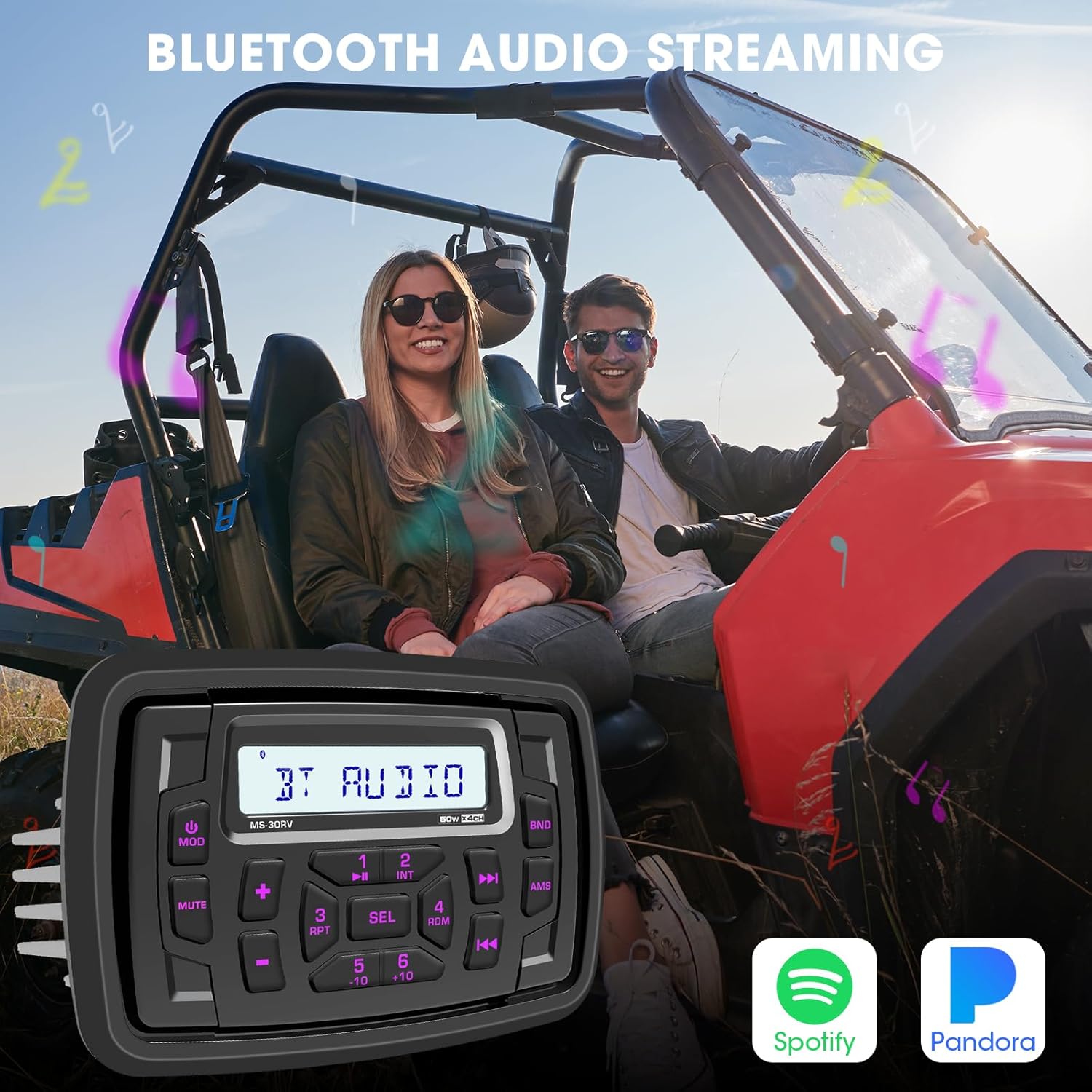
Figure 5.1: The DOVOX MS-30RV unit displayed over an image of two individuals in a UTV, symbolizing the seamless Bluetooth audio streaming capability for enjoying music from services like Spotify and Pandora.
5.4 USB ir AUX atkūrimas
- USB: Insert a USB drive (up to 64GB) into the USB port. The unit will automatically switch to USB mode and begin playback.
- AUX: Connect an external audio device (e.g., MP3 player) to the 3.5mm AUX-IN port using an audio cable. Select AUX mode on the stereo.

Figure 5.2: The DOVOX MS-30RV unit shown with icons for USB Input, Aux-in, and AM FM, superimposed on an image of a UTV navigating rocky terrain, illustrating the versatile input options for outdoor adventures.
5.5 AM/FM imtuvas
- Paspauskite MOD button to select FM or AM mode.
- Naudokite Pirmyn or Atgal mygtukai, skirti stočių rankiniu būdu derinimui arba paieškai.
- Paspauskite ir palaikykite AMS mygtuką, kad automatiškai nuskaitytumėte ir išsaugotumėte stiprias stotis.
5.6 Garso valdikliai
Paspauskite SEL button repeatedly to cycle through audio settings: BASS, TREBLE, BALANCE, FADER, EQ. Use the + or - mygtukai, norėdami pakoreguoti pasirinktą nustatymą.

Figure 5.3: The DOVOX MS-30RV unit with icons representing Preset Amp, Subwoofer Out, Bass Control, and Built-in EQ, set against a backdrop of a UTV kicking up dust, highlighting its 200W Max Power Audio Output and sound customization features.
6. Priežiūra
To ensure the longevity and optimal performance of your DOVOX MS-30RV stereo, follow these maintenance guidelines:
- Valymas: Naudokite minkštą, damp cloth to clean the unit's surface. Avoid abrasive cleaners or solvents that could damage the finish or seals.
- Vandens ekspozicija: While the unit is IPX5 water-resistant, avoid prolonged submersion or high-pressure water jets directly on the unit.
- Jungtys: Periodiškai tikrinkite visas laidų jungtis, ar nėra korozijos ar atsilaisvinimo, ypač jūrinėje aplinkoje.
- Saugykla: If storing the vehicle for an extended period, ensure the unit is powered off and, if possible, disconnected from the power source to prevent battery drain.
7. Problemų sprendimas
If you encounter issues with your DOVOX MS-30RV, refer to the following common problems and solutions:
| Problema | Galima priežastis | Sprendimas |
|---|---|---|
| Nėra galios | Atsilaisvinęs maitinimo jungtis; perdegęs saugiklis; išsikrovęs automobilio akumuliatorius. | Check power wiring; Replace fuse; Charge vehicle battery. |
| Nėra garso | Volume too low; Mute function active; Loose speaker wires; Incorrect source selected. | Padidinkite garsumą; Išjunkite nutildymą; Patikrinkite garsiakalbių jungtis; Pasirinkite tinkamą šaltinį. |
| „Bluetooth“ neprisijungia | Unit not in pairing mode; Device already paired to another unit; Bluetooth off on device. | Ensure unit is in Bluetooth mode; Disconnect from other devices; Enable Bluetooth on your device. |
| USB atkūrimo klaida | Nepalaikoma file formatavimas; sugadintas USB diskas; per didelis USB diskas. | Užtikrinti files are supported (MP3, WMA); Reformat USB drive; Use a USB drive within the 64GB limit. |
| Prastas radijo priėmimas | Antena neprijungta; Silpno signalo zona; Pažeista antena. | Check antenna connection; Move to an area with better signal; Inspect antenna for damage. |
If the problem persists after attempting these solutions, please contact DOVOX customer support.
8. Specifikacijos
| Funkcija | Detalė |
|---|---|
| Modelis | MS-30RV |
| Produkto matmenys (P x A x G) | 6 inches x 4 inches x 2 inches (approx. 15.24 cm x 10.16 cm x 5.08 cm) |
| Prekės svoris | 1.67 svaro (apie 0.76 kg) |
| Ryšio technologija | Pagalbinis, „Bluetooth“, USB |
| Ypatingos savybės | Digital Display Screen Multi Color Illumination, RCA Preamp Subwoofer Output, USB AUX-in FM AM Tuner Equalizer, Waterproof Marine Stereo |
| Suderinami įrenginiai | Amplifier, Smartphone, Speaker, Subwoofer |
| Jungties tipas | RCA |
| Garso išvesties režimas | Stereo |
| Erdvinio garso kanalo konfigūracija | 4 kanalas |
| Spalva | Juoda |
| Gamintojas | DOVOX |
9. Garantija ir palaikymas
For warranty information and customer support, please refer to the warranty card included with your product or visit the official DOVOX websvetainę. Taip pat galite susisiekti tiesiogiai su pardavėju dėl pagalbos.


