Įvadas
This manual provides detailed instructions for setting up and using your Rapoo 9360M Wireless Keyboard and Mouse Combo. This combo offers versatile connectivity, supporting up to four devices across multiple operating systems, enhancing your productivity and workspace efficiency.

Image: The Rapoo 9360M wireless keyboard and mouse combo, featuring a sleek black design.
Pakuotės turinys
- Rapoo 9360M Wireless Keyboard
- Rapoo M300G Silent Wireless Mouse
- USB 2.4 GHz imtuvas
- 2 x AAA Batteries (for keyboard)
- 1 x AA baterija (pelei)
- Greitos pradžios vadovas (šis vadovas)
Sąrankos instrukcijos
1. Akumuliatoriaus įdėjimas
- Klaviatūra: Atidarykite baterijų skyrių klaviatūros apačioje. Įdėkite dvi AAA baterijas, užtikrindami teisingą poliškumą (+/-). Uždarykite skyrių.
- Pelė: Open the battery compartment on the underside of the mouse. Insert one AA battery, ensuring correct polarity (+/-). Close the compartment. The USB 2.4GHz receiver is typically stored inside the mouse's battery compartment for convenience.
2. Ryšio parinktys
The Rapoo 9360M combo supports connection via a 2.4GHz USB receiver or Bluetooth 5.0/4.0, allowing connection to up to four devices simultaneously.
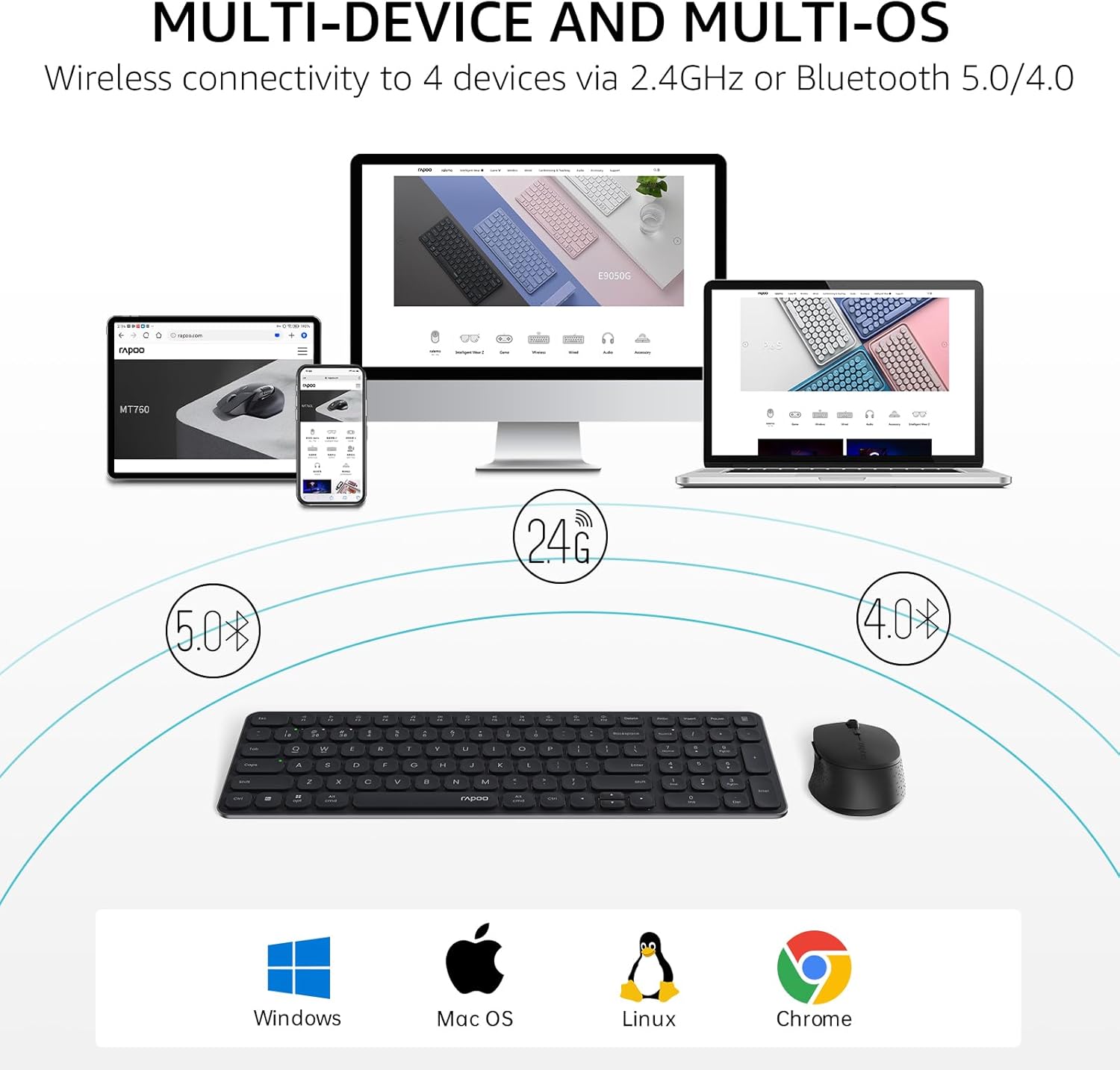
Image: Multi-device and multi-OS connectivity diagram for the Rapoo 9360M combo.
2.1. 2.4GHz USB Receiver Connection
- Remove the USB 2.4GHz receiver from the mouse's battery compartment.
- Prijunkite imtuvą prie laisvo kompiuterio USB prievado.
- Klaviatūra ir pelė turėtų automatiškai prisijungti prie jūsų įrenginio.
2.2. „Bluetooth“ poravimas
The keyboard and mouse can each pair with up to three Bluetooth devices (BT1, BT2, BT3).
Klaviatūros „Bluetooth“ susiejimas:
- Paspauskite ir palaikykite fn+1, fn+2, arba fn+3 key combination for 3 seconds to select a Bluetooth channel. The indicator light above the '1', '2', or '3' key will flash slowly.
- Paspauskite ir palaikykite tą patį Fn + 1/2/3 key combination again for 3 seconds until the indicator light flashes rapidly. This indicates the keyboard is in pairing mode.
- Savo įrenginyje (kompiuteryje, planšetiniame kompiuteryje, telefone) eikite į „Bluetooth“ nustatymus ir ieškokite naujų įrenginių.
- Select "Rapoo BT3.0 Keyboard" or "Rapoo BT5.0 Keyboard" from the list and follow the on-screen prompts to complete pairing.
Pelės „Bluetooth“ susiejimas:
- Press the Bluetooth button on the underside of the mouse to switch between BT1, BT2, or BT3 channels. The indicator light will flash slowly.
- Press and hold the Bluetooth button for 3 seconds until the indicator light flashes rapidly. This indicates the mouse is in pairing mode.
- Savo įrenginyje eikite į „Bluetooth“ nustatymus ir ieškokite naujų įrenginių.
- Select "Rapoo BT3.0 Mouse" or "Rapoo BT5.0 Mouse" from the list and follow the on-screen prompts to complete pairing.
Naudojimo instrukcijos
1. Kelių įrenginių perjungimas
The keyboard and mouse allow seamless switching between connected devices.
- Klaviatūra: Paspauskite fn+1, fn+2, fn+3 to switch between Bluetooth devices, or fn+4 to switch to the 2.4GHz USB receiver connection. The corresponding indicator light will illuminate.
- Pelė: Press the Bluetooth button on the underside of the mouse to cycle through BT1, BT2, BT3, and 2.4GHz connections. The indicator light will show the active channel.
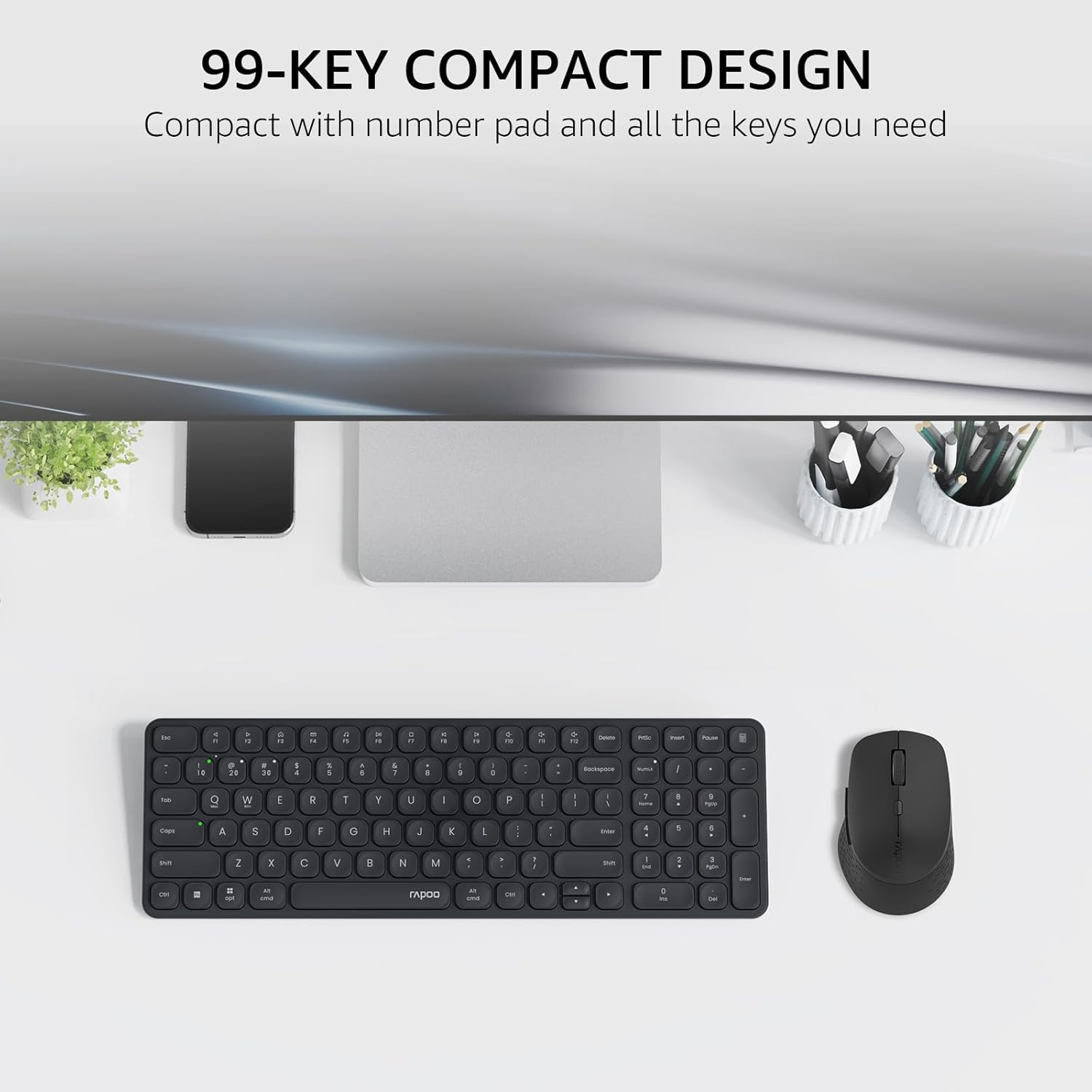
Image: The compact 99-key design of the Rapoo 9360M keyboard and mouse.
2. Multimedijos klavišai
The keyboard features dual-system multimedia keys for quick access to common functions.
- To use multimedia functions (e.g., play/pause, volume control), press the Fn key simultaneously with the desired F-key (F1-F12).
- The keyboard supports both Windows and Mac OS shortcuts.
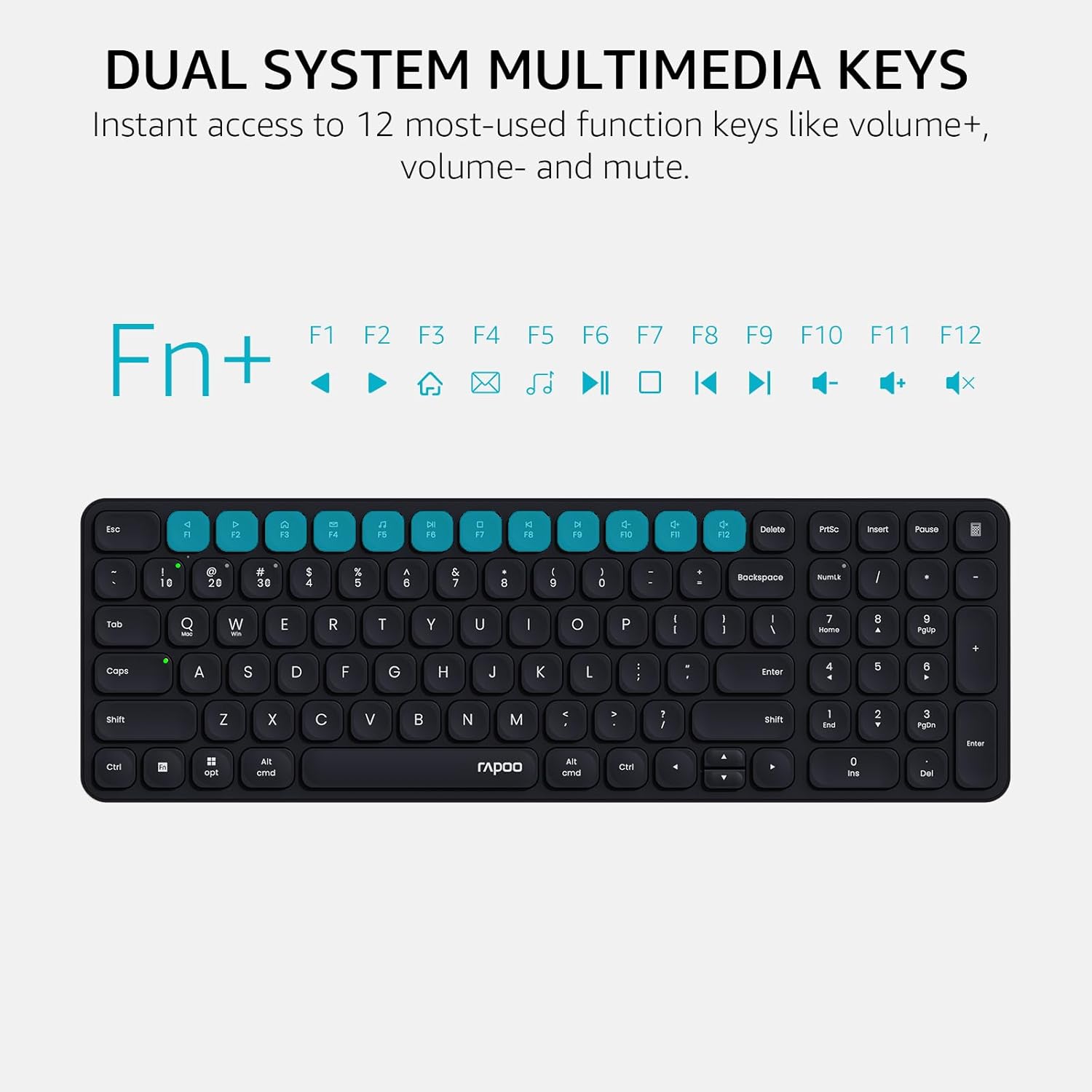
Image: Dual system multimedia keys on the Rapoo 9360M keyboard.
3. Mouse DPI Adjustment
The M300G mouse offers 5 adjustable DPI settings for precise cursor control.
- Press the DPI button located on the top of the mouse (usually behind the scroll wheel) to cycle through the preset DPI values: 800, 1000, 1200, 1600, and 2400.
- Select the DPI setting that best suits your preference and screen resolution.
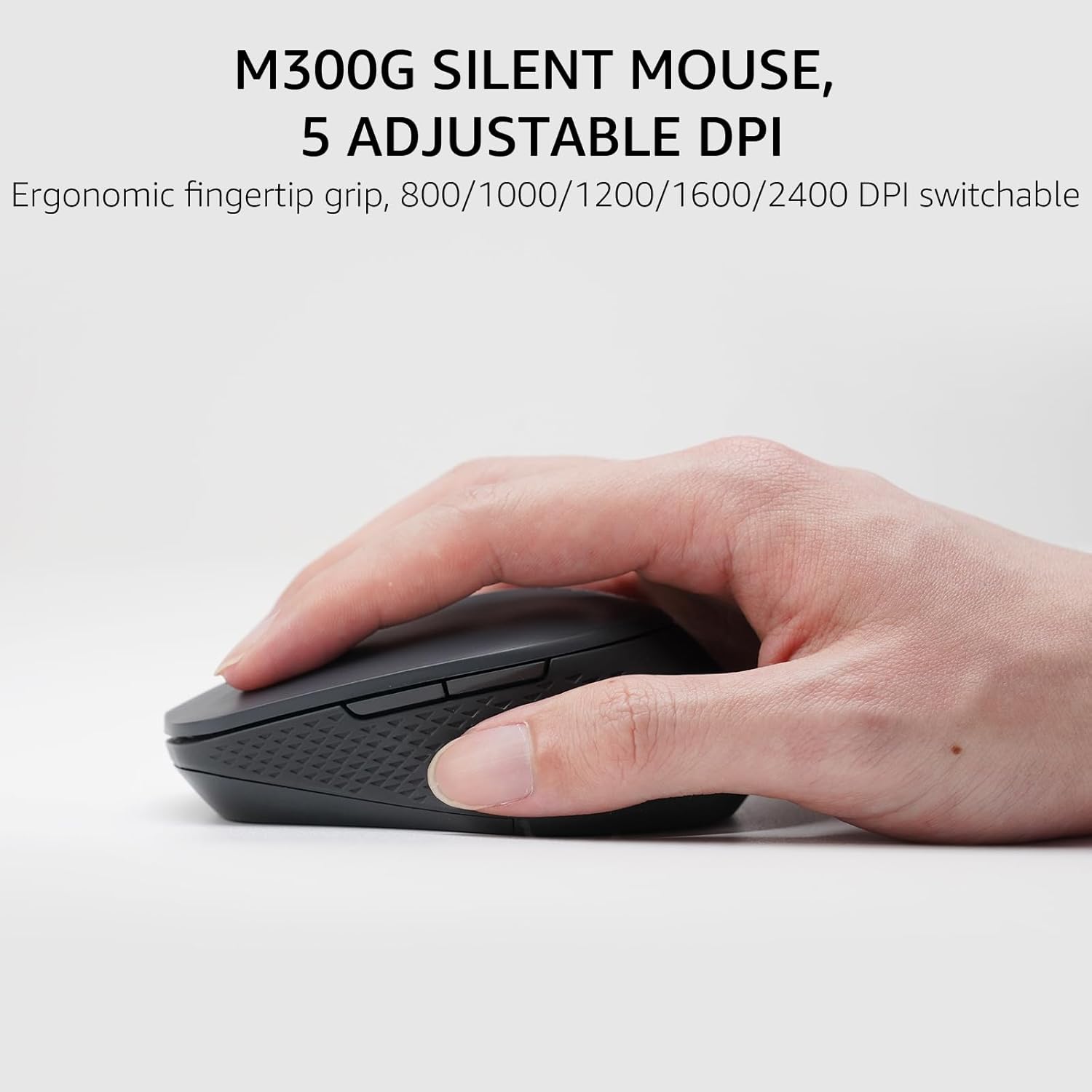
Image: The M300G Silent Mouse with 5 adjustable DPI settings.
4. Indikacinės lemputės
The keyboard includes indicator lights for device connection and capitalization status.
- Įrenginio indikatorius: Located above the '1', '2', '3', and '4' keys, these lights indicate which device channel is currently active.
- Caps Lock indikatorius: A dedicated light indicates when Caps Lock is active.
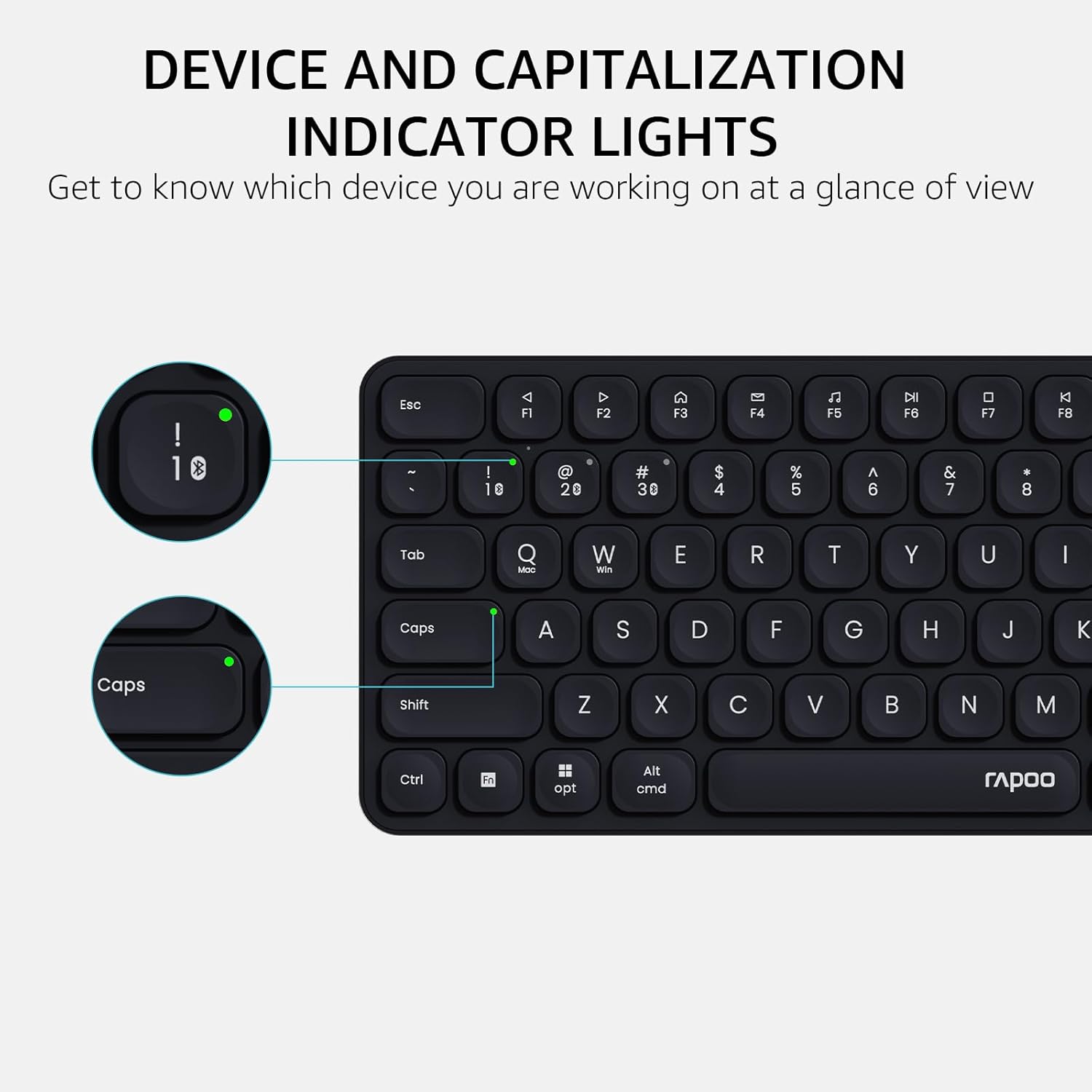
Image: Device and capitalization indicator lights on the keyboard.
Priežiūra
- Valymas: Use a soft, dry cloth to clean the keyboard and mouse. For stubborn dirt, a slightly damp Galima naudoti šluostę su švelniu muilu, užtikrinant, kad į prietaisus nepatektų skysčio.
- Baterijos keitimas: Replace batteries when the low battery indicator appears or when performance degrades. Ensure to use the correct battery types (AAA for keyboard, AA for mouse) and dispose of old batteries responsibly.
- Saugykla: When not in use for extended periods, remove batteries to prevent leakage. Store in a cool, dry place.
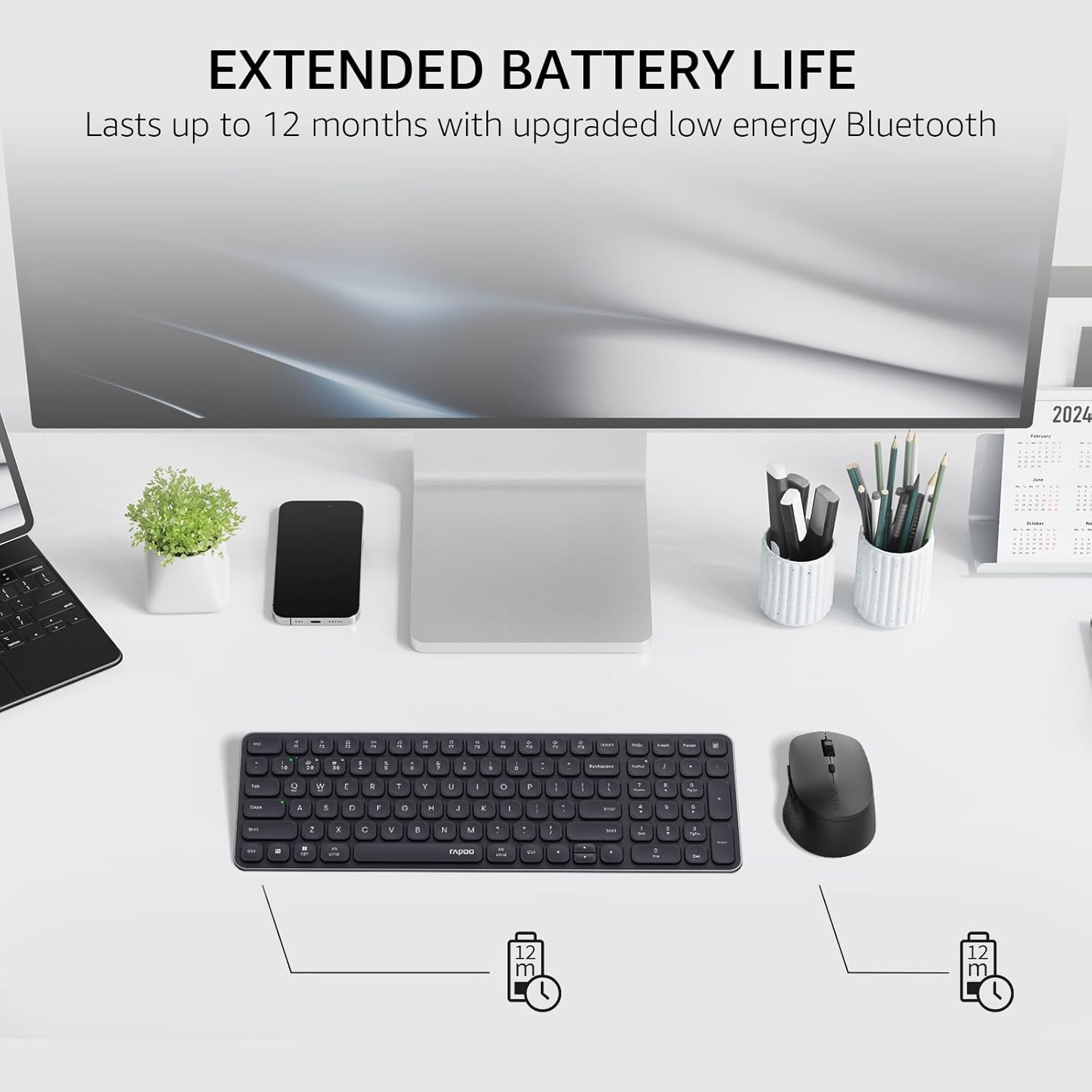
Image: Illustration of extended battery life for the keyboard and mouse.
Trikčių šalinimas
- Įrenginys neprisijungia:
- Įsitikinkite, kad baterijos yra tinkamai įdėtos ir pakankamai įkrautos.
- Jei naudojate 2.4 GHz ryšį, įsitikinkite, kad USB imtuvas yra tvirtai prijungtas prie veikiančio USB prievado.
- For Bluetooth connection, ensure Bluetooth is enabled on your device and the keyboard/mouse are in pairing mode. Try re-pairing the devices.
- Switch to a different channel (Fn + 1/2/3/4 for keyboard, button on mouse) to ensure you are on the correct connection mode.
- Ryšio uždelsimas arba nutrūkstamas ryšys:
- Move the keyboard/mouse closer to the receiver or Bluetooth device.
- Venkite naudoti įrenginius šalia stiprių trukdžių šaltinių (pvz., „Wi-Fi“ maršrutizatorių, kitų belaidžių įrenginių).
- Pakeiskite baterijas, jei jos išsikrovusios.
- Keys or mouse buttons unresponsive:
- Patikrinkite akumuliatoriaus lygį.
- Ensure the device is connected to the correct channel.
- Paleiskite kompiuterį arba įrenginį iš naujo.
Specifikacijos
| Funkcija | Detalė |
|---|---|
| Modelio numeris | 9360 mln |
| Klaviatūros išdėstymas | 99-key with number pad and arrow keys |
| Pelės modelis | M300G Silent Mouse |
| Ryšys | Bluetooth 5.0/4.0, 2.4GHz Radio Frequency |
| Kelių įrenginių palaikymas | Up to 4 devices (1 x 2.4GHz, 3 x Bluetooth) |
| Suderinamos operacinės sistemos | Windows, Mac OS, Linux, Chrome |
| Klaviatūros baterija | 2 x AAA baterijos (pridedamos) |
| Pelės baterija | 1 x AA baterija (pridedama) |
| Pelės DPI nustatymai | 800/1000/1200/1600/2400 (adjustable) |
| Klaviatūros matmenys | 14.29 x 4.69 x 0.79 colio (36.3 x 11.9 x 2 cm) |
| Pelės matmenys | 4.09 x 2.57 x 1.47 colio (10.39 x 6.54 x 3.73 cm) |
| Prekės svoris | 13.9 ounces (keyboard and mouse combined) |
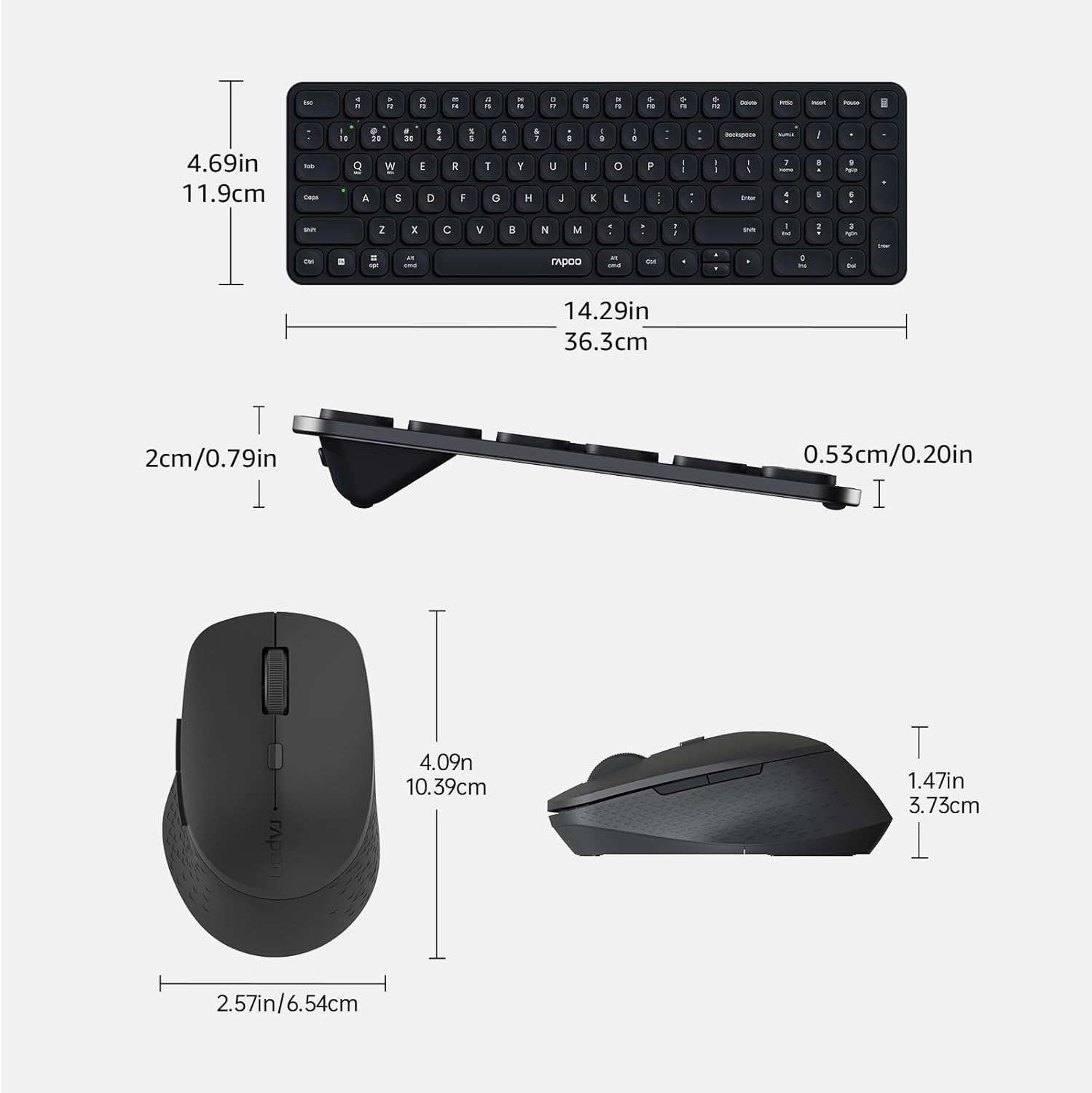
Image: Dimensions of the Rapoo 9360M keyboard and M300G mouse.
Garantija ir palaikymas
For warranty information and technical support, please refer to the official Rapoo websvetainėje arba susisiekite su vietiniu pardavėju. Išsaugokite pirkimo kvitą, jei prireiktų pateikti pretenziją dėl garantijos.


