1. Įvadas
Welcome to the user manual for your HUAWEI WATCH FIT 4 Smart Watch. This guide provides essential information on setting up, operating, maintaining, and troubleshooting your device. Please read this manual thoroughly to ensure optimal performance and longevity of your smart watch.
2. Produktas baigtasview
The HUAWEI WATCH FIT 4 is a premium smart watch designed for comprehensive health, fitness, and lifestyle management. It features a vibrant 1.82-inch AMOLED display, a rotating crown, and a side button for intuitive control. Its lightweight and durable design, coupled with 5 ATM water resistance, makes it suitable for various daily activities and sports.

2.1 pav.: priekis view of the HUAWEI WATCH FIT 4 Smart Watch with a black strap, displaying time and date.
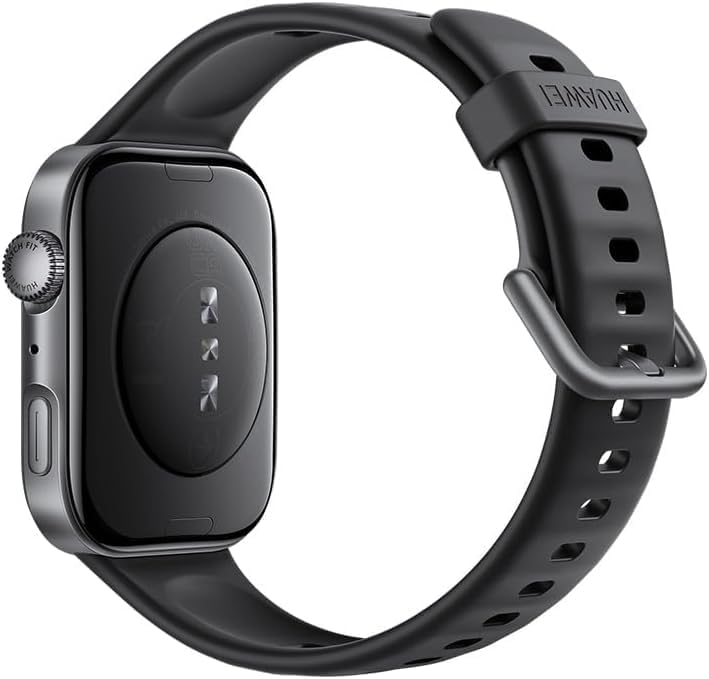
2.2 pav.: Nugara view of the HUAWEI WATCH FIT 4 Smart Watch, showing the sensor array and charging contacts.
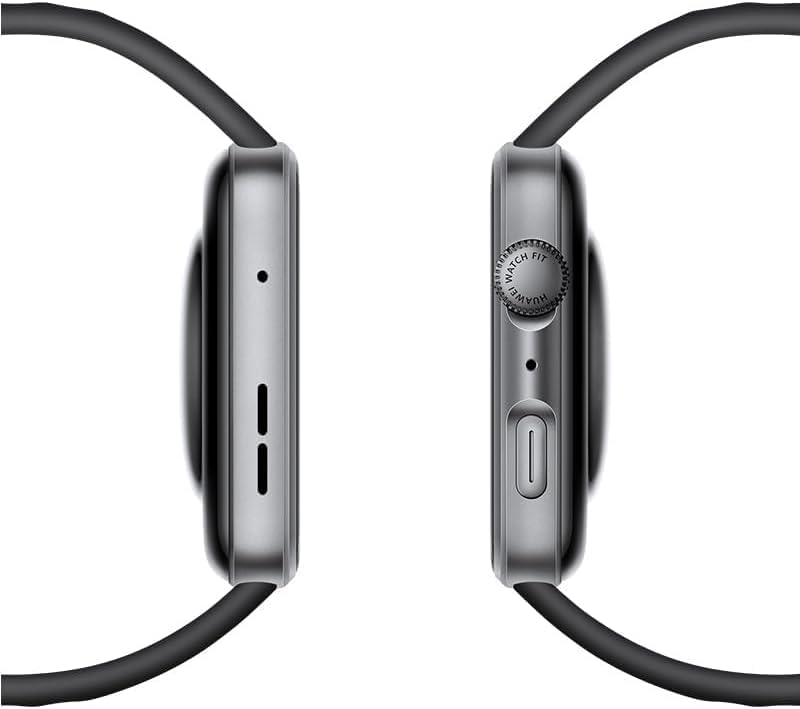
2.3 pav.: šonas view of the HUAWEI WATCH FIT 4 Smart Watch, highlighting the rotating crown and side button.

Figure 2.4: Close-up of the HUAWEI WATCH FIT 4 Smart Watch, illustrating its slim 9.5mm thickness and lightweight 27g design.

Figure 2.5: HUAWEI WATCH FIT 4 Smart Watch available in multiple colors (Gray, White, Purple, Black) with various strap styles.
3. Sąranka
3.1. Išpakavimas ir pradinis įkrovimas
Upon unboxing, ensure all components are present: the HUAWEI WATCH FIT 4, charging cable, and this user manual. Before first use, fully charge your device.
3.2. Įrenginio įkrovimas
- Connect the charging cable to a power adapter (not included) and a power source.
- Attach the magnetic end of the charging cable to the charging contacts on the back of your watch.
- Laikrodžio ekrane bus rodoma įkrovimo būsena. Pilnas įkrovimas trunka maždaug 75 minučių.
3.3. Susiejimas su išmaniuoju telefonu
The HUAWEI WATCH FIT 4 is compatible with both iOS and Android devices.
- Atsisiųskite „Huawei Health“. programėlę iš savo išmaniojo telefono programėlių parduotuvės („App Store“, skirta „iOS“, „Google Play Store“ arba „Huawei AppGallery“, skirta „Android“).
- Atidarykite programėlę „Huawei Health“ ir vykdykite ekrane pateikiamus nurodymus, kad sukurtumėte paskyrą arba prisijungtumėte.
- Įsitikinkite, kad jūsų išmaniajame telefone įjungtas „Bluetooth“.
- In the Huawei Health app, navigate to 'Devices' and tap 'Add device'. Select 'Smart Watches' and choose 'HUAWEI WATCH FIT 4'.
- Follow the pairing instructions on both your watch and smartphone. Confirm the pairing code if prompted.

Figure 3.1: HUAWEI WATCH FIT 4 Smart Watch successfully paired with a smartphone running the Huawei Health app, demonstrating iOS and Android compatibility.
4. Naudojimo instrukcijos
4.1. Įjungimas/išjungimas
- Maitinimas: Paspauskite ir palaikykite šoninį mygtuką, kol pasirodys HUAWEI logotipas.
- Išjungti: Press and hold the side button, then select 'Power off' on the screen.
4.2. Pagrindinė navigacija
- Jutiklinis ekranas: Braukite aukštyn, žemyn, kairėn arba dešinėn, kad naršytumėte meniu ir pranešimus. Palieskite, kad pasirinktumėte.
- Šoninis mygtukas: Press to return to the home screen or access the app list. Press and hold for power options.
- Besisukanti karūna: Rotate to scroll through lists, zoom in/out, or adjust volume. Press to confirm selections.
4.3. Nustatymų reguliavimas
Access settings by swiping down from the top of the home screen or through the app list. Here you can adjust brightness, set alarms, manage connections, and customize watch faces.
5. Sveikatos ir fizinio pasirengimo stebėjimas
The HUAWEI WATCH FIT 4 offers advanced sensors for comprehensive health and fitness monitoring.
- Širdies ritmo stebėjimas: Nuolatinis širdies ritmo stebėjimas teikia duomenis realiuoju laiku ir įspėjimus apie nenormalius rodmenis.
- SpO2 sekimas: Measures blood oxygen saturation levels to help monitor respiratory health.
- Miego stebėjimas: Analizuoja miego režimątages and quality, providing insights and suggestions for improvement.
- Streso stebėjimas: Tracks stress levels throughout the day and offers breathing exercises to help manage stress.
- 100 ir daugiau sporto režimų: Supports a wide range of activities including running, cycling, swimming, and more, with detailed metrics.
- Integruotas GPS: Provides accurate route tracking for outdoor workouts without needing your phone.
- Barometras: Monitors atmospheric pressure and altitude, useful for hiking and outdoor adventures.
- Pulse Wave Arrhythmia Analysis: Offers timely alerts on potential A-fib and premature beat risks using a high-performance PPG sensor.

Figure 5.1: HUAWEI WATCH FIT 4 Smart Watch displaying health insights including sleep score, stress, and exercise duration.
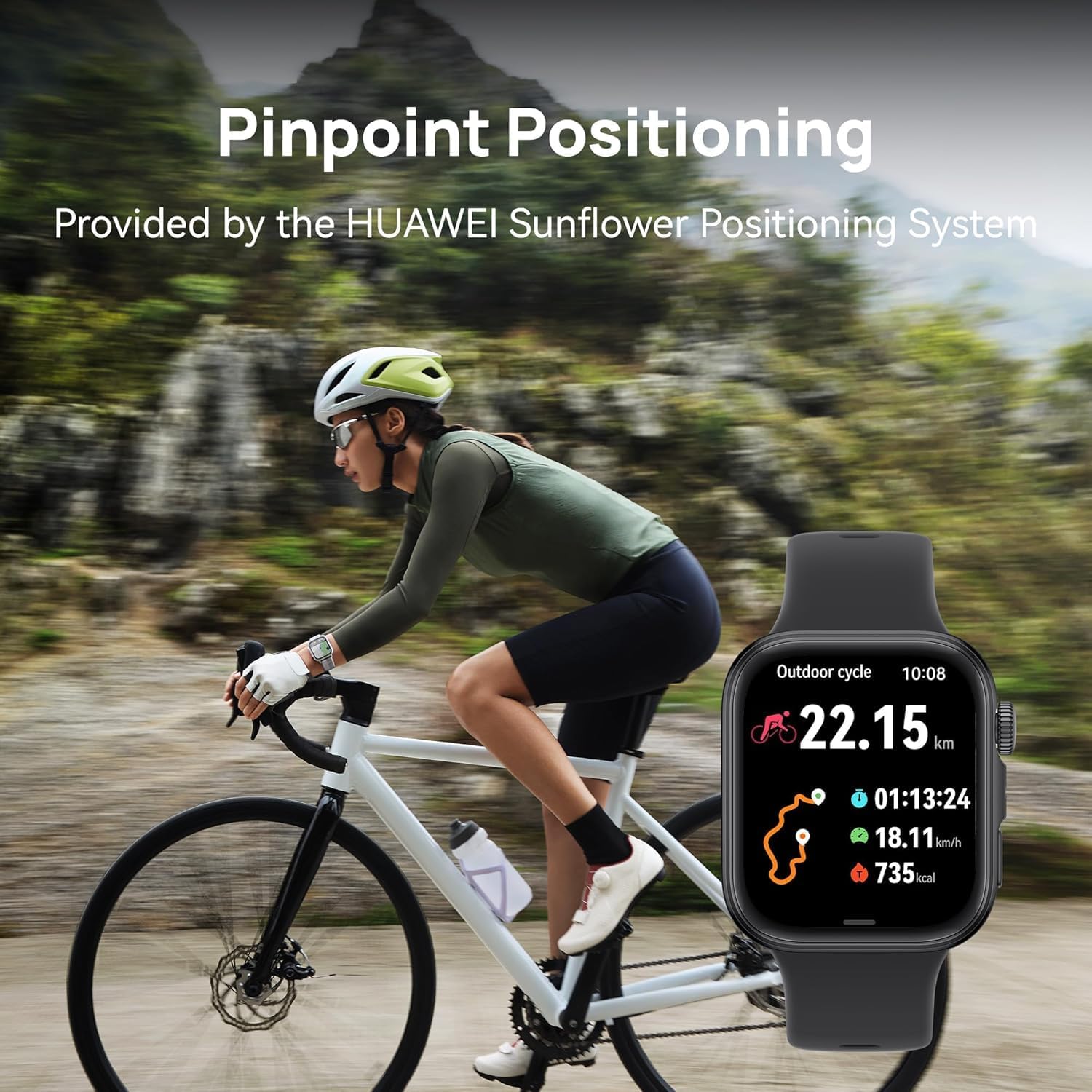
Figure 5.2: HUAWEI WATCH FIT 4 Smart Watch displaying cycling activity data, worn by a person on a bicycle, demonstrating pinpoint positioning.

Figure 5.3: HUAWEI WATCH FIT 4 Smart Watch displaying altitude and hiking metrics, worn by a person hiking, supported by the built-in barometer.

Figure 5.4: HUAWEI WATCH FIT 4 Smart Watch displaying various fitness tracking modes.

Figure 5.5: HUAWEI WATCH FIT 4 Smart Watch displaying Pulse Wave Arrhythmia Analysis results.
6. Išmaniosios funkcijos
Enhance your daily life with the smart functionalities of the HUAWEI WATCH FIT 4:
- Pranešimai: Gaukite skambučių, žinučių ir programėlių pranešimus tiesiai ant riešo.
- „Bluetooth“ skambutis: Skambinkite ir priimkite skambučius tiesiai iš savo laikrodžio, kai jis prijungtas prie išmaniojo telefono.
- Greiti atsakymai į pranešimus: Siųskite iš anksto nustatytus greitus atsakymus į žinutes.
- Balso užrašų knygelė: Įrašykite balso pastabas kelyje.
- Watch Screenshots: Capture screenshots of your watch display.
- Nuotolinis užraktas: Valdykite savo išmaniojo telefono kamerą nuotoliniu būdu.

Figure 6.1: HUAWEI WATCH FIT 4 Smart Watch displaying various smart tools.
7. Baterija ir įkrovimas
The HUAWEI WATCH FIT 4 is equipped with a 400 mAh Lithium Polymer battery, offering extended usage times.
- Maksimalus baterijos veikimo laikas: Up to 10 days under typical usage conditions.
- Įprastas baterijos veikimo laikas: Approximately 7 days with regular use.
- Įkrovimo laikas: Approximately 75 minutes for a full charge using the HUAWEI WATCH Wireless SuperCharger (2nd generation).

Figure 7.1: HUAWEI WATCH FIT 4 Smart Watch charging, illustrating its battery life and charging speed.
8. Priežiūra ir priežiūra
8.1. Laikrodžio valymas
Reguliariai valykite laikrodį ir dirželį, kad išvengtumėte odos sudirginimo ir išlaikytumėte jų funkcionalumą.
- Laikrodžio korpusą ir dirželį nuvalykite minkšta,amp audinys.
- Įsisenėjusiam purvui naudokite švelnų muilo tirpalą ir kruopščiai nuplaukite švariu vandeniu.
- Prieš įkraudami ar dėvėdami laikrodį, įsitikinkite, kad jis yra visiškai sausas.
8.2. Atsparumas vandeniui
The HUAWEI WATCH FIT 4 has a 5 ATM water resistance rating, meaning it can withstand pressures equivalent to a depth of 50 meters. This makes it suitable for:
- Dušas
- Maudymasis negiliame vandenyje (pvz., baseinuose, atvirame vandenyje)
Tai yra ne tinka:
- Nardymas
- High-speed water sports
- Hot showers, saunas, or steam rooms (steam can penetrate seals)
Avoid exposing the watch to hot water, steam, or chemicals, as this may compromise its water resistance.
8.3. Dirželio keitimas
The watch supports diverse strap options. Refer to the Huawei Health app or official HUAWEI resources for instructions on how to safely replace the watch strap.
9. Problemų sprendimas
If you encounter issues with your HUAWEI WATCH FIT 4, try the following solutions:
- Laikrodis neįsijungia: Įsitikinkite, kad laikrodis yra visiškai įkrautas. Prijunkite jį prie įkroviklio bent 10 minučių.
- Nepavyksta susieti su išmaniuoju telefonu:
- Įsitikinkite, kad jūsų telefone ir laikrodyje įjungtas „Bluetooth“.
- Make sure the Huawei Health app is updated to the latest version.
- Iš naujo paleiskite ir laikrodį, ir išmanųjį telefoną.
- If issues persist, try unpairing and re-pairing the device through the Huawei Health app.
- Netikslūs sveikatos duomenys: Įsitikinkite, kad laikrodis tvirtai uždėtas ant riešo – ne per stipriai ar per laisvai. Jutiklio sritis turi būti švari.
- Pranešimai negauti: Check notification permissions for the Huawei Health app on your smartphone. Ensure the app is running in the background.
- Trumpas baterijos veikimo laikas: Reduce screen brightness, disable always-on display, limit background app refresh, and ensure the watch is not constantly searching for a Bluetooth connection.
For further assistance, please visit the official HUAWEI support websvetainėje arba susisiekite su klientų aptarnavimo tarnyba.
10. Specifikacijos
| Funkcija | Detalė |
|---|---|
| Modelio numeris | Seiya-B09F |
| Ekranas | 1.82-inch AMOLED, 408x408 resolution |
| Matmenys | 4 x 3 x 0.8 cm |
| Svoris | 27 g (be dirželio) |
| Atsparumas vandeniui | 5 bankomatas |
| Baterijos talpa | 400 mAh (ličio polimeras) |
| Baterijos veikimo laikas | Up to 10 days (max), 7 days (typical) |
| Įkrovimo laikas | apytiksliai 75 minučių |
| Operacinė sistema | Wear OS 3.0 |
| Atminties saugykla | 4 GB |
| Ryšys | Bluetooth |
| Jutikliai | Heart Rate, SpO2, Accelerometer, Gyroscope, Barometer, Ambient Light, GPS |
| Suderinamumas | iOS ir Android |
11. Garantija ir palaikymas
Your HUAWEI WATCH FIT 4 Smart Watch comes with a limited manufacturer's warranty. Please refer to the warranty card included in your product packaging or visit the official HUAWEI websvetainėje, kurioje rasite išsamias garantijos sąlygas, taikomas jūsų regionui.
For technical support, product inquiries, or service requests, please contact HUAWEI customer service or visit their official support channels. Keep your proof of purchase handy when seeking support.


