1. Įvadas
This manual provides detailed instructions for the setup, operation, and maintenance of your ARZOPA D10 Gold 10.1" Digital Picture Frame. Please read this manual thoroughly before using the device to ensure proper functionality and to maximize your user experience.
The ARZOPA D10 Gold Digital Picture Frame features a 10.1-inch HD IPS touchscreen, Wi-Fi connectivity, and a durable metal frame. It allows for easy sharing of photos and videos with family and friends through the dedicated ARZOPA app, offering unlimited cloud storage and additional 32GB built-in storage.
2. Pakuotės turinys
Prašome patikrinti, ar pakuotėje yra visi reikalingi daiktai:
- ARZOPA D10 Gold 10.1" Digital Picture Frame
- Maitinimo adapteris
- Vartotojo vadovas
- Stovo laikiklis
3. Produktas baigtasview
Familiarize yourself with the components of your digital picture frame.

3.1 paveikslas: Priekyje view of the ARZOPA D10 Gold Digital Picture Frame, showcasing its 10.1-inch display and a smartphone displaying the ARZOPA app interface.

3.2 paveikslas: Galinis view of the ARZOPA D10 Gold Digital Picture Frame, highlighting the built-in speakers, wall mounting holes, stand hole, power button, USB port, Micro SD card slot, and DC power input.
Rėmo komponentai:
- 10.1 colio IPS jutiklinis ekranas: High-definition display for vibrant photo and video playback.
- Metalinis rėmas: Patvarus ir estetiškai patrauklusasing gold-colored metal casing.
- Integruoti garsiakalbiai: For audio playback with videos.
- Maitinimo mygtukas: To turn the frame on/off or activate sleep mode.
- USB prievadas: For connecting USB drives for media transfer.
- „Micro SD“ kortelės lizdas: For expanding storage up to 128GB (SD card not included).
- DC maitinimo įvestis: Maitinimo adapterio prijungimui.
- Stand Bracket: For tabletop display.
- Sienų skylės: Rėmo tvirtinimui prie sienos.
4. Sąranka
4.1 Pradinė sąranka
- Prijunkite maitinimą: Plug the power adapter into the DC power input on the back of the frame, then plug the adapter into a wall outlet. The frame will automatically power on.
- Kalbos pasirinkimas: Vykdykite ekrane pateikiamus nurodymus, kad pasirinktumėte pageidaujamą kalbą.
- „Wi-Fi“ ryšys: Pasirinkite savo „Wi-Fi“ tinklą iš sąrašo ir įveskite slaptažodį. Optimaliam našumui užtikrinti užtikrinkite stabilų interneto ryšį.
- Download ARZOPA App: Download the free ARZOPA app from the App Store (iOS) or Google Play Store (Android) on your smartphone.
- Registruoti paskyrą: Open the ARZOPA app and register a new account or log in if you already have one.
- Porinis rėmelis: In the app, follow the instructions to add a new device. You will typically scan a QR code displayed on your digital frame to pair it with your app account.

4.1 paveikslas: Visual guide for connecting the ARZOPA app to the digital picture frame, showing steps from opening the app to uploading photos.
4.2 Montavimo parinktys
- Stalinis ekranas: Attach the included stand bracket to the designated hole on the back of the frame for stable placement on any flat surface.
- Montavimas ant sienos: Use the wall holes on the back of the frame to mount it securely on a wall. Ensure appropriate wall anchors and screws are used (not included) for safe installation.
5. Naudojimo instrukcijos
5.1 Pagrindinės operacijos
- Jutiklinio ekrano navigacija: The frame features a responsive touchscreen. Swipe left/right to navigate through photos, tap to access menus, and pinch to zoom (if supported by software).
- Maitinimo įjungimas/išjungimas: Press and hold the power button for a few seconds to turn the frame on or off. A short press will activate/deactivate sleep mode.
- Miegojimo rezimas: Configure smart sleep mode settings in the frame's settings menu to automatically turn the screen off during specific hours (e.g., overnight) to save energy.
- Ryškumo reguliavimas: Adjust screen brightness via the settings menu or quick access controls (if available) for optimal viewskirtingomis apšvietimo sąlygomis.
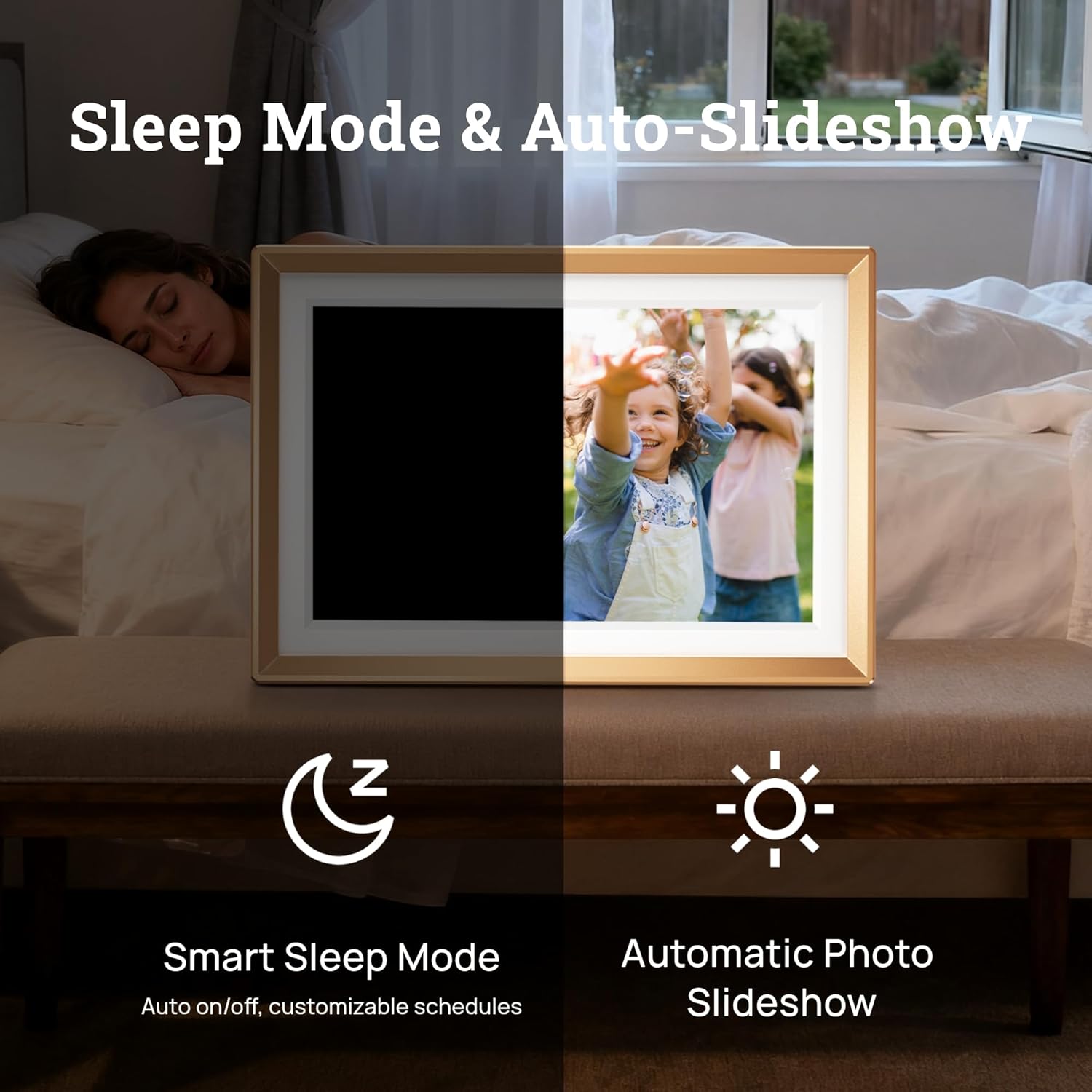
5.1 paveikslas: Illustration of the Smart Sleep Mode, where the frame automatically turns off, and the Automatic Photo Slideshow feature.
5.2 Photo and Video Management
- Uploading via ARZOPA App: Open the ARZOPA app, select the frame, and choose photos or videos from your device to upload. The app supports unlimited uploads to cloud storage.
- Uploading via SD Card/USB: Insert a Micro SD card (up to 128GB) or a USB drive into the respective port. The frame will detect the storage, allowing you to import media to the internal 32GB storage.
- Managing Content: Access the gallery or file management section on the frame's touchscreen to view, delete, or organize your uploaded photos and videos.
- Skaidrių demonstravimo nustatymai: Customize slideshow intervals, transition effects, and playback order in the frame's settings.

5.2 paveikslas: Baigėsiview of various methods to upload photos and videos to the ARZOPA frame: via the ARZOPA app, external storage (SD card/USB), PC connection, and free cloud storage.
5.3 Sharing Features
- Invite Others to Share: Through the ARZOPA app, you can invite family and friends to share photos and videos directly to your frame. They will need to download the app and create an account.
- Interaktyvios funkcijos: The app may include features like 'like' and 'comment' to create a shared, interactive space for memories.
5.4 Išplėstinės funkcijos
- Weather and Calendar: The frame can display real-time weather information and a calendar. These features can be enabled and configured in the settings.
- Automatinis sukimasis: The built-in gravity sensor automatically adjusts the display orientation (landscape or portrait) based on how the frame is positioned.

5.3 paveikslas: The digital picture frame displaying a photo along with real-time weather and calendar information.
6. Priežiūra
- Ekrano valymas: Švelniai nuvalykite ekraną minkštu, nepūkuotu audiniu. Jei dėmės sunkiai įveikiamos, šiek tiek pamirkykite.ampNuvalykite šluostę vandeniu arba ekrano valymo tirpalu. Venkite stiprių cheminių medžiagų.
- Programinės įrangos atnaujinimai: Periodically check for software updates in the frame's settings menu to ensure you have the latest features and performance improvements.
- Saugyklos valdymas: Reguliariai review your stored photos and videos. Delete unnecessary files to free up internal storage, especially if you are not using cloud storage exclusively.
7. Problemų sprendimas
If you encounter issues with your ARZOPA Digital Picture Frame, refer to the following common problems and solutions:
| Problema | Galimas sprendimas |
|---|---|
| Rėmelis neįsijungia. | Įsitikinkite, kad maitinimo adapteris yra tvirtai prijungtas tiek prie rėmelio, tiek prie veikiančio maitinimo lizdo. Išbandykite kitą lizdą. |
| Nepavyksta prisijungti prie „Wi-Fi“. | Check if your Wi-Fi router is working. Re-enter the Wi-Fi password carefully. Ensure the frame is within range of your Wi-Fi signal. Restart the frame and your router. |
| Nuotraukos / vaizdo įrašai nerodomi. | Verify that media has been successfully uploaded via the ARZOPA app or transferred from an SD card/USB. Check the frame's internal storage. Ensure file formatai palaikomi. |
| ARZOPA app not pairing with frame. | Ensure both the frame and your smartphone are connected to the internet. Re-scan the QR code on the frame. Restart both the app and the frame. |
| Ekranas nereaguoja. | Restart the frame by holding down the power button. If the issue persists, perform a factory reset (refer to settings menu, note this will erase all data). |
8. Specifikacijos
| Funkcija | Detalė |
|---|---|
| Gaminio matmenys | 10.35 x 7.15 x 0.99 colio |
| Prekės svoris | 2.97 svaro |
| Ekrano dydis | 10.1 colių |
| Rezoliucija | 1280x800 |
| Spalva | D10-Gold |
| Vidinė saugykla | 32 GB |
| Išplečiama saugykla | Up to 128GB (Micro SD card, not included) |
| Ryšys | WiFi |
| Suderinami įrenginiai | Android, iOS, Personal Computer, Smartphone |
| Gamintojas | ARZOPA |
9. Informacija apie garantiją
ARZOPA products are covered by a manufacturer's warranty. For specific details regarding your product's warranty period and terms, please refer to the warranty card included in your package or visit the official ARZOPA websvetainėje. Išsaugokite pirkimo kvitą kaip pirkimo įrodymą garantiniams reikalavimams.
10. Parama
For technical assistance, product inquiries, or warranty support, please contact ARZOPA customer service. Our dedicated support team aims to respond within 48 hours to provide personalized technical assistance.
- Palaikymas internetu: Visit the official ARZOPA webDUK, pagalbos išteklių ir kontaktinių formų svetainė.
- Pagalba el. paštu: Refer to your product packaging or the ARZOPA webklientų aptarnavimo el. pašto adreso svetainė.


