Įvadas
Thank you for choosing the OYIB MD058A Wireless Earbuds. This manual provides detailed instructions on how to set up, operate, and maintain your earbuds to ensure optimal performance and longevity. Please read this manual carefully before use.
Kas yra dėžutėje
Įsitikinkite, kad pakuotėje yra visi komponentai:
- MD058A Headphones (Left/Right) x 2
- USB-C įkrovimo laidas x 1
- Portable charging case x 1
- Vartotojo vadovas x 1
Produktas baigtasview
Familiarize yourself with the main components of your OYIB MD058A Wireless Earbuds.

1 paveikslas: Earbud Internal Structure. Features 13mm speaker drivers for audio output and an integrated Bluetooth 5.3 chip for wireless connectivity.

2 paveikslas: Earbud Microphone Placement. Each earbud is equipped with two microphones for clear call quality and Environmental Noise Cancellation (ENC).
Ausinių ir dėklo įkrovimas
Prieš pirmą kartą naudodami, visiškai įkraukite ausines ir įkrovimo dėklą.
- Įdėkite ausines į įkrovimo dėklą. Įsitikinkite, kad jos tinkamai įstatytos.
- Connect the USB-C charging cable to the charging port on the case and the other end to a USB power adapter (not included).
- The LED display on the charging case will indicate the battery level. A full charge for the case takes approximately 1 hour.
- The earbuds provide approximately 5 hours of playback on a single charge. The charging case extends total playback time up to 25 hours.

3 paveikslas: Charging Case with LED Display. The display shows the charging status and battery level of the case and individual earbuds.
Sąranka: „Bluetooth“ susiejimas
Follow these steps to pair your OYIB MD058A Wireless Earbuds with your device:
- Pradinis poravimas:
- Atidarykite įkrovimo dėklą. Ausinės automatiškai įsijungs ir pradės veikti susiejimo režimu.
- Savo įrenginyje (išmaniajame telefone, planšetiniame kompiuteryje ir kt.) eikite į „Bluetooth“ nustatymus ir įjunkite „Bluetooth“.
- Ieškokite available devices and select "MD058A" from the list.
- Prijungus, išgirsite patvirtinimo garsą ir ausinės bus paruoštos naudoti.
- Automatinis pakartotinis prisijungimas:
- After the first successful pairing, the earbuds will automatically connect to the last paired device when you open the charging case, provided Bluetooth is enabled on your device.

4 paveikslas: One-step Pairing Process. The earbuds automatically enter pairing mode when the case is opened, allowing for quick connection to your device.
Operating the Earbuds: Touch Controls
The OYIB MD058A earbuds feature intuitive touch controls. The touch sensitive area is located on the outer surface of each earbud.
| Veiksmas | Funkcija |
|---|
| Vienas bakstelėjimas (kairė / dešinė ausinė) | Leisti / pristabdyti muziką |
| Double Tap (kairioji ausinė) | Ankstesnė daina |
| Dukart bakstelėjimas (dešinė ausinė) | Kita daina |
| Trigubas palietimas (kairioji ausinė) | Sumažinti garsumą |
| Trigubas bakstelėjimas (dešinė ausinė) | Padidinti garsumą |
| Vienas bakstelėjimas (skambučio metu) | Atsiliepti / Baigti skambutį |
| Ilgas paspaudimas (2 sekundės) | Reject call / Activate Voice Assistant (Siri, Google Assistant) |
Single and Dual Earbud Mode: The MD058A earbuds support both single and dual earbud modes. You can use either earbud independently for calls or music, and seamlessly switch between modes by simply placing one earbud back into the case or taking the other one out.
Priežiūra
Tinkama priežiūra užtikrina ausinių ilgaamžiškumą ir našumą.
- Valymas: Reguliariai valykite ausines ir įkrovimo dėklą minkštu, sausu, nepūkuotu skudurėliu. Nenaudokite stiprių cheminių medžiagų ar abrazyvinių medžiagų.
- Atsparumas vandeniui: The earbuds are IP7 waterproof, meaning they are protected against immersion in water up to 1 meter for up to 30 minutes. This makes them suitable for sports and workouts, protecting against sweat and rain. However, the charging case is not waterproof. Do not submerse the charging case in water.
- Saugykla: Kai nenaudojate, laikykite ausines įkrovimo dėkle, kad apsaugotumėte jas nuo dulkių ir pažeidimų. Laikykite vėsioje, sausoje vietoje, toliau nuo ekstremalių temperatūrų.
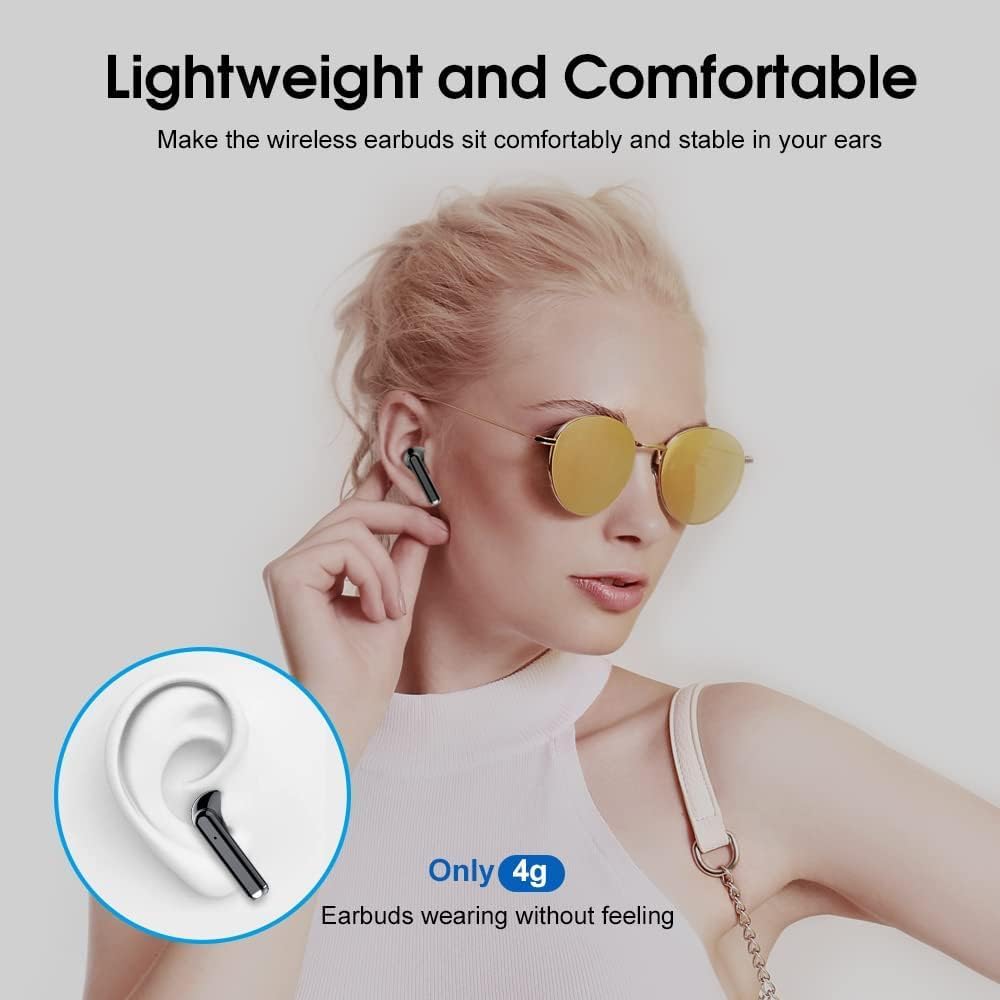
5 paveikslas: Lightweight and Comfortable Design. Each earbud weighs only 4g, designed for a secure and comfortable fit during extended use.
Trikčių šalinimas
If you encounter issues with your OYIB MD058A Wireless Earbuds, try the following solutions:
- Ausinės nesusijungia:
- Įsitikinkite, kad abi ausinės yra įkrautos.
- Place both earbuds back into the charging case, close the lid, then open it again to re-initiate pairing mode.
- Išjunkite ir įjunkite savo įrenginio „Bluetooth“.
- Forget "MD058A" from your device's Bluetooth list and attempt to pair again.
- Nėra garso iš vienos ausinės:
- Įsitikinkite, kad abi ausinės yra įkrautos.
- Įdėkite abi ausines atgal į įkrovimo dėklą, uždarykite dangtelį, tada vėl atidarykite.
- Patikrinkite savo įrenginio garso balanso nustatymus.
- Ausinės neįkraunamos:
- Įsitikinkite, kad įkrovimo laidas yra tvirtai prijungtas tiek prie dėklo, tiek prie maitinimo šaltinio.
- Patikrinkite, ar maitinimo šaltinis yra aktyvus.
- Nuvalykite ausinių ir dėklo vidaus įkrovimo kontaktus sausu vatos tamponėliu.
- Prasta skambučio kokybė:
- Įsitikinkite, kad ausinės yra visiškai įkrautos.
- Patikrinkite, ar nėra kliūčių tarp ausinių ir jūsų įrenginio.
- Move to an area with less environmental noise, as extreme noise can affect ENC performance.
Specifikacijos
Technical specifications for the OYIB MD058A Wireless Earbuds:
| Funkcija | Detalė |
|---|
| Modelio pavadinimas | MD058A |
| Prekės ženklas | OYIB |
| Ryšio technologija | Belaidis ryšys („Bluetooth 5.3“) |
| Garso tvarkyklės tipas | Dinaminis garsiakalbis (13 mm) |
| Triukšmo valdymas | Environmental Noise Cancellation (ENC) with 4 Microphones |
| Kontrolės metodas | Palieskite |
| Ausinių baterijos veikimo laikas | Iki 5 valandų (vienas įkrovimas) |
| Bendras grojimo laikas (su dėklu) | Iki 25 valandų |
| Įkrovimo laikas (dėklas) | Approximately 1 hour (USB-C) |
| Atsparumas vandeniui | IP7 atsparumas vandeniui (tik ausinės) |
| Ausinės svoris | Maždaug 4 g vienai ausinei |
| Suderinami įrenginiai | Išmanieji telefonai, nešiojamieji kompiuteriai, planšetiniai kompiuteriai, išmanieji garsiakalbiai |
Garantija ir palaikymas
Garantija: OYIB products typically come with a standard manufacturer's warranty. Please refer to the warranty card included in your package or contact OYIB customer support for specific warranty terms and conditions.
Klientų aptarnavimas: For any questions, technical assistance, or support regarding your OYIB MD058A Wireless Earbuds, please contact OYIB customer service through the retailer where you purchased the product or visit the official OYIB websvetainė kontaktinei informacijai.


