Įvadas
Juodasisview W50Pro Military Smart Watch is designed for durability and comprehensive functionality, suitable for various environments and activities. This manual provides essential information for setting up, operating, and maintaining your device to ensure optimal performance.
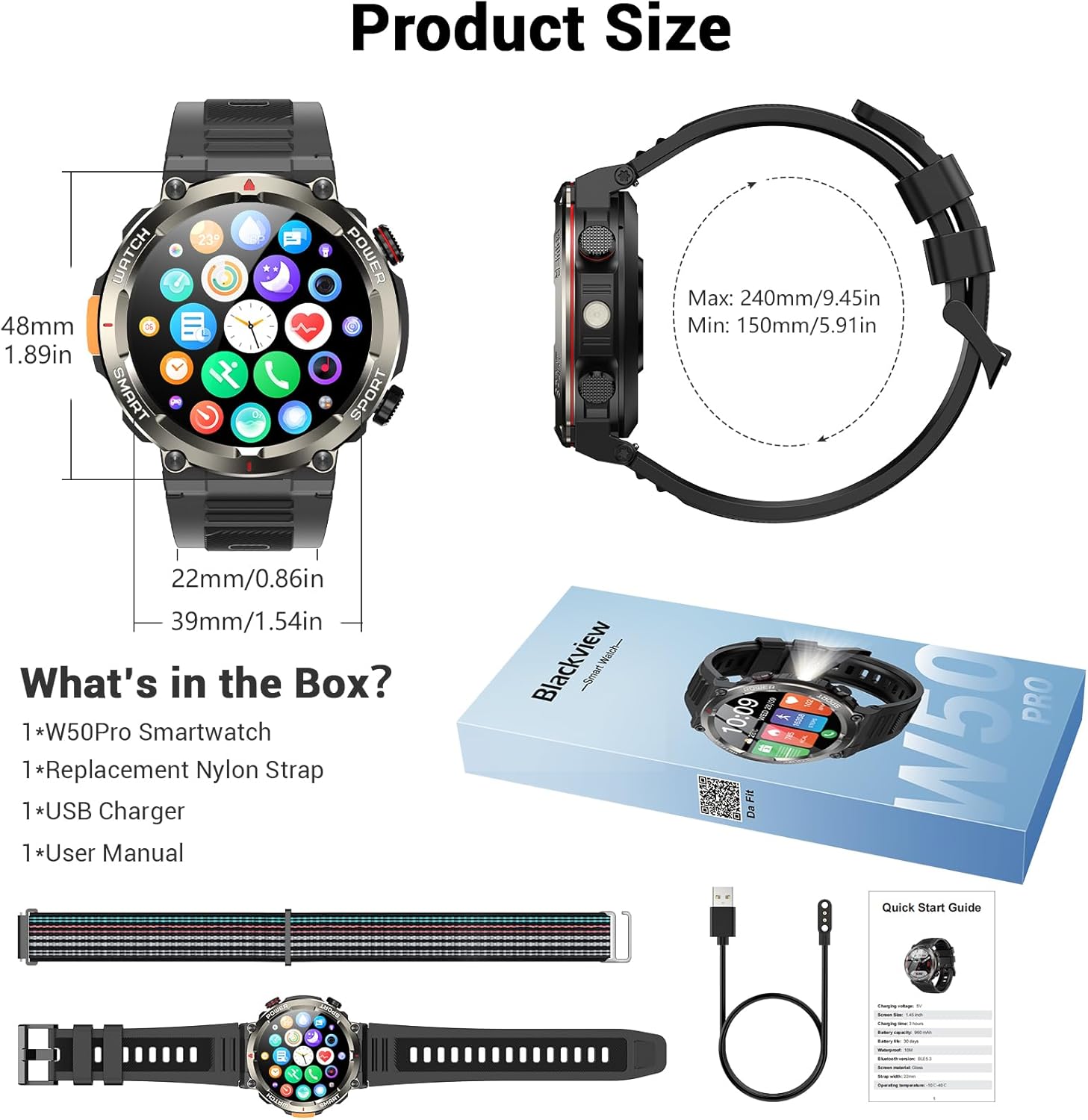
Kas yra dėžutėje
- Išmanusis laikrodis x1
- Silikono dirželis x1
- Nylon Braided Strap x1
- Magnetinis įkrovimo laidas x1
- Vartotojo vadovas x1
Paveikslėlis: Juodasisview W50Pro Smart Watch and its accessories, including two interchangeable straps, a magnetic charging cable, and the user manual.
Sąranka
1. Išmaniojo laikrodžio įkrovimas
Prieš pirmą kartą naudodami, visiškai įkraukite savo Blackview W50Pro Smart Watch. Connect the magnetic charging cable to the charging points on the back of the watch and plug the USB end into a compatible power source (e.g., computer USB port, USB wall adapter). The watch features a 960mAh battery, offering over 100 days of standby time and over 30 days of daily use.
Paveikslėlis: Juodasisview W50Pro Smart Watch connected to its magnetic charging cable, illustrating the charging process.
2. Programėlės atsisiuntimas ir susiejimas
To unlock the full potential of your smartwatch, download the "Da Fit" app on your smartphone. Scan the QR code provided in the user manual or search for "Da Fit" in your phone's app store (compatible with Android 6.0+ and iOS 9.0+).
Kai programėlė įdiegta:
- Įjunkite „Bluetooth“ savo išmaniajame telefone.
- Open the "Da Fit" app and follow the on-screen instructions to add a new device.
- Select your Blackview W50Pro (model W50Pro) from the list of available devices.
- Confirm pairing on both your phone and the smartwatch.
- Grant necessary permissions for notifications and health data tracking.
Video: A demonstration of connecting the KPEP K67A Military Smart Watch (similar model) to a smartphone via Bluetooth and the Da Fit app, showing the pairing process and initial setup steps.
3. Dirželio montavimas
The watch comes with two straps: a silicone strap and a nylon braided strap. To attach a strap, align the pins on the strap with the holes on the watch casing and slide the pin into place. Ensure both sides are securely fastened.
Naudojimo instrukcijos
Navigacija
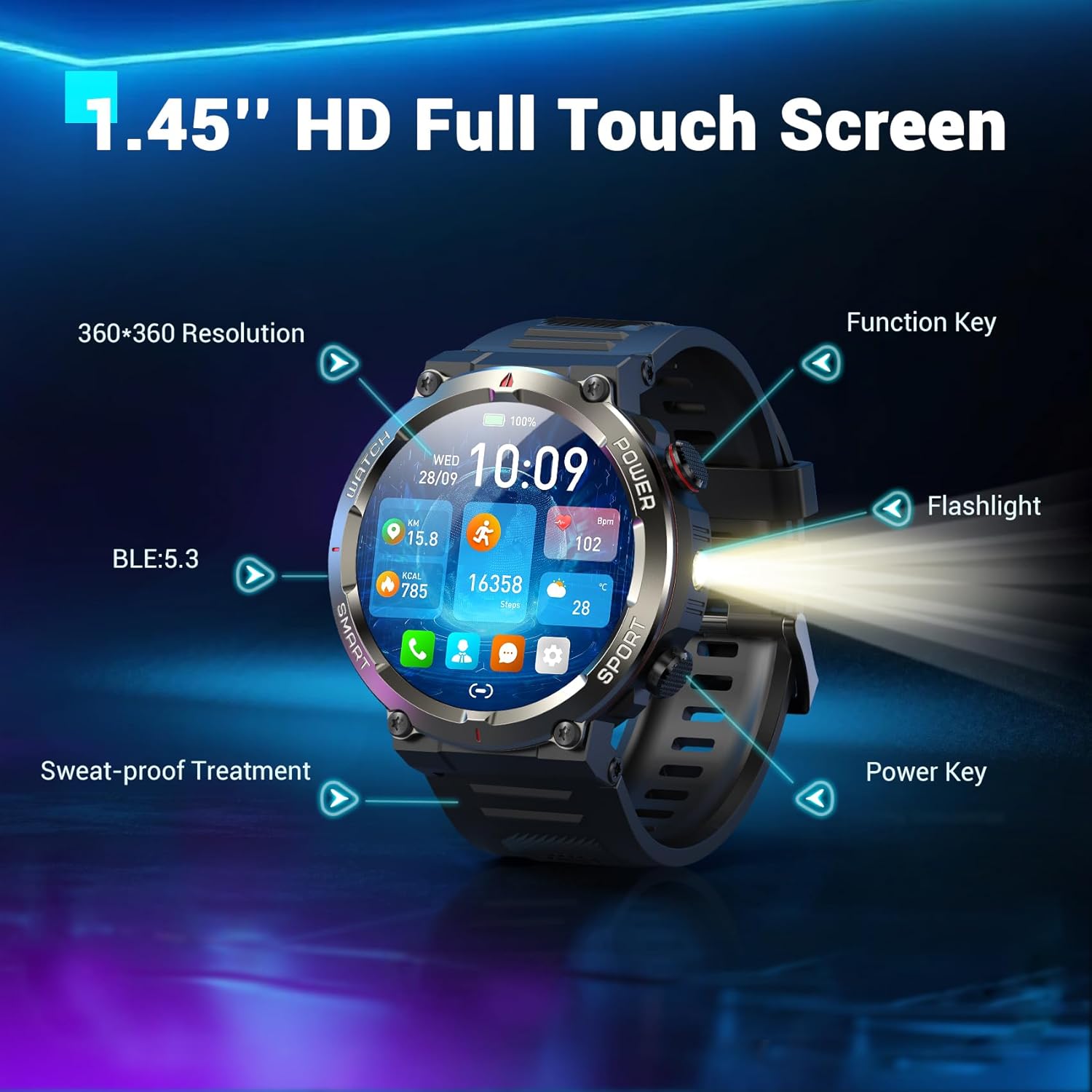
- Jutiklinis ekranas: Braukite kairėn, dešinėn, aukštyn arba žemyn, kad naršytumėte meniu ir funkcijas. Palieskite, kad pasirinktumėte.
- Funkcinis klavišas: Typically used to return to the previous screen or activate specific features.
- Maitinimo klavišas: Long press to power on/off. Short press to wake/sleep the screen.
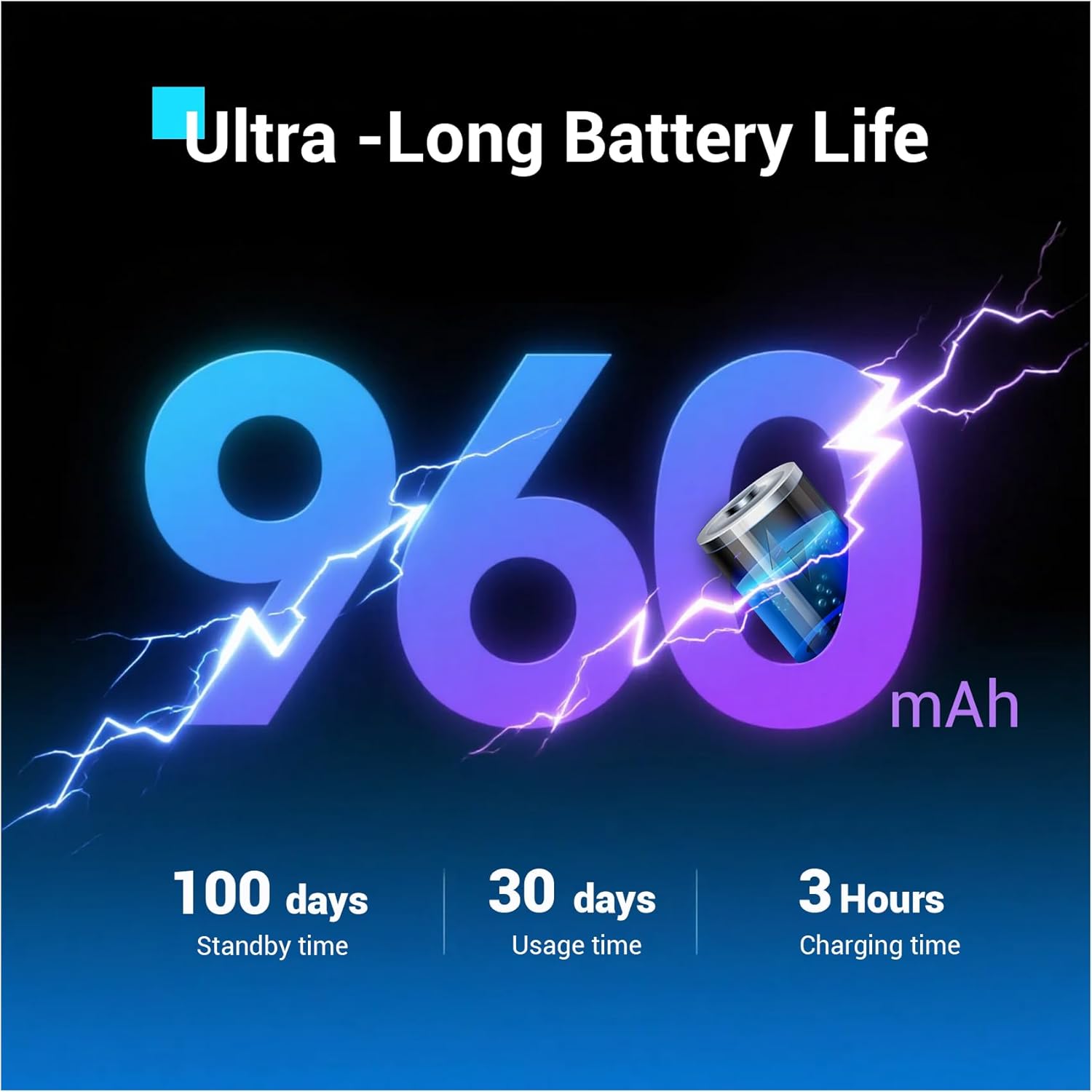
Image: Close-up of the Blackview W50Pro Smart Watch highlighting its 1.45-inch HD full touch screen, function key, flashlight, and power key.
Pritaikomi laikrodžių ciferblatai
Personalize your watch face by long-pressing the screen or selecting from the "Da Fit" app. Choose from a vast online library or set personal photos as backgrounds.
Answering/Making Calls
Once paired via Bluetooth, you can answer and make calls directly from your watch. The "Da Fit" app allows you to store contacts for quick dialing. The watch also displays real-time notifications for calls and messages from various apps.
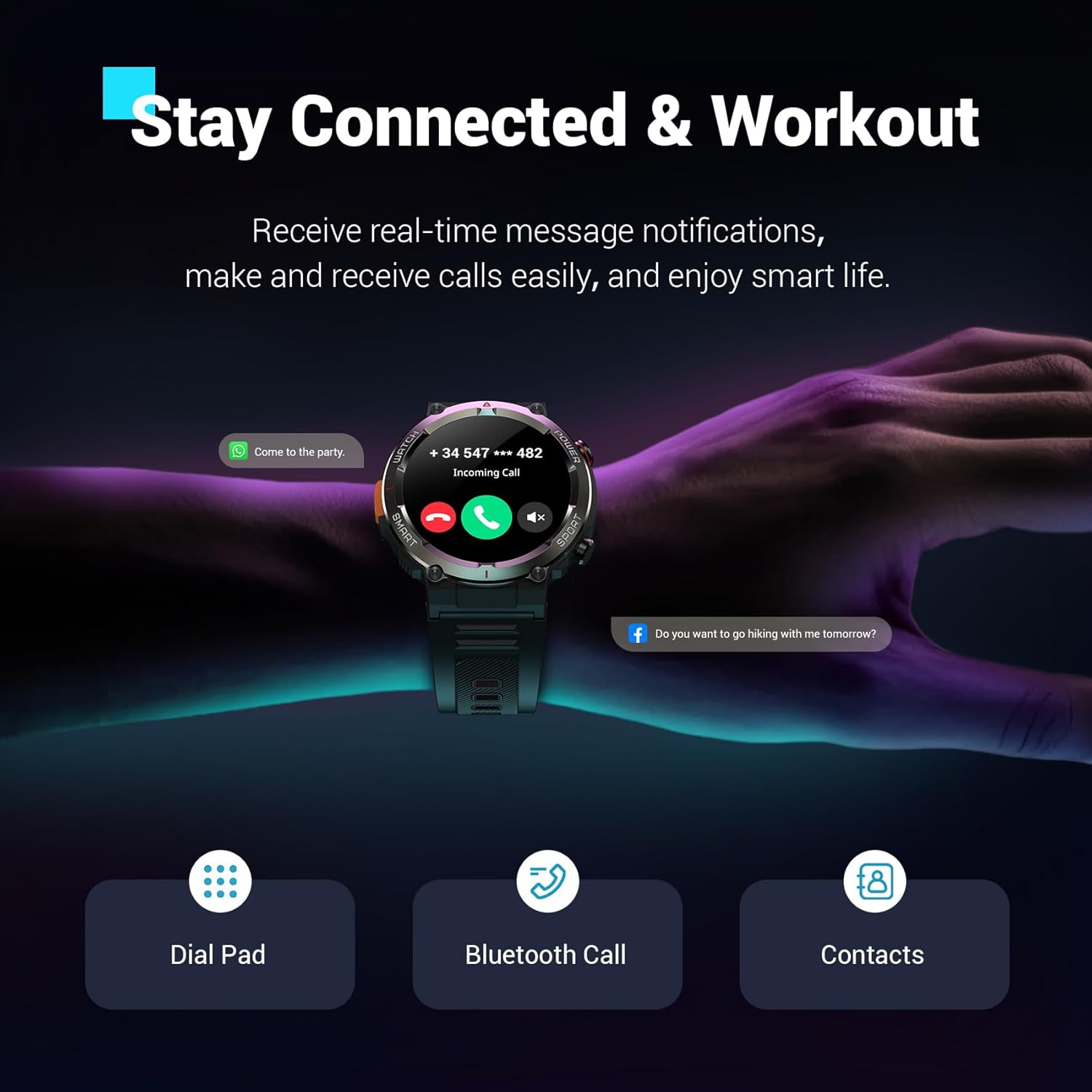
Paveikslėlis: Juodasisview W50Pro Smart Watch showing an incoming call notification and message alerts, demonstrating its communication features.
Sveikatos stebėjimas
Juodasisview W50Pro offers comprehensive health monitoring features:
- Širdies ritmo stebėjimas: Širdies ritmo stebėjimas realiuoju laiku 24 valandas per parą, 7 dienas per savaitę.
- Kraujo deguonies (SpO2) stebėjimas: Kraujo deguonies lygio patikrinimas realiuoju laiku.
- Streso stebėjimas: Stebėkite savo streso lygį visą dieną.
- Miego stebėjimas: Records sleep time and identifies deep sleep, light sleep, and REM sleep patterns.
Pastaba: This product is not a medical device. Test data is for reference only and should not be used to diagnose or monitor any medical conditions.
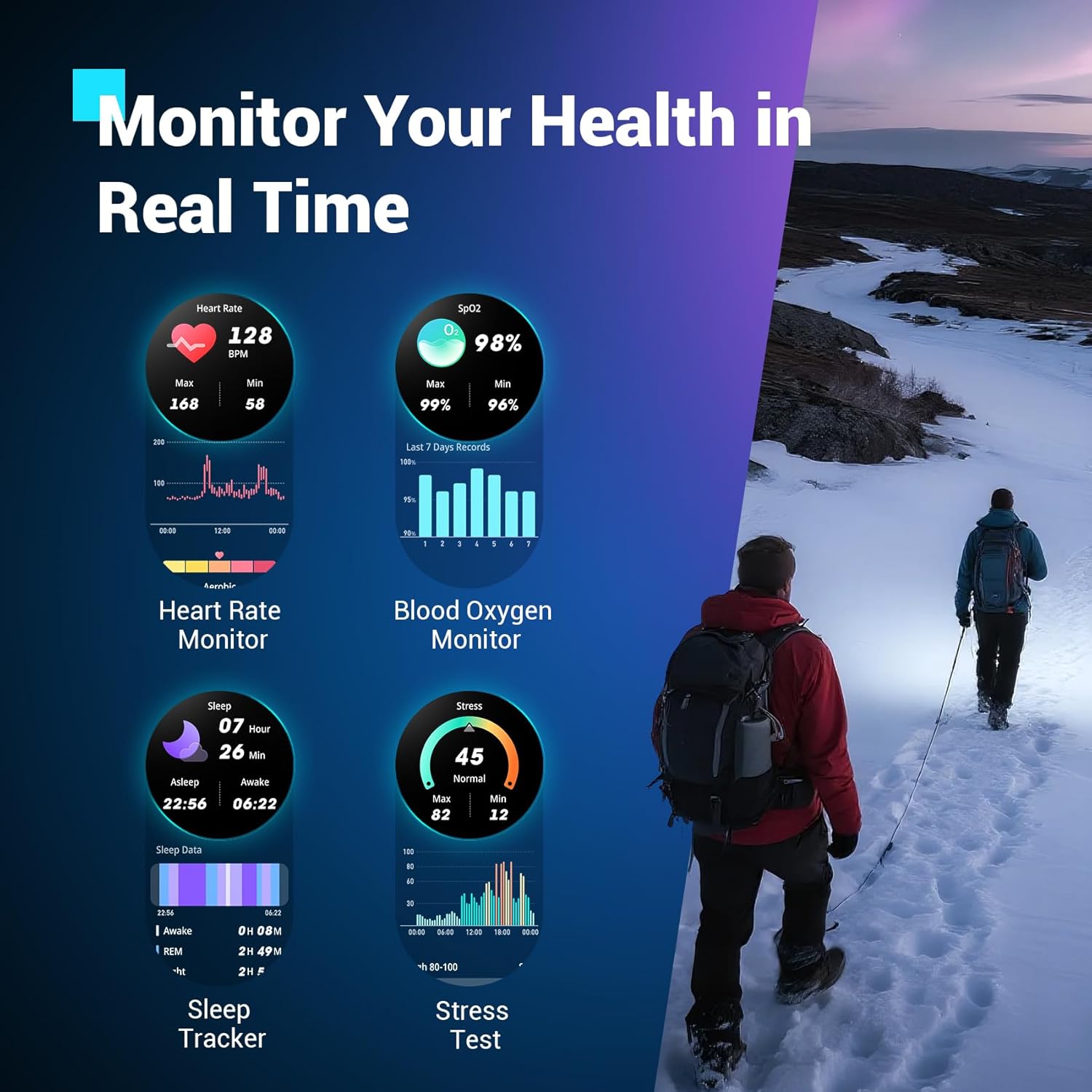
Paveikslėlis: Juodasisview W50Pro Smart Watch interface showing various health metrics including heart rate, blood oxygen, sleep data, and stress test results.
Sporto režimai ir GPS
The smartwatch supports over 100 sports modes, including cycling, running, basketball, rugby, skiing, and more. Connect to the "Da Fit" app via Bluetooth to track daily stats like steps, time, distance, and calories. Utilize your phone's GPS through the app to record all your training routes and fitness data.
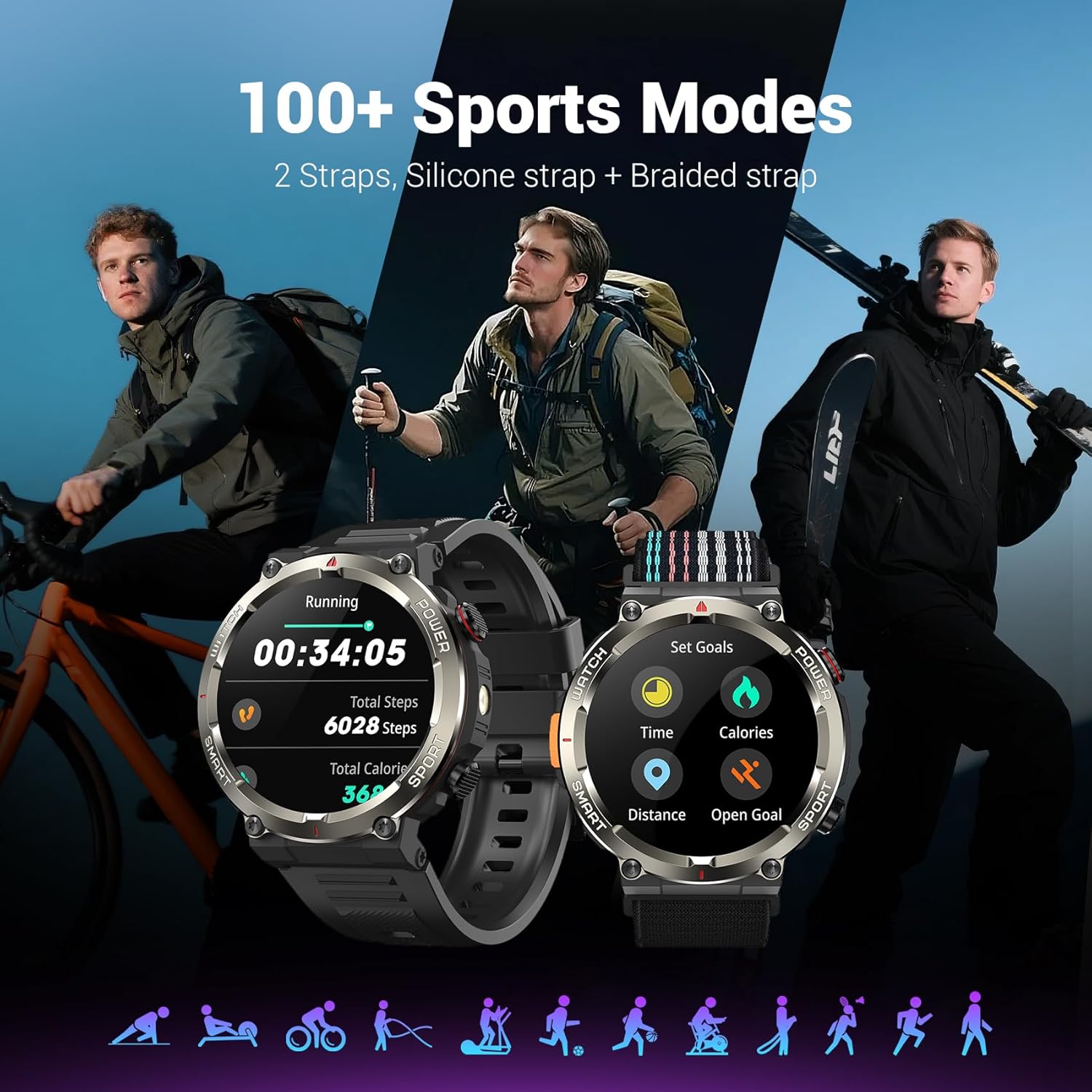
Paveikslėlis: Juodasisview W50Pro Smart Watch showcasindaugiau nei 100 sporto režimų, įskaitantamples of activity tracking for running and goal setting.
Lauko ypatybės
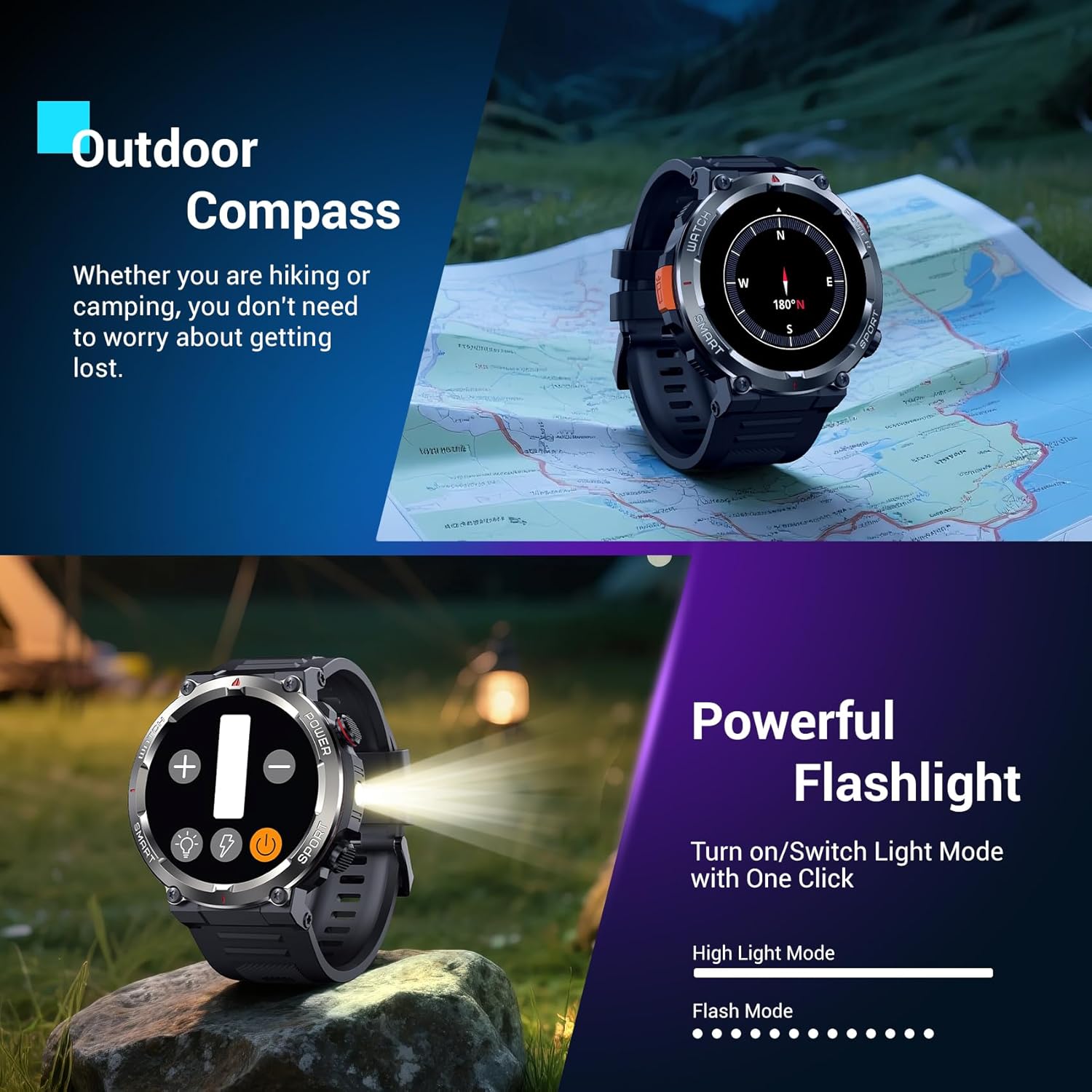
- LED žibintuvėlis: Activate the high-brightness LED flashlight with a single button for nighttime visibility or emergencies.
- Precision Compass: Navigate quickly when lost or without signal, providing essential direction for outdoor adventures.
Paveikslėlis: Juodasisview W50Pro Smart Watch highlighting its outdoor compass feature on the display and demonstrating its powerful LED flashlight in a dark environment.
More Useful Tools
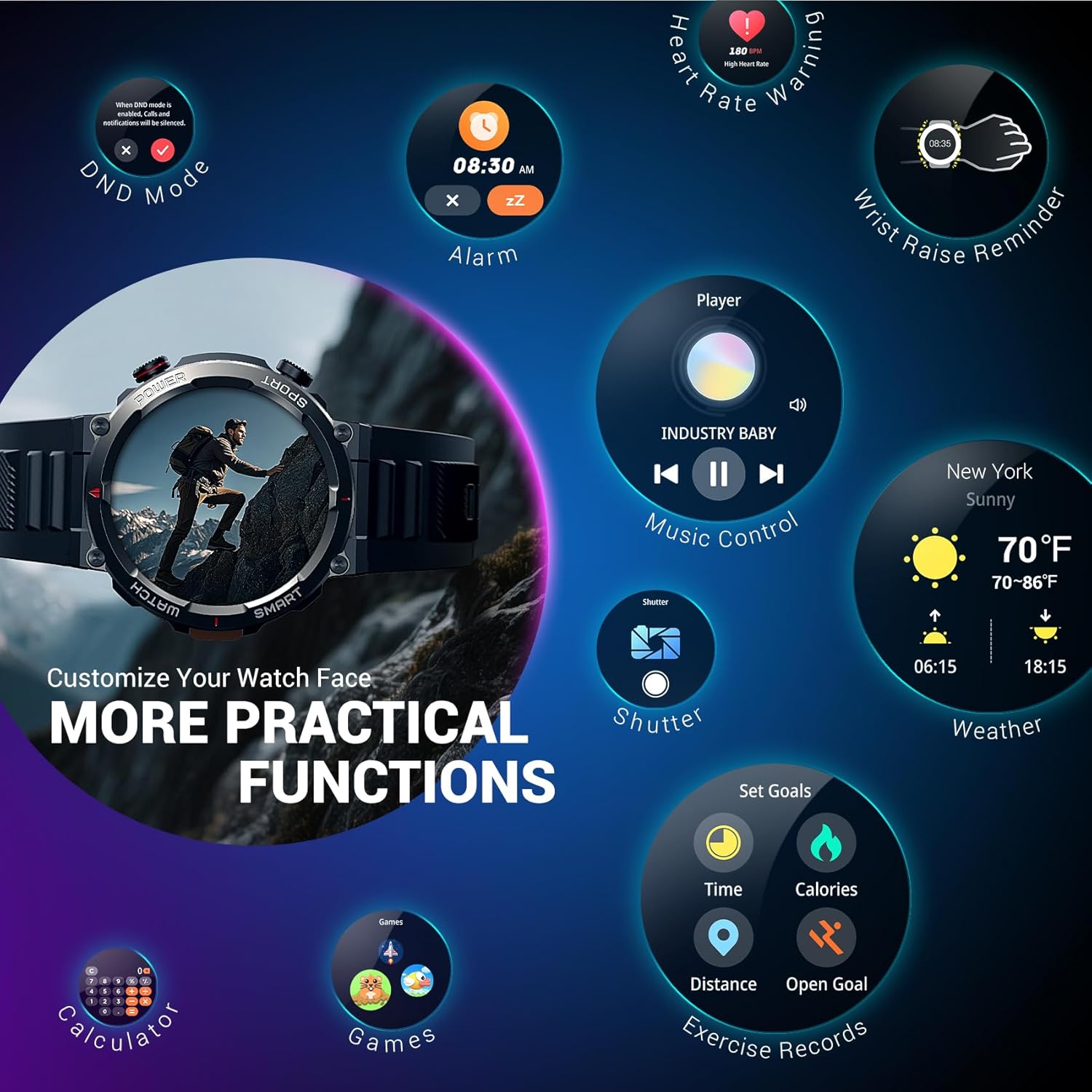
Juodasisview W50Pro includes additional practical functions:
- Muzikos valdymas
- Kameros valdymas
- Orų prognozė
- Žadintuvas
- Chronometras
- Laikmatis
- Skaičiuoklė
- Raskite telefoną
- Netrukdymo režimas (DND)
Paveikslėlis: Juodasisview W50Pro Smart Watch screen showing icons for various practical functions such as music control, weather, calculator, and exercise records.
Durability and Waterproofing
The watch features a durable plastic case and zinc alloy housing, designed to withstand outdoor bumps, dust, and sand. It has an IP68 waterproof rating, making it safe for everyday use like hand washing or rain. However, it is not suitable for saunas, hot tubs, swimming, or diving.
Vaizdo įrašas: trumpas įžanginis vaizdo įrašasview video demonstrating the IP68 waterproof rating of a KPEP smartwatch (similar model), showing it being submerged in water.
Specifikacijos
| Gaminio matmenys | 7.19 x 3.5 x 0.79 colio |
| Prekės svoris | 5.6 uncijos (0.16 kilogramo) |
| Prekės modelio numeris | W50Pro |
| Baterijos | Reikalingos 1 A baterijos (pridedamos) |
| Stovinčio ekrano dydis | 1.45 colių |
| Atminties talpa | 1 GB |
| Įdiegtos RAM atminties dydis | 128 MB |
| Operacinė sistema | Android ir iOS |
| Baterijos talpa | 960 milijonųamp Valandos |
| Ryšio technologija | Bluetooth |
| Belaidžio ryšio standartas | Bluetooth |
| GPS | GPS per išmanųjį telefoną |
| Forma | Apvalus |
Priežiūra
Kad užtikrintumėte savo „Black“ ilgaamžiškumą ir optimalų veikimąview W50Pro Smart Watch, follow these maintenance guidelines:
- Valymas: Reguliariai valykite laikrodžio ekraną ir dirželius minkšta, sausa šluoste. Įsisenėjusiam purvui naudokite šiek tiek drėgną šluostę.amp šluoste ir švelniu muilu, tada kruopščiai nuplaukite ir nusausinkite.
- Venkite stiprių cheminių medžiagų: Saugokite laikrodį nuo stiprių cheminių medžiagų, tirpiklių ar ploviklių, nes jie gali pažeisti medžiagas.
- Įkrovimas: Use only the provided magnetic charging cable. Avoid exposing the charging contacts to water or corrosive substances.
- Saugykla: Laikrodį laikykite vėsioje, sausoje vietoje, toliau nuo tiesioginių saulės spindulių ir ekstremalių temperatūrų.
- Vandens ekspozicija: While IP68 waterproof, avoid prolonged submersion or exposure to high-pressure water jets. Dry the watch completely after contact with water.
Trikčių šalinimas
Jei kyla problemų dėl „Black“view W50Pro Smart Watch, try the following solutions:
- Laikrodis neįsijungia: Įsitikinkite, kad laikrodis yra visiškai įkrautas. Prijunkite jį prie įkroviklio bent 30 minučių.
- Nepavyksta susieti su telefonu: Make sure Bluetooth is enabled on your phone and the watch is within range. Restart both devices and try pairing again. Ensure the "Da Fit" app has necessary permissions.
- Pranešimai negauti: Check app permissions on your phone and ensure notifications are enabled within the "Da Fit" app settings for specific applications.
- Netikslūs sveikatos duomenys: Įsitikinkite, kad laikrodis tvirtai uždėtas ant riešo – ne per stipriai ar per laisvai. Nuvalykite jutiklį laikrodžio gale.
- Ekranas nereaguoja: Restart the watch by long-pressing the power key. If unresponsive, allow the battery to drain completely and then recharge.
Garantija ir palaikymas
For warranty information or further support, please refer to the documentation included in your product packaging or contact Blackview customer service. Protection plans are available for purchase separately.


