1. Įvadas
This manual provides essential information for setting up, operating, and maintaining your Hisense 32E5Q Smart QLED Google TV. Please read it thoroughly before using the television to ensure proper functionality and safety. Keep this manual for future reference.
The Hisense 32E5Q is an 80 cm (32-inch) HD Ready Smart QLED Google TV, featuring HDR10 support, 30W powerful speakers with Dolby Audio, a Super Bright Panel, Google Assistant, and built-in Chromecast for an enhanced viewpatirtį.
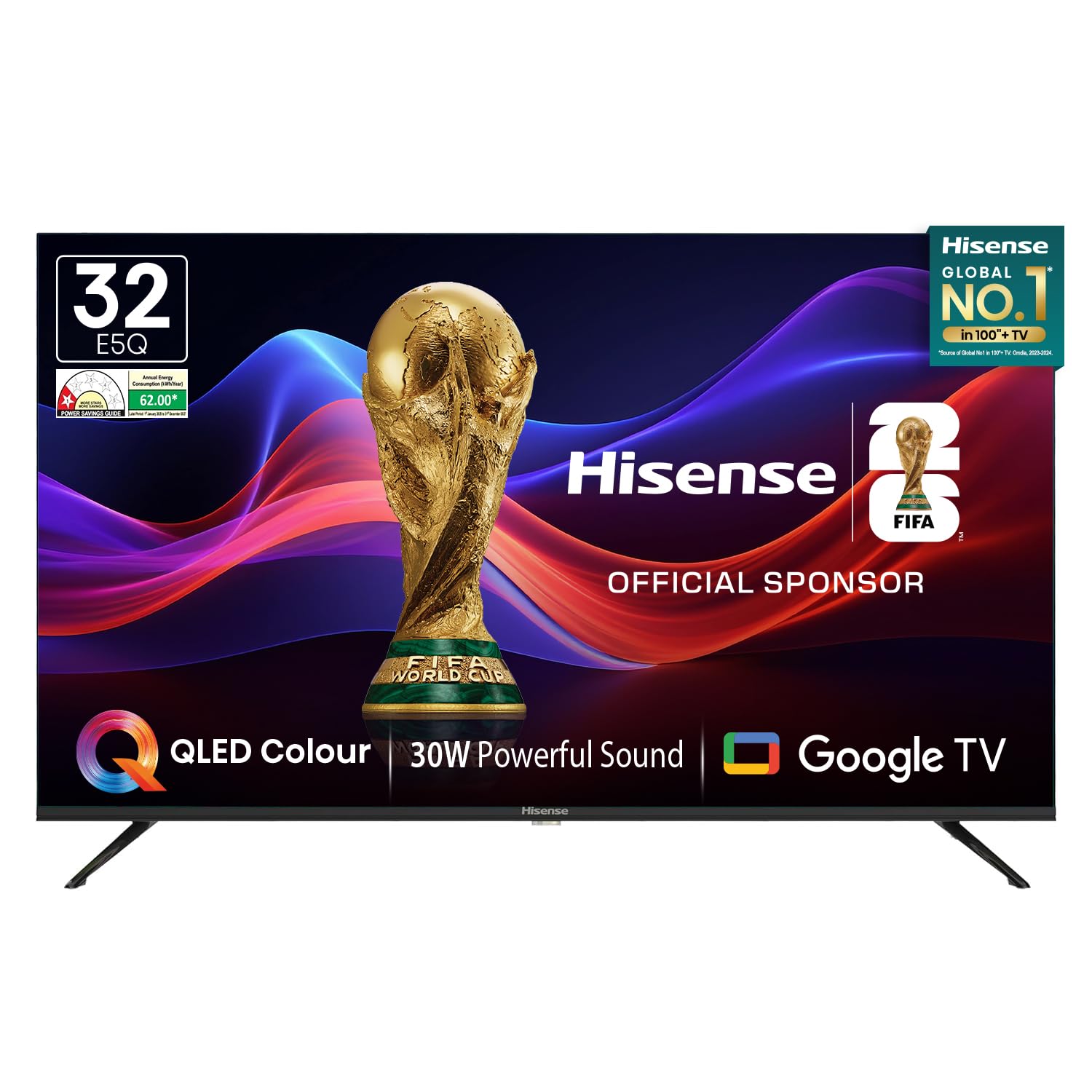
Image: Hisense 32E5Q Smart QLED Google TV, front view.
2. Kas yra dėžutėje
Atsargiai išpakuokite dėžę ir įsitikinkite, kad visi daiktai yra supakuoti ir nepažeisti. Jei kokių nors daiktų trūksta arba jie pažeisti, nedelsdami susisiekite su pardavėju.
- 1 x Hisense 32E5Q LED TV
- 2 x stalo stovo pagrindai
- 1 x Naudotojo vadovas (šis dokumentas)
- 1x garantinis talonas
- 1x nuotolinio valdymo pultas
- 2x AAA baterijos

Image: Diagram showing the Hisense TV, remote, table stands, batteries, warranty card, and manual included in the box.
3. Sąranka
3.1. Stovo montavimas
To install the table stand bases:
- Padėkite televizorių ekranu žemyn ant minkšto, lygaus paviršiaus, kad nesubraižytumėte.
- Sulygiuokite kiekvieną stovo pagrindą su atitinkamais lizdais televizoriaus apačioje.
- Pritvirtinkite stovus pridėtais varžtais. Įsitikinkite, kad jie tvirtai pritvirtinti.

Image: Diagram illustrating the dimensions of the Hisense E5Q QLED TV and how the table stands attach.
3.2. Sienų montavimas
This TV supports wall mounting. For wall mounting, please refer to the instructions provided with your wall mount kit. Ensure the wall mount is compatible with the TV's VESA mounting pattern and weight. Professional installation is recommended for wall mounting.
3.3. Prietaisų prijungimas
Prijunkite išorinius įrenginius prie televizoriaus naudodami atitinkamus prievadus. Prieš jungdami įsitikinkite, kad televizorius ir visi įrenginiai yra išjungti.
- HDMI prievadai (x3): Skirta prijungti priedėlius, žaidimų konsoles, „Blu-ray“ grotuvus ir kt.
- USB 2.0 prievadai (x2): For connecting USB storage devices (hard drives, flash drives) to play media.
- Ethernet (RJ45): Laidiniam interneto ryšiui.
- Ausinių prievadas: Ausinėms prijungti.
- AV įvestis: Skirta senesniems įrenginiams prijungti naudojant kompozicinį vaizdo ir stereo garso kabelius.
- VGA IN: Kompiuterio prijungimui.
- ANT: Antžeminės transliacijos antenos prijungimui.

Image: Detailed diagram of the Hisense TV's rear and side connectivity ports, including HDMI, USB, Ethernet, AV, VGA, and Headphone.
4. Televizoriaus valdymas
4.1. Maitinimo įjungimas/išjungimas
Connect the power cord to the TV and a power outlet. Press the power button on the remote control or the TV to turn it on or off.
4.2. Pradinė sąranka („Google TV“)
Pirmą kartą įjungus televizorių, jis padės atlikti pradinį nustatymą. Tai apima:
- Kalbos pasirinkimas.
- Tinklo ryšys („Wi-Fi“ arba eterneto).
- Prisijungimas prie „Google“ paskyros, norint naudotis „Google TV“ funkcijomis.
- Google Assistant setup.
- Channel scanning (if using an antenna).
4.3. Išmaniojo televizoriaus funkcijos
Your Hisense 32E5Q TV runs on Google TV, offering a personalized entertainment experience.
- Google TV: Access a vast library of movies, shows, and apps from various streaming services.
- Integruotas „Chromecast“: Transliuokite turinį tiesiai iš savo išmaniojo telefono, planšetinio kompiuterio ar kompiuterio į televizorių.
- „Google“ padėjėjas: Naudokite balso komandas turiniui ieškoti, išmaniųjų namų įrenginiams valdyti ir informacijai gauti.
- Palaikomos programos: Pre-installed and downloadable apps include Netflix, YouTube, Prime Video, Hotstar, SonyLiv, Hungama, JioCinema, Zee5, Eros Now, and many more.

Image: Screenshot of the Google TV home screen displaying popular streaming applications like Prime Video, Netflix, YouTube, and Disney+ Hotstar.
4.4. Nuotolinio valdymo pultas
The included remote control features dedicated buttons for popular streaming services and voice control functionality.
- Valdymas balsu: Press the Google Assistant button and speak into the remote to issue commands.
- One-touch Access: Quickly launch Netflix, YouTube, Prime Video, and other apps with dedicated buttons.

Image: The Hisense voice remote control, highlighting the power, volume, channel, navigation, and dedicated app buttons.
4.5. Ekrano nustatymai
Optimizuokite savo viewing experience with the following display features:
- QLED ekranas: Delivers vibrant colors and enhanced picture quality.
- HDR10: Užtikrina puikų kontrastą ir spalvų tikslumą suderinamam turiniui.
- Super Bright Panel: Ensures high brightness levels for clear visibility in various lighting conditions.
- Vaizdo režimai: Choose from Standard, Dynamic, Movie, ECO, Gentle, Vivid, Sport, Game, and Personal to suit your content.
- Natūralus spalvų stipriklis: Fine-tunes colors for a more realistic and immersive visual experience.
- Triukšmo mažinimas: Reduces visual noise and graininess for a clearer picture.
- Dinaminis kontrastas: Enhances the contrast between light and dark areas of the screen.

Image: Visual representation of key display technologies including QLED Color, HDR10 comparison, and 4K Digital Noise Reduction.
4.6. Garso nustatymai
Experience rich and powerful sound with the TV's audio features:
- 30W Powerful Speakers: Delivers clear and immersive audio.
- Dolby Audio: Provides enhanced sound quality for movies, music, and games.
- Garso režimai: Select from Standard, Music, Cinema, News, and Personal to optimize audio for different content types.

Image: Graphic illustrating the Dolby Audio and 30W Powerful Sound features, showing sound waves emanating from the TV.
4.7. Ekrano atspindėjimas
Share content from your devices to the TV screen:
- Įtaisytasis „Chromecast“: Easily cast videos, photos, and music from compatible apps on your smartphone or tablet.
- DLNA, Miracast, Airplay: Supports various screen mirroring protocols for seamless content sharing.
5. Specifikacijos
| Funkcija | Specifikacija |
|---|---|
| Modelis | 32E5Q |
| Ekrano dydis | 32 colių (80 cm) |
| Ekrano technologija | QLED |
| Rezoliucija | HD Ready (1366x768) |
| Atnaujinimo dažnis | 60 hercų |
| Viewing kampas | 178 laipsnių |
| Ryškumas | 330 nitų |
| Kontrasto santykis | 3000:1 (vietinis) |
| HDR palaikymas | HDR 10 |
| Operacinė sistema | Google TV |
| RAM atmintis | 1.5 GB |
| Sandėliavimo talpa | 8 GB |
| Garsiakalbių išvestis | 30 vatų |
| Garso technologija | Dolby Audio |
| HDMI prievadai | 3 |
| USB prievadai | 2 2.0 (USB XNUMX) |
| Ryšys | Built-in Wi-Fi, Bluetooth 5.0, Ethernet RJ45 |
| Gaminio matmenys (su stovu) | 71.6 x 48.78 x 22.45 cm |
| Gaminio matmenys (be stovo) | 71.6 x 43.34 x 8.61 cm |
| Prekės svoris | 3.9 kg |
| Energijos suvartojimas | 55 vatų |
6. Priežiūra
6.1. Televizoriaus valymas
- Prieš valydami visada atjunkite televizorių nuo elektros tinklo.
- Ekraną ir korpusą nuvalykite minkštu, sausu, nepūkuotu skudurėliu.
- Įsisenėjusioms dėmėms lengvai nuvalykiteampen the cloth with water or a mild screen cleaner. Never spray cleaner directly onto the screen.
- Venkite naudoti abrazyvinius valiklius, vašką ar tirpiklius, nes jie gali pažeisti televizoriaus apdailą.
6.2. Saugos gairės
- Neuždenkite vėdinimo angų.
- Laikykite televizorių atokiau nuo tiesioginių saulės spindulių, šilumos šaltinių ir per didelio dulkių kiekio.
- Avoid placing liquids or heavy objects on top of the TV.
- If the TV emits smoke or unusual odors, immediately unplug it and contact customer support.
7. Problemų sprendimas
Jei kyla problemų dėl televizoriaus, žr. šiuos dažniausiai pasitaikančius sprendimus:
- Nėra galios: Ensure the power cord is securely plugged into both the TV and a working power outlet. Check if the power outlet is active.
- Nėra vaizdo / garso: Verify that the correct input source is selected. Check all cable connections (HDMI, AV, etc.). Try restarting the TV.
- Nuotolinio valdymo pultas neveikia: Pakeiskite AAA baterijas nuotolinio valdymo pulte. Įsitikinkite, kad tarp nuotolinio valdymo pulto ir televizoriaus nėra jokių kliūčių.
- Tinklo ryšio problemos: For Wi-Fi, check your router and ensure the TV is within range. For Ethernet, verify the cable connection. Try restarting your router and the TV.
- Vaizdo kokybės problemos: Televizoriaus meniu reguliuokite vaizdo nustatymus (ryškumą, kontrastą, spalvas). Įsitikinkite, kad turinio šaltinis yra aukštos kokybės.
For more detailed troubleshooting or persistent issues, please contact Hisense customer support.
8. Garantija ir palaikymas
8.1. Informacija apie garantiją
Your Hisense 32E5Q TV comes with a 1 metų garantija nuo pirkimo datos televizoriuje ir 1 metų garantija on the remote control, provided by the brand.
Warranty claims can be processed using your Amazon e-invoice as proof of purchase. Please retain your invoice for warranty purposes.
8.2. Pagalba klientams
For technical assistance, service requests, or any other inquiries, please contact Hisense customer support. Refer to the warranty card or Hisense's official websvetainė, kurioje rasite kontaktinius duomenis.
You may also consider extended warranty plans offered by third-party providers for additional coverage beyond the standard manufacturer's warranty.
9. Produkto vaizdo įrašasview
Peržiūrėkite šį vaizdo įrašą, kad gautumėte vaizdinę apžvalgąview of the Hisense E5Q Series HD Ready Smart QLED Google TV's features and benefits.
Vaizdo įrašas: trumpas aprašymasview highlighting the QLED display, HD Ready resolution, 60Hz refresh rate, 178-degree viewing angle, 330 nits brightness, 3000:1 contrast ratio, HDR10, Google TV, Chromecast, Google Assistant, 3 HDMI ports, 2 USB 2.0 ports, built-in Wi-Fi, Bluetooth 5.0, Ethernet RJ45, headphone port, 30W speaker output, and Dolby Audio. It also shows the contents of the box and warranty information.